What to Know About Drawing Tablets
Posted on Tuesday, April 14, 2026
To keep this site free for consumers, we receive compensation for customer referrals.
What to Know About Drawing Tablets
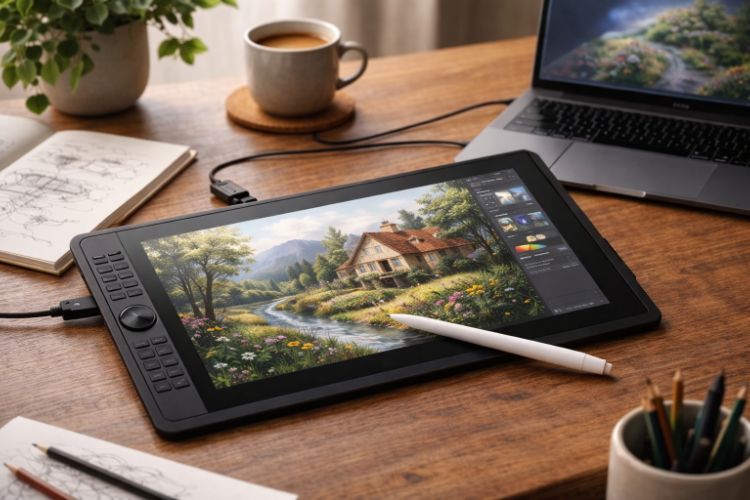
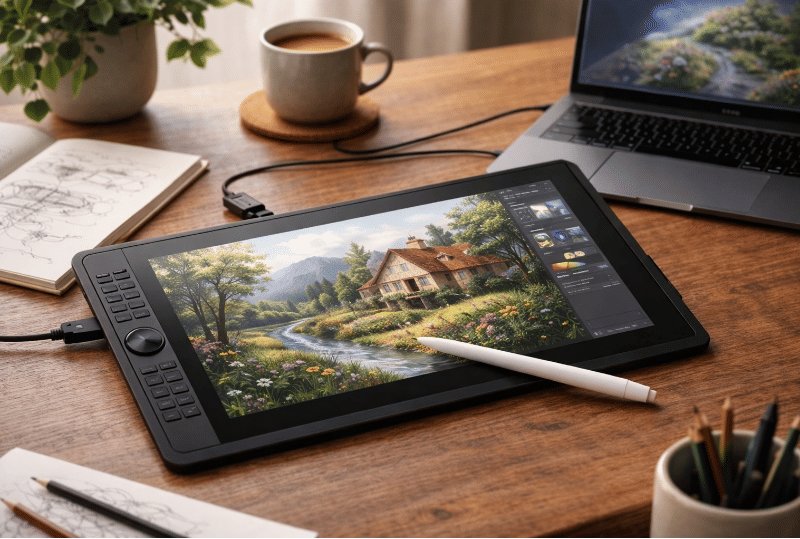
Drawing tablets have become a central tool in digital art, offering a bridge between traditional hand-drawn techniques and modern software-based workflows. Whether used for illustration, animation, photo editing, or design, a drawing tablet allows users to input strokes directly with a stylus, creating a more natural and precise experience than a standard mouse or trackpad. Understanding how these devices function—and what differentiates them—can make evaluating options far more manageable.
This category includes a range of devices, from simple pen input surfaces to fully integrated display tablets. Each type supports different creative processes, so identifying how you intend to use a drawing tablet is a key starting point before focusing on specific features or configurations.
How Drawing Tablets Work in Practice
At a basic level, a drawing tablet captures the movement and pressure of a stylus and translates it into digital input. This allows artists to sketch, paint, or edit with varying line weight and opacity, closely mimicking traditional tools like pencils or brushes. The responsiveness of this interaction plays a major role in how intuitive the experience feels.
Most tablets connect to a computer or operate with built-in software environments. The stylus typically communicates with the tablet surface through electromagnetic or capacitive technology, enabling precise tracking without requiring heavy pressure. This helps reduce strain during longer creative sessions.
Different Types of Drawing Tablets
Drawing tablets are generally divided into three main formats, each offering a different balance of immersion, portability, and cost structure.
Pen Tablets (Non-Display): These devices require users to draw on a flat surface while viewing their work on a separate screen. This setup can take time to get used to, but it provides a streamlined and often more compact workspace.
Display Tablets: These include built-in screens that allow users to draw directly on the display. This format more closely resembles traditional drawing and can feel more intuitive, especially for detailed work.
Standalone Tablets: These function independently without needing a separate computer. They combine drawing capabilities with built-in processing power, making them suitable for mobile workflows and flexible work environments.
Key Features to Evaluate
While all drawing tablets share the same basic purpose, the details of their design can significantly affect usability and output quality. Paying attention to these features can help clarify which models align with specific needs.
- Pressure Sensitivity: Determines how accurately the tablet detects variations in stylus pressure. Higher sensitivity allows for more nuanced control over line thickness and opacity.
- Resolution: Refers to how finely the tablet can track movement. Higher resolution supports smoother lines and more detailed work.
- Active Area: The usable drawing surface impacts comfort and scale. Larger areas provide more room for expressive strokes, while smaller ones suit compact setups.
- Stylus Design: Factors such as weight, grip, and button placement influence long-term comfort. Some styluses also include tilt recognition for more dynamic input.
- Display Quality: For screen-based tablets, resolution, color accuracy, and brightness affect how artwork appears during creation.
- Shortcut Controls: Built-in buttons or touch rings can streamline repetitive actions, reducing reliance on a keyboard.
- Connectivity: Options may include wired or wireless connections, as well as compatibility with different operating systems.
How Drawing Tablets Support Artistic Work
Drawing tablets allow for a level of precision and fluidity that aligns closely with traditional artistic methods. This makes them particularly useful for tasks that require subtle variation, such as shading, line work, and brush-based painting. The ability to control digital tools with natural hand movements can shorten the learning curve for those transitioning from physical media.
They also integrate seamlessly with creative software, enabling artists to work across multiple layers, undo actions instantly, and experiment without permanently altering their work. This flexibility can support both exploratory and highly structured workflows.
Practical Considerations for Everyday Use
Beyond specifications, day-to-day usability plays a significant role in how effective a drawing tablet feels over time. Setup and workspace integration should be considered, especially if desk space is limited or if the device will be used alongside other equipment.
Ergonomics also matter. The angle of the tablet, the texture of the surface, and the responsiveness of the stylus all contribute to comfort during extended sessions. Some users may prefer accessories such as adjustable stands or protective surfaces to enhance usability.
Software compatibility is another factor. Ensuring that the tablet works smoothly with preferred creative applications can prevent workflow interruptions and reduce the need for additional configuration.
Trade-Offs and Limitations
Each type of drawing tablet involves certain compromises. Non-display tablets can feel less intuitive initially, while display tablets may introduce concerns around screen glare or hand positioning. Standalone tablets offer portability but may have limitations in processing power or software availability compared to full desktop setups.
Learning curve is another consideration. Even with intuitive tools, developing coordination and familiarity with digital interfaces takes time. Adjusting settings such as pressure curves and shortcut mapping often becomes part of the process.
Where Drawing Tablets Make the Most Sense
Drawing tablets are widely used across creative disciplines, including illustration, graphic design, animation, and photo retouching. They are particularly valuable in workflows that require detailed control or repeated manual input.
For hobbyists, they provide a way to explore digital art without abandoning familiar techniques. For more experienced users, they can become a central component of a broader creative setup, supporting everything from concept sketches to final production work.
Building Confidence in Your Selection
Understanding how drawing tablets differ in form, function, and usability can make the selection process more structured and less overwhelming. Rather than focusing on a single defining feature, it often helps to consider how multiple factors work together to support your specific workflow.
With a clear sense of how you plan to use a drawing tablet, comparing options becomes more straightforward. For more category insights and structured guidance, visit our site to continue exploring tools that support creative work.

Related Blog Posts