What to Know Before Choosing Webcams
Posted on Monday, May 04, 2026
To keep this site free for consumers, we receive compensation for customer referrals.
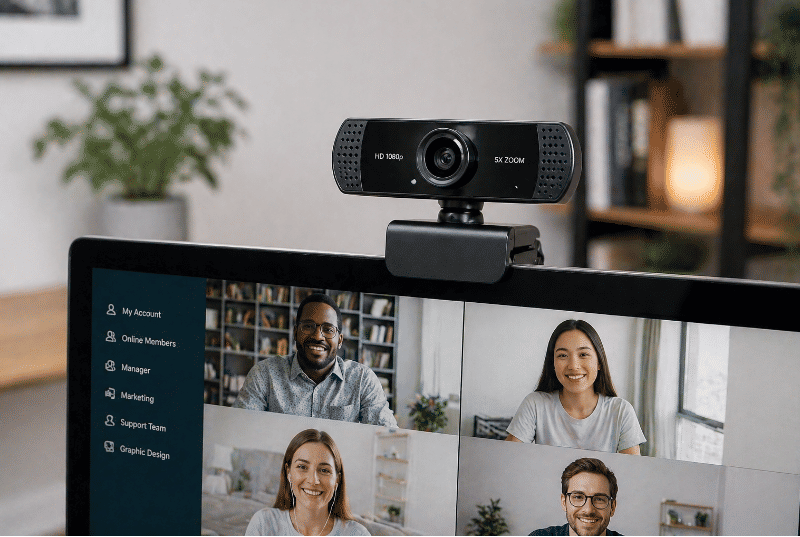
What to Know Before Choosing Webcams
Webcams have become a core part of modern communication, supporting video calls, content creation, remote work, and online collaboration. While many devices include built-in cameras, external webcams offer a wider range of features and configurations. Understanding how webcams differ in design and functionality can help clarify what to consider before evaluating options in this category.
The overall experience with a webcam depends on factors such as image quality, lighting conditions, and intended use. Looking beyond basic specifications makes it easier to understand how different features influence real-world performance.
How Webcams Function in Everyday Use
Webcams capture video through a lens and image sensor, converting visual input into a digital signal that can be transmitted through software platforms. This process happens in real time, allowing for live communication or recording.
Performance is influenced by how well the camera processes light, handles motion, and maintains clarity under varying conditions. These elements work together to shape how the image appears to others.
Different Types of Webcams
Webcams are available in several formats, each suited to different setups and usage patterns.
Built-In Cameras
Many laptops and monitors include integrated webcams. These are designed for convenience and require no additional setup.
While easy to use, built-in cameras may have limitations in positioning and image control compared to external options.
External USB Webcams
External webcams connect to a computer through a cable and can be positioned independently of the screen. This allows for more flexibility in framing and angle.
They often include additional features such as adjustable mounts, higher-resolution sensors, and improved optics.
Clip-On and Mountable Designs
Some webcams are designed to attach directly to monitors, tripods, or other surfaces. These configurations allow users to fine-tune placement based on their environment.
This flexibility can be useful in setups where camera positioning plays a key role in presentation or framing.
Key Features That Influence Performance
Several technical and design features affect how a webcam performs in practical use. Understanding these elements can help clarify differences between models.
- Resolution: Higher resolution can provide more detail, though it also depends on lighting and compression.
- Frame rate: A higher frame rate can result in smoother motion, particularly during movement.
- Low-light performance: The ability to handle dim environments affects image clarity and noise levels.
- Autofocus: Cameras with autofocus can maintain sharpness as subjects move or adjust position.
- Field of view: A wider field of view captures more of the background, while a narrower view focuses more closely on the subject.
- Microphone integration: Some webcams include built-in microphones, which may affect overall audio setup.
- Mounting options: Adjustable mounts or tripod compatibility can influence placement flexibility.
These features interact in ways that shape both image quality and usability.
How Design Affects Everyday Experience
The physical design of a webcam influences how easily it fits into a workspace. Compact models may be less obtrusive, while larger designs may offer more advanced components.
Placement is an important consideration. A webcam positioned at eye level can create a more natural viewing angle, while off-center placement may affect how the image is perceived.
Cable length and connection type can also impact setup, particularly in more complex workstations. These details can influence how seamlessly the webcam integrates into daily routines.
Trade-Offs and Practical Limitations
Webcams involve trade-offs between convenience, image quality, and environmental adaptability. Built-in cameras offer simplicity but may lack flexibility, while external webcams provide more control at the cost of additional setup.
Lighting conditions can significantly affect performance. Even higher-resolution cameras may struggle in poorly lit environments, making external lighting an important consideration in some cases.
Bandwidth and software compatibility also play a role. Video quality may be influenced by internet connection stability and the platforms used for communication.
Where Webcams Make Sense
Webcams are commonly used in remote work environments, online learning, streaming, and virtual meetings. The relevance of specific features often depends on how the camera is used within these contexts.
Users focused on casual communication may prioritize ease of use, while those involved in presentations or content creation may place more emphasis on image control and clarity. The intended use case helps determine which features are most relevant.
Shared or multi-purpose spaces may also influence setup decisions, particularly when flexibility and portability are important.
Making a More Informed Choice
Choosing a webcam involves understanding how different features align with real-world needs, from lighting conditions to positioning and usage frequency. By focusing on how design and performance interact, it becomes easier to evaluate available options.
With a clear sense of priorities, comparing webcams becomes a more structured and manageable process. Visit our site for more insights that help clarify product categories and support confident, independent decision-making.

Related Blog Posts