











We also considered 10 others:


Our Top Choice
Compare Features


The order above is not editorial opinion, and it is not paid placement. It comes from what shoppers across our network actually do - which wireless pc speakers they compare, and which they ultimately buy. We re-rank as new data comes in, so the long-term favorites have to keep earning their spot against new entrants. The full method, including how we make money.
Wireless PC Speakers Buyer's Guide
Wireless PC speakers have to balance desktop convenience against the PC-specific problems Bluetooth can introduce: latency, pairing conflicts, and unpredictable input switching. The sharpest checks are whether the speaker has a reliable low-delay wired option for games, video, and calls, and whether its shape actually fits your monitor, keyboard, and near-field listening position.
Sound
You’ll want speakers that sound clear and balanced at the volumes you actually use, whether you’re listening quietly or filling a room. Pay attention to bass that feels full without muddying voices or instruments, and watch for distortion, hiss, rattling, or harshness as the volume rises.
For PC use, prioritize intelligibility at arm’s-length desktop distance over raw loudness: look for clear mids for voices, enough near-field stereo separation for games and video, and bass that does not muddy dialogue or keyboard-side listening. If you play games or watch video over Bluetooth, check for low-latency behavior or use a wired USB/AUX mode when lip-sync and positional cues matter; many compact speakers can sound big but still blur directionality if the drivers sit too close together. Owner feedback supports that compact and budget-oriented models can deliver clear, stronger-than-expected sound for everyday computer audio, music, gaming, videos, and calls, with some users specifically praising clearer meetings and better laptop-call volume.
Build
Build quality matters because speakers are often moved, played loudly, and expected to last for years without rattles, loose connections, or worn controls. Look for solid cabinets, secure grilles, stable feet or mounting points, and connectors that feel firm, and be wary of flimsy plastic, buzzing panels, or controls that feel loose out of the box.
Choose a build that matches how the speakers will actually live on a desk: stable feet, a rigid soundbar or compact cabinets that will not rattle against the monitor stand, protected controls, and cables or ports that tolerate daily plugging and unplugging. For portable wireless use, check whether the grille, charging port, and buttons feel durable enough for being moved between rooms; for a permanent PC setup, compactness should not come at the cost of a flimsy chassis that buzzes at higher volume. Owners generally describe many options in this category as solid, tidy, portable, and well made for everyday use, especially when viewed as simple affordable upgrades rather than premium audio systems.
Ease
Speakers that are easy to set up and use are more likely to fit smoothly into your daily routine, whether you’re pairing a device, adjusting volume, switching inputs, or using a remote or app. Look for clear controls, straightforward connectivity, reliable remote operation, and useful functions you’ll actually use; watch out for confusing menus, limited controls on the speaker itself, or features that depend too heavily on a finicky app.
For a PC desk, the easiest speaker is the one that wakes, reconnects, and changes volume predictably every day: look for plug-and-play USB audio, clearly labeled input switching, front or top-access controls, and no required driver software unless you actually want EQ or lighting control. Avoid designs that bury the power button or input selector behind the monitor, and check whether Bluetooth reconnects automatically to the right computer instead of grabbing a phone or tablet. Owner reports consistently favor speakers that are quick to set up, USB plug-in ready, easy to pair over Bluetooth, and simple to adjust with straightforward controls or a control pod.
Connectivity
Reliable connectivity matters because even great speakers are frustrating if they drop out, lag, or make pairing a hassle. Look for easy Bluetooth pairing, stable wireless range for your space, and support for the connection types you actually use, while watching for complaints about intermittent dropouts or trouble reconnecting to familiar devices.
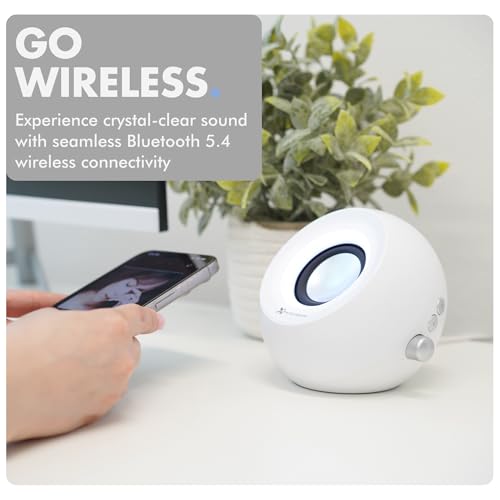
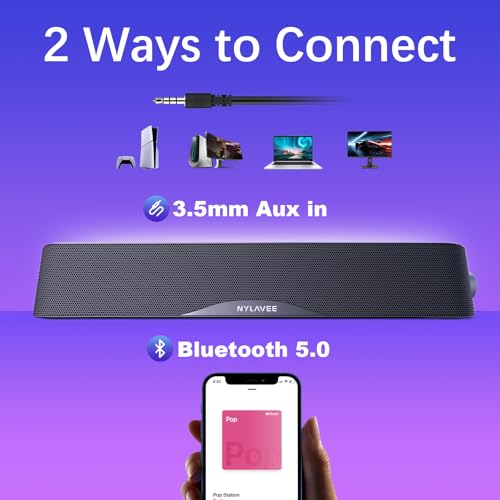
Connectivity is the make-or-break spec for wireless PC speakers: decide whether you need Bluetooth convenience, USB audio reliability, AUX fallback, or USB-C compatibility before buying. For gaming, video editing, and meetings, a wired USB or AUX path can avoid Bluetooth delay, compression, and sudden pairing conflicts; for shared desks, quick Bluetooth switching is useful but should not replace a dependable computer input. Shoppers should also check whether USB is audio plus power or power only, because some “USB speakers” still need AUX for sound. Owners often praise quick Bluetooth pairing, smooth USB plug-and-play setup, USB-C convenience, and the flexibility to move between a computer and phone, but the best choice depends on which connection you will use most.
Value
You want a speaker that feels worth what you paid, not just one with impressive specs or flashy features. Look for the best balance of sound quality, build, connectivity, battery life if portable, and useful extras for how you actually listen. Watch out for paying more for features you will not use or for a low price that comes with weak sound, poor durability, or frustrating controls.
Judge value by whether the speaker solves the PC-specific annoyances you have now: weak laptop audio, messy cables, poor meeting clarity, cramped desk space, or inconvenient switching between devices. A low-cost speaker is not good value if it adds latency, hum, awkward controls, or an input mismatch with your desktop or monitor; conversely, a modest compact set can be a smart buy if it gives clear near-field sound and reliable daily connection. Owner sentiment strongly supports this category’s price-to-performance appeal, with many buyers saying compact budget speakers sound better than expected and work well as practical everyday upgrades rather than high-end audio replacements.
Design
A speaker often sits in plain view, so its appearance matters as much as where you plan to place it. Look for a shape, finish, and size that fit your room and furniture, and watch out for designs that block controls, show dust easily, or feel awkward on shelves, counters, or stands.
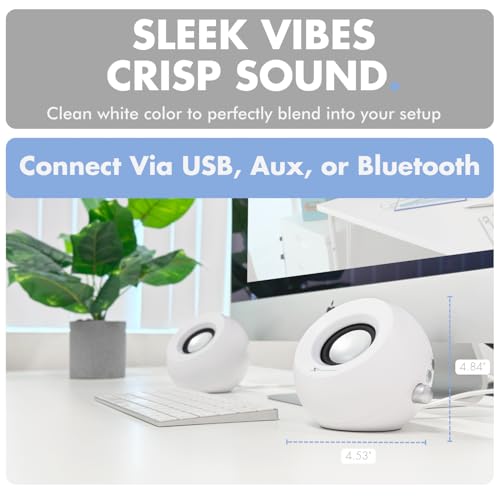
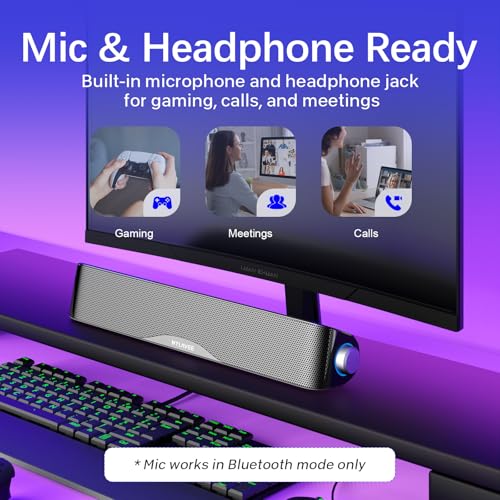
Pick a design around monitor clearance, keyboard/mouse space, and listening geometry, not just looks: a slim soundbar can fit under a display but may reduce stereo width, while separate left/right speakers usually image better if your desk has room. Check height against the bottom bezel, cable exit direction, RGB shutoff or dimming for work calls and dark rooms, and whether controls remain reachable once the speakers are placed. Owners like compact, clean desk-friendly designs, modern RGB or LED accents, and small cabinets or soundbars that tuck neatly into PC setups, with several noting that the lighting can enhance a gaming desk when it is not distracting.
1,000,000+ shoppers use Buyer's Guide every week to find the best products and services online.

Helping millions of users make smarter purchases online.


