
Best Desktop PC Speakers Updated July 2026

Best Desktop PC Speakers
2026 Buyer's GuideUpdated July 2026
Sort by:
1

10.0

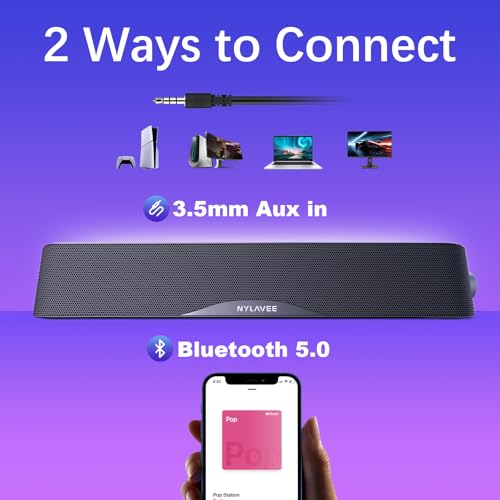
Nylavee Computer Speakers, Hi-Fi Stereo Computer Sound Bar with Bluetooth & 3.5mm Aux, USB/USB-C Powered for Desktop PC, Laptop...
Peak Power: 5 watts
Battery Life: N/A - wired
Waterproof: No
Connectivity: Bluetooth 5.0, 3.5mm AUX
Dimensions: 16" long x 2.4" wide x 2.8" tall

10.0

1
Nylavee Computer Speakers, Hi-Fi Stereo Computer Sound Bar with Bluetooth & 3.5mm Aux, USB/USB-C Powered for Desktop PC, Laptop...
Peak Power: 5 watts
Battery Life: N/A - wired
Waterproof: No
Connectivity: Bluetooth 5.0, 3.5mm AUX
Dimensions: 16" long x 2.4" wide x 2.8" tall
2

9.7

Edifier G2000 32W PC Gaming Computer Speakers for Laptop Mac Desktop Computer Woofer Speakers Bluetooth USB 3.5mm AUX Inputs RG...
Peak Power: 32 watts
Connectivity: Bluetooth, 3.5mm AUX, USB
Dimensions: 8.3" long x 5.1" deep x 9.1" tall
Compare

9.7

2
Edifier G2000 32W PC Gaming Computer Speakers for Laptop Mac Desktop Computer Woofer Speakers Bluetooth USB 3.5mm AUX Inputs RG...
Peak Power: 32 watts
Connectivity: Bluetooth, 3.5mm AUX, USB
Dimensions: 8.3" long x 5.1" deep x 9.1" tall
Compare
3

9.5

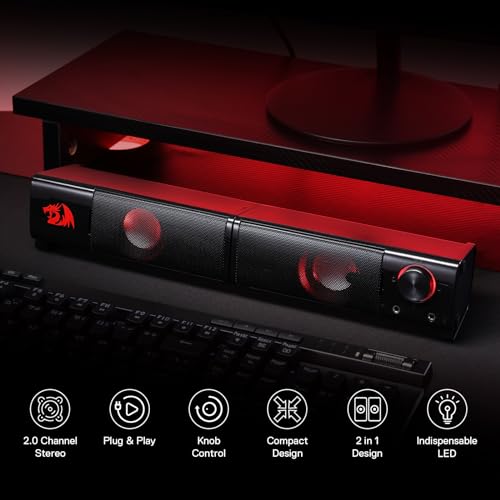
Redragon GS520 RGB Desktop Speakers, 2.0 Channel PC Computer Stereo Speaker with 6 Colorful LED Modes, Enhanced Sound and Easy-...
Peak Power: 3 watts
Battery Life: N/A - wired
Waterproof: No
Connectivity: 3.5mm AUX, USB
Dimensions: 4.8" long x 4" wide x 7.3" tall
Compare

9.5

3
Redragon GS520 RGB Desktop Speakers, 2.0 Channel PC Computer Stereo Speaker with 6 Colorful LED Modes, Enhanced Sound and Easy-...
Peak Power: 3 watts
Battery Life: N/A - wired
Waterproof: No
Connectivity: 3.5mm AUX, USB
Dimensions: 4.8" long x 4" wide x 7.3" tall
4

9.4

Cyber Acoustics CA-2890 USB Speaker Bar – USB Powered Stereo Desktop Computer Speakers for PC, Clip-On Monitor Mount Design, On...
Peak Power: 25 watts
Battery Life: N/A - wired
Waterproof: No
Connectivity: USB
Dimensions: 8.3" long x 2.8" wide x 1.3" tall
Compare

9.4

4
Cyber Acoustics CA-2890 USB Speaker Bar – USB Powered Stereo Desktop Computer Speakers for PC, Clip-On Monitor Mount Design, On...
Peak Power: 25 watts
Battery Life: N/A - wired
Waterproof: No
Connectivity: USB
Dimensions: 8.3" long x 2.8" wide x 1.3" tall
Compare
5

9.3

Cyber Acoustics USB & Bluetooth Speaker Bar (CA-2890BT) – USB Powered Speaker with Speakerphone for PC and Bluetooth to Simulta...
Sound quality
Reliability
Easy to set up
Value for money
Monitor mounting
Volume

9.3

5
Cyber Acoustics USB & Bluetooth Speaker Bar (CA-2890BT) – USB Powered Speaker with Speakerphone for PC and Bluetooth to Simulta...
Sound quality
Reliability
Easy to set up
Value for money
Monitor mounting
Volume
6

9.1

SOULION Bluetooth Computer Speakers for Desktop Monitor PC USB Powered
Peak Power: 10 watts
Battery Life: Not indicated
Waterproof: No
Connectivity: Bluetooth, 3.5mm AUX
Dimensions: 16" long x 2.7" wide x 3.5" tall
Compare

9.1

6
SOULION Bluetooth Computer Speakers for Desktop Monitor PC USB Powered
Peak Power: 10 watts
Battery Life: Not indicated
Waterproof: No
Connectivity: Bluetooth, 3.5mm AUX
Dimensions: 16" long x 2.7" wide x 3.5" tall
Compare
7

9.0

Redragon GS560 RGB Desktop Soundbar, 2.0 Channel Computer Speaker with Dynamic Lighting Bar Audio-Light Sync/Display, Touch-Con...
Peak Power: 4 watts
Connectivity: USB, 3.5mm AUX
Dimensions: 15.8" long x 2.7" wide x 2.8" tall
Compare

9.0

7
Redragon GS560 RGB Desktop Soundbar, 2.0 Channel Computer Speaker with Dynamic Lighting Bar Audio-Light Sync/Display, Touch-Con...
Peak Power: 4 watts
Connectivity: USB, 3.5mm AUX
Dimensions: 15.8" long x 2.7" wide x 2.8" tall
8

8.9

Edifier M60 Multimedia Speaker Bluetooth 5.3, 66W RMS, Hi-Res Audio & Hi-Res Wireless Audio, LDAC,3" Mid Bass & 1" Tweeter, USB...
Sound quality
Value for money
Compact size
Appearance
Connectivity
Easy to set up

8.9

8
Edifier M60 Multimedia Speaker Bluetooth 5.3, 66W RMS, Hi-Res Audio & Hi-Res Wireless Audio, LDAC,3" Mid Bass & 1" Tweeter, USB...
Sound quality
Value for money
Compact size
Appearance
Connectivity
Easy to set up
9

8.8

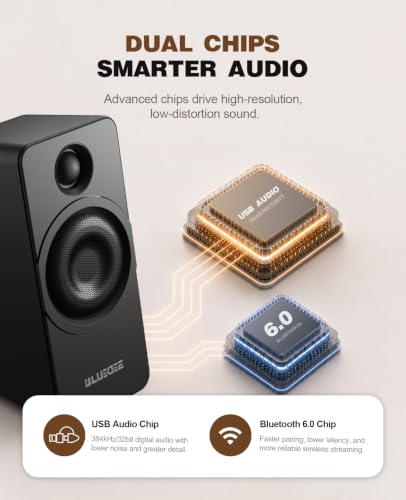
Bluedee Computer Speakers for Desktop PC, Dual Driver PC Speakers with RGB Lights, Plug & Play Compact Wired USB Speaker for La...
Sound quality
Easy to set up
Value for money
Design
Performance
Rgb lighting

8.8

9
Bluedee Computer Speakers for Desktop PC, Dual Driver PC Speakers with RGB Lights, Plug & Play Compact Wired USB Speaker for La...
Sound quality
Easy to set up
Value for money
Design
Performance
Rgb lighting
10

8.7

BLUEDEE Computer Speakers for Desktop PC, Computer Sound bar, HiFi Stereo Speakers for Computer Desktop, Bluetooth 5.0 and 3.5m...
Peak Power: 6 watts
Battery Life: N/A - wired
Waterproof: No
Connectivity: Bluetooth 5.0, 3.5mm AUX
Dimensions: 16.4" long x 2.6" wide x 2.6" tall
Compare

8.7

10
BLUEDEE Computer Speakers for Desktop PC, Computer Sound bar, HiFi Stereo Speakers for Computer Desktop, Bluetooth 5.0 and 3.5m...
Peak Power: 6 watts
Battery Life: N/A - wired
Waterproof: No
Connectivity: Bluetooth 5.0, 3.5mm AUX
Dimensions: 16.4" long x 2.6" wide x 2.6" tall
We also considered 10 others:

Our Top Choice

1

10.0

Nylavee Computer Speakers, Hi-Fi Stereo Computer Sound Bar with Bluetooth & 3.5mm Aux, USB/USB-C Powered for Desktop PC, Laptop...
Peak Power: 5 watts
Battery Life: N/A - wired
Waterproof: No
Connectivity: Bluetooth 5.0, 3.5mm AUX
Dimensions: 16" long x 2.4" wide x 2.8" tall

10.0

1
Nylavee Computer Speakers, Hi-Fi Stereo Computer Sound Bar with Bluetooth & 3.5mm Aux, USB/USB-C Powered for Desktop PC, Laptop...
Peak Power: 5 watts
Battery Life: N/A - wired
Waterproof: No
Connectivity: Bluetooth 5.0, 3.5mm AUX
Dimensions: 16" long x 2.4" wide x 2.8" tall

Compare Features

Battery Life
Best Desktop PC Speaker
1. Nylavee Computer Speakers
NYLAVEE Preview NYLAVEE Preview
NYLAVEE
at Amazon
2. Edifier PC Gaming Speakers
EDIFIER Preview EDIFIER Preview
EDIFIER
at Amazon
3. Redragon Anvil GS520 Desktop Speakers
REDRAGON Preview REDRAGON Preview
REDRAGON
at Amazon
4. Cyber Acoustics USB Speaker Bar
CYBER ACOUSTICS Preview CYBER ACOUSTICS Preview
CYBER ACOUSTICS
at Amazon
Best Value
5. SOULION R50 Bluetooth Computer Speaker
SOULION Preview SOULION Preview
SOULION
at Amazon
6. Redragon GS560 RGB Desktop Soundbar
REDRAGON Preview REDRAGON Preview
REDRAGON
at Amazon
7. BLUEDEE Computer Speaker
BLUEDEE Preview BLUEDEE Preview
BLUEDEE
at Amazon
Deal
5% Coupon -14% -17%
Deal 5% Coupon -14% -17%
Peak Power
5 watts 32 watts 3 watts 25 watts 10 watts 4 watts 6 watts
Peak Power
5 watts 32 watts 3 watts 25 watts 10 watts 4 watts 6 watts
Battery Life
N/A - wired N/A - wired N/A - wired Not indicated N/A - wired
Battery Life
N/A - wired N/A - wired N/A - wired Not indicated N/A - wired
Waterproof
No No No No No
Waterproof
No No No No No
Connectivity
Bluetooth 5.0, 3.5mm AUX Bluetooth, 3.5mm AUX, USB 3.5mm AUX, USB USB Bluetooth, 3.5mm AUX USB, 3.5mm AUX Bluetooth 5.0, 3.5mm AUX
Connectivity
Bluetooth 5.0, 3.5mm AUX Bluetooth, 3.5mm AUX, USB 3.5mm AUX, USB USB Bluetooth, 3.5mm AUX USB, 3.5mm AUX Bluetooth 5.0, 3.5mm AUX
Dimensions
16" long x 2.4" wide x 2.8" tall 8.3" long x 5.1" deep x 9.1" tall 4.8" long x 4" wide x 7.3" tall 8.3" long x 2.8" wide x 1.3" tall 16" long x 2.7" wide x 3.5" tall 15.8" long x 2.7" wide x 2.8" tall 16.4" long x 2.6" wide x 2.6" tall
Dimensions
16" long x 2.4" wide x 2.8" tall 8.3" long x 5.1" deep x 9.1" tall 4.8" long x 4" wide x 7.3" tall 8.3" long x 2.8" wide x 1.3" tall 16" long x 2.7" wide x 3.5" tall 15.8" long x 2.7" wide x 2.8" tall 16.4" long x 2.6" wide x 2.6" tall
How we rank

The order above is not editorial opinion, and it is not paid placement. It comes from what shoppers across our network actually do - which desktop pc speakers they compare, and which they ultimately buy. We re-rank as new data comes in, so the long-term favorites have to keep earning their spot against new entrants. The full method, including how we make money.

Desktop PC Speakers Buyer's Guide

Desktop PC speakers are near-field speakers first: they sit inches from your keyboard, monitor, walls, and USB ports, so placement, noise, cable routing, and controls matter as much as raw loudness. The sharpest tradeoff is usually compact desk fit versus real stereo separation and bass; a tiny soundbar may be tidy, while a spaced pair or 2.1 set can sound wider but needs more room and cleaner wiring.

Sound

You’ll want speakers that sound clear and balanced at the volumes you actually use, whether you’re listening quietly or filling a room. Pay attention to bass that feels full without muddying voices or instruments, and watch for distortion, hiss, rattling, or harshness as the volume rises.

For desktop use, prioritize clear near-field sound at low-to-moderate volume, not just maximum wattage. Look for speakers that keep dialogue intelligible, don’t hiss audibly when idle, and have enough stereo separation for games, video calls, and music when placed on either side of a monitor; if you choose a subwoofer, make sure you can dial bass down so it does not boom under a desk or bleed through walls. Owner feedback supports this focus: shoppers often praise compact desktop sets that sound clearer, fuller, and louder than expected, with some 2.1 systems standing out for punchy bass and more immersive sound.

Build

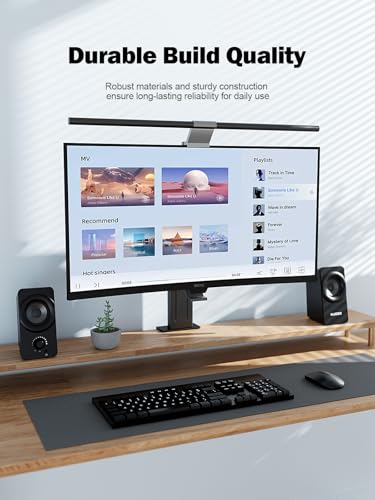
Build quality matters because speakers are often moved, played loudly, and expected to last for years without rattles, loose connections, or worn controls. Look for solid cabinets, secure grilles, stable feet or mounting points, and connectors that feel firm, and be wary of flimsy plastic, buzzing panels, or controls that feel loose out of the box.

Check the physical build around the failure points that matter on a desk: stable cabinets that won’t walk from vibration, grippy feet, strain relief on the speaker-to-speaker cable, a volume knob that does not crackle, and connectors that won’t loosen from daily laptop or monitor moves. If the speakers are USB-powered, look for a robust cable and avoid designs that depend on a short, permanently attached lead if your tower or dock is far away. Owners commonly frame these speakers as basic but worthwhile upgrades that feel good enough for everyday use, with compact, tidy construction often exceeding expectations for the category.

Value

You want a speaker that feels worth what you paid, not just one with impressive specs or flashy features. Look for the best balance of sound quality, build, connectivity, battery life if portable, and useful extras for how you actually listen. Watch out for paying more for features you will not use or for a low price that comes with weak sound, poor durability, or frustrating controls.

Value in desktop PC speakers comes from solving your actual desk problem, not from paying for features you will bypass. Spend for the connection type you need, low idle noise, reachable controls, and the right form factor; skip premium-looking lighting, extra modes, or a subwoofer if you only need calls and casual video. Owner sentiment backs the idea that many affordable desktop speakers can be satisfying when they deliver clear everyday audio, compact placement, and dependable basic use rather than pretending to be a full hi-fi system.

Ease

Speakers that are easy to set up and use are more likely to fit smoothly into your daily routine, whether you’re pairing a device, adjusting volume, switching inputs, or using a remote or app. Look for clear controls, straightforward connectivity, reliable remote operation, and useful functions you’ll actually use; watch out for confusing menus, limited controls on the speaker itself, or features that depend too heavily on a finicky app.

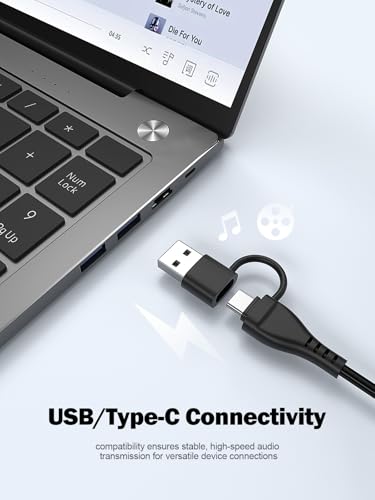
Before buying, map the exact connection path: USB power only or USB audio, 3.5 mm AUX from a monitor or PC, Bluetooth from a phone, USB-C from a laptop, or a TV/headphone output. For gaming and video calls, wired input is usually safer than Bluetooth because it avoids pairing friction and possible latency; for shared desks, front-facing controls and easy input switching matter more than hidden rear buttons. Owners consistently like simple plug-and-play setup, quick Bluetooth pairing, USB convenience, AUX flexibility, and compact designs that can slot into PC, laptop, phone, TV, or small-room setups without complicated software.

Design

A speaker often sits in plain view, so its appearance matters as much as where you plan to place it. Look for a shape, finish, and size that fit your room and furniture, and watch out for designs that block controls, show dust easily, or feel awkward on shelves, counters, or stands.

Choose the design around monitor clearance, hand access, and distraction control. A soundbar can keep the desk clean under a monitor but may reduce stereo width; two separate speakers give better left-right imaging but need room beside the screen. If RGB lighting is included, confirm it can be dimmed or turned off, especially for video calls, dark-room gaming, or minimalist workspaces. Owner feedback often praises clean compact styling, gaming-friendly RGB, and modern looks, particularly when the lighting is optional rather than mandatory.

Size

Size affects where you can use a speaker, how easily you can carry it, and whether it fits naturally on a shelf, desk, counter, or in a bag. If you plan to move it often, look for a compact shape, manageable weight, and easy-grip design; if it will stay in one spot, make sure its footprint suits the space and leaves room for cables or controls. Watch out for speakers that are small enough to carry but too bulky for your usual storage or travel setup.

Measure the desk before choosing a form factor: speaker height must clear your monitor, width must not block mouse movement or desk mats, and cable length must reach both sides of the display without stretching. Compact speakers are best for small desks and casual listening, but very small cabinets can trade away bass and stereo image; a 2.1 set needs floor or shelf space for the subwoofer and may be too much for apartments or shared rooms. Owners frequently value compact footprints that fit neatly on gaming desks, small monitor setups, PC/Mac workstations, and TV-adjacent spaces where saving room matters more than big-speaker output.



