
















We also considered 10 others:


Our Top Choice
The order above is not editorial opinion, and it is not paid placement. It comes from what shoppers across our network actually do - which usb charging stations they compare, and which they ultimately buy. We re-rank as new data comes in, so the long-term favorites have to keep earning their spot against new entrants. The full method, including how we make money.
USB Charging Stations Buyer's Guide
USB charging stations are a tradeoff between consolidation and shared power: the goal is to replace a mess of wall blocks without slowing every device once all ports are filled. The sharpest buying concerns are total power under real multi-device load, the right USB-A/USB-C mix, and safe reliable operation when the station is left plugged in for long sessions.
Power Delivery
USB charging stations are only as useful as their ability to distribute power without making every device crawl. Total wattage, USB-C Power Delivery support, and shared-output behavior determine whether the station can handle a real desk or family load instead of only one fast-charging device at a time.
Prioritize the station’s total wattage first, then check the per-port limits and whether high-wattage USB-C Power Delivery is available for the largest device you plan to charge. Many multi-port stations share one power pool, so a unit that seems fast with one phone can slow down when tablets, earbuds, watches, and several phones are connected; look for clear specs that state output with multiple ports active, not just a single maximum number. Owner feedback supports this as a core separator: buyers strongly value stations that can run several devices at once with strong charging performance, while charging speed is also the area where expectations vary most depending on device load.
Port Capacity
The main reason to buy this category is consolidation: one AC plug feeding many USB devices. If the station lacks enough usable ports for your household, desk, or travel kit, it quickly becomes another charger instead of a charging center.
Choose the port count around your normal peak load, not your average day: count phones, tablets, headphones, watches, speakers, battery packs, and any guest devices, then leave a spare port or two. A good USB charging station replaces multiple wall blocks, so it should have enough ports to stay permanently useful without forcing cable swaps; avoid designs where the port count looks high but too few ports support the connector types or speeds you actually need. Owners repeatedly praise stations that turn one outlet into a hub for many phones, tablets, and accessories, and they specifically value replacing a pile of individual chargers.
Device Fit
Connector mix matters because most households own devices from several generations. A station with the wrong balance of USB-C and USB-A can leave you using adapters, replacing cables, or reserving the fastest ports for only a few devices.
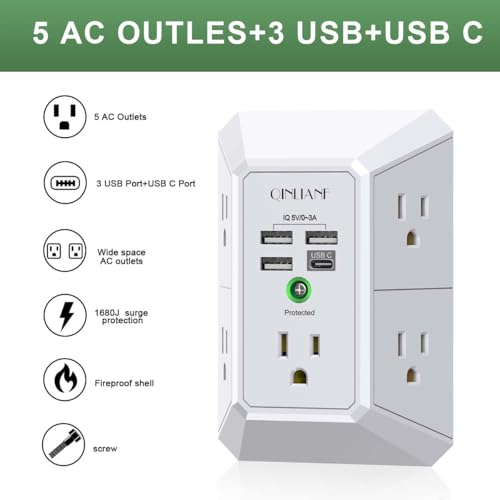
Look for a practical mix of USB-C and USB-A, with enough USB-C ports for newer phones, tablets, and laptops or handhelds, plus USB-A for older cables and low-power accessories. Check whether USB-C ports support the standards your devices use, such as USB Power Delivery, and remember that a USB-C-shaped port is not automatically a fast-charge port; similarly, USB-A can be useful for legacy cables but may not deliver the newest charging profiles. Owner sentiment lines up with this: shoppers like mixed USB-A and USB-C layouts because they handle newer devices and older cables without needing several separate chargers.
Space & Clutter
A charging station lives in a physical space, so layout can matter as much as electrical specs. Poor port placement, a tippy body, or messy cable routing turns a multi-device charger into clutter rather than solving it.
For a desk, nightstand, or kitchen counter, favor a stable footprint, sensible cable exit direction, and enough space between ports so thicker cable heads do not block neighbors. If the station is meant for travel, check weight, cord storage, input-voltage range, and whether the design is compact enough to pack without stressing connected cables; if it is meant as a family charging dock, look for slots, dividers, or enough surface area to keep devices from stacking and overheating. Owners strongly appreciate compact, lightweight stations that take up little space while still charging many items, and they also connect the category’s value to reducing cord clutter.
Safety & Reliability
USB charging stations combine wall power, heat, and many connected devices, so reliable construction matters. The best choice is not just the one with the most ports; it is the one that charges consistently without unsafe heat, intermittent ports, or early failure.
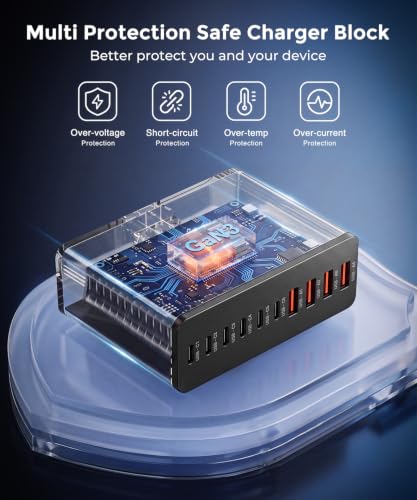
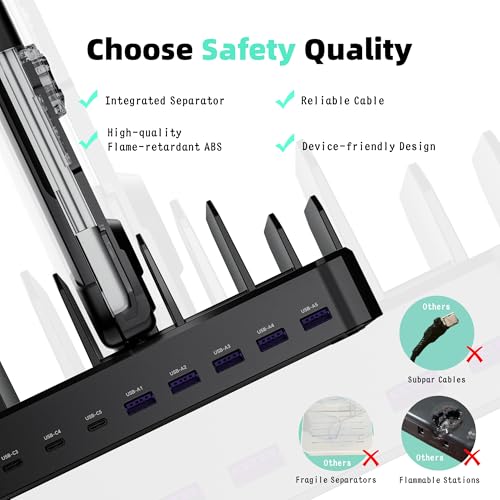
Treat safety and reliability as non-negotiable: look for recognized electrical safety certification, over-current and over-temperature protection, short-circuit protection, a quality power cord, and a housing that vents heat instead of trapping it under stacked devices. Multi-port stations run several loads for hours, often overnight or on a shared family counter, so avoid vague listings that do not clearly state protections or output ratings; also test every port during the return window because early failures are one of the clearest risks in this category. Owner feedback is mostly positive on functionality, but some buyers report units that did not work even after replacement, making quality control and easy verification important.
Bundle Value
A charging station’s real cost includes the cables and adapters needed to make it work cleanly. Good included accessories can make setup easier, but only if they match your devices and do not compensate for weak core charging capability.
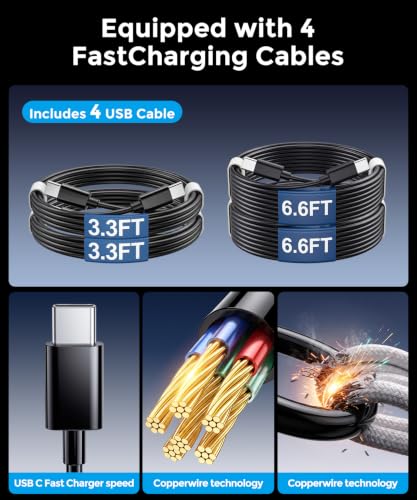
Value is strongest when the station replaces several chargers, includes usable cables, and avoids forcing extra purchases for the devices you already own. Check cable lengths and connector types in the box, because short or mismatched cables can undo the neatness of a central charging hub; however, do not trade away adequate wattage, safety protections, or the right port mix just to get more accessories. Owners call out included USB-C cables, multiple lengths, and generous bundles as meaningful extras, and they generally see the purchase as worthwhile when it reduces cord clutter and creates one simple recharge center.
1,000,000+ shoppers use Buyer's Guide every week to find the best products and services online.

Helping millions of users make smarter purchases online.


