
Best Charging Stations Updated October 2026

Best Charging Stations
2026 Buyer's GuideUpdated October 2026
Sort by:
1

10.0

UEQ Foldable 3 in 1 Wireless Charging Station for Apple Magsafe Charger Stand,Fast Magnetic Wireless Charger Station for iPhone...
Outlets: 0
Ports: 1 USB-C
Surge Protector: No
Cord Length: 3.3'
Dimensions: 5.9" long x 2.9" wide x 1.2" tall

10.0

1
UEQ Foldable 3 in 1 Wireless Charging Station for Apple Magsafe Charger Stand,Fast Magnetic Wireless Charger Station for iPhone...
Outlets: 0
Ports: 1 USB-C
Surge Protector: No
Cord Length: 3.3'
Dimensions: 5.9" long x 2.9" wide x 1.2" tall
2

9.8

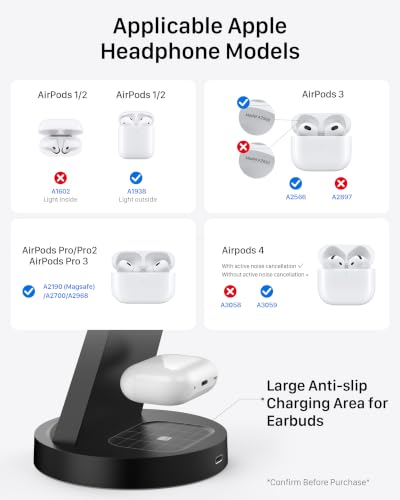
3 in 1 Mag-Safe Wireless Charger Stand for iPhone Apple Watch AirPods
Outlets: 0
Ports: 1 USB-C
Surge Protector: No
Cord Length: 1 m
Dimensions: 0.8" long x 0.8" wide x 0.8" tall
Compare

9.8

2
3 in 1 Mag-Safe Wireless Charger Stand for iPhone Apple Watch AirPods
Outlets: 0
Ports: 1 USB-C
Surge Protector: No
Cord Length: 1 m
Dimensions: 0.8" long x 0.8" wide x 0.8" tall
Compare
3

9.6

Anlmz 3 in 1 Charging Station - Wireless Charger for Apple Multiple Devices
Outlets: 0
Ports: 1 USB-C
Surge Protector: No
Cord Length: 3.3'
Dimensions: 3.86" long x 3.86" wide x 5.04" tall
Compare

9.6

3
Anlmz 3 in 1 Charging Station - Wireless Charger for Apple Multiple Devices
Outlets: 0
Ports: 1 USB-C
Surge Protector: No
Cord Length: 3.3'
Dimensions: 3.86" long x 3.86" wide x 5.04" tall
Compare
4

9.5

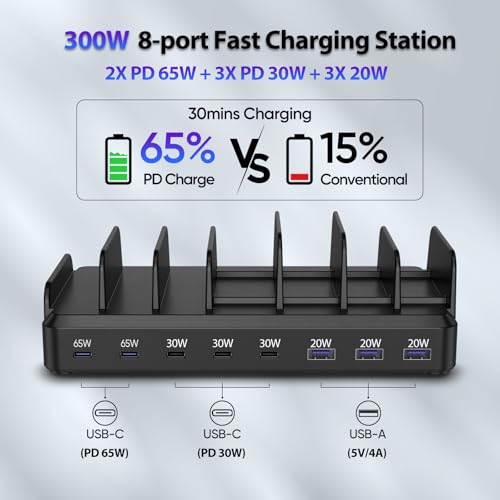
Lcssio 300W Charging Station for Multiple Devices, 8 Port Fast Charger
Outlets: 0
Ports: 3 USB-A, 5 USB-C
Surge Protector: No
Cord Length: 5'
Dimensions: 7.9" long x 4.8" wide x 2.4" tall
Compare

9.5

4
Lcssio 300W Charging Station for Multiple Devices, 8 Port Fast Charger
Outlets: 0
Ports: 3 USB-A, 5 USB-C
Surge Protector: No
Cord Length: 5'
Dimensions: 7.9" long x 4.8" wide x 2.4" tall
Compare
5

9.3

750W Charging Station for Multiple Devices, Zobirez 10-Port Fast Charger
Outlets: 0
Ports: 5 USB-A, 5 USB-C
Surge Protector: No
Cord Length: 3.28'
Dimensions: Not indicated
Compare

9.3

5
750W Charging Station for Multiple Devices, Zobirez 10-Port Fast Charger
Outlets: 0
Ports: 5 USB-A, 5 USB-C
Surge Protector: No
Cord Length: 3.28'
Dimensions: Not indicated
Compare
6

9.2

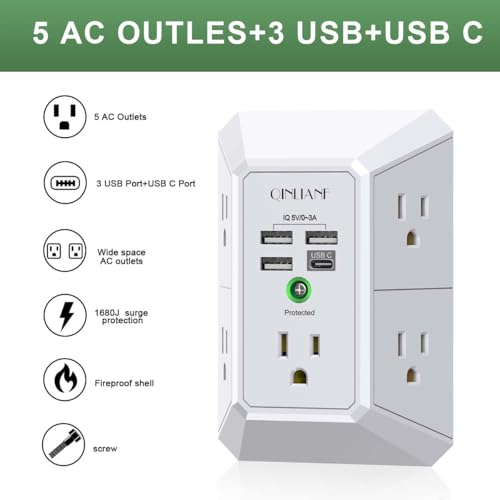
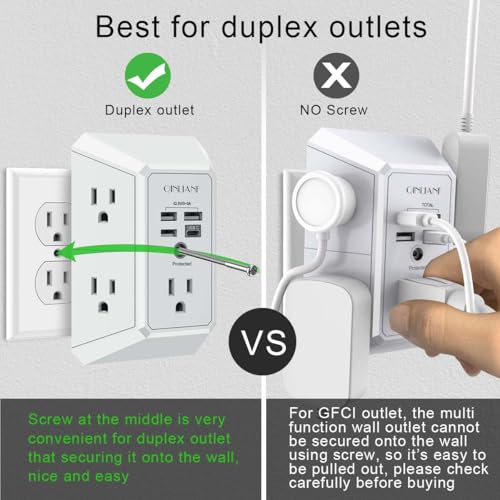
Wall Charger, Surge Protector, QINLIANF 5 Outlet Extender with 4 USB Ports
Outlets: 5
Ports: 3 USB-A, 1 USB-C
Surge Protector: Yes
Cord Length: N/A
Dimensions: 5.7" long x 4.1" wide x 2.7" tall
Compare

9.2

6
Wall Charger, Surge Protector, QINLIANF 5 Outlet Extender with 4 USB Ports
Outlets: 5
Ports: 3 USB-A, 1 USB-C
Surge Protector: Yes
Cord Length: N/A
Dimensions: 5.7" long x 4.1" wide x 2.7" tall
7

9.1

Anker Nano Laptop Docking Station, 13in1 Dock with Detachable 6in1 USBC Hub
Outlets: 0
Ports: 3 USB-A, 2 USB-C
Surge Protector: No
Cord Length: 5'
Dimensions: 3.74" long x 1.57" wide x 5.51" tall
Compare

9.1

7
Anker Nano Laptop Docking Station, 13in1 Dock with Detachable 6in1 USBC Hub
Outlets: 0
Ports: 3 USB-A, 2 USB-C
Surge Protector: No
Cord Length: 5'
Dimensions: 3.74" long x 1.57" wide x 5.51" tall
8

9.0

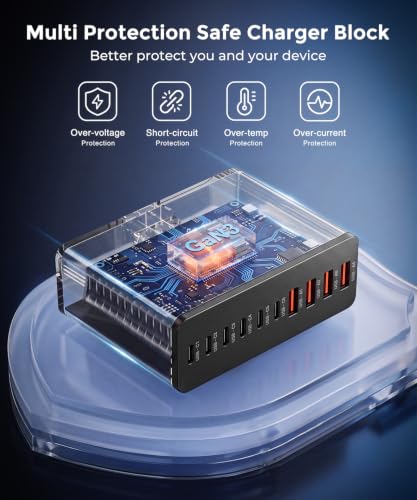
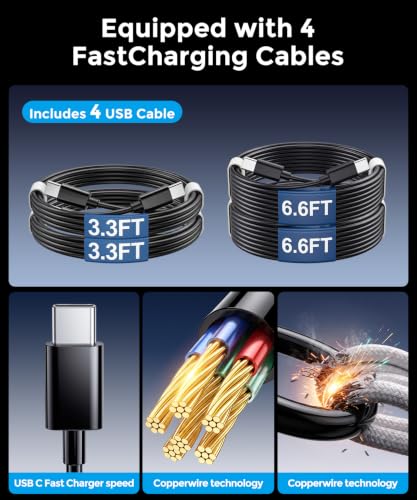
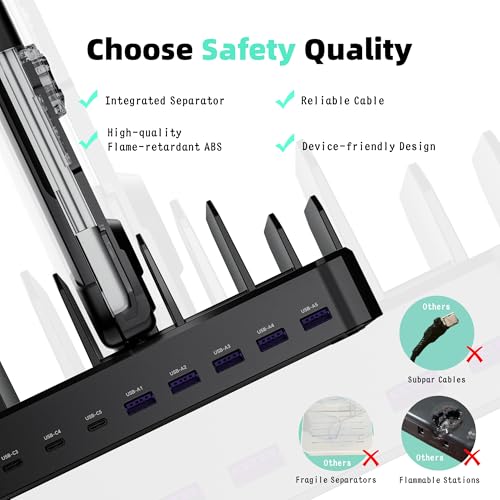
Roruite USB C Charging Station 10 Port with 4 Cables,245W GaN Charger Block
Outlets: 0
Ports: 6 USB-C, 4 USB-A
Surge Protector: No
Cord Length: 5'
Dimensions: Not indicated
Compare

9.0

8
Roruite USB C Charging Station 10 Port with 4 Cables,245W GaN Charger Block
Outlets: 0
Ports: 6 USB-C, 4 USB-A
Surge Protector: No
Cord Length: 5'
Dimensions: Not indicated
Compare
9

8.8

Zobirez 420W 10-Port Fast USB Charging Station for Multiple Devices, Black
Outlets: 0
Ports: 10 USB-C
Surge Protector: No
Cord Length: 5'
Dimensions: 1.77" long x 1.57" wide x 1.77" tall
Compare

8.8

9
Zobirez 420W 10-Port Fast USB Charging Station for Multiple Devices, Black
Outlets: 0
Ports: 10 USB-C
Surge Protector: No
Cord Length: 5'
Dimensions: 1.77" long x 1.57" wide x 1.77" tall
Compare
10

8.7

Acer Gadget 7-in-1 Wireless Charging Station Charger Stand for Multiple Devices for Apple - iPhone 17 16 15 14 13 12 Pro Max Ap...
Outlets: 4
Ports: 2 USB
Surge Protector: No
Cord Length: No cord
Dimensions: 8.5” long x 6.3” wide x 4.2” tall
Compare

8.7

10
Acer Gadget 7-in-1 Wireless Charging Station Charger Stand for Multiple Devices for Apple - iPhone 17 16 15 14 13 12 Pro Max Ap...
Outlets: 4
Ports: 2 USB
Surge Protector: No
Cord Length: No cord
Dimensions: 8.5” long x 6.3” wide x 4.2” tall
Compare
We also considered 10 others:

Our Top Choice

1

10.0

UEQ Foldable 3 in 1 Wireless Charging Station for Apple Magsafe Charger Stand,Fast Magnetic Wireless Charger Station for iPhone...
Outlets: 0
Ports: 1 USB-C
Surge Protector: No
Cord Length: 3.3'
Dimensions: 5.9" long x 2.9" wide x 1.2" tall

10.0

1
UEQ Foldable 3 in 1 Wireless Charging Station for Apple Magsafe Charger Stand,Fast Magnetic Wireless Charger Station for iPhone...
Outlets: 0
Ports: 1 USB-C
Surge Protector: No
Cord Length: 3.3'
Dimensions: 5.9" long x 2.9" wide x 1.2" tall

Compare Features

Surge Protector
Best Charging Station
1. UEQ Foldable 3 in 1 Wireless Charging Station for Apple Magsafe Charger Stand,Fast Magnetic Wireless Charger Station for iPhone...
UEQ Preview UEQ Preview
UEQ
at Amazon
2. 3 in 1 Mag-Safe Wireless Charger Stand for iPhone Apple Watch AirPods
OUOTOO Preview OUOTOO Preview
OUOTOO
at Amazon
3. Anlmz Charging Station for iPhone
ANLMZ Preview ANLMZ Preview
ANLMZ
at Amazon
4. Lcssio 300W Charging Station for Multiple Devices, 8 Port Fast Charger
LCSSIO Preview LCSSIO Preview
LCSSIO
at Amazon
5. 750W Charging Station for Multiple Devices, Zobirez 10-Port Fast Charger
ZOBIREZ Preview ZOBIREZ Preview
ZOBIREZ
at Amazon
Best Value
6. Qinlianf Surge Protector
QINLIANF Preview QINLIANF Preview
QINLIANF
at Amazon
Premium Pick
7. Anker Nano Laptop Docking Station with Detachable Hub
ANKER Preview ANKER Preview
ANKER
at Amazon
8. Roruite USB C Charging Station 10 Port with 4 Cables,245W GaN Charger Block
RORUITE Preview RORUITE Preview
RORUITE
at Amazon
9. Zobirez Charging Station
ZOBIREZ Preview ZOBIREZ Preview
ZOBIREZ
at Amazon
10. Acer Gadget 7-in-1 Wireless Charging Station Charger Stand for Multiple Devices for Apple - iPhone 17 16 15 14 13 12 Pro Max Ap...
ACER Preview ACER Preview
ACER
at Amazon
Deal
-18% -18% -40% — — -23% — — — -38%
Deal -18% -18% -40% — — -23% — — — -38%
Outlets
0 0 0 0 0 5 0 0 0 4
Outlets
0 0 0 0 0 5 0 0 0 4
Ports
1 USB-C 1 USB-C 1 USB-C 3 USB-A, 5 USB-C 5 USB-A, 5 USB-C 3 USB-A, 1 USB-C 3 USB-A, 2 USB-C 6 USB-C, 4 USB-A 10 USB-C 2 USB
Ports
1 USB-C 1 USB-C 1 USB-C 3 USB-A, 5 USB-C 5 USB-A, 5 USB-C 3 USB-A, 1 USB-C 3 USB-A, 2 USB-C 6 USB-C, 4 USB-A 10 USB-C 2 USB
Surge Protector
No No No No No Yes No No No No
Surge Protector
No No No No No Yes No No No No
Cord Length
3.3' 1 m 3.3' 5' 3.28' N/A 5' 5' 5' No cord
Cord Length
3.3' 1 m 3.3' 5' 3.28' N/A 5' 5' 5' No cord
Dimensions
5.9" long x 2.9" wide x 1.2" tall 0.8" long x 0.8" wide x 0.8" tall 3.86" long x 3.86" wide x 5.04" tall 7.9" long x 4.8" wide x 2.4" tall Not indicated 5.7" long x 4.1" wide x 2.7" tall 3.74" long x 1.57" wide x 5.51" tall Not indicated 1.77" long x 1.57" wide x 1.77" tall 8.5” long x 6.3” wide x 4.2” tall
Dimensions
5.9" long x 2.9" wide x 1.2" tall 0.8" long x 0.8" wide x 0.8" tall 3.86" long x 3.86" wide x 5.04" tall 7.9" long x 4.8" wide x 2.4" tall Not indicated 5.7" long x 4.1" wide x 2.7" tall 3.74" long x 1.57" wide x 5.51" tall Not indicated 1.77" long x 1.57" wide x 1.77" tall 8.5” long x 6.3” wide x 4.2” tall
How we rank

The order above is not editorial opinion, and it is not paid placement. It comes from what shoppers across our network actually do - which charging stations they compare, and which they ultimately buy. We re-rank as new data comes in, so the long-term favorites have to keep earning their spot against new entrants. The full method, including how we make money.

Charging Stations Buyer's Guide

Charging stations live or die on the tradeoff between clean consolidation and real charging capability: a tidy dock is only useful if it can power the exact phones, tablets, watches, earbuds, and sometimes laptops you use every day. The sharpest concerns are total wattage across all ports, correct device compatibility, secure alignment for wireless charging, and whether the station actually reduces cable mess instead of creating a new one.

Charging Power

Charging stations often advertise many ports, but the useful question is how much power each device receives when several are connected at once. Matching the station’s output to your highest-demand device prevents slow charging, overheated adapters, and disappointment when a laptop or tablet is added to the mix.

Check both total output and per-device output, not just the number of ports or charging pads. For phones and tablets, look for modern USB-C power delivery where possible; for laptops, confirm the station can supply laptop-class wattage on a dedicated port rather than splitting weak power across many devices. If you mainly charge overnight, moderate speed may be fine, but if several people plug in before leaving the house, slower shared output becomes a daily frustration. Owner feedback strongly supports making power delivery a top filter: shoppers praised quick charging and broad everyday phone, tablet, and laptop charging capability, while some also reported that daily or overnight charging worked but felt slower than expected in certain setups.

Device Fit

A charging station is only convenient when its ports, pads, and docks match the devices you use without extra adapters or awkward placement. Wireless and magnetic charging add another layer because physical alignment can affect whether charging starts and continues reliably.

Match the station to the ecosystem you actually carry: USB-A and USB-C ports for mixed households, wireless pads for Qi-compatible phones and earbuds, and a dedicated watch charger only if it supports your watch model. For magnetic phone stands, case thickness, magnet strength, and coil alignment matter because a slightly misaligned phone can appear docked while charging slowly or not at all. If you need one nightstand solution for a phone, watch, and earbuds, prioritize a true 3-in-1 layout with each device visible and independently accessible. Owner sentiment backs this: shoppers valued being able to charge a phone, watch, and earbuds in one place, and some specifically noted a solid magnetic hold that kept the phone securely aligned.

Device Capacity

The best station for one person may be too small for a family and too large for a nightstand. Good capacity means enough real, usable slots with spacing and routing that keep devices organized while they charge.

Choose capacity based on simultaneous devices, not the maximum number you might own. A family counter or office desk benefits from many separated slots and enough spacing for tablets in cases, while a bedside charger may work better with a smaller 3-in-1 footprint. Look for dividers that keep screens upright, a base heavy enough not to slide, and cable routing that hides slack without blocking ports. Owners repeatedly highlighted this category’s core benefit: multi-port stations helped households, offices, and families juggle many devices while cleaning up counters and desks that would otherwise be tangled with cords.

Cable Fit

Cable length and routing determine whether a charging station actually simplifies your space. Replaceable, correctly rated cables also make the station more adaptable as devices and connector types change.

Inspect how cables are handled before buying: short included cables can make a station look clean, but they may not reach if your outlet is far away, your devices use different connectors, or you need higher-wattage USB-C cables. Prefer stations that let you replace cables without disassembling the whole unit, and avoid designs with fixed leads if your household changes devices often. For desk and counter use, rear cable exits and internal channels reduce clutter; for travel, very short cables can be a benefit. Owner feedback was mixed in exactly this way: short cables helped keep setups compact, but some shoppers still needed to swap in their own cords to fit their layout.

Build Safety

Charging stations are used frequently and often remain connected to power for long stretches, so weak construction and poor protection features are more than minor annoyances. A sturdy, well-protected design helps prevent tipping, connection failures, and unsafe heat buildup.

For a station that will stay plugged in every day, prioritize a stable base, durable dividers or hinges, non-slip feet, and a power system with recognized safety protections such as over-current, over-voltage, short-circuit, and temperature safeguards. Avoid flimsy docks that tip when a tablet is removed or folding mechanisms that feel loose if you plan to pack and unpack them often. Heat management also matters: crowded devices, thick cases, and high-wattage charging should not make the station feel excessively hot. Owner sentiment gives this dimension real weight, with buyers describing reliable, durable stations that continued working after months of use and also noting solid build quality in compact magnetic designs.

Travel Size

A home charging station can be sturdy and spacious, but a travel station needs to pack flat and reduce the number of items in your bag. The right portable design balances compactness with enough charging positions for your daily carry devices.

If you travel, look for a fold-flat or compact design, low weight, and a single wall adapter requirement rather than several loose bricks and cords. Make sure the folded shape protects charging pads and hinges, and confirm it supports the same devices you use at home so it can replace—not add to—your cable pouch. For hotel rooms and shared outlets, a small footprint and flexible cable position are especially useful. Owner feedback strongly supports portability as a separate buying concern: shoppers liked travel-oriented stations that folded small, felt lightweight, and were easy to pack.



