




















We also considered 10 others:


Our Top Choice
Compare Features


The order above is not editorial opinion, and it is not paid placement. It comes from what shoppers across our network actually do - which small fans they compare, and which they ultimately buy. We re-rank as new data comes in, so the long-term favorites have to keep earning their spot against new entrants. The full method, including how we make money.
Small Fans Buyer's Guide
Small fans are a tradeoff between portability, directed airflow, and everyday usability: the best choice is not just the smallest one, but the one that fits your exact mounting spot and can aim air without becoming noisy or unstable. The sharpest concerns are placement safety, especially around beds, desks, travel bags, or child gear, and whether the fan can deliver useful low-speed cooling without needing to run loudly on high.
Size
Size matters because it determines where you can actually use the fan, whether that’s on a crowded desk, a nightstand, or in a tight corner without getting in the way. Look for a footprint and height that fit your space, and check that the fan can still aim airflow where you need it; a compact fan is easier to place, but if it’s too small, it may not move enough air for the room.
Choose the smallest format that still fits the job: a desk or bedside fan should have a stable footprint and adjustable tilt, a clip-on or stroller-style fan needs enough clamp/leg reach and grille clearance, and a travel fan should be thin enough to pack without fragile protruding controls. Avoid units that are merely tiny if they cannot aim airflow precisely, because small fans cool best at close range and placement matters as much as blade size. Owner feedback supports this tradeoff: buyers repeatedly like compact, lightweight fans that fit on desks, nightstands, RV spaces, small rooms, travel bags, campus walks, and outdoor outings while still feeling surprisingly powerful for personal cooling or even small-room circulation.
Airflow
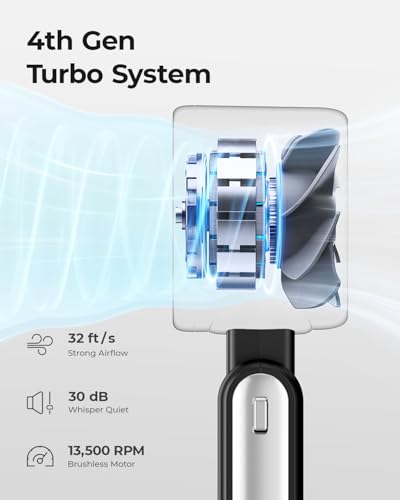
You’ll notice airflow most in how quickly a fan makes the room feel more comfortable and how far that cooling or heating effect actually reaches. Look for enough power and coverage for your space, plus useful features like multiple speeds, oscillation, or misting or heating modes if you need them, and watch out for fans that sound powerful but only move air well at close range.
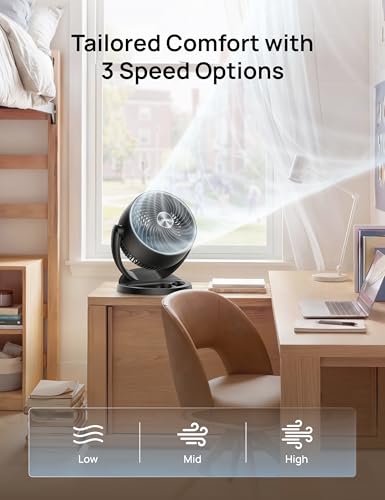
For small fans, prioritize directed, controllable airflow over raw blast: look for multiple speeds, tilt or rotation, oscillation if cooling more than one person, and enough low-speed airflow that you do not need to run it on high all day. For baby gear, desks, bedsides, and cramped workspaces, check that the airflow can be aimed away from eyes, papers, monitors, food, or a sleeping child while still moving stale air; for AC circulation, choose a model designed to project across a room rather than only cool a face at arm’s length. Owner sentiment backs up the importance of adjustability and speed range, with buyers praising small fans that deliver strong close-range cooling, room-reaching airflow, useful low settings, stronger high settings, and flexible attachment or aiming for strollers, car seats, cribs, tables, bedrooms, and offices.
Noise
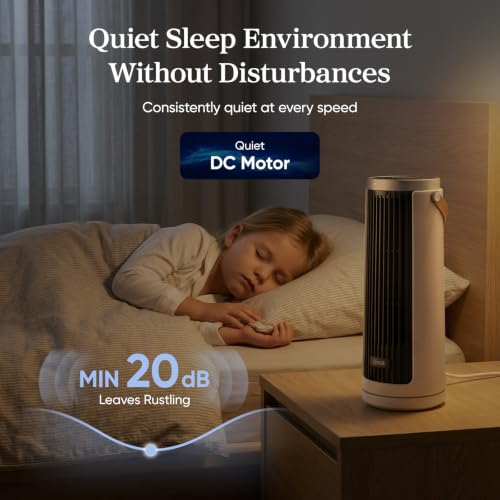
How a fan sounds can matter as much as how well it moves air, especially if you plan to use it in a bedroom, nursery, or office. Look for a fan that stays quiet at the speeds you actually use, has a smooth, consistent sound instead of rattling or clicking, and offers enough low-speed control for sleep; a fan that is only quiet on its weakest setting may still be disruptive at night.
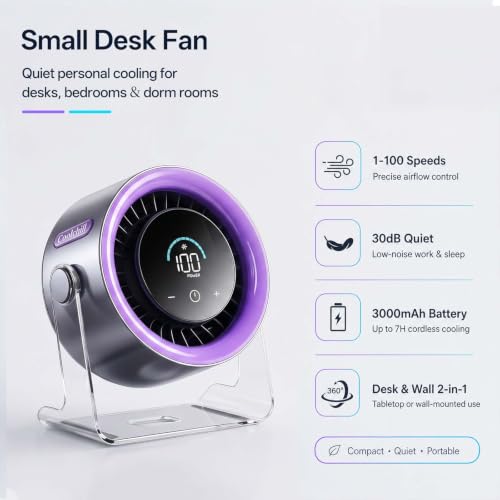
Match noise to where the fan will sit: for bedside, nursery, office calls, dorms, or shared desks, look for a genuinely usable low or sleep setting rather than relying on the maximum speed rating. Also consider the character of the sound: a steady hum is easier to ignore than rattling, pulsing, bearing noise, or vibration from a clip, loose grille, or lightweight base; higher speeds on small fans often become noticeably louder. Owners generally report that many small fans are quiet enough for nighttime, desks, and offices on low or medium settings, while still noting that higher settings can be louder; the most praised quiet models maintain useful airflow even at lower or sleep-oriented speeds.
Build
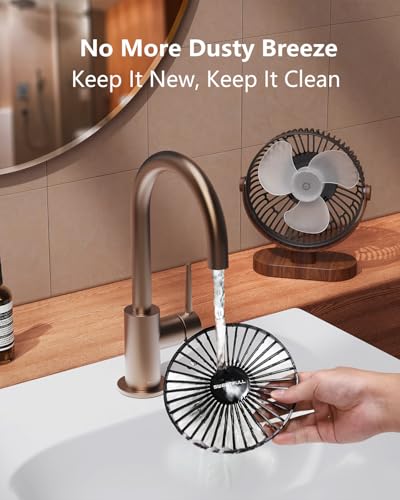
You want a fan that feels solid, stays stable at its highest speed, and keeps working without new rattles, wobble, or motor odor after regular use. Look for sturdy housing, well-balanced blades, a secure base or mount, and parts that are easy to remove and clean, since flimsy materials and hard-to-maintain grills tend to show wear, collect dust, and shorten the fan’s useful life.
Inspect the parts that fail first on small fans: clip springs, flexible legs, tilt hinges, grille tabs, charging ports, buttons, battery doors, and the base. For portable or child-adjacent use, favor a tight finger-safe grille, stable base or secure clamp, smooth edges, and a design that can be cleaned of dust and hair; for rechargeable models, prioritize reliable charging, sensible runtime, and protection from heat or crushing in bags. Owner feedback is favorable on sturdy-feeling, well-made compact fans, with buyers often describing simple assembly, sleek space-saving designs, easy charging, good portability, and battery life that lasts for hours during outings.
Controls
The controls determine how easily you can fine-tune airflow for comfort, noise, and convenience throughout the day or night. Look for clearly labeled buttons or a responsive remote, multiple speed settings, useful modes like sleep or timer functions, and smooth oscillation; watch out for confusing menus, tiny displays, or limited adjustments that make the fan harder to live with.
Small fans need controls you can use in the actual mounting position: buttons should be reachable when clipped to a stroller, sitting on a nightstand, hanging in a tent, or placed behind a monitor. Look for distinct speed steps, easy tilt or oscillation adjustment, timer or auto shutoff for sleep, and a remote or app only if the fan will be across the room; for bedside use, avoid overly bright indicators or controls that beep loudly at night. Owner sentiment supports richer control sets, with buyers appreciating multiple speed settings, rotating or adjustable direction, timers, sleep modes, remotes, app controls, oscillation, auto shutoff, and the ability to tailor airflow without constantly getting up.
Value
You want a fan that feels worth what you pay, not just one that looks good on the shelf. Look for strong airflow, reliable performance, useful speed or control options, and a noise level you can live with, because a low upfront cost is not a bargain if the fan disappoints, wears out quickly, or costs more to run than expected.
Judge value by whether the fan solves your exact placement problem, not by size alone: a cheap fixed desk fan is poor value if you need a secure stroller clip, quiet sleep mode, rechargeable runtime, or room circulation. Avoid paying extra for features you will not use, but do pay for the right stability, battery performance, adjustability, and low-noise operation if the fan will run daily or near children, beds, laptops, or travel gear. Owner feedback indicates strong value when small fans combine useful power, sturdy construction, simple speed control, room or personal cooling, and reliable everyday performance; buyers also tend to view more robust designs as worthwhile when they feel stable and keep performing consistently over time.
1,000,000+ shoppers use Buyer's Guide every week to find the best products and services online.

Helping millions of users make smarter purchases online.


