












We also considered 3 others:


Our Top Choice
The order above is not editorial opinion, and it is not paid placement. It comes from what shoppers across our network actually do - which podcast microphones they compare, and which they ultimately buy. We re-rank as new data comes in, so the long-term favorites have to keep earning their spot against new entrants. The full method, including how we make money.
Podcast Microphones Buyer's Guide
Podcast microphones live in a tradeoff between instant, beginner-friendly USB recording and a more controllable setup that can handle cleaner monitoring, better placement, and future expansion. The sharpest concerns are not just whether the mic sounds good once, but whether it captures spoken voice consistently, rejects room noise, and comes with mounting and controls that hold up through real recording sessions.
Voice Quality
For podcasting, intelligible speech matters more than flashy specs: listeners tolerate simple production, but not muffled, thin, harsh, or inconsistent voices. A good podcast mic should make spoken words sound clear and natural while giving you enough control to avoid wildly different results from episode to episode.
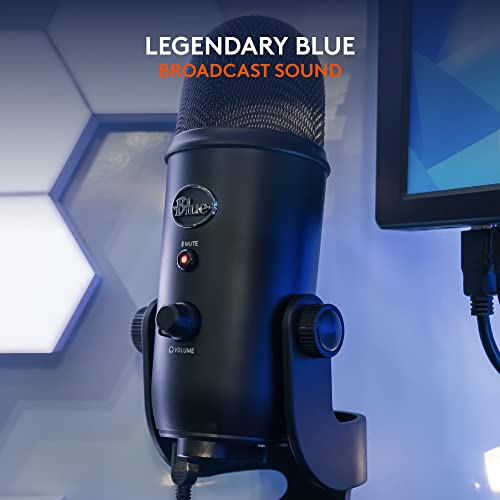
Prioritize a microphone tuned for spoken voice, with clean midrange presence, low self-noise, and enough gain for your speaking distance without hiss. If you record interviews, remote calls, or solo narration, look for consistent voice capture rather than only “studio” marketing; avoid mics that sound impressive up close but become weak, boomy, or uneven when you move slightly off position. Owner feedback strongly supports this as the first decision point: clear, crisp, professional-sounding voice capture is repeatedly described as a major upgrade, but sentiment also shows that some mics require dialing in and can produce inconsistent results, especially when auto processing or lower-quality capsules are involved.
Connection Fit
Podcast microphones are bought as part of a recording chain, not just as a capsule. The right connection type determines whether the mic works instantly with a laptop or grows into an audio interface, mixer, headphones, instruments, and live monitoring setup.
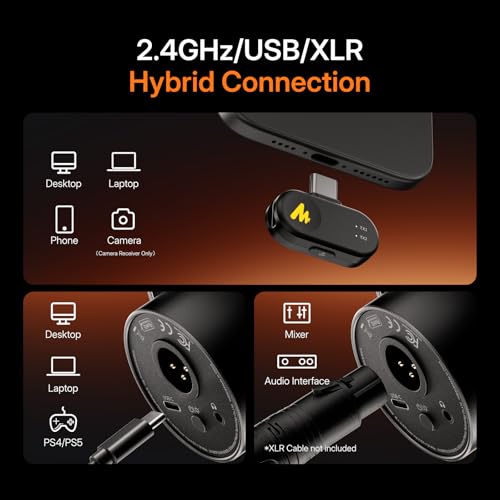
Choose USB if you want the fastest path to recording on a computer with minimal gear; choose XLR or a hybrid USB/XLR design if you expect to add an interface, mixer, co-host setup, or studio workflow later. For podcasting, direct headphone monitoring, mute control, gain adjustment, and compatibility with your recording software matter more than decorative features. Owner sentiment favors simple USB plug-and-play setups for beginners, while also showing strong appreciation for built-in interface features that can handle monitoring, effects, vocals, guitar, streaming, and other recording tasks.
Noise Control
Most bad podcast audio comes from the room as much as the mic. A podcast mic needs to reject keyboard clicks, fans, desk bumps, echo, and off-axis noise well enough that editing does not become a rescue mission.
Look for a pickup pattern suited to your space: cardioid is usually safest for solo podcasting because it focuses on the speaker and rejects more room sound, while multiple patterns are useful only if you truly record interviews, roundtables, or ambience. Plan for a pop filter or windscreen, shock isolation, and a stable boom or stand; avoid relying on noise reduction alone if your room is echoey or your desk transmits vibration. Owners praise noise control in some setups, but the sentiment is mixed on background-noise handling, showing that clear core sound does not guarantee clean results in a real room.
Build & Mount
A podcast mic is handled, repositioned, mounted, and left on a desk for long periods, so weak stands and flimsy hardware become daily frustrations. Mechanical reliability also affects sound because drooping arms, loose mounts, and rattly controls can create inconsistent mic placement and unwanted noise.
Check the mount, yoke, boom arm, desk clamp, knobs, cable strain relief, and included stand as carefully as the microphone body. For podcasting, the mic should stay exactly where your mouth position needs it, ideally a few inches off-axis with a pop filter, without sagging or transmitting bumps. Owner feedback is split here: many buyers like sturdy feel and included materials, but others criticize plastic construction, boom-arm hardware, and long-term durability, so do not treat a large bundle as automatically robust.
Control Ease
Podcast beginners often need fast success, but long-term users need repeatable control. Good usability means you can set gain, mute, monitor, and recording mode without derailing a conversation or creating avoidable clipping and level swings.
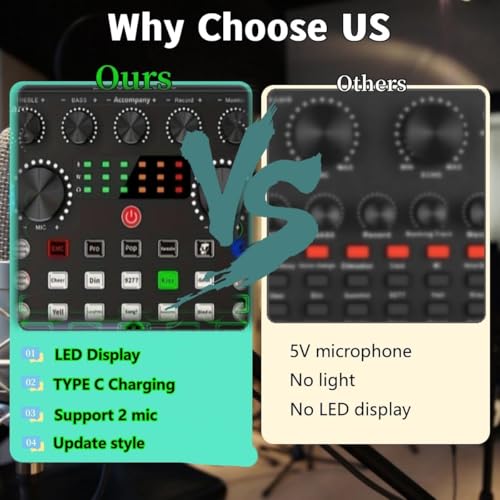
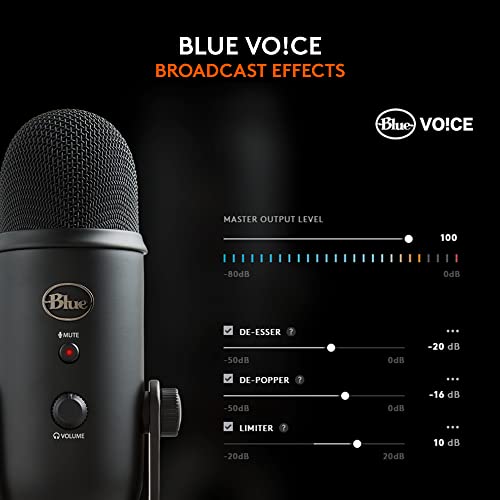
Favor clear physical controls for gain, mute, headphone volume, and pattern or mode selection, plus software settings that can be saved and repeated. Auto level and DSP can help beginners, but for podcasting they should be optional because aggressive processing may change tone between speakers or episodes; manual gain control is still important for dependable production. Owners consistently value beginner-friendly setup and easy controls, yet sentiment also notes tiny knobs on compact sound boards and mixed reactions to auto level and DSP when they produce different-sounding results.
Real Value
A good podcast mic purchase includes the pieces needed to record well, not just a low-cost microphone. Value depends on whether the included accessories solve real podcasting needs or merely add clutter that will be replaced quickly.
Evaluate the full usable kit: mic, cable, stand or boom, shock mount, pop filter or windscreen, monitoring support, and any interface or sound-board functions you will actually use. A bundle can be a smart starter choice if the accessories are stable and compatible, but avoid paying for lights, effects, or extra controls that do not improve voice capture or workflow. Owner sentiment strongly highlights value for money when buyers get good audio and a complete usable setup, while also indicating that some inexpensive or feature-heavy kits can disappoint on microphone strength, hardware quality, or consistency.
1,000,000+ shoppers use Buyer's Guide every week to find the best products and services online.

Helping millions of users make smarter purchases online.


