












We also considered 3 others:

Our Top Choice
The order above is not editorial opinion, and it is not paid placement. It comes from what shoppers across our network actually do - which microphones for iphones they compare, and which they ultimately buy. We re-rank as new data comes in, so the long-term favorites have to keep earning their spot against new entrants. The full method, including how we make money.
Microphones for iPhones Buyer's Guide
Buying an iPhone microphone is a tradeoff between effortless phone-ready recording and the limits of tiny wireless hardware. The sharpest concerns are whether it truly works with your iPhone and apps, and whether speech stays clean, synced, and connected while you move, film, or record in noisy spaces.
iPhone Fit
A microphone can sound good and still be the wrong choice if it does not connect cleanly to the iPhone you actually use. Port type, adapter support, app recognition, and case clearance all affect whether recording starts reliably when the moment matters.
Start by matching the mic to the exact iPhone port and recording workflow: newer iPhones may use USB-C, older models use Lightning, and 3.5 mm/TRRS mics need the right adapter and wiring standard. For video, favor a receiver that plugs directly into the phone and is recognized by the camera or creator apps without relying on Bluetooth audio, because Bluetooth-style workflows can add pairing friction, compression, or sync uncertainty. Also check whether the receiver clears your phone case, whether it supports iPad or Android if you swap devices, and whether it can be used while the phone is charging if you record long takes. Owner feedback strongly favors mics that are genuinely plug-and-play, with quick pairing and no complicated app or Bluetooth process for many iPhone and iPad recordings. Buyers also valued convenient connectivity, including setups intended to work across Apple and Android devices, though some reports noted that sound quality and connection behavior can be less clean in real use.
Voice Clarity
For iPhone video, the main job is intelligible speech that stays consistent as the speaker moves or turns. Noise reduction helps in uncontrolled spaces, but overprocessing can be just as distracting as background noise.
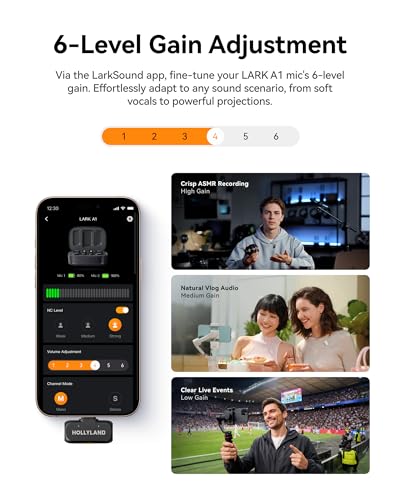
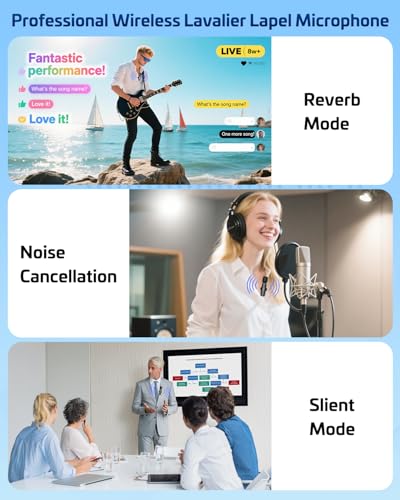
Choose for natural speech first, then noise reduction second. A good iPhone mic should keep voices crisp at normal lavalier distance, avoid harsh clipping when someone laughs or speaks loudly, and include a foam or furry windscreen for outdoor clips. Be careful with aggressive noise cancellation: it can reduce room hum and street noise, but it may also make voices sound thin, gated, or watery if the processing is too strong or the mic is placed poorly. Look for clear pickup, sensible gain behavior, and the ability to position the capsule near the speaker’s chest without rubbing on clothing. Owners repeatedly praised clear voice audio and background-noise reduction, especially for more professional-sounding creator videos. At the same time, sentiment was not perfectly uniform: many users got clean recordings, while some found real-world audio less clean, which makes placement, gain, and noise-processing behavior worth checking before relying on a mic for important shoots.
Moving Range
Wireless lavaliers are bought for freedom of movement, but movement is also what exposes dropouts. Stable range matters more than theoretical range because real recording spaces include walls, bodies, appliances, and competing wireless signals.
For wireless iPhone mics, judge range by usable stability, not just a maximum distance claim. Indoor walls, bodies, pockets, and turning away from the receiver can block tiny transmitters, so a strong pick should stay connected during walking shots, cooking demos, interviews, and room-to-room movement. If you record two people, check whether the kit supports two transmitters, whether it records both voices clearly, and whether dropouts or latency can throw audio out of sync with video. Owner sentiment highlights dependable phone video performance and smooth use while moving around the house. Buyers also liked the freedom to move during content creation while keeping a clean wireless recording setup, which is exactly where weak range or unstable pairing tends to show up first.
Runtime
Most iPhone wireless mics are small, so runtime and charging design are practical limits. Reliable power matters because phone video sessions often run longer than the final edited clip suggests.
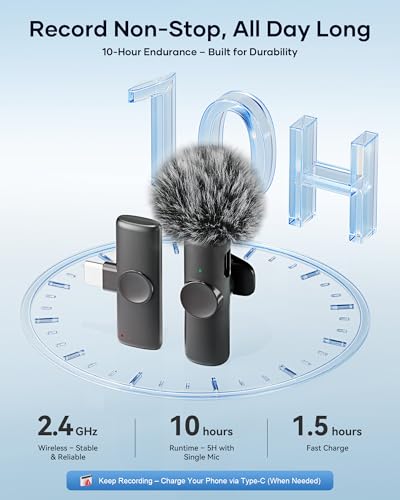
Check the full power chain: transmitter runtime, receiver power draw from the iPhone, charging case capacity, and whether the receiver offers pass-through charging for long recordings. Short clips can hide battery problems, but livestreams, events, classes, and batch filming sessions quickly expose transmitters that die early or receivers that drain the phone. Also look for clear battery indicators on both the transmitter and receiver so you are not guessing before a take. The owner comments emphasize reliability, smooth functionality, and quick out-of-box use; power design is one of the hidden reasons those traits hold up during real shoots. A mic that pairs easily but cannot last through the session still fails the creator workflow.
Fast Workflow
The best creator mic is not only the one with the best lab sound; it is the one you can operate correctly under time pressure. Clear controls and status feedback prevent silent takes, wrong-input recordings, and pairing mistakes.
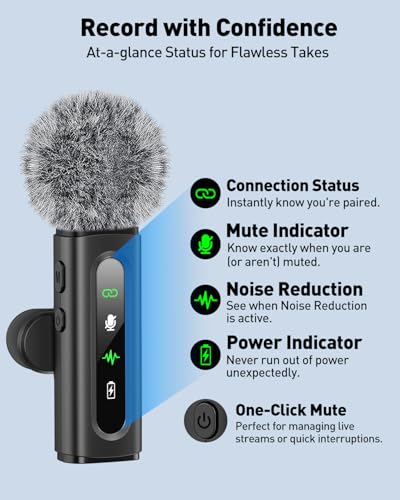
Look for controls that are simple enough to use while filming: visible pairing lights, mute status, gain or noise-reduction modes, and a way to confirm the phone is actually using the external mic. If you shoot fast social clips, product demos, business videos, or interviews, fewer menus and fewer app requirements reduce missed takes. Avoid setups where it is unclear whether audio is coming from the mic or the iPhone’s built-in microphone; always test by tapping or speaking near the lav before recording anything important. Owners strongly valued wireless mics that were quick to start, simple out of the box, and plug-and-play. That ease of use was a major positive theme, but mixed reports around connectivity also show why visible status and quick verification matter.
Creator Value
A microphone kit is only a good value if it includes what your recording style actually requires. Creator use often needs portability, a secure clip, wind protection, and the right receiver just as much as the microphone capsule itself.
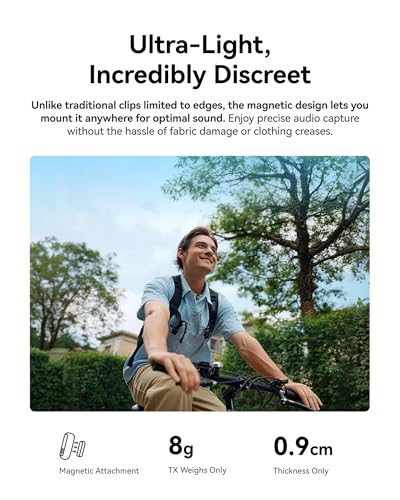
Evaluate value by the complete kit, not just the mic body. For iPhone creators, useful extras include the correct phone receiver, charging case or cable, spare clips, wind muffs, two transmitters for interviews, and a compact design that clips on securely without dominating the frame. If appearance matters on camera, a cute or low-profile finish can be part of the value, but it should not come at the expense of secure clipping, low clothing noise, or reliable audio. Owners often described strong price-to-performance for beginners making business, social media, or channel content. They also responded positively to lightweight, good-looking clip-on designs and to overall value when the mic delivered more professional-sounding videos without a large spend.
1,000,000+ shoppers use Buyer's Guide every week to find the best products and services online.

Helping millions of users make smarter purchases online.


