

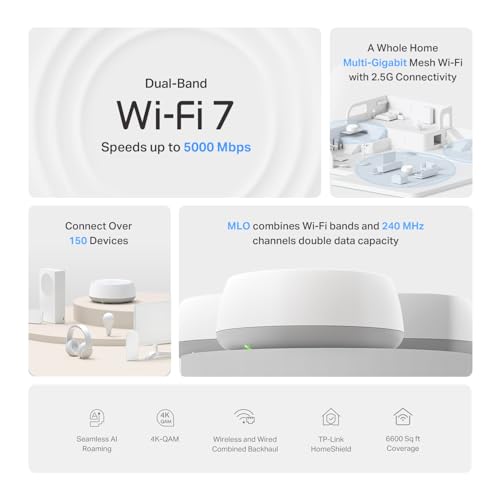
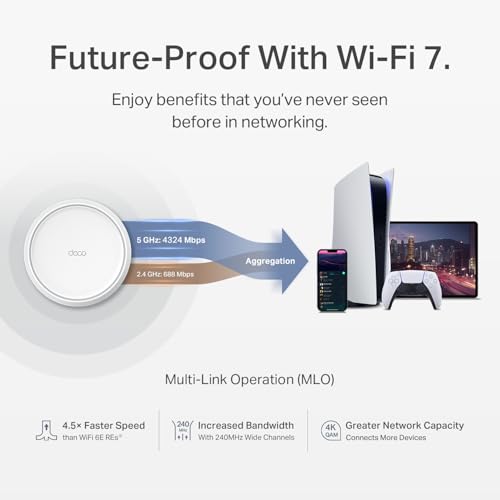

- Speed: Up to 5Gbps
- Coverage Area: Up to 6600 sq ft
- Bands: Dual (2.4GHz & 5GHz)
- Ports: 2 gigabit ethernet per unit
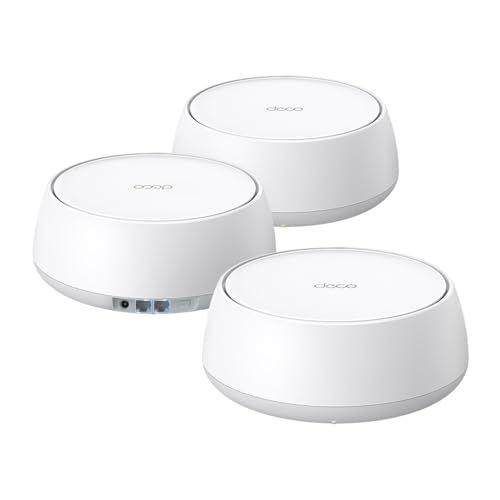
- Components: 3 routers





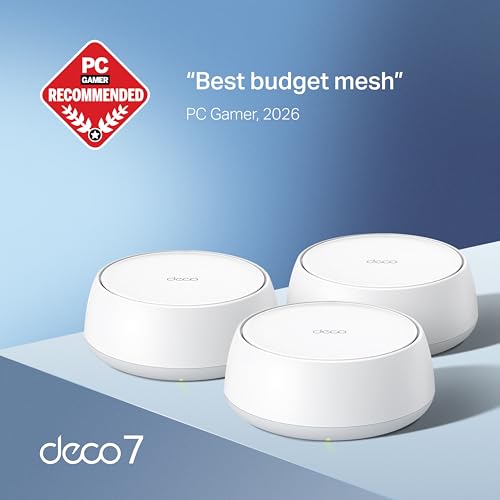
TP-Link Dual-Band BE5000 WiFi 7 Mesh System
Overview and real-world performance

The TP-Link Dual-Band BE5000 WiFi 7 Mesh System targets people who want a modern, high-capacity home network without jumping to the pricier tri-band category. Built around WiFi 7 features and designed as an easy-to-expand mesh, it’s aimed at the common pain points of whole-home coverage: dead zones, inconsistent speeds from room to room, and the “everything slows down when everyone’s online” scenario. In day-to-day use, the experience is mostly defined by two things: the efficiency of WiFi 7 on compatible devices and how well the mesh nodes are placed to create a stable backhaul link between them.
In a typical home, you can expect a noticeable improvement in responsiveness compared with older WiFi 5 or early WiFi 6 routers, especially when multiple devices are active. WiFi 7’s upgrades generally help reduce contention and improve how the router schedules traffic, which translates to smoother video calls, more consistent streaming, and faster large file transfers on newer laptops and phones. However, your peak speed will still be bounded by your internet plan and the capabilities of your client devices. If most of your devices are WiFi 6 or WiFi 5, you may see better stability and coverage more than headline-grabbing speed gains.
Because this is a dual-band mesh, both client traffic and node-to-node communication share the same bands rather than dedicating a third band exclusively for backhaul. That design choice can be a good value, but it makes placement and signal quality between nodes more important. If your nodes can “see” each other well through fewer walls, performance remains strong and latency stays low. If the nodes are forced to connect through multiple dense walls, performance can drop more sharply than it would on a tri-band mesh with a dedicated backhaul band. In other words, this system can feel impressively fast when it’s deployed thoughtfully, but it’s less forgiving of poor placement than higher-tier tri-band kits.
Range is solid for a mesh of this class, with the key advantage being consistency: roaming between nodes is typically seamless, and you’re less likely to hit the frustrating edge-of-coverage behavior where a device clings to a weak signal. For busy households, the real win is that the network tends to remain usable even when demand spikes, rather than collapsing into buffering and unstable connections. That said, performance in very challenging layouts—long, narrow homes, older buildings with dense materials, or homes with lots of interference—will depend heavily on node count, where you place them, and whether you can use wired Ethernet for backhaul.
What to consider before buying (and what matters most)
The first factor to consider is your home layout and how hard it is to move WiFi through it. Open floor plans typically allow a dual-band mesh like this to shine, while multi-story homes with dense walls or lots of metal and masonry may benefit from either more nodes or a tri-band system. This is the most important consideration because no mesh—no matter how new the WiFi standard—can overcome poor placement or heavy attenuation without additional hardware or wired backhaul.
The second factor is whether you can run Ethernet to one or more mesh nodes. Wired backhaul can dramatically improve a dual-band mesh system, because it removes the need for nodes to “spend” wireless capacity communicating with each other. If you can wire even one node, you often get more consistent performance at the edges of coverage and better stability during peak use. This is one of the most impactful upgrades you can make, and it can allow a value-oriented dual-band system to perform like a more expensive kit in many situations.
The third factor is the device mix in your home. If you already own WiFi 7 clients or plan to upgrade your phones and laptops soon, you’ll be better positioned to benefit from WiFi 7’s efficiency and higher throughput potential. If most clients are WiFi 6 or earlier, you’re still likely to appreciate improved coverage and management, but the “wow” factor may be smaller. This matters because paying extra for a newer standard makes more sense when you can actually use its advantages.
Next is internet speed and how you use it. If you have a moderate broadband plan and mostly stream video, browse, and do calls, the system should feel more than adequate. If you have multi-gig internet or frequently move very large files locally, you should pay close attention to the available Ethernet ports and their speeds, as well as how you plan to connect high-demand devices. This is important because many speed complaints come from wired limitations or client bottlenecks rather than WiFi itself.
Another practical consideration is software and ease of management. A mesh system lives or dies by how easy it is to set up, monitor, and troubleshoot. TP-Link’s ecosystem generally emphasizes app-based setup, straightforward network naming, and convenient features like guest networking and parental controls. If you prefer granular, enterprise-style controls, you’ll want to confirm whether the available settings match your expectations. For most households, reliability and a clean setup flow are more important than advanced knobs, but it’s worth aligning the product with your comfort level.
Finally, think about future expansion. Mesh is appealing because you can add nodes as needed, but you should check the cost and availability of additional units and confirm compatibility within the same product family. This matters because many people start with a smaller kit and expand later, and the economics of expansion can affect the overall value more than the initial purchase price.
Common Questions
Will I get WiFi 7 speeds if my devices are WiFi 6 or WiFi 5? You can still see improvements in coverage, stability, and network handling, but your devices will connect using their own WiFi standard. The biggest speed gains usually require WiFi 7-capable clients, and even then your internet plan and device hardware will limit maximum throughput.
Is a dual-band mesh a problem compared with tri-band systems? Not automatically. Dual-band mesh can perform very well, especially in smaller homes, open layouts, or when nodes can be placed with strong signal between them. Tri-band systems tend to hold up better in difficult layouts because they can dedicate more wireless capacity to backhaul, but they also cost more.
How many nodes do I need? It depends on square footage, layout, and building materials. A good rule of thumb is to start with enough nodes to keep each unit within a strong connection range of the next, rather than pushing coverage to the limit. If you have persistent dead zones or weak speeds in certain rooms, adding a node or repositioning one is often more effective than tweaking settings.
Should I use wired Ethernet backhaul if I can? Yes. Wired backhaul is one of the best ways to improve consistency and free up wireless capacity for your devices. It can be especially beneficial for dual-band mesh systems, where wireless backhaul otherwise shares spectrum with clients.
Is this a good choice for gaming and video calls? In most homes, yes, particularly when you have good node placement and minimal interference. For the lowest latency and maximum stability, a wired connection to your console or PC remains ideal, but a well-deployed mesh can deliver a smooth experience for gaming, calls, and streaming.
Conclusion: The TP-Link Dual-Band BE5000 WiFi 7 Mesh System is a compelling upgrade for households that want modern WiFi 7 features and whole-home coverage without paying for a premium tri-band kit. It performs best when node placement is sensible and becomes significantly stronger if you can use Ethernet backhaul. The most important purchase considerations are your home’s layout and materials, whether you can wire any nodes, and how many of your devices can take advantage of WiFi 7—get those right, and this system can deliver a fast, stable, and scalable home network.