




















We also considered 10 others:


Our Top Choice
Compare Features


The order above is not editorial opinion, and it is not paid placement. It comes from what shoppers across our network actually do - which mesh routers they compare, and which they ultimately buy. We re-rank as new data comes in, so the long-term favorites have to keep earning their spot against new entrants. The full method, including how we make money.
Mesh Routers Buyer's Guide
Mesh routers are not just “more Wi‑Fi”; they trade raw router power for coordinated coverage, backhaul quality, and roaming between nodes. The sharpest buying concerns are whether the nodes can talk to each other reliably through your home’s construction and whether the system has the ports, bands, and controls to match your internet plan and device load.
Speed
Speed matters because it affects how smoothly your connection handles streaming, video calls, gaming, downloads, and multiple people using the network at once. Look for a router with enough real-world throughput for your internet plan and home size, plus strong performance under load so it stays responsive when several devices are active. Be wary of relying only on headline speed ratings, which often reflect ideal conditions rather than what you’ll get through walls, distance, and everyday congestion.
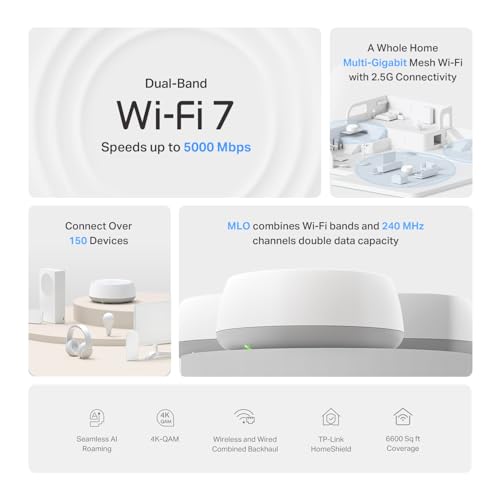
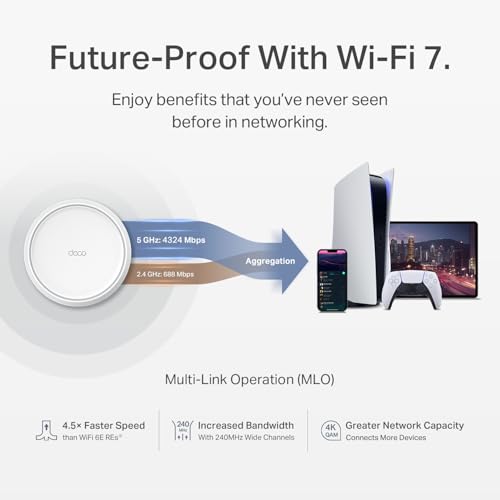
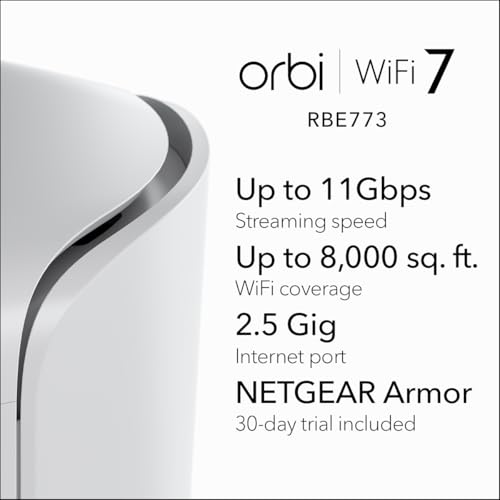
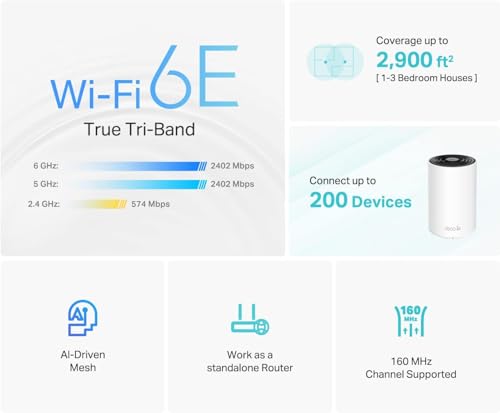
For mesh speed, do not shop only by the headline Wi‑Fi generation or theoretical Mbps; match the system to your internet tier, device mix, and backhaul plan. Multi-gig fiber households should look for multi-gig WAN and LAN ports, enough radio capacity for wireless backhaul, and ideally tri-band or newer designs that do not force client devices and node-to-node traffic to fight over the same band. If you have wired Ethernet between rooms, check that the mesh supports wired backhaul cleanly and that each node has enough Ethernet ports for your desktop, TV, console, or switch. Owner feedback supports this: shoppers upgrading from older routers, extenders, or early mesh systems often report major speed gains, better remote-work performance, and fewer bottlenecks in busy homes, with the strongest praise coming from households using fiber or multi-gig connections.
Connectivity
Connectivity determines how reliably your router keeps phones, laptops, smart home devices, and streaming gear online at the same time. Look for a router that can handle your device count, maintain steady Wi-Fi across the areas you use most, and recover gracefully when devices move between rooms or bands. Watch out for routers that advertise high speeds but struggle with many simultaneous clients or drop connections under everyday load.
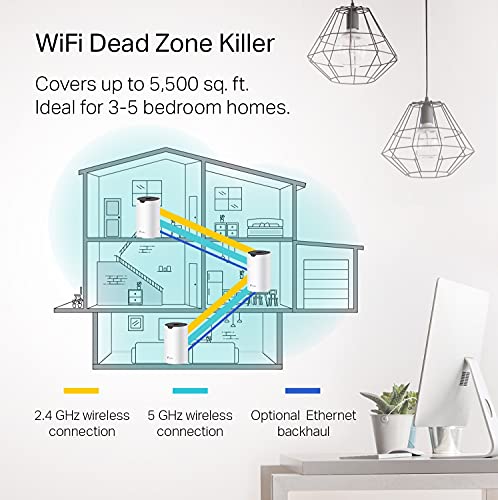
For connectivity, placement and device compatibility matter as much as the kit itself. Before buying, map where the modem, nodes, thick walls, metal appliances, mirrors, masonry, radiant-barrier insulation, and outdoor cameras are; a mesh node that shows strong bars can still have poor backhaul if it is too far from the main unit or blocked by dense materials. Look for systems with clear signal/backhaul diagnostics, separate or compatible 2.4 GHz handling for smart-home devices, stable roaming behavior for phones and laptops, and documented support for wired backhaul if you plan to use Ethernet. Owner sentiment is mixed in exactly these areas: many homes get stable connections, but others report dropouts, roaming issues, pods losing connection, or situations where improved range does not always mean uninterrupted internet.
Coverage
Coverage determines whether your connection stays strong in the rooms, floors, and outdoor spots where you actually use Wi‑Fi, not just near the router. Look for a router with enough range and signal strength for your home’s size and layout, and watch out for thick walls, metal, appliances, and distant corners that can weaken the signal. If you need signal extension, consider whether a mesh system or additional access point would serve you better than simply choosing a more powerful single router.
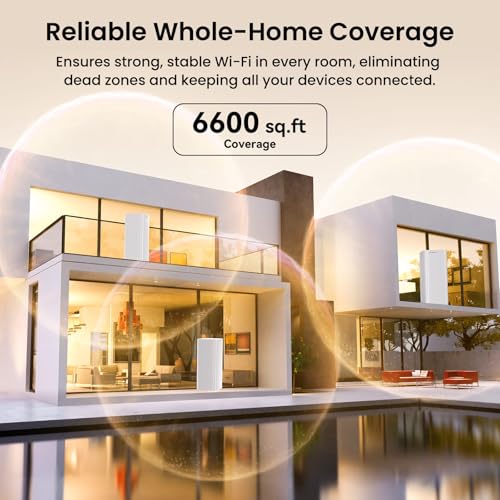
For coverage, buy for the shape and construction of your home, not just square-foot claims. Multi-level homes, detached offices, garages, patios, basements, plaster walls, brick, concrete, and outdoor cameras usually need more careful node placement than a simple open-plan house; choose a pack size that lets each node sit halfway between the router and the weak area rather than at the far edge of signal. Avoid assuming one high-power router will beat a well-placed mesh, but also avoid overbuying nodes so densely that they interfere with each other. Owner reports strongly support mesh as a coverage fix: many buyers describe fewer dead zones and better reach into upstairs rooms, basements, backyards, garages, offices, outbuildings, and camera locations after replacing older routers or extender setups.
Reliability
Reliability matters because a router that drops connections, needs frequent reboots, or struggles under normal household use can make even fast internet feel frustrating. Look for evidence of stable performance over long periods, especially with multiple devices connected, and watch out for reports of random outages, overheating, firmware bugs, or settings that need constant tweaking.
For reliability, prioritize a mesh system that can stay stable under your real always-on load: video calls, streaming TVs, consoles, security cameras, thermostats, doorbells, printers, and dozens of phones or tablets. Look for automatic firmware updates with a good track record, local Ethernet options for critical devices, guest and IoT network controls, and app tools that show node health rather than only a generic online/offline status. If your household depends on remote work or cameras, consider wiring the main node or key satellites where possible and avoid systems known to require frequent reboots after updates. Owner feedback is mostly positive when nodes are placed and configured well, with many households reporting steady streaming, gaming, calls, cameras, and smart-home use, though some users still encounter glitches, app errors, or instability.
Value
You want a router that delivers the speed, coverage, and reliability your home actually needs without paying for features you won’t use. Look for value for money by comparing real-world performance, port options, security and parental controls, mesh expandability, and ease of setup against the cost. Watch out for very cheap routers that may lack range or updates, as well as premium models whose advanced features only matter for demanding networks.
For value, the best mesh router is the one that solves the actual bottleneck without making you pay for capacity you cannot use. Check whether your internet plan, modem, and wired ports can benefit from Wi‑Fi 6E, Wi‑Fi 7, tri-band radios, or multi-gig Ethernet; if your plan is modest and your home mainly needs dead-zone repair, a simpler mesh may be the better buy. Also factor in subscription requirements for parental controls, security features, and advanced network settings, plus whether replacing rented provider equipment will eliminate recurring fees. Owner sentiment generally supports strong value when a mesh kit replaces a router-and-extender setup, avoids extra wiring, improves whole-home usable Wi‑Fi, or removes rental equipment costs without needing a higher internet tier.
Quality
A router’s quality matters because it’s a device you’ll likely leave running all day, every day, so it should feel well-built, stable, and able to handle heat without seeming flimsy or unreliable. Look for sturdy construction, secure ports, adequate ventilation, and a design that stays stable on a shelf or desk. Be cautious of routers with cheap-feeling plastic, loose connectors, poor heat management, or a layout that makes cables or placement awkward.
For quality, judge the whole system: hardware design, app control, firmware maturity, port layout, heat management, and how much network control you are allowed to keep. A good mesh kit should be easy to install but not so locked down that you cannot manage DHCP, IP reservations, port forwarding, guest networks, device priority, bridge/AP mode, or wired-backhaul behavior when needed. Check whether the nodes have enough Ethernet ports, whether the app gives useful diagnostics, and whether the manufacturer has a consistent update history; weak software can turn strong radios into a frustrating network. Owner feedback highlights quick setup, approachable apps, stable everyday performance, and major upgrades over older gear as common strengths, especially in busy households using laptops, phones, smart TVs, and smart-home devices.
1,000,000+ shoppers use Buyer's Guide every week to find the best products and services online.

Helping millions of users make smarter purchases online.


