

















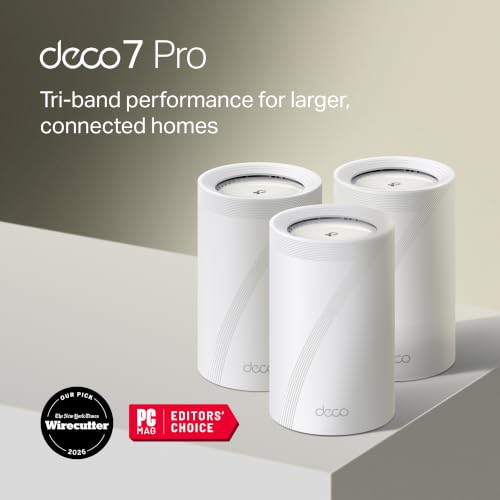





We also considered 10 others:


Our Top Choice
Compare Features


The order above is not editorial opinion, and it is not paid placement. It comes from what shoppers across our network actually do - which mesh wi-fi systems they compare, and which they ultimately buy. We re-rank as new data comes in, so the long-term favorites have to keep earning their spot against new entrants. The full method, including how we make money.
Mesh Wi-Fi Systems Buyer's Guide
Mesh Wi‑Fi buying is really a tradeoff between coverage, backhaul capacity, and device compatibility—not just picking the fastest-looking box. The sharpest concerns are whether the nodes can talk to each other reliably through your home’s walls and floors, and whether your mix of phones, laptops, smart-home devices, cameras, and work gear will roam and stay connected without constant fiddling.
Speed
Speed matters because it affects how smoothly your connection handles streaming, video calls, gaming, downloads, and multiple people using the network at once. Look for a router with enough real-world throughput for your internet plan and home size, plus strong performance under load so it stays responsive when several devices are active. Be wary of relying only on headline speed ratings, which often reflect ideal conditions rather than what you’ll get through walls, distance, and everyday congestion.
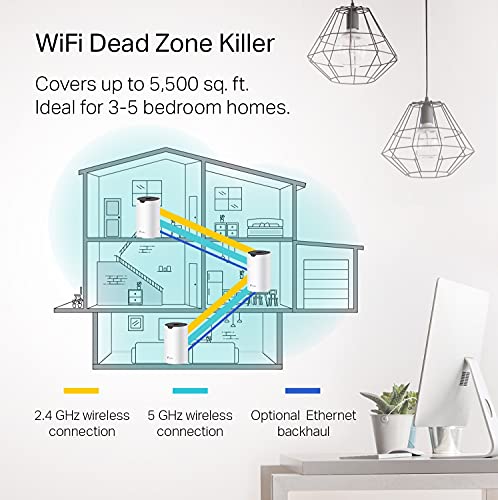
For mesh Wi‑Fi, don’t shop only by the headline Wi‑Fi generation or theoretical Mbps; check the backhaul design first. In larger homes or any layout with thick walls, multiple floors, garages, or outbuildings, prioritize tri-band systems with a dedicated wireless backhaul, 6 GHz backhaul where range allows, or Ethernet backhaul if you can wire the nodes. Also check whether the main unit and satellites have 2.5 GbE or faster ports if you have fiber or multi-gig internet; otherwise the mesh may cap real-world speeds before your service does. Owner feedback supports this: shoppers often report major speed gains over older routers, extenders, and aging mesh kits, especially in slow rooms after tuning backhaul settings, and high-end systems are praised for handling streaming, gaming, remote work, many devices, and multi-gig connections without feeling bottlenecked.
Connectivity
Connectivity determines how reliably your router keeps phones, laptops, smart home devices, and streaming gear online at the same time. Look for a router that can handle your device count, maintain steady Wi-Fi across the areas you use most, and recover gracefully when devices move between rooms or bands. Watch out for routers that advertise high speeds but struggle with many simultaneous clients or drop connections under everyday load.
For connectivity, verify how the system handles finicky client devices before buying: smart-home gear often needs stable 2.4 GHz, some laptops and IoT devices dislike band steering, and certain mesh systems can cause roaming trouble when devices cling to the wrong node. Look for app controls that let you pause 5 GHz/6 GHz during setup, create a separate IoT or 2.4 GHz network, disable aggressive steering if needed, and choose wired backhaul without breaking roaming. Be cautious if your home depends on stable video calls, security cameras, or smart locks, because strong signal bars do not always mean stable internet if the node-to-node backhaul is weak. Owner sentiment is mixed in exactly this area: many users get stable coverage, but others report 5 GHz joining problems, roaming issues, dropouts, pods losing connection, wired-backhaul headaches, or nodes arriving offline and needing troubleshooting.
Reliability
Reliability matters because a router that drops connections, needs frequent reboots, or struggles under normal household use can make even fast internet feel frustrating. Look for evidence of stable performance over long periods, especially with multiple devices connected, and watch out for reports of random outages, overheating, firmware bugs, or settings that need constant tweaking.
For reliability, plan the mesh like infrastructure, not like plug-in extenders: nodes need clean placement with enough overlap to the main router, not just placement at the edge of a dead zone. If uptime matters for work, cameras, alarms, or gaming, favor systems with Ethernet backhaul support, automatic firmware updates that can be scheduled, clear node health diagnostics, and the ability to reboot or isolate a problematic node from the app. Avoid undersized kits that force satellites to stretch too far, because a mesh can look fine on day one but degrade when interference, firmware changes, or added devices stress the backhaul. Owner reports back this split: many households describe dependable whole-home Wi‑Fi for streaming, calls, gaming, phones, laptops, TVs, and smart-home devices when nodes are placed well, while others experience app glitches, instability, downtime after an initially good start, or brief node disconnects that interrupt devices.
Value
You want a router that delivers the speed, coverage, and reliability your home actually needs without paying for features you won’t use. Look for value for money by comparing real-world performance, port options, security and parental controls, mesh expandability, and ease of setup against the cost. Watch out for very cheap routers that may lack range or updates, as well as premium models whose advanced features only matter for demanding networks.
For value, calculate cost per usable covered area, not just the box price: a cheaper dual-band kit may be fine for moderate speeds and small homes, but a tri-band or Wi‑Fi 6E/7 kit can be worth it when wireless backhaul must carry traffic across floors or when you have many active users. Check how many nodes you truly need, whether you can use Ethernet backhaul to buy a less expensive kit, and whether essential features such as parental controls, security, advanced settings, or extra network management require subscriptions. Also avoid overbuying multi-gig hardware if your internet tier and client devices cannot use it. Owner sentiment is generally favorable on value when a mesh kit replaces router-and-extender setups, improves usable Wi‑Fi without extra wiring, and delivers broad coverage at reasonable per-node pricing, though some shoppers still compare the tradeoff against cheaper standalone routers or more expensive pro-tier systems.
1,000,000+ shoppers use Buyer's Guide every week to find the best products and services online.

Helping millions of users make smarter purchases online.


