















We also considered 10 others:






Our Top Choice
Compare Features


The order above is not editorial opinion, and it is not paid placement. It comes from what shoppers across our network actually do - which gaming pcs under $500 they compare, and which they ultimately buy. We re-rank as new data comes in, so the long-term favorites have to keep earning their spot against new entrants. The full method, including how we make money.
Gaming PCs Under $500 Buyer's Guide
Gaming PCs under $500 are all about choosing which compromise hurts least: stronger gaming hardware in a basic tower, or a tiny, efficient PC that is easier to place but less upgradeable. The sharpest checks are the actual graphics hardware, power/cooling quality, and whether the system’s specs are clear enough to trust before the return window closes.
Performance
Performance determines how quickly your desktop feels in daily use and whether it has enough power for gaming, streaming, creative work, and multitasking without stutter or long waits. Look for a balanced CPU, graphics card, memory, and fast storage that match what you actually do, and watch for systems that emphasize one impressive part while cutting corners on cooling, RAM, or upgrade room.
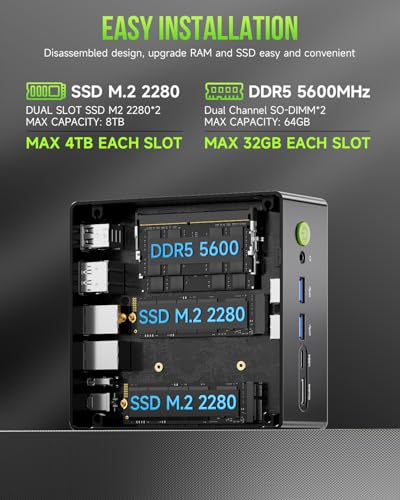
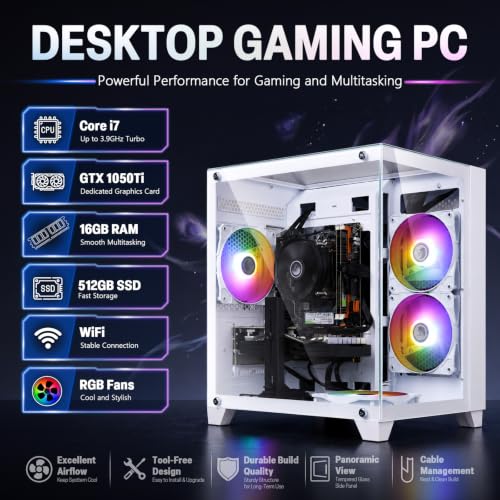
For gaming PCs in this tier, decide first whether you need a true discrete graphics card or can live with integrated graphics: discrete GPUs are the safer choice for 1080p esports and older/mainstream titles, while mini PCs with integrated graphics are better viewed as compact everyday machines that can handle lighter games at reduced settings. Look for at least 16GB of RAM, preferably dual-channel, an SSD rather than only a hard drive, and realistic game targets such as 1080p low-to-medium settings instead of modern ultra settings, ray tracing, or high-refresh 1440p. Owner feedback supports this split: buyers report smooth everyday browsing, streaming, office work, and multitasking from compact systems, while budget gaming towers are praised for playable frame rates in games like Fortnite, Warzone, War Thunder, Rust, and similar titles when expectations are kept in check.
Reliability
A reliable desktop PC should run consistently under your everyday workload without frequent crashes, overheating, or premature part failures. Look for solid build quality, good cooling, dependable power delivery, and components that are easy to service or upgrade, and be wary of systems that cut corners on case construction, airflow, or generic internal parts.
Reliability is the category’s biggest risk, so check return windows, warranty terms, power-supply details, cooling layout, and whether the system uses standard replaceable parts before buying. Be especially cautious of listings that emphasize RGB and vague “gaming” language but do not clearly identify the CPU, GPU, RAM configuration, storage type, motherboard, PSU wattage, or Wi-Fi hardware; cheap power supplies, weak cooling, and refurb or mixed-age parts can show up as crashes, shutdowns, dead ports, or early failures. Owner sentiment is mixed in exactly this way: many buyers describe budget systems as quiet, stable, responsive, and worthwhile starter machines, but others report faulty arrivals, units that will not power on, random shutdowns, dropped internet, failed lights, lag, port issues, crashes, and problems developing after only a few months.
Value
You want a desktop that feels worth what you pay, not just one with impressive specs on paper. Look for a balanced mix of processor performance, memory, storage, upgrade options, build quality, and included essentials, and watch out for systems that cut corners in areas like cooling, expandability, or bundled peripherals to hit an attractive price.
The best value in this niche comes from paying for the performance parts first, not cosmetic extras: prioritize a capable GPU or unusually strong integrated graphics, a modern-enough CPU, 16GB RAM, NVMe or SSD storage, activated Windows if you need it, and a motherboard/case that leaves room for upgrades. Avoid overvaluing bundled keyboards, mice, RGB fans, or inflated “gaming” labels if the graphics hardware is weak or unspecified; a cheaper-looking tower with a better GPU is often a better gaming buy than a flashier case with poor internals. Owners often feel these systems deliver strong price-to-capability value for basic home, work, Windows replacement, starter gaming, and upgradeable first desktops, with some saying the package compares favorably to building a similar low-cost PC themselves.
Setup
A desktop PC that’s easy to set up lets you get from the box to a usable workspace with less frustration, especially if you’re buying for a beginner or someone who doesn’t want to troubleshoot hardware and software right away. Look for clear instructions, well-labeled ports, included essentials when needed, and a simple first-run setup process; watch out for systems that require extra adapters, manual driver installs, or confusing account and security prompts before you can start using them comfortably.
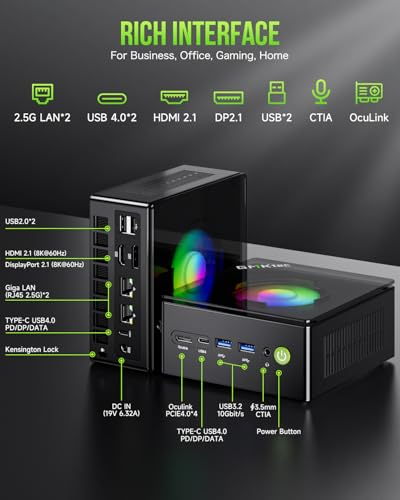
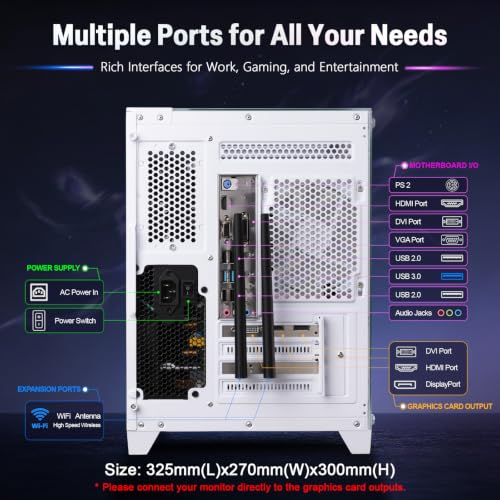
Before setup, confirm what is actually included: activated Windows or an install requirement, Wi-Fi/Bluetooth support, power cable, antennas, display outputs that match your monitor, and whether HDMI/DisplayPort must be plugged into the graphics card rather than the motherboard. Plan to run Windows updates, graphics-driver updates, and a quick stress or game test during the return window; also check that all fans spin, the SSD capacity matches the listing, RAM is detected correctly, and internet remains stable. Owner reports are encouraging on first use, with many describing quick plug-in-and-start setup, easy connections, ready-to-use Windows, smooth first boot, and a simple experience for families or first-time PC users.
Design
Because a desktop PC often sits in plain view, its appearance can affect how well it fits into your workspace, gaming setup, or home office. Look for a design that matches your taste and room layout while still supporting practical needs like good airflow, easy access to ports, and enough space for future upgrades. Be careful not to choose looks alone, since flashy lighting, unusual shapes, or compact cases can sometimes make the system louder, hotter, or harder to service.
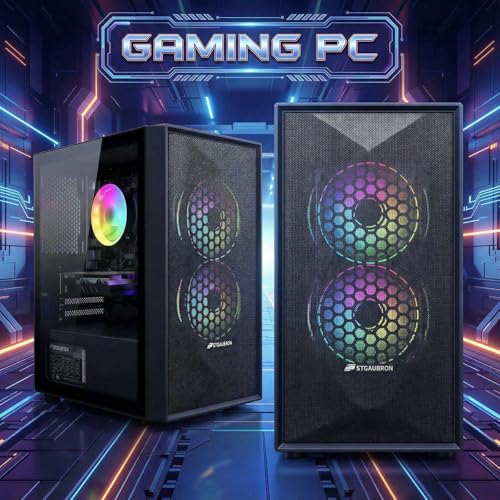
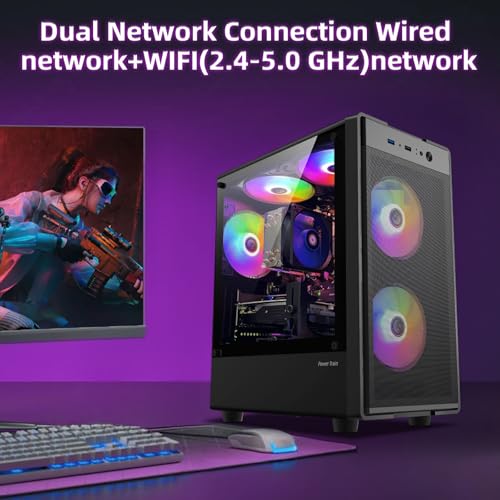
For this category, judge design by airflow and serviceability before appearance: look for a ventilated front panel, sensible fan placement, dust filtration, accessible side panels, and enough internal clearance for a future GPU or storage upgrade. RGB-heavy cases can look impressive, but avoid designs where solid glass or plastic blocks intake fans, cables are crammed into airflow paths, or the case uses proprietary layouts that make repairs and upgrades harder. Owners do like the visual side—many praise gaming-style lighting, fan-heavy looks, attractive cases, manageable desk presence, and strong first impressions—but the practical design win is a system that stays cool and remains easy to work on.
Size
Size matters because your desktop PC needs to fit your workspace without crowding your monitor, keyboard, cables, or ventilation space. A compact size can be great for small desks or shared areas, but make sure the case still has enough ports, upgrade room, and airflow for how you plan to use it.
Size changes the whole buying decision here: a mini PC saves space and can be excellent for school, office, streaming, and lighter gaming, but it usually has far less GPU upgrade potential and may rely on integrated or mobile-class graphics. A tower takes more room but is the better bet if you want a discrete GPU, easier cooling, standard parts, more storage bays, and a realistic upgrade path later; check physical dimensions against your desk, monitor setup, and ventilation space, not just the product photos. Owner feedback matches the tradeoff: compact systems are praised for fitting where full desktops cannot and even mounting out of the way, while towers are appreciated when they still fit easily on or under a desk and arrive protected.
1,000,000+ shoppers use Buyer's Guide every week to find the best products and services online.

Helping millions of users make smarter purchases online.


