





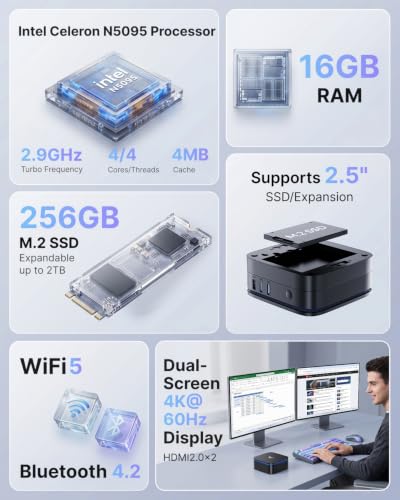


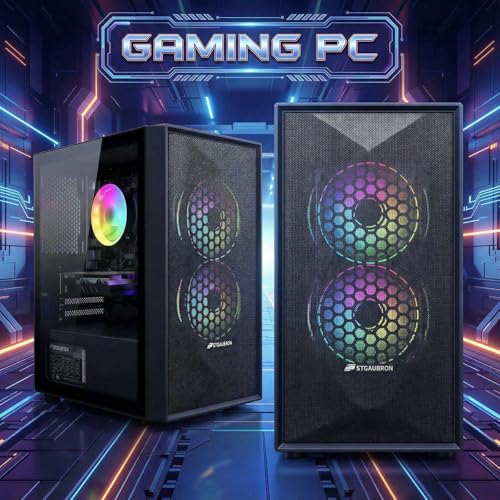


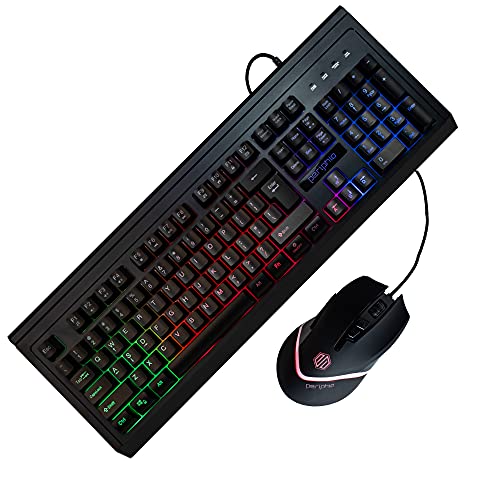


We also considered 10 others:




Our Top Choice
Compare Features


The order above is not editorial opinion, and it is not paid placement. It comes from what shoppers across our network actually do - which cheap gaming pcs they compare, and which they ultimately buy. We re-rank as new data comes in, so the long-term favorites have to keep earning their spot against new entrants. The full method, including how we make money.
Cheap Gaming PCs Buyer's Guide
Cheap gaming PCs are a tradeoff between playable 1080p gaming now and older or lower-tier parts that may limit newer titles, upgrades, and long-term reliability. Shoppers should look past RGB and headline labels like “gaming” and verify the actual GPU, CPU generation, RAM configuration, storage, power supply, Wi‑Fi, Windows license, and upgrade path before buying.
Performance
Performance determines how quickly your desktop feels in daily use and whether it has enough power for gaming, streaming, creative work, and multitasking without stutter or long waits. Look for a balanced CPU, graphics card, memory, and fast storage that match what you actually do, and watch for systems that emphasize one impressive part while cutting corners on cooling, RAM, or upgrade room.
Prioritize the actual graphics card and target resolution, not the word “gaming”: for cheap gaming PCs, confirm whether the system has a real dedicated GPU, how much VRAM it has, and whether it can handle the games you play at 1080p on low-to-medium settings. Older cards can still be worthwhile for esports and mainstream titles, but they are not equivalent to current midrange GPUs and may struggle with newer AAA games, ray tracing, high-refresh monitors, or heavy streaming while gaming. Also check for at least 16 GB of RAM in dual-channel if possible, an SSD as the boot drive, and a CPU that will not bottleneck the GPU. Owner feedback supports this split: budget desktops are often praised for smooth everyday use, streaming, multitasking, and playable frame rates in games like Fortnite, Warzone, War Thunder, Rust, and similar titles, but satisfaction is highest when buyers keep expectations realistic for entry-level hardware.
Reliability
A reliable desktop PC should run consistently under your everyday workload without frequent crashes, overheating, or premature part failures. Look for solid build quality, good cooling, dependable power delivery, and components that are easy to service or upgrade, and be wary of systems that cut corners on case construction, airflow, or generic internal parts.
Inspect reliability risk more aggressively than you would with a mainstream office PC, because cheap gaming systems may use mixed-generation parts, refurbished components, lower-end power supplies, or inconsistent assembly. Look for clear component listings, adequate cooling, a known wattage power supply with enough headroom for the GPU, secure internal cabling, accessible support, and a return window long enough to stress-test the machine. On arrival, run Windows updates, GPU drivers, memory/storage checks, Wi‑Fi tests, and several hours of gaming load to catch shutdowns, crashes, thermal throttling, port failures, or connection drops early. Owners often report stable, quiet, responsive use when the unit is good, but reliability is the biggest watch-out in this category, with some buyers seeing faulty arrivals, no-power units, crashes, random shutdowns, dropped internet, failing lights, port issues, lag after updates, or failures after several months.
Value
You want a desktop that feels worth what you pay, not just one with impressive specs on paper. Look for a balanced mix of processor performance, memory, storage, upgrade options, build quality, and included essentials, and watch out for systems that cut corners in areas like cooling, expandability, or bundled peripherals to hit an attractive price.
Judge value by the complete usable build, not just the advertised GPU or flashy case. A cheap gaming PC is a better buy when it includes a balanced CPU/GPU pairing, enough RAM, SSD storage, activated Windows, usable Wi‑Fi/Bluetooth if needed, and a motherboard/case/power supply that allow future upgrades. Be cautious of systems that spend the budget on RGB while hiding weak storage, single-stick RAM, an obsolete CPU, proprietary parts, or a power supply that blocks GPU upgrades. Owner sentiment backs the appeal: buyers frequently feel these systems deliver strong price-to-performance for everyday use, light or mainstream gaming, Windows replacement needs, and as starter desktops for people who do not want to build their own PC, especially when they understand the limits of older GPUs.
Setup
A desktop PC that’s easy to set up lets you get from the box to a usable workspace with less frustration, especially if you’re buying for a beginner or someone who doesn’t want to troubleshoot hardware and software right away. Look for clear instructions, well-labeled ports, included essentials when needed, and a simple first-run setup process; watch out for systems that require extra adapters, manual driver installs, or confusing account and security prompts before you can start using them comfortably.
Before buying, confirm what is actually included and what setup steps are required: monitor, keyboard, mouse, Wi‑Fi antennas, power cable, Windows activation, and display outputs that match your monitor. Many budget gaming PCs need the monitor plugged into the graphics card rather than the motherboard, and first-time buyers should be ready to install GPU drivers, run Windows updates, set the correct refresh rate, and remove shipping foam from inside the case if present. If it is for a teen or first-time PC gamer, favor systems with clear setup instructions, preinstalled Windows, and straightforward support channels. Owner reports are encouraging here: setup is often described as quick, beginner-friendly, easy to connect, well packaged, and satisfying right out of the box.
Design
Because a desktop PC often sits in plain view, its appearance can affect how well it fits into your workspace, gaming setup, or home office. Look for a design that matches your taste and room layout while still supporting practical needs like good airflow, easy access to ports, and enough space for future upgrades. Be careful not to choose looks alone, since flashy lighting, unusual shapes, or compact cases can sometimes make the system louder, hotter, or harder to service.
Treat case design as functional first: make sure the tower has enough airflow for the GPU, front or side ventilation that is not overly blocked by glass, room for full-size replacement parts, standard motherboard and power-supply mounting if upgrades matter, and enough front/rear USB ports for headsets, controllers, webcams, and storage. RGB lighting and tempered-glass styling can be nice, but they should not come at the expense of cooling, noise control, dust filtration, or cable access. Owner feedback shows that buyers do appreciate polished-looking cases, lighting, quiet fans, protected shipping, and a good first impression, but the safer purchase is the one whose design also supports cooling and serviceability.
Size
Size matters because your desktop PC needs to fit your workspace without crowding your monitor, keyboard, cables, or ventilation space. A compact size can be great for small desks or shared areas, but make sure the case still has enough ports, upgrade room, and airflow for how you plan to use it.
Match the form factor to the games and upgrades you expect: compact mini PCs save space but usually rely on integrated or mobile-class graphics and offer limited GPU upgrades, while towers take more room but are much better for dedicated graphics cards, cooling, extra drives, and future part swaps. Measure desk or floor clearance, airflow space around vents, and cable reach, and check whether the case can fit the GPU length, cooler height, and power supply size you might need later. Owners like compact systems that disappear behind a monitor or fit small workspaces, and they also praise towers that fit easily on or under a desk, so the right size depends on whether space-saving or upgrade flexibility matters more.
1,000,000+ shoppers use Buyer's Guide every week to find the best products and services online.

Helping millions of users make smarter purchases online.


