

Best External Drives Updated October 2026

Best External Drives
2026 Buyer's GuideUpdated October 2026
Sort by:
1

10.0

Seagate 2TB Portable Hard Drive | USB 3.0 (STGX2000400)
Type: Portable external HDD
Storage Capacity: 1, 2, 4, & 5TB
Transfer Rate: 120 MB/s
Hardware Interface: USB 3.0 & 2.0
Compatibility: Windows, Mac, PlayStation, Xbox

10.0

1
Seagate 2TB Portable Hard Drive | USB 3.0 (STGX2000400)
Type: Portable external HDD
Storage Capacity: 1, 2, 4, & 5TB
Transfer Rate: 120 MB/s
Hardware Interface: USB 3.0 & 2.0
Compatibility: Windows, Mac, PlayStation, Xbox
2

9.7

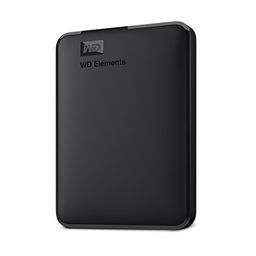
WD 2TB Elements Portable External Hard Drive for Windows, USB 3.2 Gen 1/USB 3.0 for PC & Mac, Plug and Play Ready - WDBU6Y0020B...
Type: Portable external HDD
Storage Capacity: 1, 2, 4, & 5TB
Transfer Rate: 5 GB/s
Hardware Interface: USB 3.0 & 2.0
Compatibility: Windows, Mac
Compare

9.7

2
WD 2TB Elements Portable External Hard Drive for Windows, USB 3.2 Gen 1/USB 3.0 for PC & Mac, Plug and Play Ready - WDBU6Y0020B...
Type: Portable external HDD
Storage Capacity: 1, 2, 4, & 5TB
Transfer Rate: 5 GB/s
Hardware Interface: USB 3.0 & 2.0
Compatibility: Windows, Mac
3

9.3

UnionSine 1TB Ultra Slim Portable External Hard Drive HDD-USB 3.0
Type: Portable external HDD
Storage Capacity: 1TB
Transfer Rate: 120 MB/s
Hardware Interface: USB 3.0
Compatibility: Windows, Mac, PS4, PS5, Xbox
Compare

9.3

3
UnionSine 1TB Ultra Slim Portable External Hard Drive HDD-USB 3.0
Type: Portable external HDD
Storage Capacity: 1TB
Transfer Rate: 120 MB/s
Hardware Interface: USB 3.0
Compatibility: Windows, Mac, PS4, PS5, Xbox
Compare
4

9.2

Seagate Portable 4TB External Hard Drive HDD – USB 3.0, 1-Year Rescue
Type: Portable external HDD
Storage Capacity: 1, 2, 4, & 5TB
Transfer Rate: 120 MB/s
Hardware Interface: USB 3.0
Compatibility: Windows, Mac
Compare

9.2

4
Seagate Portable 4TB External Hard Drive HDD – USB 3.0, 1-Year Rescue
Type: Portable external HDD
Storage Capacity: 1, 2, 4, & 5TB
Transfer Rate: 120 MB/s
Hardware Interface: USB 3.0
Compatibility: Windows, Mac
5

9.1

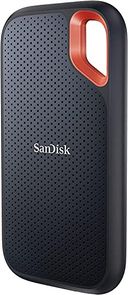
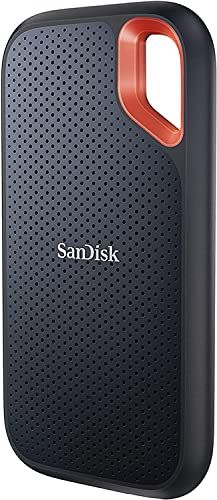
Sandisk 2TB Extreme Portable SSD, Up to 1050MB/s, USB-C, USB 3.2 Gen 2, IP65 Water and Dust Resistance, Updated Firmware, Exter...
Type: Portable external SSD
Storage Capacity: 500GB, 1, 2, & 4TB
Transfer Rate: Up to 1050 MB/s
Hardware Interface: USB-C 3.2
Compatibility: Windows, Mac
Compare

9.1

5
Sandisk 2TB Extreme Portable SSD, Up to 1050MB/s, USB-C, USB 3.2 Gen 2, IP65 Water and Dust Resistance, Updated Firmware, Exter...
Type: Portable external SSD
Storage Capacity: 500GB, 1, 2, & 4TB
Transfer Rate: Up to 1050 MB/s
Hardware Interface: USB-C 3.2
Compatibility: Windows, Mac
6

8.9

Seagate Portable 1TB External Hard Drive HDD – USB 3.0 for PC, Mac, PlayStation, & Xbox, 1-Year Rescue Service (STGX1000400) , ...
Type: External HDD
Storage Capacity: 1, 2, 4, & 5TB
Transfer Rate: 20 GB/s
Hardware Interface: USB 3.0
Compatibility: Windows, Mac, PS4, PS5, Xbox
Compare

8.9

6
Seagate Portable 1TB External Hard Drive HDD – USB 3.0 for PC, Mac, PlayStation, & Xbox, 1-Year Rescue Service (STGX1000400) , ...
Type: External HDD
Storage Capacity: 1, 2, 4, & 5TB
Transfer Rate: 20 GB/s
Hardware Interface: USB 3.0
Compatibility: Windows, Mac, PS4, PS5, Xbox
7

8.7

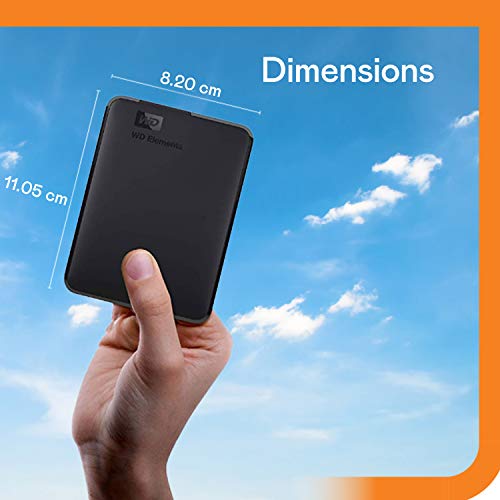
Western Digital WD 5TB Elements Portable External Hard Drive for Windows, USB 3.2 Gen 1/USB 3.0 for PC & Mac, Plug and Play Rea...
Type: Portable external HDD
Storage Capacity: 1, 2, 4, & 5TB
Transfer Rate: 95 MB/s
Hardware Interface: USB 3.0 & 2.0
Compatibility: Windows, Mac, PS4, Xbox
Compare

8.7

7
Western Digital WD 5TB Elements Portable External Hard Drive for Windows, USB 3.2 Gen 1/USB 3.0 for PC & Mac, Plug and Play Rea...
Type: Portable external HDD
Storage Capacity: 1, 2, 4, & 5TB
Transfer Rate: 95 MB/s
Hardware Interface: USB 3.0 & 2.0
Compatibility: Windows, Mac, PS4, Xbox
8

8.5

WD 6TB Elements Portable External Hard Drive for Windows, USB 3.2 Gen 1/USB 3.0 for PC & Mac, Plug and Play Ready - WDBHJS0060B...
Type: Portable external SSD
Storage Capacity: 1, 2, 4, 5, & 6TB
Transfer Rate: Up to 5000 MB/s
Hardware Interface: USB 3.0
Compatibility: Windows, Mac (with reformat)
Compare

8.5

8
WD 6TB Elements Portable External Hard Drive for Windows, USB 3.2 Gen 1/USB 3.0 for PC & Mac, Plug and Play Ready - WDBHJS0060B...
Type: Portable external SSD
Storage Capacity: 1, 2, 4, 5, & 6TB
Transfer Rate: Up to 5000 MB/s
Hardware Interface: USB 3.0
Compatibility: Windows, Mac (with reformat)
9

8.3

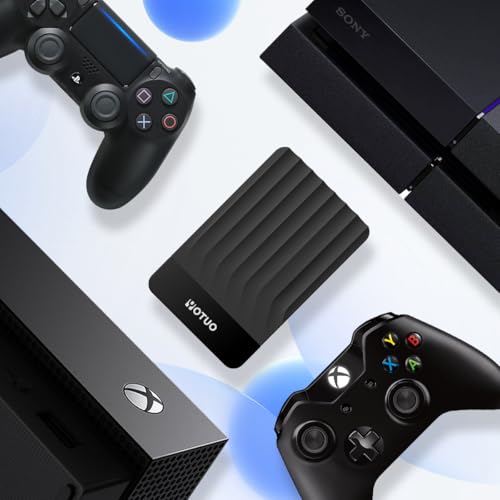
YOTUO 500GB External Hard Drive, Portable Storage Expansion HDD, USB 3.0 & USB-C for PC, Mac, Desktop, Laptop, Smartphone, PS4,...
Type: Portable external HDD
Storage Capacity: 500GB
Transfer Rate: 5 GB/s
Hardware Interface: USB 3.0, USB-C
Compatibility: Windows, Mac, PS4, PS5, Xbox One, Xbox 360
Compare

8.3

9
YOTUO 500GB External Hard Drive, Portable Storage Expansion HDD, USB 3.0 & USB-C for PC, Mac, Desktop, Laptop, Smartphone, PS4,...
Type: Portable external HDD
Storage Capacity: 500GB
Transfer Rate: 5 GB/s
Hardware Interface: USB 3.0, USB-C
Compatibility: Windows, Mac, PS4, PS5, Xbox One, Xbox 360
Compare
10

8.2

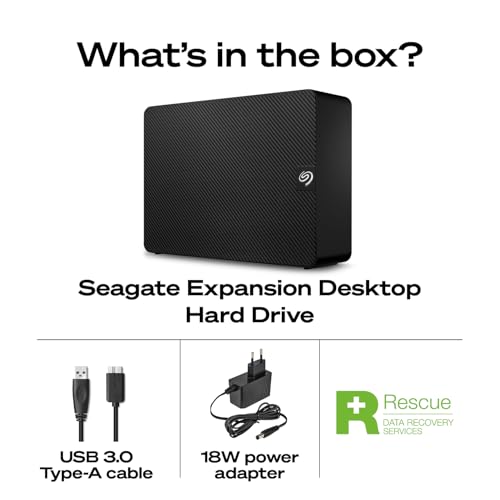
Seagate 8TB Expansion Desktop Hard Drive | USB 3.0 (STKP8000400)
Type: External HDD
Storage Capacity: 8, 12, 16, 20, & 22TB
Transfer Rate: 5 GB/s
Hardware Interface: USB 3.0
Compatibility: Windows, Mac
Compare

8.2

10
Seagate 8TB Expansion Desktop Hard Drive | USB 3.0 (STKP8000400)
Type: External HDD
Storage Capacity: 8, 12, 16, 20, & 22TB
Transfer Rate: 5 GB/s
Hardware Interface: USB 3.0
Compatibility: Windows, Mac
We also considered 10 others:

Our Top Choice

1

10.0

Seagate 2TB Portable Hard Drive | USB 3.0 (STGX2000400)
Type: Portable external HDD
Storage Capacity: 1, 2, 4, & 5TB
Transfer Rate: 120 MB/s
Hardware Interface: USB 3.0 & 2.0
Compatibility: Windows, Mac, PlayStation, Xbox

10.0

1
Seagate 2TB Portable Hard Drive | USB 3.0 (STGX2000400)
Type: Portable external HDD
Storage Capacity: 1, 2, 4, & 5TB
Transfer Rate: 120 MB/s
Hardware Interface: USB 3.0 & 2.0
Compatibility: Windows, Mac, PlayStation, Xbox

Compare Features

Hardware Interface
Best External Drive
1. Seagate Portable External Hard Drive
SEAGATE Preview SEAGATE Preview
SEAGATE
at Amazon
2. Western Digital Elements Portable Hard Drive
WESTERN DIGITAL Preview WESTERN DIGITAL Preview
WESTERN DIGITAL
at Amazon
3. UnionSine 1TB Ultra Slim Portable External Hard Drive HDD-USB 3.0
UNIONSINE Preview UNIONSINE Preview
UNIONSINE
at Amazon
4. Seagate Portable Hard Drive
SEAGATE Preview SEAGATE Preview
SEAGATE
at Amazon
Premium Pick
5. SanDisk Extreme Portable SSD Hard Drive
SANDISK Preview SANDISK Preview
SANDISK
at Amazon
6. Seagate Portable Hard Drive
SEAGATE Preview SEAGATE Preview
SEAGATE
at Amazon
7. WD 5 TB Portable External HDD Drive
WESTERN DIGITAL Preview WESTERN DIGITAL Preview
WESTERN DIGITAL
at Amazon
8. WD Elements Portable External Hard Drive
WESTERN DIGITAL Preview WESTERN DIGITAL Preview
WESTERN DIGITAL
at Amazon
Best Value
9. YOTUO 500GB External Hard Drive, Portable Storage Expansion HDD, USB 3.0 & USB-C for PC, Mac, Desktop, Laptop, Smartphone, PS4,...
YOTUO Preview YOTUO Preview
YOTUO
at Amazon
10. Seagate Expansion External Hard Drive
SEAGATE Preview SEAGATE Preview
SEAGATE
at Amazon
Deal
-13% -19% -13% — — — -14% -19% -10% —
Deal -13% -19% -13% — — — -14% -19% -10% —
Type
Portable external HDD Portable external HDD Portable external HDD Portable external HDD Portable external SSD External HDD Portable external HDD Portable external SSD Portable external HDD External HDD
Type
Portable external HDD Portable external HDD Portable external HDD Portable external HDD Portable external SSD External HDD Portable external HDD Portable external SSD Portable external HDD External HDD
Storage Capacity
1, 2, 4, & 5TB 1, 2, 4, & 5TB 1TB 1, 2, 4, & 5TB 500GB, 1, 2, & 4TB 1, 2, 4, & 5TB 1, 2, 4, & 5TB 1, 2, 4, 5, & 6TB 500GB 8, 12, 16, 20, & 22TB
Storage Capacity
1, 2, 4, & 5TB 1, 2, 4, & 5TB 1TB 1, 2, 4, & 5TB 500GB, 1, 2, & 4TB 1, 2, 4, & 5TB 1, 2, 4, & 5TB 1, 2, 4, 5, & 6TB 500GB 8, 12, 16, 20, & 22TB
Transfer Rate
120 MB/s 5 GB/s 120 MB/s 120 MB/s Up to 1050 MB/s 20 GB/s 95 MB/s Up to 5000 MB/s 5 GB/s 5 GB/s
Transfer Rate
120 MB/s 5 GB/s 120 MB/s 120 MB/s Up to 1050 MB/s 20 GB/s 95 MB/s Up to 5000 MB/s 5 GB/s 5 GB/s
Hardware Interface
USB 3.0 & 2.0 USB 3.0 & 2.0 USB 3.0 USB 3.0 USB-C 3.2 USB 3.0 USB 3.0 & 2.0 USB 3.0 USB 3.0, USB-C USB 3.0
Hardware Interface
USB 3.0 & 2.0 USB 3.0 & 2.0 USB 3.0 USB 3.0 USB-C 3.2 USB 3.0 USB 3.0 & 2.0 USB 3.0 USB 3.0, USB-C USB 3.0
Compatibility
Windows, Mac, PlayStation, Xbox Windows, Mac Windows, Mac, PS4, PS5, Xbox Windows, Mac Windows, Mac Windows, Mac, PS4, PS5, Xbox Windows, Mac, PS4, Xbox Windows, Mac (with reformat) Windows, Mac, PS4, PS5, Xbox One, Xbox 360 Windows, Mac
Compatibility
Windows, Mac, PlayStation, Xbox Windows, Mac Windows, Mac, PS4, PS5, Xbox Windows, Mac Windows, Mac Windows, Mac, PS4, PS5, Xbox Windows, Mac, PS4, Xbox Windows, Mac (with reformat) Windows, Mac, PS4, PS5, Xbox One, Xbox 360 Windows, Mac
How we rank

The order above is not editorial opinion, and it is not paid placement. It comes from what shoppers across our network actually do - which external drives they compare, and which they ultimately buy. We re-rank as new data comes in, so the long-term favorites have to keep earning their spot against new entrants. The full method, including how we make money.

External Drives Buyer's Guide

External drives force a tradeoff between cheap bulk capacity and safer, faster portable storage: a big hard drive is great for backups, while an SSD is better for travel, drops, and working directly from the drive. The sharpest concerns are compatibility with your devices and file systems, and remembering that an external drive is not a backup unless another copy exists somewhere else.

Reliability

Reliability matters because a hard drive’s real value is in keeping your data readable and available over years of use, not just offering enough capacity on day one. Look for signs of build quality such as an appropriate workload rating, warranty coverage, heat management, and whether the drive is designed for your use case, and be wary of using a basic desktop drive for constant backups, NAS use, or other always-on workloads.

For external drives, treat reliability as a backup-system question, not just a “does it work out of the box” question: avoid making any single portable drive your only copy, and look for a drive suited to your risk profile—SSD for frequent travel, drops, and field work; desktop HDD or portable HDD for lower-cost bulk backup that stays mostly parked. Check warranty length, enclosure sturdiness, heat behavior during long backups, cable/port fit, and whether the drive supports hardware encryption only if you are comfortable with the recovery tradeoff if the enclosure fails. Owner sentiment generally supports that many portable external drives feel dependable for everyday files, projects, photos, media libraries, and backups, with several praised as simple, sturdy enough for bags or cases, and consistent for routine storage.

Capacity

Storage capacity determines how much you can keep on the drive, from documents and photos to large video files, backups, and game libraries. Choose enough storage for what you have now plus room to grow, and watch for the difference between advertised capacity and the slightly lower usable space your computer reports after formatting.

Buy capacity based on your real backup plan: leave room for multiple versions, deleted-file retention, photo/video growth, game libraries, or full-system images—not just today’s used space. For computer backups, a practical target is often at least 2× the internal storage you plan to protect; for photographers, videographers, and phone offloading, plan around original files plus edited exports and a second backup copy. Also remember that advertised capacity will appear smaller after formatting, and some drives or phone flash drives may be better for offloading than long-term archival storage. Owner feedback backs the appeal of high-capacity external drives for photos, videos, documents, games, laptop files, old files, and multi-version backups, while smaller phone-focused drives are seen as practical relief for crowded mobile storage.

Usability

You want a hard drive that’s easy to set up, mount, and start using without confusing formatting steps or compatibility surprises. Look for clear installation requirements, simple backup or file-management options, and a design that fits how you’ll use it day to day; watch out for drives that require extra adapters, software, or technical setup that could slow you down.

For usability, check the ecosystem before you buy: Windows backup, macOS Time Machine, iPad/iPhone photo offload, game consoles, smart TVs, and Android devices may require different formats, connectors, apps, or reformatting. Look for the right port and cable—USB-A, USB-C, Lightning, or adapter support—and decide whether you need exFAT for cross-platform use, APFS for Mac-only backups, NTFS for Windows, or a console-specific format that may erase the drive. Also confirm whether any required mobile app can export normal files rather than locking photos inside a proprietary workflow. Owner sentiment supports that many drives are genuinely plug-and-play on computers, often recognized right away, and phone flash drives are liked for simple installation, easy switching between phone and USB connections, and quick photo/file backup.

Value

Value matters because you want a hard drive that gives you dependable storage capacity and performance without paying for features you do not need. Look at the cost relative to capacity, reliability expectations, warranty coverage, and intended use, since the cheapest option can cost more in the long run if it is slow, noisy, or failure-prone. A good value drive should feel appropriately priced for how much data it holds, how often you will use it, and how much you trust it with your files.

The best value in external drives depends on workload: HDDs usually win for bulk backups and media archives, while SSDs justify their cost when you need shock resistance, silent operation, faster transfers, or editing directly from the drive. Do not judge value only by capacity; factor in included cables, enclosure durability, backup/security software, warranty, speed class, and whether you will need to buy adapters or a second drive for a real backup strategy. Owner feedback supports that shoppers often feel external drives deliver strong storage-per-dollar for backups, games, photos, videos, laptop files, and large file collections, with budget-oriented models often viewed as worthwhile when the goal is simple portable storage.

Size

Size affects how easily you can carry a hard drive, fit it into your workspace, or tuck it into a laptop bag alongside other gear. If you travel often or work between locations, look for a compact, durable design that does not add bulk; if it will stay on a desk, make sure its footprint, cable layout, and ventilation needs fit your setup.

Size matters because it changes how the drive will be treated: pocketable portable drives are convenient but easier to drop, lose, or leave plugged in where the cable can be bumped, while larger desktop drives may be safer for stationary backups but need desk space and sometimes external power. If the drive will live in a camera bag, school bag, or travel kit, prioritize a compact enclosure, recessed or sturdy connector, short reliable cable, and a case; if it will sit on a desk, prioritize ventilation and stable placement. Owner sentiment supports that compact, lightweight drives are popular for desks, bags, school, work, camera cases, and quick backup-then-store use, with many buyers appreciating that small drives can still hold large file dumps and serious backups.

Speed

Speed affects how quickly you can boot a system, open large files, run applications, and move data on or off the drive. Look for strong real-world transfer performance, not just headline specs, and remember that the drive’s connection type, your computer’s ports, and the kind of files you move can all limit actual speed.

Match speed to the job: HDDs are fine for scheduled backups, document archives, and media libraries, but SSDs are the better fit for RAW photo batches, 4K/8K video, direct editing, large game transfers, and frequent shuttling between machines. Check the whole speed chain—drive type, USB generation, cable, computer port, file size mix, and file system—because a fast drive on a slow port or cheap cable will not perform as expected, and very large transfers can slow as caches fill. Owner feedback supports this split: SSD-style portable storage is praised for fast large-file transfers, phone-to-computer photo/video movement is often described as quick and convenient, and standard external drives are generally seen as fast enough for routine backups, though bigger uploads can be less seamless and may require reformatting for some systems.