





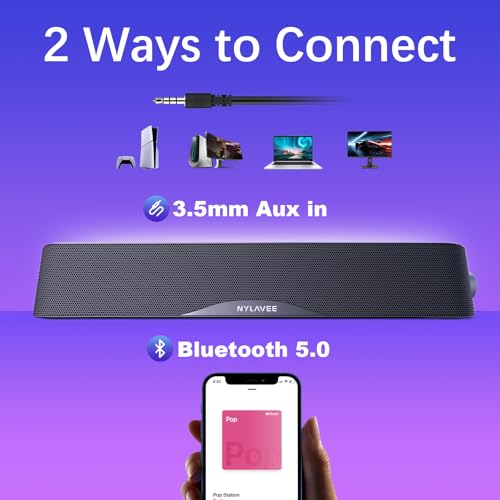

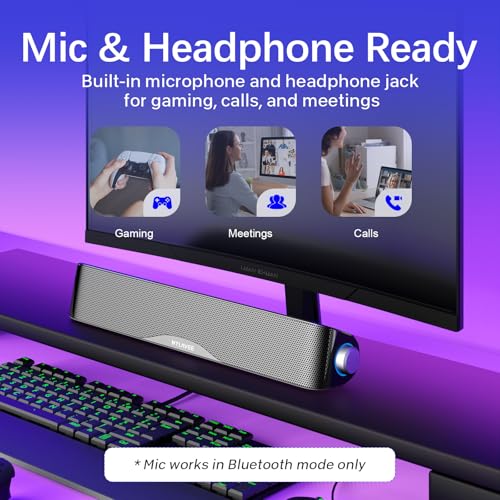


We also considered 10 others:


Our Top Choice
Compare Features


The order above is not editorial opinion, and it is not paid placement. It comes from what shoppers across our network actually do - which budget pc speakers they compare, and which they ultimately buy. We re-rank as new data comes in, so the long-term favorites have to keep earning their spot against new entrants. The full method, including how we make money.
Budget PC Speakers Buyer's Guide
Budget PC speakers are usually a tradeoff between desk-friendly simplicity and the limits of tiny drivers, USB power, and lightweight cabinets. The sharpest checks are whether the connection type actually fits your PC/monitor setup, and whether the speakers solve your real problem—clear near-field audio for calls, games, and videos—without adding hiss, clutter, or underpowered bass expectations.
Sound
You’ll want speakers that sound clear and balanced at the volumes you actually use, whether you’re listening quietly or filling a room. Pay attention to bass that feels full without muddying voices or instruments, and watch for distortion, hiss, rattling, or harshness as the volume rises.
For this niche, prioritize clear near-field dialogue and mids over advertised loudness or “big bass”: small budget speakers can sound boomy, harsh, or distorted when pushed, so look for models praised for clean speech, usable volume at arm’s length, and controlled bass rather than subwoofer-like output. If you game or take calls, also check whether left/right separation matters; a two-speaker set can give better positional cues than a single soundbar, while a bar may be neater under a monitor. Owner feedback supports this focus: shoppers often describe these speakers as a clear step up from built-in monitor or laptop audio, with crisp desktop sound, clearer mids and highs, and smoother or deeper bass than expected for compact, budget systems.
Build
Build quality matters because speakers are often moved, played loudly, and expected to last for years without rattles, loose connections, or worn controls. Look for solid cabinets, secure grilles, stable feet or mounting points, and connectors that feel firm, and be wary of flimsy plastic, buzzing panels, or controls that feel loose out of the box.
For budget PC speakers, inspect the physical basics that often fail first: cable strain relief, wobbly volume knobs, thin speaker wire between left and right channels, lightweight cabinets that slide around, and whether the grille or exposed drivers can survive desk bumps. USB-powered sets should also have enough cable length to reach your tower, hub, laptop dock, or monitor without tension, because stressed cables are a common weak point in cheap desktop audio. Owner sentiment suggests many buyers are satisfied when these speakers are treated as simple everyday upgrades: they are often described as cost-effective, compact, tidy, and good enough for regular desktop use rather than premium, long-haul audio systems.
Value
You want a speaker that feels worth what you paid, not just one with impressive specs or flashy features. Look for the best balance of sound quality, build, connectivity, battery life if portable, and useful extras for how you actually listen. Watch out for paying more for features you will not use or for a low price that comes with weak sound, poor durability, or frustrating controls.
The best value in this category comes from buying only the features you will actually use: clear wired audio, accessible volume control, the right input, and a compact shape usually matter more than decorative lighting, exaggerated wattage claims, or “gaming” styling. Avoid paying extra for Bluetooth if the speakers will stay plugged into one PC, but do consider it if you regularly switch between a laptop, phone, and desktop; likewise, a budget set with a real headphone jack or front volume knob can be more useful than one with higher claimed output. Owner feedback aligns with this: buyers repeatedly frame these speakers as strong low-cost upgrades that sound better than expected, feel worthwhile for basic computer audio, and deliver cleaner sound or smoother bass than their modest category suggests.
Ease
Speakers that are easy to set up and use are more likely to fit smoothly into your daily routine, whether you’re pairing a device, adjusting volume, switching inputs, or using a remote or app. Look for clear controls, straightforward connectivity, reliable remote operation, and useful functions you’ll actually use; watch out for confusing menus, limited controls on the speaker itself, or features that depend too heavily on a finicky app.
Before buying, map the exact hookup path: USB-only speakers may use USB for both power and audio, while others use USB for power plus a 3.5 mm AUX plug for sound; a monitor, TV, docking station, or modern laptop may not provide the port combination you assume. Also check whether controls are on the front or cable, whether Bluetooth pairing is needed, and whether the speakers remember volume or lighting settings after sleep or reboot—small annoyances matter on a daily desk setup. Owner reports support choosing low-fuss models: shoppers commonly praise plug-and-play setup, USB operation without software, quick Bluetooth pairing, simple controls, front controls, AUX options, and even USB-C compatibility in some setups.
Design
A speaker often sits in plain view, so its appearance matters as much as where you plan to place it. Look for a shape, finish, and size that fit your room and furniture, and watch out for designs that block controls, show dust easily, or feel awkward on shelves, counters, or stands.
Choose the design around your actual desk layout first: side-by-side speakers need clearance around the monitor stand, while a soundbar needs enough height under the screen and should not block monitor buttons, webcam view, laptop vents, or a sit-stand desk edge. If RGB is included, make sure it can be dimmed, changed, or turned off, especially for work calls, shared rooms, or nighttime use; lighting that looks fun in photos can become distracting in peripheral vision. Owner sentiment shows design is a real buying factor here, with many buyers liking compact modern shapes, gaming-style RGB accents, multiple color modes, clean desk matching, and the option on some models to turn lighting off for a quieter look.
Size
Size affects where you can use a speaker, how easily you can carry it, and whether it fits naturally on a shelf, desk, counter, or in a bag. If you plan to move it often, look for a compact shape, manageable weight, and easy-grip design; if it will stay in one spot, make sure its footprint suits the space and leaves room for cables or controls. Watch out for speakers that are small enough to carry but too bulky for your usual storage or travel setup.
Measure the usable desk space, not just the advertised speaker dimensions: include cable exits, the angle of the speakers, monitor feet, keyboard travel, and whether a soundbar will fit between monitor risers or under an ultrawide. In this category, smaller size usually means less low-end output and less stereo spread, so decide whether you need a tidy footprint more than room-filling sound; for near-field PC use, compact can be an advantage, but for a large room or TV across the room it may feel underpowered. Owner feedback backs the compact-use case: buyers frequently appreciate small footprints for desks, gaming setups, small rooms, TV audio-out setups, and PC or Mac desks where neat placement matters more than big subwoofer-style output.
1,000,000+ shoppers use Buyer's Guide every week to find the best products and services online.

Helping millions of users make smarter purchases online.


