

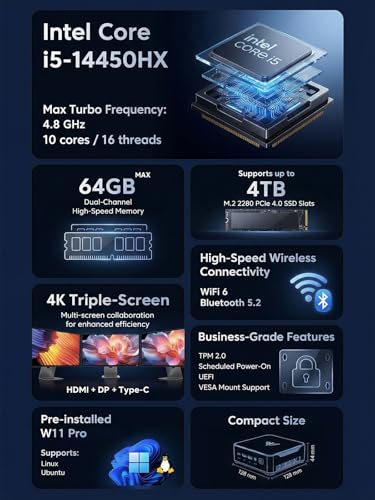

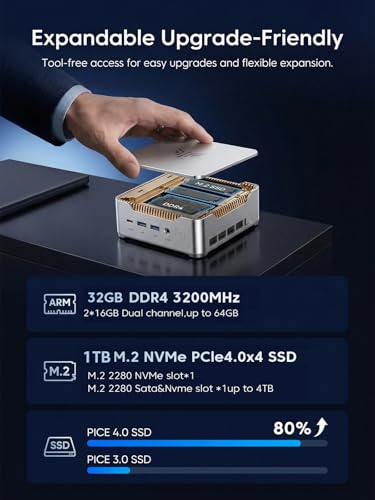
- Memory: 32GB RAM
- Storage: 1TB SSD
- Processor: Intel Core i7-13620H 10-core
- Graphics Processor: Intel UHD Graphics
- Operating System: Windows 11 Pro





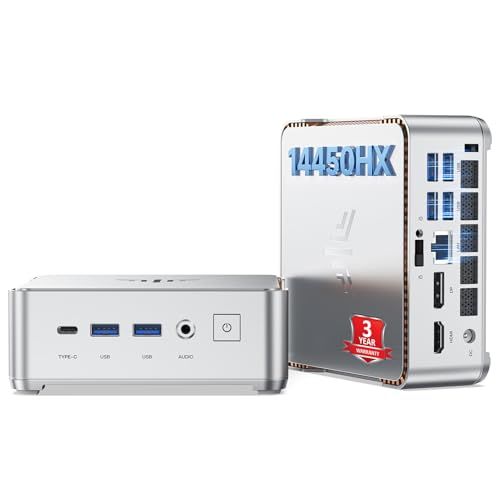
Kamrui Hyper H2 Mini Gaming PC
Overview and real-world performance

The Kamrui Hyper H2 Mini Gaming PC is aimed at buyers who want a compact desktop that can handle everyday computing while also dipping into light-to-moderate gaming. As a mini PC, its main appeal is how little space it takes up on a desk or entertainment center, and how easily it can be moved between rooms or packed for travel. That small footprint naturally comes with trade-offs, but the Hyper H2 is designed to balance convenience with enough horsepower for popular esports titles, older AAA games, and a wide range of productivity tasks.
In practical use, the experience you get depends heavily on the exact configuration you choose, particularly the CPU generation, iGPU capability, and memory setup. For many mini gaming PCs, the integrated graphics are the determining factor for what “gaming” really means: you can expect smooth play in games like Rocket League, League of Legends, Valorant, and similar competitive titles at sensible settings, while more demanding modern games may require lowering resolution and graphics options to maintain stable frame rates. If you’re coming from a laptop or an older budget tower, the jump in responsiveness can be immediately noticeable, especially with an SSD for fast boot and load times.
Thermals and sustained performance are also part of the story. A mini PC chassis has less room to dissipate heat than a full-size tower, so the Hyper H2’s ability to hold clocks under load will matter if you plan longer gaming sessions or CPU-heavy tasks like compiling code, batch photo edits, or running multiple virtualized workloads. You may hear the fan ramp up during sustained gameplay or heavy benchmarks. In exchange, you get a tidy, living-room-friendly device that can serve as a casual gaming box, a compact home office PC, or a media and emulation system.
Key purchase factors and what matters most
Before buying the Kamrui Hyper H2, it’s worth deciding what kind of “gaming” you expect. If your goal is competitive esports at 1080p with high frame rates, the integrated graphics and memory configuration become the most important factors. Dual-channel RAM often makes a meaningful difference for iGPU performance, and having enough capacity helps with multitasking and modern game requirements. Storage speed and capacity matter too, but they usually affect load times and overall system snappiness more than raw frame rate.
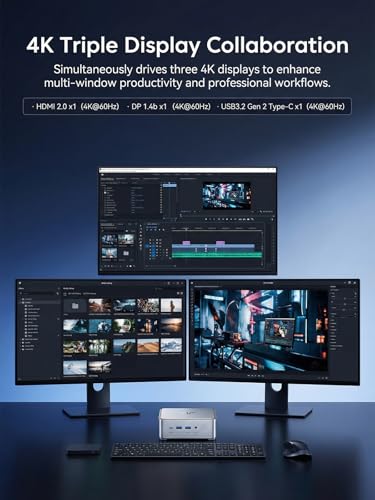
The next big factor is connectivity and expandability. Mini PCs can vary widely in what they offer: the number and type of USB ports for controllers and peripherals, USB-C support, video outputs for dual monitors, and network options like Wi‑Fi stability and Ethernet speed. If you plan to use the Hyper H2 as a desk setup, make sure it can drive the monitors you own at the resolution and refresh rate you expect. If you want a living room setup, check for convenient front-facing ports for controllers, headsets, and removable storage.
Thermals, noise, and sustained performance should be considered alongside raw specs. A mini PC can look great on paper, but if it runs hot and has to throttle under load, you may see frame-time spikes or lower sustained clocks in longer sessions. This becomes more important if you plan to play for hours at a time or use the PC for heavier productivity work. If you are sensitive to noise, the acoustic profile under load matters as much as peak performance, since a small fan can be audible when pushed.
Another important decision is whether your future plans might outgrow integrated graphics. If you want to play the latest AAA titles at high settings, a mini PC with iGPU will feel limiting, and you may be happier with a small-form-factor desktop that can accept a dedicated GPU. On the other hand, if you mainly play lighter titles, enjoy indie games, or use cloud gaming services, the Hyper H2 form factor is very attractive and often more cost-effective than building a full PC.
Reliability, warranty, and support are often overlooked but can be crucial. Mini PCs are typically more integrated than towers, meaning fewer user-serviceable parts and less flexibility if something fails. Buyers should consider the return window, warranty length, and how easy it is to get help if you run into driver issues, Wi‑Fi instability, or BIOS quirks. This is especially important if the PC is for school, work, or a family member who needs something that “just works.”
Among all these factors, the most important are your expected game load and performance target, the integrated graphics capability paired with a good RAM configuration, and the thermals/noise behavior under sustained use. These determine whether the Hyper H2 will feel like a clever compact gaming solution or a system that constantly forces compromises.
Common Questions
Is the Kamrui Hyper H2 Mini Gaming PC good for modern AAA games?
It can run some modern AAA games, but expectations should be set around lower settings and, in many cases, lower resolutions to achieve smooth performance. For newer, graphically intensive titles, an iGPU-based mini PC is best viewed as an entry point rather than a high-end gaming solution.
Can I upgrade the RAM and storage later?
Many mini PCs allow RAM and SSD upgrades, and those are often the most practical ways to extend the system’s life. You should confirm the specific model’s access panel design, supported RAM type and speed, and whether it includes an extra M.2 slot or a 2.5-inch bay, depending on how you plan to expand storage.
Will it be loud during gaming?
It depends on your room temperature, the game’s demand, and the fan curve. In general, a small chassis can mean more noticeable fan noise under sustained load. If you prefer quieter operation, consider whether you can place it with good airflow and whether your typical games are light enough to avoid constant high fan speeds.
Can it replace a console for living room play?
For many people, yes, especially if your library includes esports titles, emulation, indie games, and streaming. The experience is best when paired with a good controller setup and a front-end like Steam Big Picture, but it won’t match a current-gen console’s plug-and-play simplicity for every game, and the highest-end titles may require more tuning.
In conclusion, the Kamrui Hyper H2 Mini Gaming PC is most compelling for buyers who value a compact footprint and flexible everyday performance, and who play games that fit comfortably within integrated graphics limits. If you prioritize esports, media, and general productivity with occasional gaming, it can be a smart, space-saving purchase. If your priority is high settings in the latest AAA releases, consider a system with dedicated graphics or a more upgrade-friendly small-form-factor desktop.