
Best Tower PCs Updated November 2026

Best Tower PCs
2026 Buyer's GuideUpdated November 2026
Sort by:
1

10.0

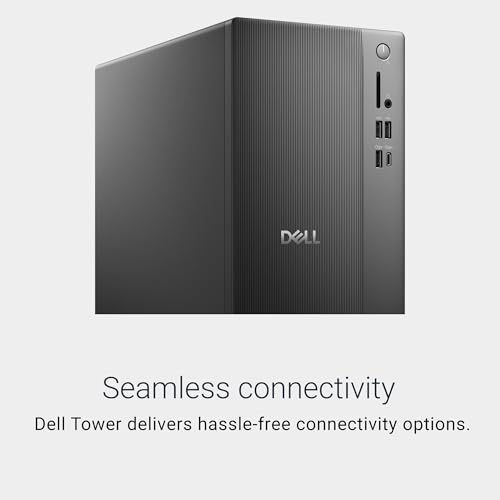
Dell Tower Desktop, Intel Core Ultra 7-265, 32GB RAM, Windows 11 Home | Intel UHD Graphics, 1TB PCIe NVMe SSD, Wi-Fi 6, Bluetoo...
Memory: 32GB RAM
Storage: 1TB SSD
Processor: Intel Core Ultra 7-265 20-core
Graphics Processor: Intel UHD Graphics
Operating System: Windows 11 Home

10.0

1
Dell Tower Desktop, Intel Core Ultra 7-265, 32GB RAM, Windows 11 Home | Intel UHD Graphics, 1TB PCIe NVMe SSD, Wi-Fi 6, Bluetoo...
Memory: 32GB RAM
Storage: 1TB SSD
Processor: Intel Core Ultra 7-265 20-core
Graphics Processor: Intel UHD Graphics
Operating System: Windows 11 Home
2

9.9

Dell Tower Desktop PC – Intel Core i7-7700 7th Gen Processor – 16GB DDR4 RAM – 512GB SSD – Keyboard & Mouse – Wi-Fi – Office, H...
Memory: 16GB RAM
Storage: 512GB SSD
Processor: Intel Core i7-7700 4-core
Graphics Processor: Intel HD Graphics
Operating System: Windows 11 Pro
Compare

9.9

2
Dell Tower Desktop PC – Intel Core i7-7700 7th Gen Processor – 16GB DDR4 RAM – 512GB SSD – Keyboard & Mouse – Wi-Fi – Office, H...
Memory: 16GB RAM
Storage: 512GB SSD
Processor: Intel Core i7-7700 4-core
Graphics Processor: Intel HD Graphics
Operating System: Windows 11 Pro
Compare
3

9.7

Dell Optiplex 7050 SFF Desktop PC Intel i7-7700 4-Cores 3.60GHz 32GB DDR4 1TB SSD WiFi BT HDMI Duel Monitor Support Windows 11 ...
Memory: 32GB RAM
Storage: 1TB SSD
Processor: Intel Core i7-7700 4-core
Graphics Processor: Intel UHD Graphics 630
Operating System: Windows 11 Pro
Compare

9.7

3
Dell Optiplex 7050 SFF Desktop PC Intel i7-7700 4-Cores 3.60GHz 32GB DDR4 1TB SSD WiFi BT HDMI Duel Monitor Support Windows 11 ...
Memory: 32GB RAM
Storage: 1TB SSD
Processor: Intel Core i7-7700 4-core
Graphics Processor: Intel UHD Graphics 630
Operating System: Windows 11 Pro
4

9.5

Dell Optiplex 3060 Desktop Computer | Intel i5-8500 (3.2) | 32GB DDR4 RAM | 1TB SSD Solid State | Built in WiFi | Bluetooth | W...
Memory: 32GB RAM
Storage: 1TB SSD
Processor: Intel Core i5-8500 6-core
Graphics Processor: Intel HD Graphics 630
Operating System: Windows 11 Pro
Compare

9.5

4
Dell Optiplex 3060 Desktop Computer | Intel i5-8500 (3.2) | 32GB DDR4 RAM | 1TB SSD Solid State | Built in WiFi | Bluetooth | W...
Memory: 32GB RAM
Storage: 1TB SSD
Processor: Intel Core i5-8500 6-core
Graphics Processor: Intel HD Graphics 630
Operating System: Windows 11 Pro
5

9.3

Dell Optiplex 7040 Business SFF Computer Small Tower PC (Intel Core i5-6500, 16GB Ram, 256GB SSD, DVD-ROM, WiFi) Windows 11 Pro...
Memory: 16GB RAM
Storage: 256GB SSD
Processor: Intel Core i5-6500 4-core
Graphics Processor: Intel HD Graphics 530
Operating System: Windows 11 Pro
Compare

9.3

5
Dell Optiplex 7040 Business SFF Computer Small Tower PC (Intel Core i5-6500, 16GB Ram, 256GB SSD, DVD-ROM, WiFi) Windows 11 Pro...
Memory: 16GB RAM
Storage: 256GB SSD
Processor: Intel Core i5-6500 4-core
Graphics Processor: Intel HD Graphics 530
Operating System: Windows 11 Pro
Compare
6

9.2

DELL Optiplex 7060 SFF Desktop Computer PC | Intel 8th Gen i7-8700 (6 Core) | 32GB DDR4 Ram 512GB NVMe M.2 SSD | Built-in WiFi ...
Memory: 32GB RAM
Storage: 512GB SSD
Processor: Intel Core i7-8700 6-core
Graphics Processor: Intel UHD Graphics 630
Operating System: Windows 11 Pro
Compare

9.2

6
DELL Optiplex 7060 SFF Desktop Computer PC | Intel 8th Gen i7-8700 (6 Core) | 32GB DDR4 Ram 512GB NVMe M.2 SSD | Built-in WiFi ...
Memory: 32GB RAM
Storage: 512GB SSD
Processor: Intel Core i7-8700 6-core
Graphics Processor: Intel UHD Graphics 630
Operating System: Windows 11 Pro
7

9.0

Dell Slim Desktop, Intel Core Ultra 5-225, 512GB SSD, Windows 11 Home | Intel UHD Graphics, 16GB DDR5, Wi‑Fi 6, Bluetooth, Wire...
Memory: 16GB RAM
Storage: 512GB SSD
Processor: Intel Core Ultra 5-225 10-core
Graphics Processor: Intel UHD Graphics
Operating System: Windows 11 Home
Compare

9.0

7
Dell Slim Desktop, Intel Core Ultra 5-225, 512GB SSD, Windows 11 Home | Intel UHD Graphics, 16GB DDR5, Wi‑Fi 6, Bluetooth, Wire...
Memory: 16GB RAM
Storage: 512GB SSD
Processor: Intel Core Ultra 5-225 10-core
Graphics Processor: Intel UHD Graphics
Operating System: Windows 11 Home
8

8.9

msi Codex Z2 Gaming Desktop, AMD R7-8700F, RTX 5070, 32GB DDR5, 2TB SSD | NVIDIA GeForce RTX 5070, USB Type-C, VR-Ready, Window...
Memory: 32GB RAM
Storage: 2TB SSD
Processor: AMD Ryzen R7-8700F 8-core
Graphics Processor: NVIDIA GeForce RTX 5070
Operating System: Windows 11 Home
Compare

8.9

8
msi Codex Z2 Gaming Desktop, AMD R7-8700F, RTX 5070, 32GB DDR5, 2TB SSD | NVIDIA GeForce RTX 5070, USB Type-C, VR-Ready, Window...
Memory: 32GB RAM
Storage: 2TB SSD
Processor: AMD Ryzen R7-8700F 8-core
Graphics Processor: NVIDIA GeForce RTX 5070
Operating System: Windows 11 Home
9

8.6

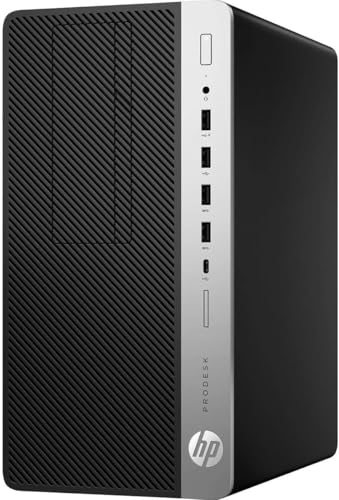
HP ProDesk 600G4 Tower Desktop Computer | Intel i7-8700 (3.4) | 32GB DDR4 RAM | 1TB SSD Solid State | Wi-Fi 5G + Bluetooth | Wi...
Memory: 32GB RAM
Storage: 1TB SSD
Processor: Intel Core i7-8700 6-core
Graphics Processor: Intel HD Graphics 630
Operating System: Windows 11 Pro
Compare

8.6

9
HP ProDesk 600G4 Tower Desktop Computer | Intel i7-8700 (3.4) | 32GB DDR4 RAM | 1TB SSD Solid State | Wi-Fi 5G + Bluetooth | Wi...
Memory: 32GB RAM
Storage: 1TB SSD
Processor: Intel Core i7-8700 6-core
Graphics Processor: Intel HD Graphics 630
Operating System: Windows 11 Pro
10

8.5

KOTIN Prebuilt Gaming PC RTX 5070 12GB, Ryzen 7 9700X, 32GB DDR5, 1TB SSD | 11.3in Smart Display, 850W 80+ Gold PSU, 360mm Liqu...
Memory: 32GB RAM
Storage: 1TB SSD
Processor: AMD Ryzen 7 9700X 8-core
Graphics Processor: NVIDIA GeForce RTX 5070
Operating System: Windows 11 Home
Compare

8.5

10
KOTIN Prebuilt Gaming PC RTX 5070 12GB, Ryzen 7 9700X, 32GB DDR5, 1TB SSD | 11.3in Smart Display, 850W 80+ Gold PSU, 360mm Liqu...
Memory: 32GB RAM
Storage: 1TB SSD
Processor: AMD Ryzen 7 9700X 8-core
Graphics Processor: NVIDIA GeForce RTX 5070
Operating System: Windows 11 Home
Compare
We also considered 10 others:

Our Top Choice

1

10.0

Dell Tower Desktop, Intel Core Ultra 7-265, 32GB RAM, Windows 11 Home | Intel UHD Graphics, 1TB PCIe NVMe SSD, Wi-Fi 6, Bluetoo...
Memory: 32GB RAM
Storage: 1TB SSD
Processor: Intel Core Ultra 7-265 20-core
Graphics Processor: Intel UHD Graphics
Operating System: Windows 11 Home

10.0

1
Dell Tower Desktop, Intel Core Ultra 7-265, 32GB RAM, Windows 11 Home | Intel UHD Graphics, 1TB PCIe NVMe SSD, Wi-Fi 6, Bluetoo...
Memory: 32GB RAM
Storage: 1TB SSD
Processor: Intel Core Ultra 7-265 20-core
Graphics Processor: Intel UHD Graphics
Operating System: Windows 11 Home

Compare Features

Graphics Processor
Best Tower PC
1. Dell ECT1250 Tower Desktop PC
DELL Preview DELL Preview
DELL
at Amazon
2. Dell Tower Desktop PC – Intel Core i7-7700 7th Gen Processor – 16GB DDR4 RAM – 512GB SSD – Keyboard & Mouse – Wi-Fi – Office, H...
DELL Preview DELL Preview
DELL
at Amazon
Popular
3. Dell Optiplex 7050 SFF Desktop Computer (Renewed)
DELL Preview DELL Preview
DELL
at Amazon
4. Dell Optiplex 3060 Desktop Computer
DELL Preview DELL Preview
DELL
at Amazon
Best Value
5. Dell Optiplex 7040 Business SFF Computer Small Tower PC (Intel Core i5-6500, 16GB Ram, 256GB SSD, DVD-ROM, WiFi) Windows 11 Pro...
DELL Preview DELL Preview
DELL
at Amazon
6. Dell Optiplex 7060 SFF Desktop Computer (Renewed)
DELL Preview DELL Preview
DELL
at Amazon
7. Dell Slim Desktop Computer ECS1250
DELL Preview DELL Preview
DELL
at Amazon
Premium Pick
8. MSI Codex Z2 Gaming Desktop Computer
MSI Preview MSI Preview
MSI
at Amazon
9. HP ProDesk 600G4 Desktop Computer (Renewed)
HP Preview HP Preview
HP
at Amazon
10. KOTIN G60B Prebuilt Gaming PC
KOTIN Preview KOTIN Preview
KOTIN
at Amazon
Deal
-12% — -5% — — — -13% — — —
Deal -12% — -5% — — — -13% — — —
Memory
32GB RAM 16GB RAM 32GB RAM 32GB RAM 16GB RAM 32GB RAM 16GB RAM 32GB RAM 32GB RAM 32GB RAM
Memory
32GB RAM 16GB RAM 32GB RAM 32GB RAM 16GB RAM 32GB RAM 16GB RAM 32GB RAM 32GB RAM 32GB RAM
Storage
1TB SSD 512GB SSD 1TB SSD 1TB SSD 256GB SSD 512GB SSD 512GB SSD 2TB SSD 1TB SSD 1TB SSD
Storage
1TB SSD 512GB SSD 1TB SSD 1TB SSD 256GB SSD 512GB SSD 512GB SSD 2TB SSD 1TB SSD 1TB SSD
Processor
Intel Core Ultra 7-265 20-core Intel Core i7-7700 4-core Intel Core i7-7700 4-core Intel Core i5-8500 6-core Intel Core i5-6500 4-core Intel Core i7-8700 6-core Intel Core Ultra 5-225 10-core AMD Ryzen R7-8700F 8-core Intel Core i7-8700 6-core AMD Ryzen 7 9700X 8-core
Processor
Intel Core Ultra 7-265 20-core Intel Core i7-7700 4-core Intel Core i7-7700 4-core Intel Core i5-8500 6-core Intel Core i5-6500 4-core Intel Core i7-8700 6-core Intel Core Ultra 5-225 10-core AMD Ryzen R7-8700F 8-core Intel Core i7-8700 6-core AMD Ryzen 7 9700X 8-core
Graphics Processor
Intel UHD Graphics Intel HD Graphics Intel UHD Graphics 630 Intel HD Graphics 630 Intel HD Graphics 530 Intel UHD Graphics 630 Intel UHD Graphics NVIDIA GeForce RTX 5070 Intel HD Graphics 630 NVIDIA GeForce RTX 5070
Graphics Processor
Intel UHD Graphics Intel HD Graphics Intel UHD Graphics 630 Intel HD Graphics 630 Intel HD Graphics 530 Intel UHD Graphics 630 Intel UHD Graphics NVIDIA GeForce RTX 5070 Intel HD Graphics 630 NVIDIA GeForce RTX 5070
Operating System
Windows 11 Home Windows 11 Pro Windows 11 Pro Windows 11 Pro Windows 11 Pro Windows 11 Pro Windows 11 Home Windows 11 Home Windows 11 Pro Windows 11 Home
Operating System
Windows 11 Home Windows 11 Pro Windows 11 Pro Windows 11 Pro Windows 11 Pro Windows 11 Pro Windows 11 Home Windows 11 Home Windows 11 Pro Windows 11 Home
How we rank

The order above is not editorial opinion, and it is not paid placement. It comes from what shoppers across our network actually do - which tower pcs they compare, and which they ultimately buy. We re-rank as new data comes in, so the long-term favorites have to keep earning their spot against new entrants. The full method, including how we make money.

Tower PCs Buyer's Guide

Tower PCs trade portability for sustained performance, repairability, and upgrade space, but that only pays off if the case, power supply, cooling, and motherboard layout match how you will use it. The sharpest buying risks are under-specified gaming hardware, proprietary or aging refurbished components, and towers that look impressive but lack the airflow, PSU headroom, or ports needed for your setup.

Performance

Performance determines how quickly your desktop feels in daily use and whether it has enough power for gaming, streaming, creative work, and multitasking without stutter or long waits. Look for a balanced CPU, graphics card, memory, and fast storage that match what you actually do, and watch for systems that emphasize one impressive part while cutting corners on cooling, RAM, or upgrade room.

For tower PCs, match performance to the actual workload rather than chasing headline specs: office and school use can run well on modest CPUs with enough memory and SSD storage, while gaming, streaming, CAD, or video work need a current-enough dedicated GPU, adequate VRAM, and a power supply/cooling setup that can sustain load. Be cautious with older budget gaming towers that advertise a dedicated graphics card but use an aging GPU; they can be fine for mainstream esports and older titles, but not for high settings in newer demanding games. Owner feedback supports this split: buyers praise smooth browsing, streaming, office multitasking, quick Windows operation, and playable mainstream gaming, while stronger gaming rigs are credited with high settings and high frame rates in demanding titles.

Reliability

A reliable desktop PC should run consistently under your everyday workload without frequent crashes, overheating, or premature part failures. Look for solid build quality, good cooling, dependable power delivery, and components that are easy to service or upgrade, and be wary of systems that cut corners on case construction, airflow, or generic internal parts.

For reliability, inspect the tower’s power supply quality, cooling layout, motherboard standardization, and return/warranty terms before buying, especially with refurbished or budget gaming systems where random shutdowns can point to PSU, thermal, or motherboard issues. Prefer systems with standard, replaceable parts, clear airflow, well-secured cabling, and room for storage upgrades; avoid listings that hide PSU wattage, component models, or refurbishment details. Owner sentiment is mostly positive around stable, quiet everyday use and easy expansion, but the main warning is real: some buyers report units that shut off randomly, fail to power on, crash, or develop problems after a few months.

Value

You want a desktop that feels worth what you pay, not just one with impressive specs on paper. Look for a balanced mix of processor performance, memory, storage, upgrade options, build quality, and included essentials, and watch out for systems that cut corners in areas like cooling, expandability, or bundled peripherals to hit an attractive price.

Judge tower-PC value by the whole platform, not just the CPU or RGB case: check memory capacity and upgrade slots, SSD size and type, GPU generation, PSU headroom, Windows 11 eligibility, Wi-Fi/Bluetooth needs, monitor outputs, and whether proprietary parts will limit future upgrades. A low-cost tower is a better buy when it gives you a usable baseline today and a clear path to add RAM, storage, or a graphics card later; it is a weaker value if you must immediately replace the PSU, storage, or operating system. Owners commonly feel they get strong price-to-performance for home, work, Windows 11 replacement, refurbished office use, starter gaming, and upgradeable base systems, especially when setup is easy and out-of-box performance is solid.

Setup

A desktop PC that’s easy to set up lets you get from the box to a usable workspace with less frustration, especially if you’re buying for a beginner or someone who doesn’t want to troubleshoot hardware and software right away. Look for clear instructions, well-labeled ports, included essentials when needed, and a simple first-run setup process; watch out for systems that require extra adapters, manual driver installs, or confusing account and security prompts before you can start using them comfortably.

For setup, verify what is actually included and ready on arrival: activated operating system, Wi-Fi capability or Ethernet requirement, display outputs that match your monitor, keyboard/mouse inclusion if needed, power cable, and enough desk or floor clearance for the tower. Gaming towers may need GPU drivers, Windows updates, BIOS settings, and monitor cable placement into the graphics card rather than the motherboard; refurbished business towers may need account reset, update checks, and drive-health verification. Owner reports are encouraging here, with many describing quick, beginner-friendly setup, easy connection, smooth startup, included Windows, protected shipping, and a fast path from unboxing to daily use.

Noise

A desktop’s noise level affects how comfortable it is to use in a home office, bedroom, studio, or shared space, especially during long sessions. Look for quiet operation at idle and under load, with good airflow, larger or well-controlled fans, and a case design that does not amplify vibration. Be wary of compact or poorly cooled systems that may sound fine during light tasks but become distracting when gaming, rendering, or running intensive workloads.

For noise, look beyond claims of “quiet” and check the cooling design: larger slow-spinning fans, unobstructed front intake, clean dust filters, sensible fan curves, and adequate CPU/GPU cooling matter more than cosmetic vents. If the tower will sit on a desk, in a bedroom, or in a home office, avoid cramped cases with small high-RPM fans or undersized coolers, and remember that gaming or rendering loads can make even quiet systems more audible. Owners generally praise quiet operation, cool running under load, and fan noise that stays unobtrusive for office use or gaming, though some note fans become more noticeable under heavier workloads.

Design

Because a desktop PC often sits in plain view, its appearance can affect how well it fits into your workspace, gaming setup, or home office. Look for a design that matches your taste and room layout while still supporting practical needs like good airflow, easy access to ports, and enough space for future upgrades. Be careful not to choose looks alone, since flashy lighting, unusual shapes, or compact cases can sometimes make the system louder, hotter, or harder to service.

For design, prioritize case practicality before appearance: confirm the tower physically fits your space, has front-access USB/audio where you need them, supports your monitor count, allows airflow on all sides, and has enough internal room for future drives or a larger GPU. RGB lighting and glass panels can look good, but they should not come at the expense of ventilation, serviceability, dust control, or safe placement under a desk. Owner feedback supports choosing a well-finished, manageable case: buyers like towers that arrive protected, look clean or near-new, fit easily on or under a desk, and have polished touches such as lighting and quiet fans.