
















We also considered 10 others:


Our Top Choice
Compare Features


The order above is not editorial opinion, and it is not paid placement. It comes from what shoppers across our network actually do - which budget tablets they compare, and which they ultimately buy. We re-rank as new data comes in, so the long-term favorites have to keep earning their spot against new entrants. The full method, including how we make money.
Budget Tablets Buyer's Guide
Budget tablets are about accepting clear limits without buying something that becomes frustrating after a week. The sharpest concerns are app compatibility, charging and battery reliability, enough performance for your exact use case, and whether the tablet can survive everyday handling by kids, travel, or couch use.
Quality
A tablet’s quality affects how well it holds up to daily handling, travel, charging, and repeated use. Look for solid construction, a screen and body that feel well-fitted, dependable performance over time, and units that arrive in clean, working condition without defects, dead pixels, loose parts, or charging issues. Poor reliability or questionable condition on arrival can turn an otherwise capable tablet into a frustrating purchase.
For a budget tablet, judge quality by whether the basics are durable and usable rather than by premium materials: look for a rigid-feeling body, a screen that does not flex or show uneven backlight, reliable USB-C charging, decent speakers, and a case or protective cover if it will be used by kids or carried around. Be cautious with listings that emphasize inflated specs but say little about update support, warranty handling, charger quality, or screen resolution, because the common failure points in this category are not luxury feel but charging ports, weak batteries, poor touch response, and inconsistent app behavior. Owner feedback supports that many low-cost tablets can feel surprisingly capable for everyday Android-style use, with buyers often calling them light, easy to set up, and better built than expected for basic reading, streaming, email, music, and kid entertainment.
Value
A tablet with strong value gives you the features, performance, display quality, battery life, and accessory support you’ll actually use without making you pay for extras that don’t matter to you. Look for a balanced experience at the price: smooth everyday performance, enough storage, reliable software support, and the right screen size and quality for your needs. Watch out for cheap tablets that feel slow or limited quickly, as well as premium options that cost more mainly for features you may never use.
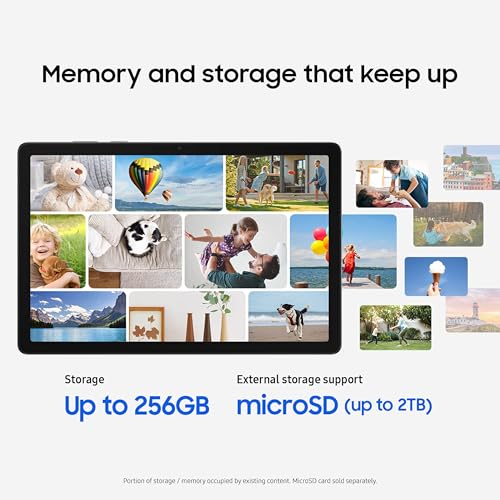
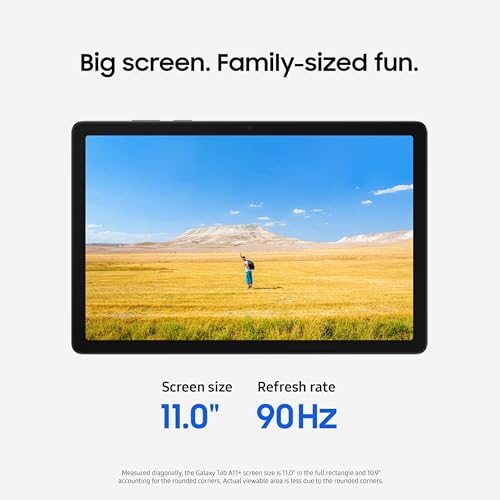
The best value budget tablet is the one that matches a narrow use case without forcing upgrades later: for streaming and reading, prioritize a clear display, enough storage or microSD expansion, and Widevine/streaming-app compatibility; for kids, prioritize durability, parental controls, and a replaceable case; for light work, prioritize RAM, keyboard/Bluetooth support, and access to the apps you actually need. Avoid paying for headline claims like very high storage, high megapixel cameras, or vague “octa-core” language if the tablet has little RAM, an old operating system, no clear app-store access, or poor return support. Buyers commonly report strong value when the tablet handles everyday tasks at a low cost, especially when included extras, storage flexibility, or a better-than-expected build make the purchase feel complete.
Performance
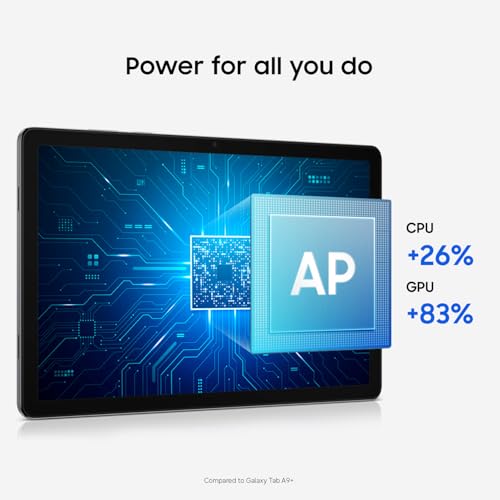
You want a tablet that feels responsive when opening apps, switching between tasks, browsing, streaming, or playing games, so performance directly affects how pleasant it is to use every day. Look for enough processing power and memory for the way you use it, and watch out for lower-end tablets that may handle simple tasks fine but slow down with multitasking, demanding apps, or long-term updates.
For performance, shop around the apps you will run, not the processor label: video, web browsing, school portals, drawing apps, Roblox-style games, and multitasking all stress budget tablets differently. Look for enough RAM for app switching, a recent operating system, credible app-store compatibility, and reviews mentioning smooth use in your exact apps; avoid models where owners report freezing, slow wake-up, or lag after installing updates or multiple apps. Sentiment is mostly positive for everyday browsing, streaming, light productivity, games, and video playback, but there are clear warnings that some budget tablets respond slowly or become frustrating if you expect quick multitasking or more demanding sessions.
Battery
Battery life determines how long you can use a tablet for browsing, streaming, reading, gaming, or work before you need an outlet. Look for realistic runtime that matches your habits, and pay attention to charging speed and standby drain, since a tablet that lasts all day but takes a long time to recharge may still be inconvenient.
Battery claims on budget tablets can be optimistic, so check real-use endurance for your scenario: a child watching videos on high brightness, travel streaming over Wi-Fi, reading with the screen dimmed, and gaming will produce very different runtimes. Prefer USB-C charging, a charger that is included or clearly supported, and enough battery capacity to last your longest unplugged use; avoid tablets with repeated complaints about rapid drain, slow charging, or charging-port failures, because a cheap tablet becomes poor value if it has to stay plugged in. Owner reports generally praise battery life for reading, light browsing, movies, daily entertainment, and kid use, while the main caution is that some models have limited endurance for longer sessions away from the charger.
Usability
A tablet should feel easy to navigate and fit smoothly into the way you work, read, stream, or create. Look for practical functionality like intuitive controls, strong app compatibility, reliable file sharing, and support for the input accessories you may need, especially a keyboard or stylus. Watch out for tablets that seem powerful on paper but limit your workflow through awkward multitasking, restricted ports, or accessories that are costly or uncomfortable to use.
Usability is where budget tablets often win or fail, so verify the ecosystem before buying: make sure the tablet supports the app store, streaming services, school apps, parental controls, microSD format, Bluetooth accessories, and login requirements you need. If buying for a less technical user or a child, avoid devices that require sideloading, complicated setup, excessive preloaded apps, or workarounds for common apps; also check that storage expansion is straightforward and that the tablet will not be crippled by low internal storage after updates. Owner feedback says setup and everyday use are often approachable for browsing, streaming, reading, games, and light work, but it also flags real watch-outs around crashes, slow loading, preloaded apps, charging or battery problems, storage tinkering, and app-ecosystem limits.
1,000,000+ shoppers use Buyer's Guide every week to find the best products and services online.

Helping millions of users make smarter purchases online.


