













We also considered 10 others:


Our Top Choice
The order above is not editorial opinion, and it is not paid placement. It comes from what shoppers across our network actually do - which audio interfaces they compare, and which they ultimately buy. We re-rank as new data comes in, so the long-term favorites have to keep earning their spot against new entrants. The full method, including how we make money.
Audio Interfaces Buyer's Guide
Buying an audio interface is a tradeoff between clean, low-noise sound and the exact workflow you need for microphones, instruments, streaming, or gaming. The sharpest mistakes are choosing the wrong inputs for your gear, overlooking monitoring and desk controls, or accepting hiss, fuzz, crackle, and setup friction that become obvious during live or recorded audio.
Clean Sound
Audio interfaces are judged first by whether they make the source sound clean without forcing gain, software boosts, or repair work later. In this category, small weaknesses in preamp noise, input matching, or monitoring can become very obvious in spoken voice, music tracking, and live streams.
Prioritize an interface with enough clean gain for your microphone, a low noise floor, and proper inputs for both voice and instruments; weak preamps can make dynamic mics quiet, while noisy circuits show up as hiss, fuzz, or crackle in streams and recordings. If you use a condenser mic, confirm phantom power support; if you plug in guitar or bass, look for a dedicated instrument/Hi-Z input rather than forcing it into a line input. Owner feedback strongly supports sound quality as a deciding factor: many report louder, clearer microphones and good instrument handling, while the main negative split is that some users hear fuzziness or crackle.
Connection Fit
The best-sounding interface is still the wrong choice if it cannot connect cleanly to the gear you own. Audio-interface shoppers should verify both port types and included cables, because one missing XLR cable or unsupported input can turn a simple upgrade into a troubleshooting project.
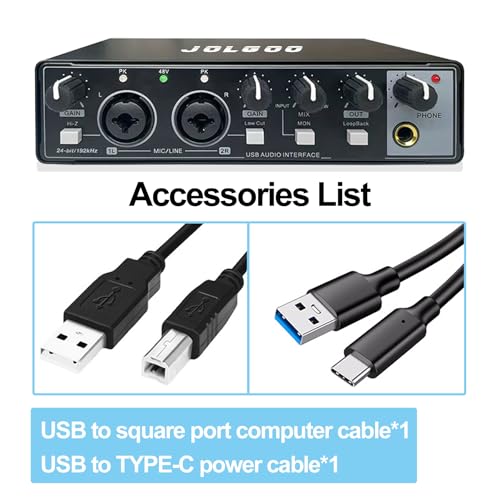
Match the interface to your actual signal chain before buying: XLR for microphones, 1/4-inch instrument input for guitar or bass, line input for mixers or phones, and USB compatibility for the computer or console setup you plan to use. Check what is included in the box, because some setups still require a separate microphone, XLR cable, or adapters before they are usable. Owners often praise plug-and-play PC connection and practical input options for microphones, line-in sources, and instruments, but some specifically note that missing accessories or cable-related issues can interrupt setup.
Desk Control
Audio work happens in real time, so control placement matters more than it may seem on a spec sheet. Fast access to gain, mute, and monitoring can prevent blown takes, awkward stream moments, and volume surprises.
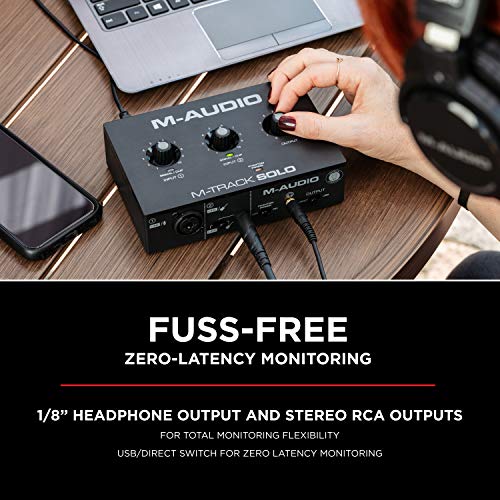
Look for separate, physical controls for mic gain, headphone volume, speaker/output level, mute, and source balance, especially if you stream, game, teach, or record without wanting to open software mid-session. Direct monitoring or a clear headphone mix is especially useful because it lets you hear yourself without distracting delay and helps catch clipping or noise before it reaches the audience. Owners consistently call hands-on controls a convenience for managing speakers, headphones, mic input, mute, and multiple sources, and they also like layouts that keep everyday connections practical.
Creator Tools
Many audio interfaces now serve as compact creator hubs, not just recording boxes. The right feature set depends on whether the buyer needs live control and routing for content creation or a cleaner, simpler path for recording voice and instruments.
For streaming and casual content, consider whether you need loopback-style routing, multiple source mixing, sound effects, voice changing, or auto-tune-style processing; for music recording, prioritize clean inputs and monitoring over novelty effects. Avoid paying attention only to fun buttons if the core routing is limited, because creators often need to blend mic, game/chat audio, music, and headphones reliably. Owner sentiment supports these extras as useful for the right audience: built-in voice changer and auto-tune effects are described as fun and flexible, while beginner-friendly operation and enough core controls are praised for streaming, gaming, and simple content creation.
Reliability
Audio interfaces are touched constantly and often sit under cable tension from mics, headphones, instruments, and USB power. Build quality and connection stability directly affect day-to-day trust, especially for live sessions where a dropout is immediately noticeable.
Choose an interface with sturdy knobs and jacks, a stable USB connection, and enough weight or grip to stay put when cables are attached; loose ports and fragile controls are common failure points on compact desk gear. For portable use, balance small size against connector strain, and keep in mind that bad or marginal cables can mimic interface problems as dropouts, crackle, or failed setup. Owner reports are mixed here: some units feel solid and portable, but occasional setup, cable, crackle, and support issues are also mentioned as ways reliability can affect the experience.
Feature Value
Audio interfaces span from simple creator devices to studio expanders, and overbuying can add complexity without improving a specific workflow. Value in this category comes from getting the right core functions cleanly and reliably, not from the longest feature list.
Spend for the inputs, monitoring controls, and sound quality you will actually use, rather than assuming a more complex interface is automatically better. A careful beginner or creator should look for a balanced package: clean mic input, the right ports, direct level control, and simple setup before considering advanced studio expansion. Owner sentiment strongly favors capable budget-friendly setups, with repeated praise for price-to-performance, useful XLR and mixing features, and quality that avoids forcing buyers into much more expensive gear.
1,000,000+ shoppers use Buyer's Guide every week to find the best products and services online.

Helping millions of users make smarter purchases online.


