


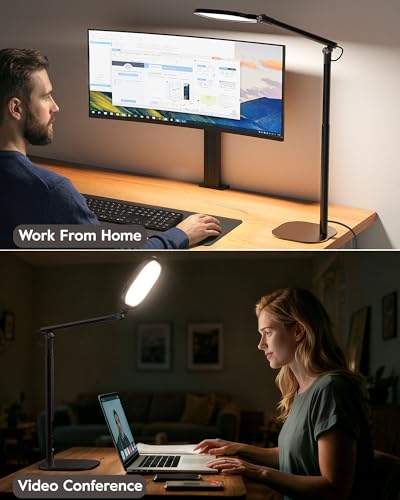
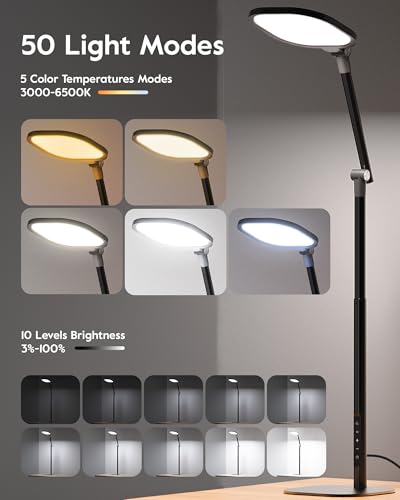




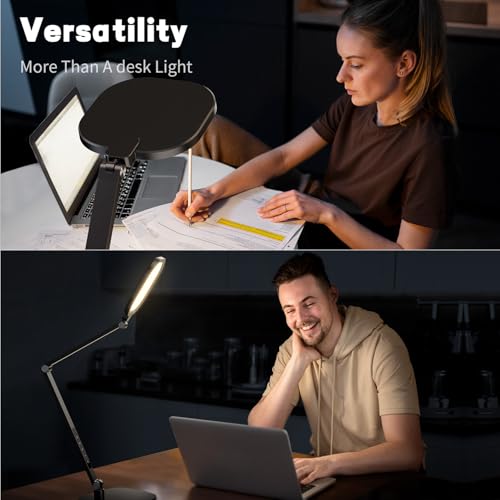


We also considered 10 others:


Our Top Choice
The order above is not editorial opinion, and it is not paid placement. It comes from what shoppers across our network actually do - which led desk lamps they compare, and which they ultimately buy. We re-rank as new data comes in, so the long-term favorites have to keep earning their spot against new entrants. The full method, including how we make money.
LED Desk Lamps Buyer's Guide
LED desk lamps live in a narrow tradeoff: they need enough focused output for reading, writing, crafts, artwork, and keyboard work without creating glare, screen reflections, or a harsh pool of light. The best pick depends as much on beam control, color-temperature tuning, and physical reach as it does on raw brightness, especially for home-office and dual-monitor desks.
Light Quality
A desk lamp is only useful if it produces the right kind of light for the task in front of you. Look beyond “bright” and consider whether the lamp can dim low, shift from warm to neutral to cool light, and stay comfortable during long sessions without making paper, screens, or close-up work feel harsh.
Prioritize adjustable brightness, several color-temperature settings, and a diffused LED head that spreads light evenly instead of creating a sharp hotspot. For reading and writing, neutral-to-cool light helps contrast; for evening use, warm dim settings reduce the feeling of glare; for art, crafts, and close-up work, strong output with controlled spill matters more than a decorative glow. Avoid lamps with only one brightness level or vague lighting modes if you switch between screen work, paper work, and nighttime use. Owner sentiment strongly supports this: buyers repeatedly praised bright, focused task lighting for reading, writing, artwork, crafts, painting, studying, computer work, and larger workspaces, while also valuing warm, neutral, white, and cool choices that prevent the lamp from overpowering the room.
Aim & Reach
A great LED desk lamp should put light exactly where your eyes and hands need it. Adjustable arms, rotating heads, and stable joints matter because the ideal angle changes between handwriting, keyboard use, video calls, bedside reading, and detailed craft work.
Choose a lamp with enough height, reach, swivel, and head rotation to light your work surface from the side or above without shining directly into your eyes or onto the monitor. Flexible goosenecks are useful for awkward spots and bedside use, while articulated arms and rotating light bars are better for spanning wider desks, keyboards, drawing areas, or dual-monitor setups. Check that the joints hold position after adjustment; a lamp that slowly droops turns strong LEDs into misplaced glare. Owners consistently highlighted flexible arms, movable arms, rotating bars, adjustable height and angle, and easy aiming across desks, walls, keyboards, close-up tasks, and even video-call framing.
Desk Fit
Desk lamps compete with monitors, keyboards, notebooks, speakers, and chargers for limited space. The mounting style and footprint determine whether the lamp feels integrated into the workstation or becomes another object you have to work around.
Match the mount to your desk: a weighted base is easiest to move but needs clear desktop space, while a clamp saves space and works well for monitor-heavy desks if the clamp opens wide enough and grips your desk edge securely. Look for a low-profile base, slim vertical profile, or fold-up design if you work on a small desk or nightstand; for thick desktops, shelves, or tables, verify clamp compatibility before buying. Avoid oversized bases near mouse areas and avoid weak clamps if you reposition the arm often. Owner feedback backs up these priorities, with shoppers praising slim modern designs, compact bases, fold-up forms, sturdy low-profile bases, secure clamps on desks, tables, shelves, and edges, and space-saving setups for dual-monitor workstations.
Controls
Controls matter because desk lighting changes throughout the day and across tasks. If changing brightness or color is annoying, you are more likely to leave the lamp at an uncomfortable setting instead of tuning it properly.
Look for controls you can reach from your normal seated position, with separate or clearly stepped settings for brightness and color temperature. Touch controls are clean, but tactile buttons or a remote can be better when the lamp is tall, clamped behind monitors, or mounted out of arm’s reach; presets are useful if you regularly switch between work, reading, focus, and evening light. Built-in USB charging ports are convenient for small devices, but they should be treated as a workspace bonus rather than the main reason to buy if lighting performance is weak. Owners praised easy controls for shifting from warm dim light to brighter task lighting, fine-tuning brightness and color, remote changes for power and presets without reaching up, quick setup, and USB-A/USB-C charging convenience.
Build Value
LED desk lamps have moving parts, controls, hinges, clamps, and power connections, so build quality affects daily use as much as light output. A lamp that feels sturdy, holds its angle, and operates reliably is a better long-term workstation tool than one that is bright but flimsy.
Inspect the whole structure, not just the light head: joints should move smoothly but stay tight, the base or clamp should resist wobble, and assembly should be simple enough that the lamp sits squarely from day one. For frequent repositioning, prioritize metal or reinforced hinge areas and a power cord that does not tug the lamp out of alignment. A good value pick in this category is one that combines usable brightness, reliable controls, stable positioning, and a space-conscious form instead of sacrificing one of those basics. Owner sentiment repeatedly points to dependable everyday office use, sturdy weighted or low-profile bases, stable positioning, easy assembly, good-quality construction, and strong perceived value when a lamp delivers practical function without feeling flimsy.
1,000,000+ shoppers use Buyer's Guide every week to find the best products and services online.

Helping millions of users make smarter purchases online.


