












We also considered 10 others:


Our Top Choice
The order above is not editorial opinion, and it is not paid placement. It comes from what shoppers across our network actually do - which wireless lapel microphones they compare, and which they ultimately buy. We re-rank as new data comes in, so the long-term favorites have to keep earning their spot against new entrants. The full method, including how we make money.
Wireless Lapel Microphones Buyer's Guide
Wireless lapel microphones live or die by a sharp tradeoff: they must be small and simple enough for creators, teachers, interviewers, and event speakers to use quickly, yet reliable enough not to ruin a take with muffled speech, dropouts, or silent recordings. The key concerns are clean close-up voice capture, confirmed compatibility with your phone or camera setup, and enough battery and accessories for the way you actually record.
Voice Clarity
A wireless lapel mic is usually bought to make speech sound closer, cleaner, and more intelligible than a phone or camera mic can from a distance. In this category, the most important test is not music-like richness but whether spoken words stay clear when the speaker turns their head, moves, or records near room noise, traffic, wind, or crowds.
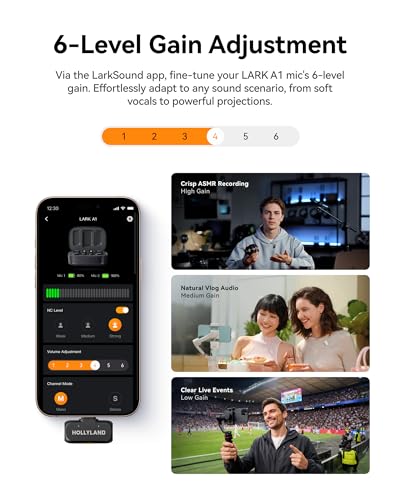
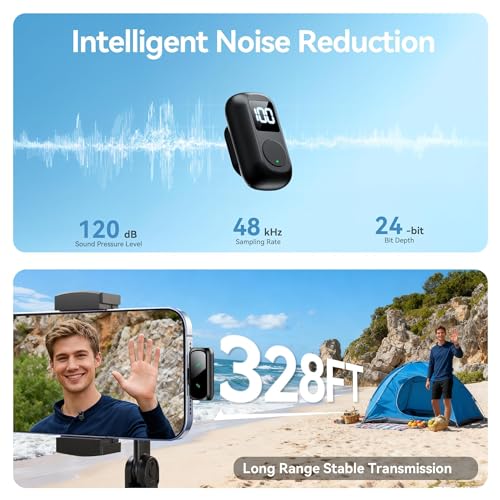
Prioritize kits that capture speech cleanly at chest level without harsh clipping, hollow processing, or aggressive noise reduction that makes voices sound robotic. Look for adjustable gain, a safety/backup track if available, effective wind protection, and noise reduction that can be turned on or off depending on whether you are indoors, outdoors, or in a controlled interview. Avoid choosing only by advertised range or accessory count if sample recordings reveal thin voices, pumping background noise, or distortion on louder speech. Owner feedback strongly supports making audio quality the first filter: buyers repeatedly praise clear, professional-sounding voice recordings, richer sound than a phone mic, and cleaner audio for videos, voiceovers, interviews, amplification, and creator work. Noise reduction is also called effective by many owners, including in noisy rooms, but the best choice is still one that keeps speech natural while reducing distractions.
Device Fit
Wireless lavalier systems fail quickly as a purchase if they do not connect cleanly to the device you actually record on. Phones, cameras, laptops, and tablets may require different connectors, audio modes, adapters, or receiver types, so compatibility matters as much as microphone quality.
Match the receiver to your real workflow before comparing anything else: direct phone receivers are convenient for short-form video, while camera work usually needs a receiver with the correct output cable and monitoring options. Check whether the kit supports your phone connection type, camera input, laptop setup, and recording app, and be cautious with systems that require chains of adapters because they add failure points. For interviews, weddings, classes, and mobile shoots, also look for stable pairing, clear status lights, and a way to confirm audio is actually being recorded before the take starts. Owners value kits that connect easily across phones, cameras, laptops, PCs, YouTube setups, wedding speeches, and interviews, and many describe wireless performance as dependable. At the same time, connectivity is one of the few mixed areas: some buyers report connection or recording-audio failures, so compatibility checks and a short test recording are essential.
Fast Setup
Lapel mics are often used in time-sensitive moments where the subject is ready before the gear is. A good wireless kit should let you clip on, power up, pair, and verify sound quickly without distracting from teaching, filming, interviewing, or presenting.
Choose a system with true plug-and-play behavior for your device, obvious left/right or transmitter indicators, simple clipping, and controls that are hard to trigger accidentally. For creator and interview use, check how mute, gain, noise reduction, and recording buttons are separated; combined buttons can save space but may cause mistakes under pressure. A clear charging/pairing routine and visible battery or connection indicators reduce the risk of recording silent takes. Owner sentiment repeatedly highlights simple setup, quick connection, easy clip-on use, and reliable day-to-day operation for content creators, classes, and phone recording. One recurring caution is that some compact controls, such as combined mute and record functions, can demand extra attention while in use.
Creator Kit
Wireless lapel microphones are usually bought as a system, not just as a mic capsule. The right bundle depends on whether you record solo pieces, two-person interviews, social clips, events, lessons, or mobile vlogs.
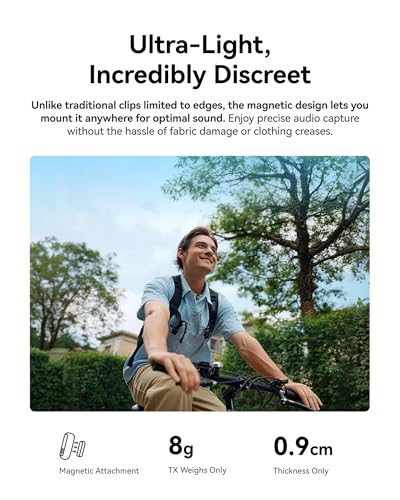
For solo talking-head videos, one transmitter may be enough; for interviews, podcasts, wedding speeches, classroom demos, and two-person reels, a dual-transmitter kit is far more practical. Look for useful included accessories: lavalier clips, furry windscreens for outdoor air movement, charging case or storage, phone/camera cables, and compact transmitters that do not pull on clothing. If the mic will appear on camera, consider size, color, and windscreen appearance, but do not let style outrank secure mounting and clean voice pickup. Owners often praise two-mic kits for social videos, reels, interviews, vlogs, voiceovers, and on-the-go recording, and they like packages that feel complete with lavalier mics, compact transmitters, adapters, and rechargeable storage. Some also appreciate camera-friendly styling and fluffy windscreens as a bonus for creator branding.
Battery Life
Wireless lapel systems add battery risk to every recording session because both transmitter and receiver need power. Runtime is especially important for events, classes, interviews, and outdoor shoots where stopping to recharge can mean missing the usable take.
Check the rated runtime for each transmitter and the receiver, not just the charging case total, and make sure it covers your longest continuous session with margin. A charging storage case is valuable for creators who film in short bursts, but long ceremonies, lectures, or interviews still need enough per-charge runtime. Look for battery indicators that are visible before recording and avoid kits where the receiver drains the phone or camera workflow unexpectedly. Owners call battery life fantastic in some kits and appreciate built-in battery convenience and rechargeable storage that make the package feel ready for flexible recording. This positive feedback supports treating battery design as part of reliability, not merely a convenience feature.
Real Value
In this category, value is not just the lowest cost; it is whether the kit avoids ruined takes while including the parts needed for your devices and use cases. A cheap wireless mic becomes expensive if it records dropouts, thin speech, dead batteries, or incompatible audio.
Judge value by the full working kit: sound quality, reliable wireless connection, device compatibility, transmitter count, charging/storage, windscreens, clips, and cables. Compact hardware should feel sturdy enough for repeated clipping, bag carry, and field use, with switches and connectors that do not feel fragile. A strong buy is the one that gives you dependable speech recordings and the right accessories without requiring immediate add-ons or workarounds. Owners repeatedly describe these wireless lavalier kits as strong value, especially when they combine reliable sound, simple setup, useful phone compatibility, premium-feeling accessories, and quality hardware. Buyers also note that some compact kits feel surprisingly well made and perform better than expected for the money.
1,000,000+ shoppers use Buyer's Guide every week to find the best products and services online.

Helping millions of users make smarter purchases online.


