








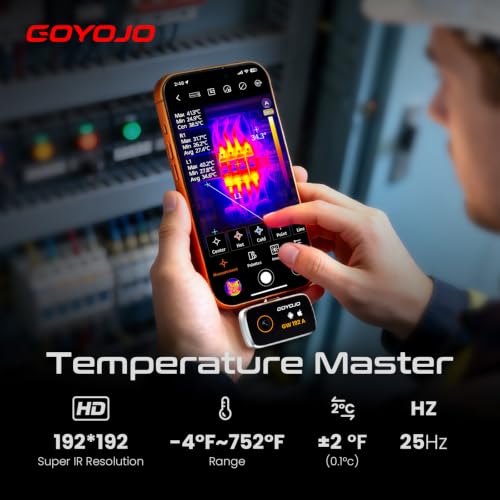


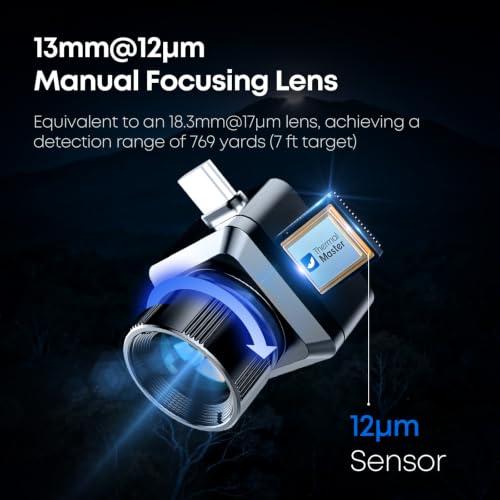
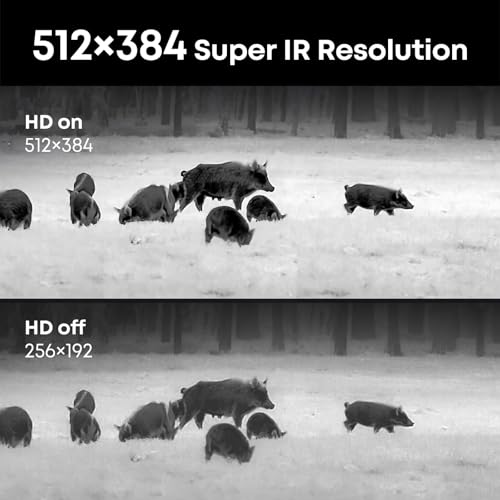


We also considered 10 others:


Our Top Choice
Compare Features


The order above is not editorial opinion, and it is not paid placement. It comes from what shoppers across our network actually do - which thermal imagers for iphone they compare, and which they ultimately buy. We re-rank as new data comes in, so the long-term favorites have to keep earning their spot against new entrants. The full method, including how we make money.
Thermal Imagers for iPhone Buyer's Guide
An iPhone thermal imager has to balance pocketable convenience against the limits of a phone-powered sensor and app. The sharpest buying concerns are exact iPhone compatibility, usable thermal detail for small hot/cold patterns, and whether the readings are reliable enough for troubleshooting rather than just producing colorful images.
Image
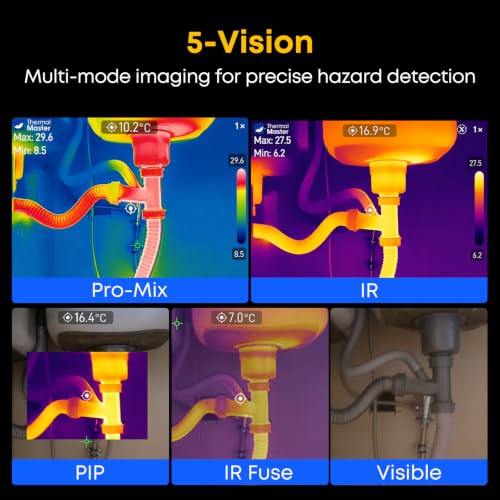
Clear thermal imagery helps you spot temperature differences accurately, especially when you’re inspecting small components, hidden leaks, electrical hot spots, or insulation gaps. Look for enough thermal resolution and image detail to make targets easy to distinguish, plus a display that stays readable in the lighting conditions where you’ll use it. Be cautious of cameras that produce blurry, overly blocky, or hard-to-interpret images, because they can make diagnosis slower and less reliable.
Prioritize a sensor and app display that can resolve the scale of problems you actually hunt with an iPhone thermal imager: narrow drafts around trim, warm studs or radiant lines behind surfaces, small PCB components, breaker hot spots, and HVAC duct temperature bands. Look for crisp thermal detail, useful thermal contrast, adjustable palettes, and preferably enough resolution that the image does not turn into blocky “heat blobs” when you move close to outlets, pipes, or electronics; for building diagnostics, sensitivity to small temperature differences matters as much as headline resolution. Owner feedback supports this: buyers repeatedly report clear, sharp thermal images that make insulation gaps, studs, HVAC patterns, electrical hot spots, radiant slab lines, drafts, and other subtle hot/cold zones easy to distinguish.
Function
A thermal camera’s usefulness depends on whether its features match the jobs you need it to handle, from spotting insulation gaps and moisture patterns to checking electrical panels, HVAC issues, or mechanical heat buildup. Look for practical diagnostics such as clear image blending, adjustable emissivity, temperature markers, and easy reporting or storage, and be wary of models that offer flashy extras while lacking the accuracy, resolution, or controls needed for dependable troubleshooting.
Choose a model whose measurement tools match iPhone-based troubleshooting rather than just live viewing: center-spot and max/min temperature markers, photo capture, stable real-time refresh, emissivity adjustment, and a temperature range suitable for your use, whether that is home energy loss, automotive components, electrical panels, boilers, 3D printer beds, or electronics repair. Avoid units that only show a colorized picture without usable temperature data, because iPhone imagers are most valuable when they help you document and compare heat patterns quickly in tight spaces. Owner sentiment backs this up, with users finding these cameras genuinely useful for walls, pipes, vehicles, boilers, HVAC ducts, electronics, insulation gaps, cold spots, and other practical diagnostics.
Build
A thermal camera’s build quality matters because it affects whether you can trust it in real job-site, inspection, or outdoor conditions. Look for a solid housing, protected lens and ports, reliable controls, and clear durability ratings for drops, dust, and water; watch out for flimsy attachments, loose battery doors, or designs that feel more like fragile electronics than field tools.
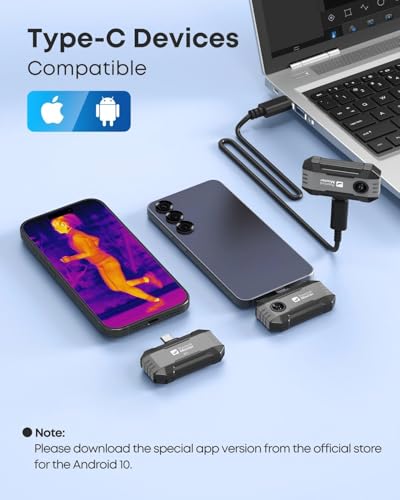
For an iPhone thermal imager, build quality is partly about the connector: check whether it fits your exact iPhone port, case thickness, and orientation, and whether the connector or adapter is rigid enough not to wobble while you scan panels, crawlspaces, garages, or job sites. A compact body is useful, but avoid designs that put too much leverage on the phone port, lack a protective case, or feel vulnerable to dust, drops, and repeated plug-in cycles. Owner reports generally reinforce that well-regarded units feel sturdy, compact, and capable of garage, job-site, home, automotive, and electronics use, with some buyers appreciating included storage protection and performance that feels solid for the class.
Ease
A thermal camera should let you start scanning quickly, adjust key settings without digging through confusing menus, and understand what the image is telling you with minimal trial and error. Look for clear controls, intuitive temperature palettes, easy image capture or transfer, and straightforward calibration or focus steps; watch out for cameras that hide basic functions behind awkward interfaces or require a steep learning curve before you can trust what you’re seeing.
Before buying, verify the exact iPhone app workflow: current iOS support, whether the app is still maintained, permissions required, image/video export options, calibration steps, and whether the camera works with your phone’s port type without awkward adapters. Ease of use in this niche means you can plug in, launch the app, focus or calibrate if needed, and start scanning walls, panels, ducts, or equipment without fighting orientation, lag, or confusing menus. Owner sentiment is strongly favorable here, with many buyers describing setup as straightforward, controls as intuitive, phone connection as plug-and-play, and day-to-day inspections as easy even for non-specialists.
Value
Value matters because thermal cameras can vary widely in what they deliver for the money, from basic heat-spotting to sharper imaging and more useful analysis features. Look for a camera that matches your actual use case rather than paying for specs you will not use, and watch out for low-cost options that save money upfront but compromise too much on image clarity, accuracy, durability, or software support.
Judge value by whether the imager is good enough to answer your specific iPhone inspection questions, not by whether it replaces a professional-grade standalone thermal camera. For home energy checks, basic automotive diagnostics, soldering, breaker screening, and appliance troubleshooting, strong value comes from usable resolution, reliable app support, exportable images, decent refresh rate, and practical temperature tools; for certified electrical, safety, or building-envelope work, paying more for calibration, documentation, and higher resolution may matter. Owner feedback aligns with this practical-value view: buyers often feel these cameras deliver useful thermal performance for home, shop, soldering, and electrical troubleshooting without needing much more expensive gear.
Accuracy
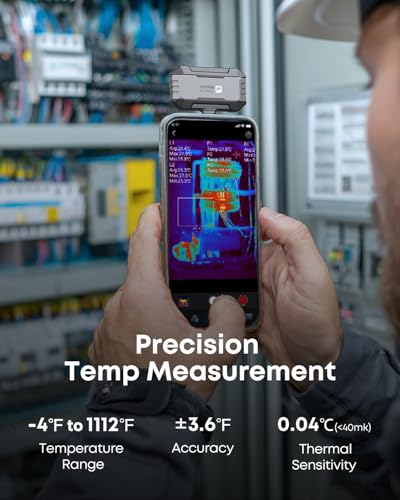
You need reliable accuracy so the hot or cold spots you see actually reflect real conditions, especially when you’re troubleshooting electrical systems, insulation gaps, HVAC issues, or machinery. Look for clear stated temperature accuracy, stable repeat readings, adjustable emissivity settings, and a suitable temperature range for your work; be cautious of cameras that produce impressive images but lack trustworthy measurement specs or consistent monitoring performance.
Treat temperature accuracy as application-dependent: for most iPhone thermal imagers, the safest buying target is reliable hot/cold pattern detection and repeatable relative readings, not laboratory-grade absolute temperatures. Look for emissivity control, reflected-temperature compensation if available, stable calibration, a suitable measurement range, and clear guidance on distance-to-spot size; be cautious when measuring shiny metal, glass, steam, moving parts, or live electrical equipment, where reflections and safety distances can mislead readings. Owner sentiment supports the practical accuracy angle, with buyers saying readings are responsive and precise enough to track heat changes, floor-heating trouble spots, small temperature differences, possible shorts, insulation gaps, leaks, radiant lines, and overheating connections.
1,000,000+ shoppers use Buyer's Guide every week to find the best products and services online.

Helping millions of users make smarter purchases online.


