


- Screen: 10.95"
- Resolution: 1920 x 1200
- Processor: MediaTek MT8781
- Storage: 128GB
- Battery Life: Up to 4 hours
- Camera: 13MP front
- Operating System: Android





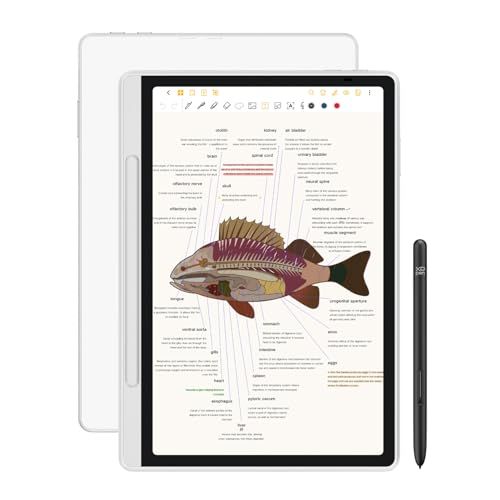
XPPen 3-in-1 Color Digital Notebook
Introduction

The XPPen 3-in-1 Color Digital Notebook represents a new stride in the blend of traditional note-taking and digital convenience. As hybrid work environments continue to flourish and the digital art space expands, the demand for tools that can bridge the gap between paper and pixels grows stronger. The XPPen aims to meet this need with its innovative features, which include a high-resolution color display, stylus compatibility, and versatile connectivity options. In this review, we will delve into the performance, usability, and value of the XPPen 3-in-1 to help prospective buyers make an informed decision.
Factors to Consider Before Purchase
Choosing the right digital notebook can be pivotal for efficiency, whether for professional use, education, or personal creativity. When considering the XPPen 3-in-1 Color Digital Notebook, several factors come to the forefront:
Functionality: The device offers a robust set of features including real-time cloud synchronization, seamless switching between writing, drawing, and viewing modes, and support for various file formats. The inclusion of a pressure-sensitive stylus enhances the experience, making it suitable for artists and professionals who require precision in their work.
Compatibility: Equally important is the notebook's compatibility with other devices and platforms. The XPPen 3-in-1 works across different operating systems such as Windows, MacOS, and popular mobile OS, ensuring it integrates smoothly into the user's existing tech ecosystem.
Display and Build Quality: The high-resolution color display is a significant draw for users who need clarity and detail in their visual output, which is crucial for designers and visual artists. Moreover, the build quality relates directly to durability and the overall lifespan of the device, important for users who travel frequently or work in varying environments.
Price vs. Performance: Evaluating whether the XPPen 3-in-1 offers good value for its price is essential. Considering the cost relative to its features and compared to similar products in the market can determine if it is a worthwhile investment.
Customer Support: Finally, considering support services is crucial. Potential buyers should look into XPPen’s customer service and warranty offerings. Reliable support can alleviate concerns about potential future issues with the device.
Common Questions
Q: What is the battery life of the XPPen 3-in-1 Color Digital Notebook?
A: The device boasts up to 10 hours of continuous use on a single charge, making it ideal for all-day work sessions without needing to recharge.
Q: Can I export notes from the XPPen to other devices?
A: Yes, the notebook supports exporting files in multiple formats, including PNG, PDF, and JPG, allowing users to smoothly transition work between the notebook and other devices.
Q: Is the stylus included with the purchase of the notebook, or do I have to buy it separately?
A: The XPPen 3-in-1 comes with a pressure-sensitive stylus included in the package, which features 8192 levels of pressure sensitivity, providing a highly accurate writing and drawing experience.
Q: Does the XPPen 3-in-1 support connectivity with mobile devices?
A: Yes, it is compatible with both Android and iOS devices, facilitating a versatile range of use cases and increased usability.
The XPPen 3-in-1 Color Digital Notebook caters wonderfully to the needs of digital artists, designers, and anyone looking for an efficient way to combine the feel of traditional writing with the benefits of digital flexibility. Users should prioritize factors such as functionality, device compatibility, and the nature of their work to decide if this is the right tool for them. Given these aspects, and considering the answers to common questions, the XPPen appears to be a solid choice for those in need of a reliable digital writing and drawing solution.