


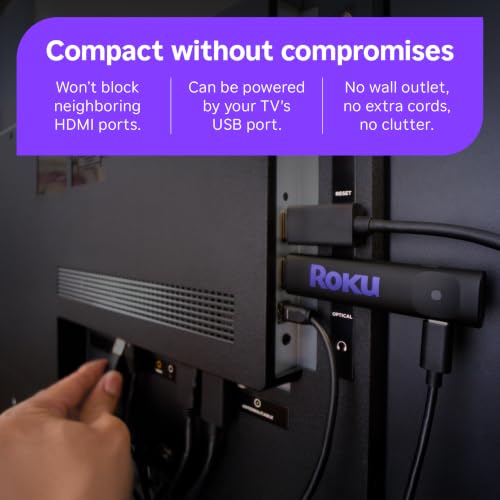



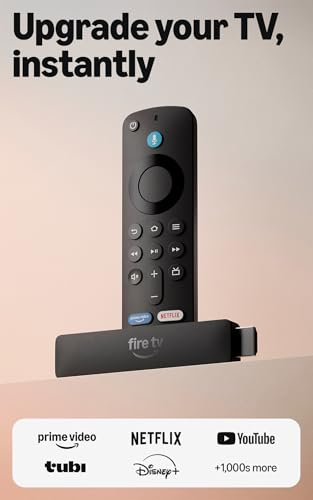

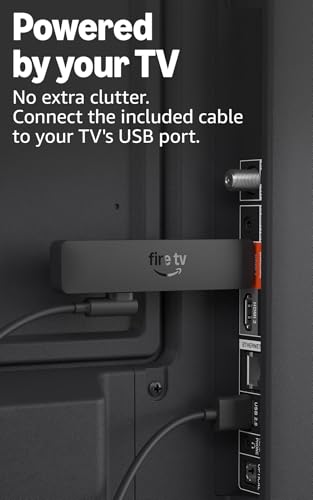
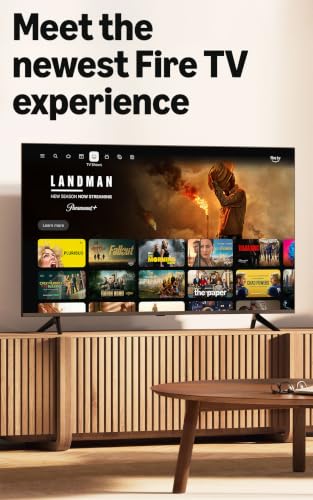


We also considered 10 others:


Our Top Choice
Compare Features


The order above is not editorial opinion, and it is not paid placement. It comes from what shoppers across our network actually do - which streaming devices they compare, and which they ultimately buy. We re-rank as new data comes in, so the long-term favorites have to keep earning their spot against new entrants. The full method, including how we make money.
Streaming Devices Buyer's Guide
A streaming device is often the cheapest way to make an older or sluggish TV feel current, but the real tradeoff is ecosystem convenience versus long-term app and format compatibility. Before buying, check whether your TV, Wi‑Fi, HDMI ports, subscriptions, and desired 4K/HDR/audio formats actually match the device, because those details decide whether it feels like an upgrade or another box to troubleshoot.
Performance
Performance matters because a TV stick should open apps quickly, stream smoothly, and respond to your remote without frustrating lag. Look for enough processing power and memory to handle the apps and video quality you use, and watch out for devices that stutter when switching apps, buffering, or navigating menus.
Prioritize a device with enough processing speed and memory to keep today’s heavy streaming apps responsive, especially if you are replacing slow built-in TV apps. For 4K use, confirm support for the exact video formats your TV can show, such as 4K, HDR, Dolby Vision, or HDR10+, and make sure the device supports smooth playback on your home network rather than just advertising a high maximum resolution. Owners commonly describe good streamers as major upgrades over older smart-TV software, with faster app launches, less freezing or buffering, crisp picture quality, and smooth day-to-day navigation; voice search is also valued when it reduces time spent hunting across apps.
Quality
A TV stick should feel solid enough to survive regular handling, travel, and repeated plugging or unplugging without loose seams, flimsy connectors, or overheating concerns. Look for a snug fit in the HDMI port, well-made cables or adapters, and included parts that feel like they will last; poor fit or cheap construction can lead to signal issues, physical damage, or needing a replacement sooner than expected.
Look beyond the plastic dongle or box and judge quality by long-term software reliability, remote durability, heat management, and continued app support. Compact sticks can be convenient, but they may run warmer behind a TV, so a short HDMI extender, stable wall power, and good ventilation can matter; larger boxes may be better if you want stronger radios, more ports, or premium audio/video support. Owner feedback supports this focus: shoppers tend to praise dependable devices that keep working day after day, revive older TVs, deliver clear 1080p or sharp 4K images, and feel like solid-quality upgrades rather than disposable accessories.
Setup
A smooth setup means you can start streaming without fighting activation codes, account sign-ins, Wi-Fi issues, or remote pairing problems. Look for a TV stick with clear on-screen instructions, reliable wireless setup, and simple accessory pairing, especially if you plan to use voice remotes, game controllers, or Bluetooth audio. Watch out for devices that require too many extra steps, apps, or account links before they’re usable.
Before buying, map the physical setup: available HDMI port, whether that port supports 4K/HDCP, whether the TV’s USB port supplies enough power, and whether the device will fit behind a wall-mounted TV without blocking neighboring ports. If you are setting it up for a less technical household, choose a model with a clear on-screen activation flow, included cables or power adapter, simple account linking, and easy app customization. Owners frequently say the best devices feel close to plug-in-and-go, with quick Wi‑Fi/account connection, simple code entry, lightweight hardware, and little hassle getting apps arranged for everyday streaming.
Value
Value matters because a TV stick should give you the streaming performance, app support, remote features, and reliability you need without making you pay for extras you will not use. Look for a balance of smooth navigation, broad service compatibility, useful voice or TV controls, and enough storage or speed for your habits. Watch out for very cheap sticks that feel slow, show too many ads, or lack key apps, because a low upfront cost can still be poor value for money.
Buy for the actual gap you need to fill: a basic HD device may be enough for a bedroom or older 1080p TV, while a main 4K TV may justify paying for faster hardware, better Wi‑Fi, voice remote, Ethernet option, premium HDR, or improved audio support. Avoid paying for features your TV cannot use, but also avoid the cheapest underpowered option if you stream daily or expect several years of app updates. Owner sentiment backs this practical view of value: buyers often feel these devices are worthwhile when they add responsive streaming, broad app access, free viewing options, or both streaming and audio improvements without taking much room.
Connectivity
Connectivity determines how smoothly your TV stick joins your home network and works with the devices and services you already use. Look for reliable Wi-Fi support, broad app compatibility, and easy casting or screen mirroring from your phone, tablet, or computer; also confirm it works with your TV’s ports and resolution. Watch out for sticks that limit mirroring to certain devices or ecosystems, since that can make everyday sharing less convenient.
Check connectivity more carefully than the spec headline: confirm dual-band Wi‑Fi strength, Ethernet availability if your TV area has weak signal, Bluetooth support if you want private headphone listening, and HDMI-CEC/IR support if you want one remote to control TV power and volume. Also verify app-store and operating-system limitations before buying, especially if you rely on niche apps, cable-provider apps, sideloading, screen mirroring, VPNs, or older account workflows. Owners often praise devices that connect quickly, hold Wi‑Fi reliably, support popular apps, pair with headphones, and include practical ports or voice remotes, but compatibility limits around newer operating systems and app flexibility are a real watch-out.
Ease
You’ll use a TV stick constantly, so a simple, user-friendly interface can make the difference between quickly finding something to watch and getting stuck in menus. Look for clear navigation, responsive controls, straightforward search, and easy app management. Watch out for cluttered home screens, confusing settings, or layouts that make common tasks take too many clicks.
For households that switch between cable, live TV, and multiple streaming subscriptions, ease depends on the home screen, remote layout, search behavior, and whether the device buries content behind ads or separate app rows. Choose a remote with dedicated TV power/volume controls, clear navigation buttons, and voice search if the user dislikes typing; for older or less tech-comfortable users, avoid interfaces that require frequent settings changes or complex account switching. Owner reports consistently favor devices that are simple to plug in, activate, and use, with approachable menus, responsive controls, easy switching from cable or older TV functions, and setup that even non-technical users can complete quickly.
1,000,000+ shoppers use Buyer's Guide every week to find the best products and services online.

Helping millions of users make smarter purchases online.


