












We also considered 10 others:


Our Top Choice
Compare Features


The order above is not editorial opinion, and it is not paid placement. It comes from what shoppers across our network actually do - which roku devices for tvs they compare, and which they ultimately buy. We re-rank as new data comes in, so the long-term favorites have to keep earning their spot against new entrants. The full method, including how we make money.
Roku Devices for TVs Buyer's Guide
For a TV streaming device in this niche, the biggest tradeoff is whether you need the cheapest way to revive an older HDMI TV or a more capable unit that can handle 4K, HDR formats, stronger Wi‑Fi, Ethernet, and better TV-control features. The sharpest checks are compatibility with your TV’s HDMI/HDCP and picture formats, whether your Wi‑Fi reaches the TV reliably, and whether the remote can truly replace your TV/cable remote without becoming the weak link.
Performance
Performance matters because a TV stick should open apps quickly, stream smoothly, and respond to your remote without frustrating lag. Look for enough processing power and memory to handle the apps and video quality you use, and watch out for devices that stutter when switching apps, buffering, or navigating menus.
Prioritize the model that matches your TV’s real output and your network conditions: choose 4K/HDR support only if the TV and HDMI port support it, look for dual-band Wi‑Fi or Ethernet if the TV is far from the router, and avoid underpowered USB ports that can cause restarts or sluggish loading. For older or slow smart TVs, an external streamer can be a major speed fix, but the failure modes to watch for are buffering from weak Wi‑Fi, freezes from insufficient power, and app lag on entry-level hardware. Owner feedback supports this: buyers often describe these devices as smooth, responsive upgrades over built-in TV apps or older streamers, with crisp picture quality, strong playback across apps, easy navigation, and voice search that helps find shows quickly.
Quality
A TV stick should feel solid enough to survive regular handling, travel, and repeated plugging or unplugging without loose seams, flimsy connectors, or overheating concerns. Look for a snug fit in the HDMI port, well-made cables or adapters, and included parts that feel like they will last; poor fit or cheap construction can lead to signal issues, physical damage, or needing a replacement sooner than expected.
Check build and feature quality by matching the device to the TV’s display and audio chain: if you own a compatible 4K set, confirm support for the HDR format you actually use, automatic resolution handling, and audio passthrough needs; if the device will sit behind a wall-mounted TV, make sure heat, Wi‑Fi reception, and HDMI clearance will not be problems. For basic HD TVs, paying for premium picture features may add little, but for newer sets, better video and sound support can matter. Owners generally report dependable day-to-day streaming, clearer picture and sound on compatible TVs, and good long-term usefulness as a replacement for older boxes, decoders, or sluggish smart-TV software.
Setup
A smooth setup means you can start streaming without fighting activation codes, account sign-ins, Wi-Fi issues, or remote pairing problems. Look for a TV stick with clear on-screen instructions, reliable wireless setup, and simple accessory pairing, especially if you plan to use voice remotes, game controllers, or Bluetooth audio. Watch out for devices that require too many extra steps, apps, or account links before they’re usable.
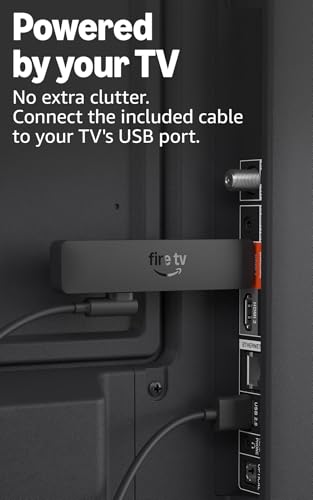
Before buying, confirm the setup path fits your household: the TV needs an open HDMI port, the device may need wall power rather than TV USB power, and activation should be done through the official on-screen/online process without paying third-party “activation” fees. If the device is for an older relative or a guest room, favor simple on-screen pairing, included cables/adapters, and clear app sign-in steps; also plan for logging into each subscription service separately. Owner sentiment backs this up, with many buyers saying hookup is quick, often taking only minutes, and that entering the on-screen code, connecting to Wi‑Fi, and opening apps is approachable even for less technical users.
Value
Value matters because a TV stick should give you the streaming performance, app support, remote features, and reliability you need without making you pay for extras you will not use. Look for a balance of smooth navigation, broad service compatibility, useful voice or TV controls, and enough storage or speed for your habits. Watch out for very cheap sticks that feel slow, show too many ads, or lack key apps, because a low upfront cost can still be poor value for money.
Judge value by what the device prevents you from buying: it can extend the life of a non-smart or slow smart TV, avoid another cable box, add free ad-supported channels, or consolidate streaming apps without replacing the television. Do not overbuy premium features for a bedroom HD set, but do consider spending more if you need stronger Wi‑Fi, Ethernet, private listening, better remote controls, or advanced 4K/HDR support. Owners commonly see strong value because these devices add responsive streaming, broad app access, live/free viewing options, and useful TV upgrades without the cost of a new TV or additional cable hardware; replacement-remote bundles are also valued when they solve lost-remote problems and leave a spare.
Ease
You’ll use a TV stick constantly, so a simple, user-friendly interface can make the difference between quickly finding something to watch and getting stuck in menus. Look for clear navigation, responsive controls, straightforward search, and easy app management. Watch out for cluttered home screens, confusing settings, or layouts that make common tasks take too many clicks.
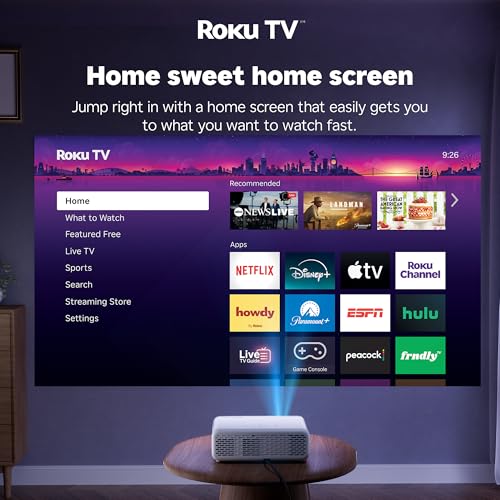
For ease of use, focus on the daily living-room workflow: the home screen should make the household’s main apps obvious, the remote should control TV power and volume if you want one-remote operation, and switching between cable, antenna, game console, and streaming should not confuse non-technical users. If someone in the home struggles with app menus, prioritize voice search, large/simple navigation, and a remote with only the controls they need; avoid setups that require frequent input switching or phone-app dependence. Owners reinforce this niche concern, saying setup and everyday navigation are simple, switching between cable and streaming can feel seamless, and the interface is approachable for older family members and less tech-heavy households.
Remote
You’ll use the remote control constantly, so it should feel intuitive in your hand and make common actions easy without hunting through menus. Look for a clear button layout, reliable remote control access from your usual seating position, and helpful touches like dedicated shortcut buttons or glow-in-the-dark keys, while watching out for cramped buttons or overly minimal remotes that make navigation frustrating.
Treat the remote as a major buying criterion, not an accessory: verify whether it uses line-of-sight infrared or wireless pairing, whether it can control your TV’s power and volume, whether it has voice search, private-listening support, shortcut buttons you can live with, and whether it lacks controls you rely on, such as direct input switching. If the TV is wall-mounted or the device hides behind the screen, a non-line-of-sight remote can be important; if batteries and reliability matter, check for reports of battery drain, pairing failures, or needing the phone app as a backup. Owner feedback is notably mixed here: many like the simple interface, voice control, TV power/volume convenience, and responsive buttons, but some report remotes that stop working, drain batteries, fail to be recognized on startup, or lack desired dedicated controls.
1,000,000+ shoppers use Buyer's Guide every week to find the best products and services online.

Helping millions of users make smarter purchases online.


