























We also considered 10 others:




Our Top Choice
Compare Features


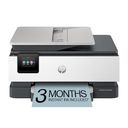
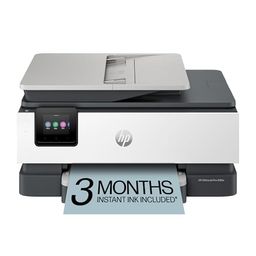


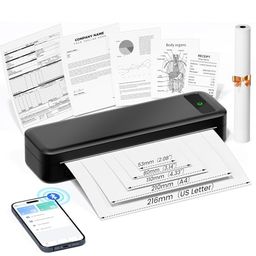
The order above is not editorial opinion, and it is not paid placement. It comes from what shoppers across our network actually do - which small printer scanners they compare, and which they ultimately buy. We re-rank as new data comes in, so the long-term favorites have to keep earning their spot against new entrants. The full method, including how we make money.
Small Printer Scanners Buyer's Guide
Small printer-scanners trade desk space for compromises in paper handling, scanner hardware, tray capacity, and wireless stability. The key is to decide whether you need a true document workflow—multi-page scans, copies, duplexing, and reliable laptop/phone access—or just an occasional compact printer with basic scanning.
Quality
Print quality determines how sharp your text looks, how clear fine details appear, and how accurately colors reproduce in photos, graphics, and presentations. You’ll want to look for crisp lettering, smooth gradients, consistent color, and minimal banding or smudging, while remembering that results can vary by paper type, ink or toner, and print settings.
For a small printer-scanner, judge quality by both output and capture: confirm the scanner has true optical resolution adequate for receipts, IDs, signed forms, and photos; check whether it is a flatbed, sheet-fed, or ADF design; and verify the maximum scan area before assuming it can handle legal documents, book pages, or thick cards. On the print side, look for pigment black if crisp text matters, dye/photo capability if color images matter, and avoid compact photo modes that crop edges if exact framing is important. Owner feedback supports this split: shoppers often praise compact all-in-ones and portable models for strong photo color, crisp text, and good general print results, while laser models are especially liked for sharp black-and-white output.
Speed
Print speed matters if you often produce long documents, multiple copies, or last-minute pages, because a slow printer can turn small tasks into bottlenecks. Look beyond the headline pages-per-minute rating and consider how quickly the first page comes out, whether speed drops for color or duplex printing, and how well the printer handles larger files without long processing delays.
If you scan or copy multi-page paperwork, speed depends less on headline print PPM and more on first-page-out time, ADF scan speed, duplex capability, and how often the small paper tray needs refilling. A compact unit can be fine for occasional forms, labels, or a few pages, but shoppers who batch-print tax documents, school packets, shipping paperwork, or client files should avoid models with tiny input trays, no ADF, slow duplexing, or a fragile paper path prone to jams. Owner reports match this: compact laser printers are often praised for fast routine documents, while slower output, jams, and uneven performance show up as common complaints on models better suited to occasional home use.
Reliability
A reliable printer saves you time and frustration by completing jobs without frequent paper jams, error messages, dropped connections, or half-printed pages. Look for signs that it handles your typical workload and paper types consistently, and watch out for models with complaints about misfeeds, stalled print queues, or needing frequent resets.
Reliability in this niche is often about the parts made smaller to save space: feed rollers, ADF mechanisms, hinges, output trays, printheads, and wireless sleep behavior. If the printer will sit unused for weeks, a monochrome laser may be safer than an inkjet that can clog; if you need color or photos, look for easy maintenance cycles, replaceable ink/toner, accessible jam clearing, and a scanner lid/ADF that feels sturdy enough for repeated use. Owner sentiment is mixed in exactly these areas: many users describe easy everyday printing once installed, but others report units that become slow, fail to start jobs, develop problems after a short period, or feel less sturdy over time.
Setup
Setup matters because a printer that is hard to install can turn a simple purchase into driver conflicts, connectivity issues, or repeated troubleshooting before you ever print a page. Look for clear first-time instructions, reliable Wi-Fi or wired connection options, and driver support for the devices you use. Watch out for printers that require complicated account creation, unclear app-based setup, or limited compatibility with your computer or mobile devices.
Before buying, verify the setup path for the devices you actually use: phone-only printing, laptop scanning, scan-to-email, USB fallback, and compatibility with driverless standards or full scanner drivers. Small printer-scanners often rely heavily on apps, tiny control panels, or Wi-Fi onboarding, so make sure the instructions cover ink priming, alignment, scanner calibration, permissions, and how to scan to a computer—not just how to print from a phone. Owners frequently praise models with guided apps, clear instructions, and fast first prints, but that praise is most useful when the setup also supports the scanning workflow you need.
Value
Value matters because the cheapest printer can become expensive if ink, toner, maintenance, or paper handling costs add up quickly. Look for a printer whose performance matches what you actually print—documents, photos, or high-volume jobs—and watch for models that seem affordable upfront but have costly consumables or features you will not use.
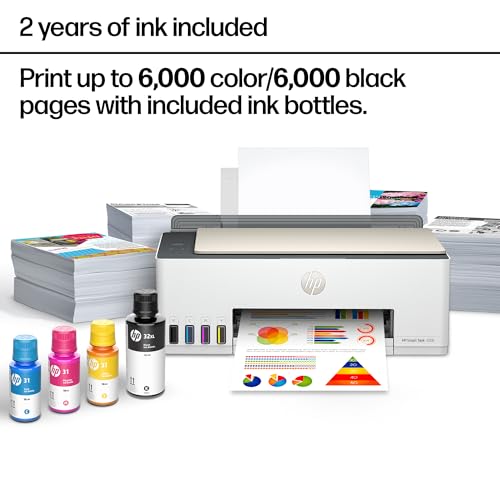
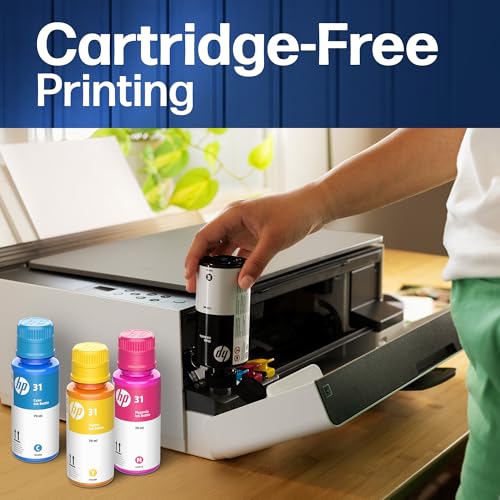
Value is not just the purchase cost; it is the cost of keeping a compact print-and-scan workflow running without replacing cartridges constantly or wasting time on missing features. Refillable tanks can be worthwhile for high-volume color printing, laser can be economical for black-and-white documents, and inkless thermal designs avoid ink but are not a substitute for archival documents, full-color output, or scanning. Also factor in whether the small unit includes an ADF, auto-duplex printing, duplex scanning, enough tray capacity, and standard-size consumables. Owner feedback reinforces the tradeoff: long-lasting tank ink, economical laser operation, and inkless printing are praised, but value feels weaker when reliability, build quality, or setup hassles interfere.
Connectivity
Connectivity determines how easily you can print from the devices you actually use, whether that’s a computer, phone, tablet, or shared office network. Look for reliable Wi-Fi, useful wired options if you need stability, and straightforward mobile or app setup; watch out for printers that are finicky to pair, drop off the network, or require awkward workarounds for everyday printing.
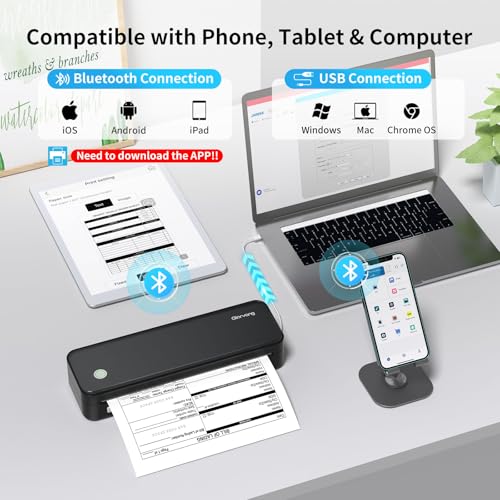
Connectivity is one of the most important checks for a small printer-scanner because these models are often placed wherever they fit, then expected to print and scan wirelessly from phones and laptops. Prefer models with reliable 2.4 GHz support, easy network rejoining after router changes, AirPrint/Mopria-style driverless printing, a real USB option for emergencies, and scanning software that works without constant cloud or account friction. Owner feedback makes this the clearest watch-out: many users like quick phone pairing when it works, but recurring complaints involve dropped Wi-Fi, sleep-mode disconnects, driver problems, Bluetooth retries, resets, and having to reconnect before basic jobs will run.
1,000,000+ shoppers use Buyer's Guide every week to find the best products and services online.

Helping millions of users make smarter purchases online.


