





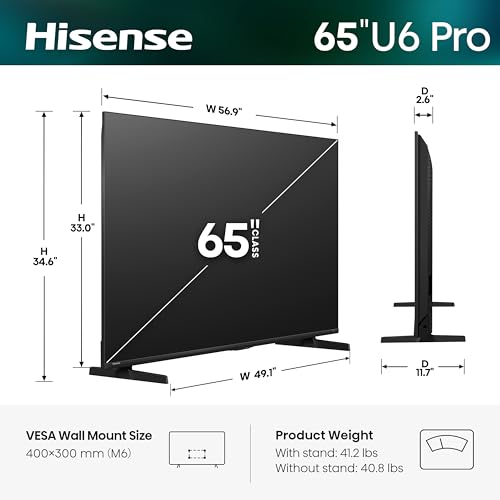


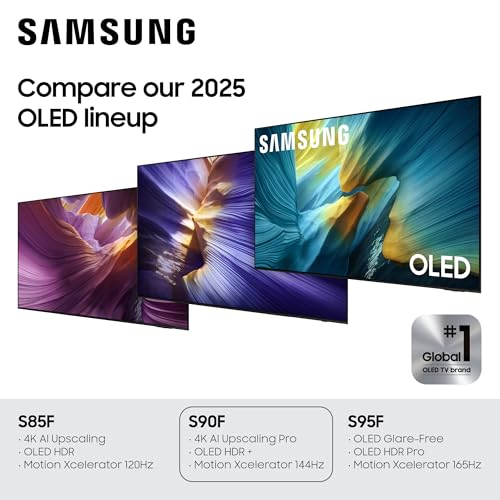


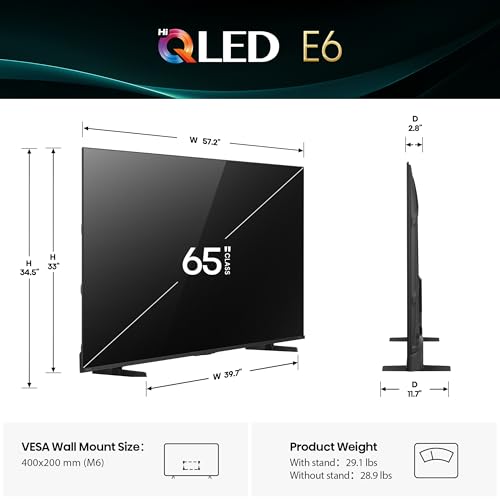
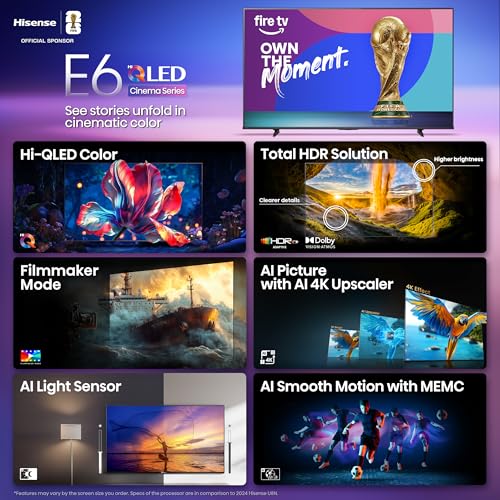





We also considered 10 others:


Our Top Choice
Compare Features


The order above is not editorial opinion, and it is not paid placement. It comes from what shoppers across our network actually do - which oled 65" tvs they compare, and which they ultimately buy. We re-rank as new data comes in, so the long-term favorites have to keep earning their spot against new entrants. The full method, including how we make money.
OLED 65" TVs Buyer's Guide
A 65-inch OLED is a home-theater upgrade built around perfect black levels, but the tradeoff is managing brightness, reflections, panel care, and a very thin screen that must be handled carefully. The sharpest checks are whether it is bright enough for your room, has the gaming/HDR ports and formats you need, and is protected by a warranty/return policy that makes sense for an OLED panel.
Picture
Picture quality determines how clear, natural, and immersive everything looks, from dark movie scenes to bright sports broadcasts. You should look for a TV with accurate color, strong contrast, enough brightness for your room, and good motion handling, while watching out for sets that look vivid in a showroom but make skin tones, shadows, or fast action appear unnatural.
For picture quality, start by matching the panel to your room and content: choose a 65-inch OLED if you watch movies, prestige TV, or games in a dim to moderately lit room where deep blacks and pixel-level contrast matter most; be more cautious in very sunny rooms unless the set has strong HDR peak brightness, good reflection handling, and an anti-glare finish you can tolerate. Check support for the HDR formats you actually use, filmmaker/cinema modes for accurate color, 4K/120Hz or higher gaming support, VRR/ALLM, and enough full-bandwidth HDMI 2.1 inputs for your console, PC, receiver, and eARC device. Also look for OLED-specific picture protections such as pixel refresh, logo dimming, panel compensation, and screen-shift features if you watch news, sports tickers, or use a PC desktop for long sessions. Owners strongly support OLED’s core appeal here: they repeatedly praise crisp, realistic, colorful images, deep blacks, bright HDR highlights, smooth 4K motion, and a movie-like upgrade from older LCD or plasma sets, with gamers also calling out premium response and graphics performance.
Quality
You want a smart TV that feels well built, runs consistently, and keeps delivering stable performance after the novelty wears off. Look for signs of solid construction, dependable software behavior, sturdy ports and stand hardware, and owner feedback about long-term reliability; watch out for reports of freezing, random restarts, loose panels, weak stands, or performance that degrades with regular use.
For build and long-term quality, inspect OLED-specific risk areas before committing: confirm the return window allows you to check for dead pixels, vertical banding, tinting on gray/white slides, near-black uniformity, panel warping, and any power-on failures. If buying renewed or open-box, verify warranty coverage, panel hours if available, included accessories, and whether burn-in or image-retention issues are excluded. Because a 65-inch OLED panel is thin and flexible, quality is not just electronics—it is also shipping condition, frame straightness, and whether the screen arrives without pressure marks. Owner sentiment is reassuring overall, with many buyers describing high quality, premium performance, easy everyday use, and units that arrive as described and work right away, including some refurbished units that look and function very well.
Setup
Setup matters because a smart TV can be large, fragile, and awkward to position, especially if you plan to wall-mount it or connect multiple devices. Look for clear instructions, stable stand assembly, accessible ports, straightforward Wi-Fi and account sign-in, and a guided on-screen setup that helps you tune channels and configure picture, sound, and apps without guesswork. Watch out for TVs that require extra tools, uncommon mounting hardware, or two-person lifting beyond what your space and setup plan can handle.
For setup, plan the physical install before delivery: a 65-inch OLED should be lifted by two people from the lower frame, never flexed by the thin upper panel, and mounted only after checking VESA pattern, stand width, cable clearance, wall-stud placement, and whether rear or side ports will remain accessible. If you use a receiver or soundbar, confirm eARC/ARC behavior, HDMI-CEC settings, 4K/120 passthrough, and cable quality; many setup frustrations come from old HDMI cables, wrong enhanced-input settings, or an eARC device plugged into the wrong port. Also budget time for picture-mode changes, HDR/game settings, app logins, Wi-Fi strength, and panel compensation after initial use. Owners generally describe setup as easy, fast, and smooth with mounts, receivers, ARC, Wi-Fi, and apps, but they also note that taking full advantage of settings can take time and that the large flexible screen needs careful handling.
Sound
Sound quality affects how clear dialogue, music, and effects feel, especially when you’re watching movies, sports, or shows without extra speakers. Look for a TV that can get loud enough for your room without sounding harsh, thin, or distorted, and pay attention to whether voices remain easy to understand. If the built-in speakers seem weak or lack bass, plan on pairing the TV with a soundbar or external audio system.
For sound, assume the TV’s thin chassis can handle dialogue and casual viewing but not deep bass or cinematic dynamics; if this is a main theater screen, prioritize eARC, passthrough support for your audio formats, lip-sync controls, and reliable CEC behavior with your soundbar or receiver. Check whether the stand height leaves room for a soundbar without blocking the screen or remote sensor, and whether wall mounting gives enough clearance for HDMI cables. If you use a receiver, verify that the TV can pass the formats you care about from built-in apps and external devices. Owner feedback is better than expected for built-in audio—many find dialogue clear and the speakers good enough at first—while home-theater users are happiest when pairing the TV through ARC/eARC or a surround setup.
Controls
You’ll interact with a smart TV every time you turn it on, switch apps, adjust picture settings, or search for something to watch, so the controls can make a big difference in daily satisfaction. Look for a remote that feels intuitive, menus that are easy to navigate, and a system that responds quickly without lag; watch out for cluttered settings, buried options, or controls that make simple tasks feel slow.
For controls and smart features, check the operating system and remote style before buying because OLED picture quality will not make up for a daily interface you dislike. Look for quick input switching, a customizable home screen, stable built-in apps, voice-control preferences, privacy/ad settings, HDMI-CEC reliability, and a remote with buttons you can use in the dark. If you plan to use external streamers or consoles, make sure the TV lets you disable motion smoothing, set per-input picture modes, enable enhanced HDMI formats, and avoid unwanted automatic input changes. Owner sentiment is mixed here: some like pointer-style remotes or smart features after learning them, but others report remote/input quirks, frustrating app or technical issues, and in a smaller but serious set of cases, power reliability problems where the TV stops turning on.
Value
You want a smart TV that delivers strong picture quality, smooth performance, and useful streaming features without making you pay for extras you won’t use. Look for a balanced mix of display quality, app support, connectivity, and reliability at your budget level, and watch out for models that seem inexpensive but cut corners on brightness, processing speed, or long-term software support.
For value, decide whether OLED’s strengths match your actual use: it is easiest to justify for movie nights, HDR streaming, premium gaming, and controlled lighting, but harder to justify if the TV will mostly show bright daytime sports, news channels with static logos, or serve as a PC monitor for hours. Compare models by meaningful OLED differences—not just screen size—including brightness, heat management, HDMI 2.1 port count, gaming features, HDR-format support, processing quality, warranty terms, and return protection against panel defects. Refurbished or renewed units can be attractive only if the warranty, return window, and condition disclosure are strong enough for OLED-specific risks. Owners often feel the performance, smart features, gaming capability, and falling OLED costs make the purchase worthwhile, especially when receiving a like-new refurbished unit, but some still frame it as a premium splurge and say software or casting issues can make the value feel weaker.
1,000,000+ shoppers use Buyer's Guide every week to find the best products and services online.

Helping millions of users make smarter purchases online.


