





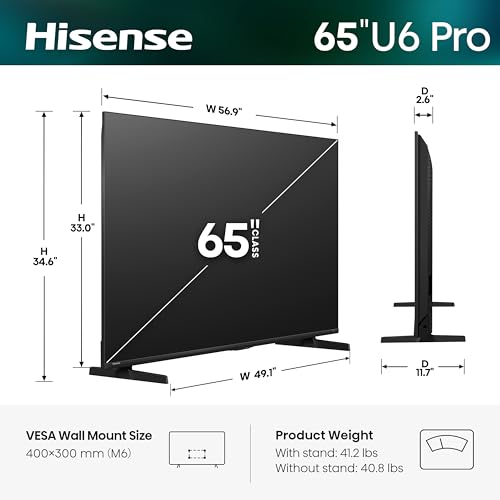


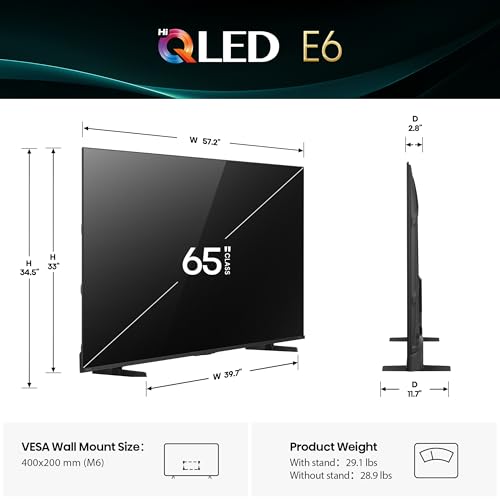
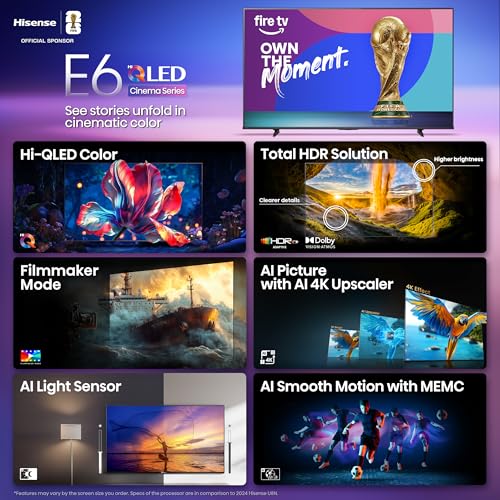


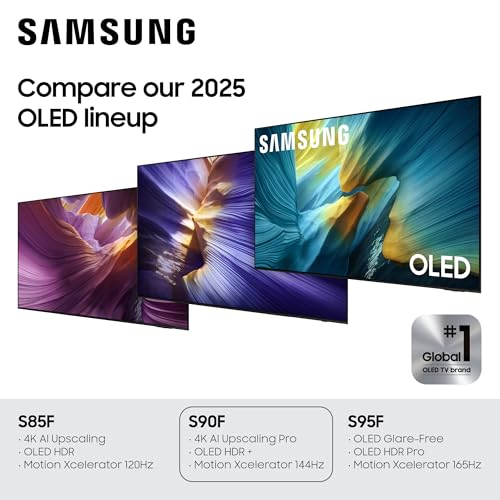



We also considered 10 others:


Our Top Choice
Compare Features


The order above is not editorial opinion, and it is not paid placement. It comes from what shoppers across our network actually do - which 65-inch oleds they compare, and which they ultimately buy. We re-rank as new data comes in, so the long-term favorites have to keep earning their spot against new entrants. The full method, including how we make money.
65-Inch OLED Smart TVs Buyer's Guide
A 65-inch OLED is a sweet spot for cinematic contrast, but it also magnifies the category’s sharpest tradeoffs: room brightness, reflections, fragile thin panels, and whether the TV has the right ports for modern consoles, receivers, and soundbars. The best buy is not just the prettiest screen in a demo loop; it is the one whose brightness, anti-glare handling, setup logistics, controls, and audio connections fit your room and gear.
Picture
Picture quality determines how clear, natural, and immersive everything looks, from dark movie scenes to bright sports broadcasts. You should look for a TV with accurate color, strong contrast, enough brightness for your room, and good motion handling, while watching out for sets that look vivid in a showroom but make skin tones, shadows, or fast action appear unnatural.
For a 65-inch OLED, prioritize panel behavior in your actual room: look for enough HDR brightness for daytime viewing, strong anti-reflection treatment if the screen faces windows, clean near-black handling for dark movies, and motion/4K processing that keeps sports and lower-quality streams from looking smeared at this larger size. Gamers should also confirm low input lag, 4K high-refresh support, VRR, and enough HDMI 2.1 ports for every current console or PC source, not just one. Owner feedback strongly supports OLED picture quality as the category’s main reason to buy, with shoppers praising crisp detail, deep blacks, vivid color, HDR impact, smooth 4K motion, and even anti-glare performance in bright rooms.
Quality
You want a smart TV that feels well built, runs consistently, and keeps delivering stable performance after the novelty wears off. Look for signs of solid construction, dependable software behavior, sturdy ports and stand hardware, and owner feedback about long-term reliability; watch out for reports of freezing, random restarts, loose panels, weak stands, or performance that degrades with regular use.
At 65 inches, quality is not just “does it look premium” but whether the thin panel, stand, ports, processor, and smart platform feel stable for years of daily use. Check for a rigid stand or compatible wall mount, full-bandwidth ports placed where your mount will not block them, good upscaling for cable or compressed streaming, and warranty coverage that matches how long you expect to keep an OLED. Owners often describe these TVs as sleek, sturdy, premium-looking upgrades with excellent 4K performance, easy everyday use, and strong gaming capability, though the best long-term choice is still the one with the feature set you will actually use.
Controls
You’ll interact with a smart TV every time you turn it on, switch apps, adjust picture settings, or search for something to watch, so the controls can make a big difference in daily satisfaction. Look for a remote that feels intuitive, menus that are easy to navigate, and a system that responds quickly without lag; watch out for cluttered settings, buried options, or controls that make simple tasks feel slow.
Before buying, make sure the remote and smart-TV controls fit how your household watches: tiny remotes, pointer-style cursors, scroll wheels, app tiles, voice control, HDMI-CEC device switching, and input menus can be either convenient or irritating depending on the user. Also look for reliable power behavior, quick wake, stable app launching, and easy access to picture modes, because OLED owners often adjust settings for movies, sports, gaming, and bright-room viewing. Sentiment is mixed here: some buyers like pointer-style navigation, but others dislike small buttons or confusing symbols, and power reliability, app glitches, casting problems, and technical issues are the most common control-related watch-outs.
Setup
Setup matters because a smart TV can be large, fragile, and awkward to position, especially if you plan to wall-mount it or connect multiple devices. Look for clear instructions, stable stand assembly, accessible ports, straightforward Wi-Fi and account sign-in, and a guided on-screen setup that helps you tune channels and configure picture, sound, and apps without guesswork. Watch out for TVs that require extra tools, uncommon mounting hardware, or two-person lifting beyond what your space and setup plan can handle.
Plan setup around the physical reality of a 65-inch OLED: the panel is large, thin, and flexible, so use two people, lift from the supported areas, confirm stand width or VESA mount compatibility, and measure the path from delivery box to room before it arrives. If using a receiver, soundbar, console, or PC, verify eARC/ARC behavior, HDMI port location, cable clearance, and whether you need right-angle cables for a flush wall mount. Owners generally find setup, WiFi, apps, and receiver or ARC connections easy, but they also note that maximizing picture settings can take time and that the big delicate screen needs careful handling.
Sound
Sound quality affects how clear dialogue, music, and effects feel, especially when you’re watching movies, sports, or shows without extra speakers. Look for a TV that can get loud enough for your room without sounding harsh, thin, or distorted, and pay attention to whether voices remain easy to understand. If the built-in speakers seem weak or lack bass, plan on pairing the TV with a soundbar or external audio system.
Do not assume a thin 65-inch OLED can fill a large room with cinematic sound just because the picture is high-end; check dialogue clarity, bass limits, audio format passthrough, eARC support, lip-sync controls, and whether the TV can integrate cleanly with your soundbar or receiver. Built-in speakers may be fine for news, casual shows, or a bedroom, but a main movie room usually benefits from external audio. Owner feedback is better than expected for built-in sound, with many saying it is clear and usable before adding a soundbar, and some reporting smooth ARC soundbar pairing, though sound satisfaction is less consistent than picture satisfaction.
Value
You want a smart TV that delivers strong picture quality, smooth performance, and useful streaming features without making you pay for extras you won’t use. Look for a balanced mix of display quality, app support, connectivity, and reliability at your budget level, and watch out for models that seem inexpensive but cut corners on brightness, processing speed, or long-term software support.
Judge value by the OLED-specific features you need, not just screen size: pay more only if you benefit from higher brightness, better anti-glare coating, stronger gaming ports, cleaner processing, a better smart platform, or warranty protection that covers your risk tolerance. For renewed or discounted units, inspect panel hours if available, return terms, uniformity, dead pixels, burn-in signs, accessories, and whether the screen looks essentially new. Owners commonly feel the performance justifies the cost—especially when bought on a deal—and many say OLED picture quality, smart features, gaming performance, and falling prices make higher models harder to justify, but software problems or unreliable casting can make the premium feel less worthwhile.
1,000,000+ shoppers use Buyer's Guide every week to find the best products and services online.

Helping millions of users make smarter purchases online.


