





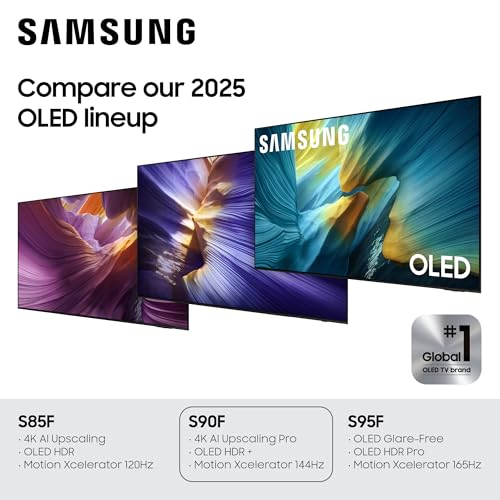


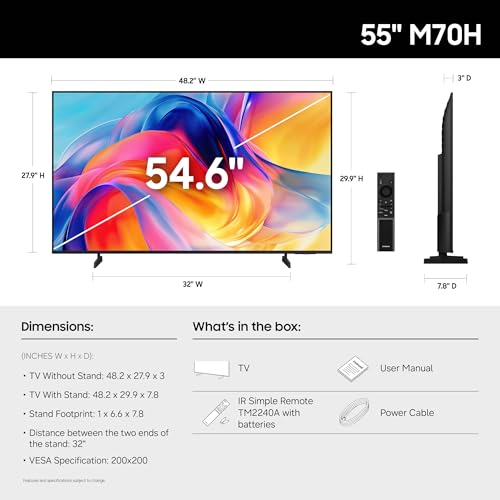


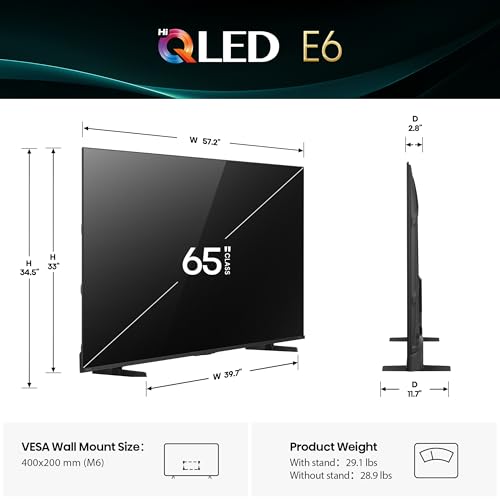
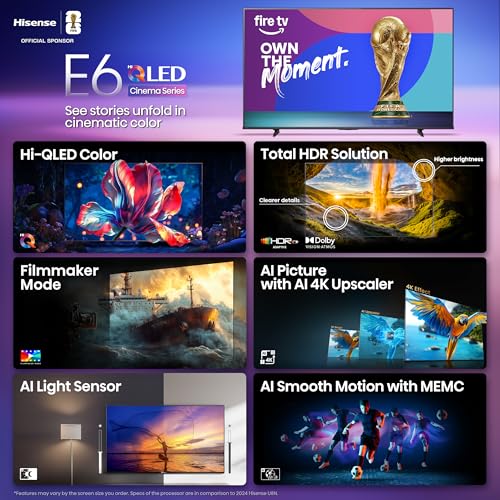









We also considered 10 others:


Our Top Choice
Compare Features


The order above is not editorial opinion, and it is not paid placement. It comes from what shoppers across our network actually do - which samsung 65-inch tvs they compare, and which they ultimately buy. We re-rank as new data comes in, so the long-term favorites have to keep earning their spot against new entrants. The full method, including how we make money.
Samsung 65-Inch TVs Buyer's Guide
A 65-inch TV is large enough that room brightness, viewing distance, wall-mount logistics, and panel uniformity matter as much as headline resolution. In this category, the sharpest tradeoff is usually OLED-like contrast versus brighter anti-glare performance, with gaming ports, HDR-format support, and soundbar compatibility close behind.
Quality
You want a smart TV that feels well built, runs consistently, and keeps delivering stable performance after the novelty wears off. Look for signs of solid construction, dependable software behavior, sturdy ports and stand hardware, and owner feedback about long-term reliability; watch out for reports of freezing, random restarts, loose panels, weak stands, or performance that degrades with regular use.
For a 65-inch TV, judge quality by the panel and processing that fit your room, not by size alone: choose OLED if you mainly watch in controlled lighting and want black-level precision, or a brighter QLED/mini-LED style panel if the screen faces windows or daytime sports are a priority. Check for 120Hz or higher native refresh, full-bandwidth HDMI 2.1 if you game, clean gray uniformity for sports, and a return policy that gives you time to spot dead pixels, banding, coil whine, Wi‑Fi dropouts, or panel flex after delivery. Owner feedback supports prioritizing premium panel performance: buyers repeatedly praise sharp 4K detail, realistic color, smooth motion, responsive smart features, high-end gaming feel, and sleek thin builds, with many saying the overall quality feels like a major upgrade over older sets.
Controls
You’ll interact with a smart TV every time you turn it on, switch apps, adjust picture settings, or search for something to watch, so the controls can make a big difference in daily satisfaction. Look for a remote that feels intuitive, menus that are easy to navigate, and a system that responds quickly without lag; watch out for cluttered settings, buried options, or controls that make simple tasks feel slow.
For this niche, make sure the control system works with how you actually watch: minimalist remotes can be fast for streaming but annoying for cable boxes, antenna channel entry, older family members, or frequent input switching. Before choosing, confirm there are enough direct controls through the remote, mobile app, voice assistant, HDMI-CEC, and your receiver or soundbar; also check whether casting, app launching, and eARC input switching are reliable enough for your household. Owner sentiment is mixed here: some buyers like pointer-style navigation, scroll wheels, or streamlined remotes, while others report a learning curve with small buttons and symbols, and a smaller group runs into frustrating app or technical-control issues.
Picture
Picture quality determines how clear, natural, and immersive everything looks, from dark movie scenes to bright sports broadcasts. You should look for a TV with accurate color, strong contrast, enough brightness for your room, and good motion handling, while watching out for sets that look vivid in a showroom but make skin tones, shadows, or fast action appear unnatural.
At 65 inches, picture flaws are easier to see, so match the screen to your room and content: prioritize anti-glare coating and high HDR brightness for bright living rooms, OLED-level blacks and wide viewing angles for dark movie rooms, and strong motion handling for sports. If you use modern consoles or a gaming PC, look for 4K at 120Hz or higher, VRR, low input lag, and enough HDMI 2.1 ports for every device; if you stream or collect movies, verify which HDR formats are supported so your library does not lose its best grading. Owner feedback strongly reinforces picture as the main reason to buy: shoppers praise vibrant 4K color, deep blacks, bright HDR impact, sharp motion, impressive upscaling from lower-quality video, and anti-glare screens that remain watchable with blinds open.
Setup
Setup matters because a smart TV can be large, fragile, and awkward to position, especially if you plan to wall-mount it or connect multiple devices. Look for clear instructions, stable stand assembly, accessible ports, straightforward Wi-Fi and account sign-in, and a guided on-screen setup that helps you tune channels and configure picture, sound, and apps without guesswork. Watch out for TVs that require extra tools, uncommon mounting hardware, or two-person lifting beyond what your space and setup plan can handle.
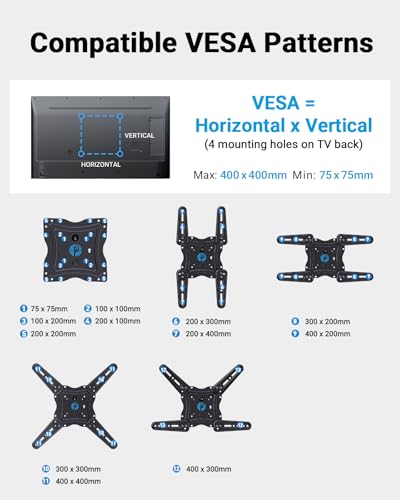
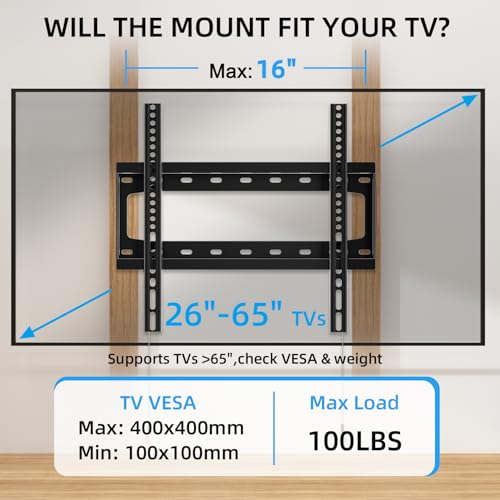
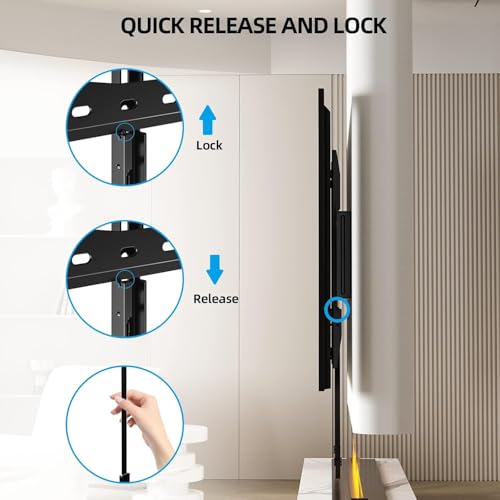
Plan the physical install before delivery: a 65-inch screen often needs two people, a clear path through doorways, a wide enough console or compatible VESA mount, and studs or anchors rated for the TV plus any articulating bracket. Check stand-foot spacing, soundbar clearance, cable access, 48Gbps HDMI cables for gaming, eARC/ARC compatibility with your receiver, and whether the panel is thin or flexible enough that lifting it from the wrong edge could damage it. Owner reports generally say setup is easy, fast, and smooth with streaming apps and receiver or ARC connections, but they also note that large, flexible panels need careful handling and that dialing in the best picture and feature settings can take extra time.
Sound
Sound quality affects how clear dialogue, music, and effects feel, especially when you’re watching movies, sports, or shows without extra speakers. Look for a TV that can get loud enough for your room without sounding harsh, thin, or distorted, and pay attention to whether voices remain easy to understand. If the built-in speakers seem weak or lack bass, plan on pairing the TV with a soundbar or external audio system.
Do not assume a 65-inch premium-looking TV has room-filling audio; thin panels often trade speaker depth for design, so check dialogue clarity, eARC support, audio format passthrough, Bluetooth latency, and soundbar compatibility before relying on built-in speakers. If you watch movies from discs, game consoles, or a media server, verify surround-format support and whether the TV can pass audio cleanly to your receiver or soundbar; optical-only setups may limit advanced audio. Owner sentiment suggests built-in sound can be better than expected and good enough for casual viewing, but sound is less consistent than picture, with some buyers happy with speaker performance or soundbar syncing and others reporting syncing or reliability problems.
Value
You want a smart TV that delivers strong picture quality, smooth performance, and useful streaming features without making you pay for extras you won’t use. Look for a balanced mix of display quality, app support, connectivity, and reliability at your budget level, and watch out for models that seem inexpensive but cut corners on brightness, processing speed, or long-term software support.
Value in a 65-inch TV comes from buying the right display type and ports for your use case, not simply the biggest or thinnest screen: do not overpay for OLED if your room is sunlit all day, and do not underbuy brightness, anti-glare, HDMI 2.1 bandwidth, or motion handling if you watch sports or game heavily. Factor in the likely add-ons too, such as a wall mount, longer certified HDMI cables, a soundbar, warranty coverage for burn-in or panel defects, and the cost of returning or exchanging a large screen if uniformity is poor. Owners often feel the performance is worth it when picture quality, gaming features, apps, and adjustability meet expectations, especially when the TV looks and performs above its tier; however, value drops for buyers who encounter software issues such as unreliable casting or other smart-TV frustrations.
1,000,000+ shoppers use Buyer's Guide every week to find the best products and services online.

Helping millions of users make smarter purchases online.


