




- Display Size: 15.6"
- Resolution: 1366 x 768
- Memory: 8GB RAM
- Storage: 128GB SSD
- Processor: Intel Celeron N100 4-core
- Graphics Processor: Intel UHD Graphics 600
- Touchscreen: No
- Battery Life: 12 hours
- Operating System: Windows 11 Home
- Weight: 3.24 lbs





HP 15.6" Laptop with Microsoft 365
Overall performance and everyday use

The HP 15.6" Laptop with Microsoft 365 is aimed squarely at people who want a reliable, familiar Windows experience for everyday tasks, with the added convenience of having Microsoft’s productivity suite baked into the value proposition. In practical terms, this is the kind of laptop that fits best into routines like writing papers, managing email, attending video calls, working in Word and Excel, light photo edits, and general web browsing. The 15.6-inch display size is a big part of the appeal: it provides more screen real estate than compact models, which can make multitasking less cramped and reduces the constant window switching that slows people down during work or study.
For day-to-day responsiveness, what matters most is the balance between the processor, memory, and storage. Many configurations in this category focus on efficient performance rather than raw power, which is perfectly appropriate if you’re not planning to do heavy video editing, 3D rendering, or high-end gaming. If you primarily live in browser tabs, documents, and streaming media, a modern entry-level to midrange CPU paired with sufficient RAM will feel smooth; if RAM is limited, the system may slow down when several applications are open at once. Storage type also makes a noticeable difference: an SSD-based configuration typically feels much faster than older-style hard drives when launching apps, rebooting, or searching files. As a general buying rule, prioritize an SSD and adequate memory before focusing on secondary features, because those two choices most directly affect how “snappy” the laptop feels every time you use it.
Another benefit here is the inclusion of Microsoft 365, which can reduce friction for users who already depend on Office apps. Instead of shopping for a separate subscription later, you can start working immediately with cloud-connected tools like OneDrive for file syncing and collaboration features that are especially helpful for students, remote workers, and families sharing documents across devices. The caveat is that Microsoft 365 is typically subscription-based, so it’s important to understand what’s included, for how long, and whether it renews automatically. The software bundle can still be a genuine value if you were going to pay for it anyway, but it’s less compelling if you prefer free alternatives or only need occasional document editing.
Design, display, and comfort
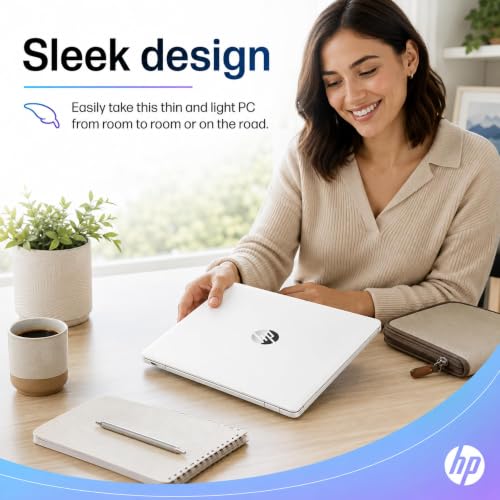
A 15.6-inch laptop strikes a familiar middle ground between portability and usability. The screen size makes spreadsheets easier to navigate, gives you more comfortable side-by-side document viewing, and generally provides a less squinted experience than smaller displays. That said, the most important display factors to consider before purchase are resolution, brightness, and panel quality. A higher resolution can make text sharper and reduce eye fatigue over long sessions, while brighter screens are easier to use in well-lit rooms or near windows. Panel type influences viewing angles and color consistency; if you plan to watch movies with others or do any color-sensitive work, better panel quality is worth prioritizing.
Keyboard and trackpad comfort can be the difference between liking a laptop and merely tolerating it. For writing-heavy use, pay attention to key travel, spacing, and whether the deck feels stable. The best approach is to look for user reports about typing comfort and trackpad reliability, because these are areas where small design decisions show up in everyday satisfaction. If your workflow includes a lot of data entry, you may also care about whether the keyboard includes a numeric keypad, which is often a practical advantage on 15.6-inch models.
Port selection is another design-related factor that becomes important after the first week of ownership. Consider whether you need USB-A for older peripherals, USB-C for modern accessories, HDMI for external monitors, and a headphone jack for headsets or wired audio. If you regularly connect to a projector, wired Ethernet, or an SD card, you’ll either want the appropriate built-in port or plan for a dongle. The most important port consideration is the one tied to your daily routine: for some people that’s HDMI for a second screen; for others it’s enough USB ports for a mouse, external drive, and headset without juggling adapters.
Audio and webcam quality matter more than they used to, especially for remote work and online classes. Even a modest improvement in microphone clarity can reduce meeting fatigue, and a webcam that handles varied lighting well can make you look more professional with less effort. If video calls are central to your schedule, these features deserve more weight than they traditionally get in the buying process.
Value, Microsoft 365 bundle, and what to prioritize
The “with Microsoft 365” portion of this package can shift the overall value equation, but only if it aligns with how you actually work. Microsoft 365 is most beneficial for users who want the latest Office apps, integrated cloud storage, and collaboration features. It also simplifies cross-device productivity, since documents can sync through OneDrive and edits can be made seamlessly from another PC, tablet, or phone. If you frequently share files with classmates or coworkers, the compatibility and collaboration aspects can be a genuine advantage over free office suites.
Before purchasing, confirm the terms of the included Microsoft 365 offering. Key details include whether it is a trial or a longer included period, whether it is meant for an individual or a family, and what happens after the included term ends. The most important thing here is avoiding surprises: you don’t want to build your workflow around a subscription benefit only to discover it was time-limited in a way you didn’t expect. Also consider whether you already have Microsoft 365 through work or school, since the bundle may be redundant in that case.
When deciding which factors matter most, start with performance components and storage. An SSD and sufficient RAM typically influence satisfaction more than almost any other spec in this class. Next, choose the screen quality that matches your environment; if you work in bright spaces or stare at text all day, brightness and clarity move up the priority list. Then evaluate build comfort, keyboard feel, and ports based on what you connect and how you type. Lastly, weigh the Microsoft 365 bundle as a financial and convenience decision, rather than the core reason to pick the machine, unless Office is absolutely central to your daily productivity.
Battery life is also worth considering, but it should be interpreted realistically. Larger screens can draw more power, and battery longevity varies depending on brightness, background apps, and whether you’re streaming video or doing lighter tasks. If you need all-day unplugged use, look closely at real-world user feedback rather than only manufacturer claims. If most of your use is at a desk or around the house, battery becomes less critical than comfort and screen quality.
Ultimately, the HP 15.6" Laptop with Microsoft 365 is best viewed as a sensible, productivity-forward option that emphasizes familiarity and practicality. It’s not trying to be a specialist machine for demanding creative workloads, but it can be a dependable daily driver when configured thoughtfully and matched to the right expectations.
Common Questions
Does the included Microsoft 365 mean I own Office forever? In most cases, Microsoft 365 is a subscription service rather than a one-time purchase. The laptop may include a trial or a limited included term, and continued use typically requires renewal. It’s important to check the specific offer details for the model you’re buying.
Is a 15.6-inch laptop too big to carry around? It depends on your routine. A 15.6-inch screen is great for productivity and comfort, but it can feel bulky in small backpacks and tighter spaces. If you commute daily or travel frequently, weight and size may matter more; if you mostly work at a desk, the larger display is usually a net positive.
What should I prioritize: more storage or more RAM? For many users, having enough RAM to keep everyday apps running smoothly is the first priority, and choosing an SSD for storage is the second. If you already have an SSD, then increasing RAM can have a more immediate impact on multitasking; if you’re choosing between an SSD and a larger hard drive, the SSD usually delivers the bigger improvement in perceived speed.
Can it handle gaming or video editing? It can manage lighter games and basic editing, but performance depends heavily on the exact CPU, RAM amount, and whether there is any dedicated graphics hardware. If gaming or editing is a major goal, you’ll want to confirm the configuration and consider a model designed for those workloads.
Conclusion
The HP 15.6" Laptop with Microsoft 365 is a practical choice for users who want a comfortable screen size, a straightforward Windows experience, and the convenience of Office-ready productivity from day one. The most important purchase considerations are SSD-based storage, enough RAM for multitasking, and a display that matches your working environment, with the Microsoft 365 bundle serving as a valuable bonus when it aligns with your existing needs and subscription plans.