Best Laptops Under $300 Updated May 2026

Join the millions that have trusted BuyersGuide.org to help them make smarter buying decisions. Let our independent expert reviews and data-driven shopping recommendations help you find the one that's right for you.

Best Laptops Under $300
2026 Buyer's GuideUpdated May 2026
Sort by:
1

10.0

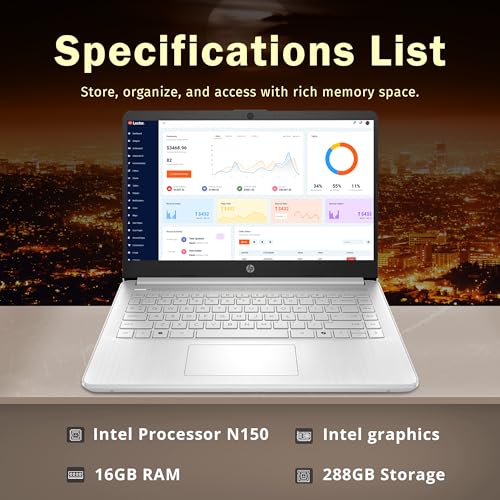
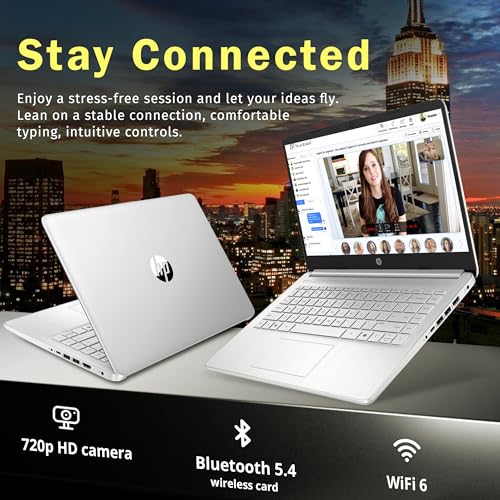
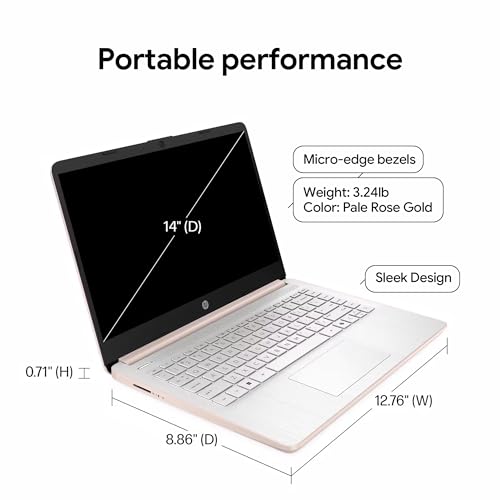
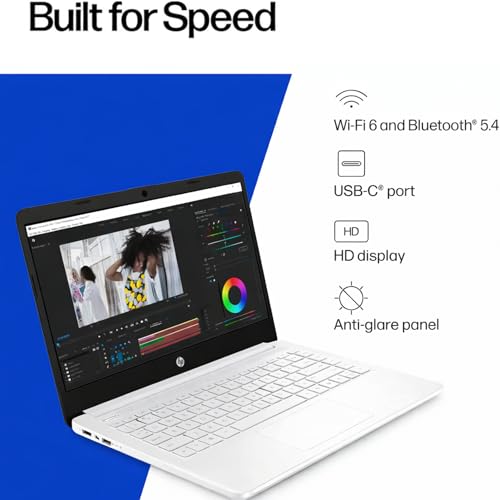
HP Stream 14" HD BrightView Laptop, Intel Celeron N150, 16GB RAM, 288GB Storage (128GB UFS + 160GB Docking Station Set), Intel ...
Display Size: 14"
Resolution: 1366 x 768
Memory: 16GB RAM
Storage: 128GB eMMC
Processor: Intel Celeron N4120 4-core
Graphics Processor: Intel UHD Graphics
Touchscreen: No
Battery Life: Up to 14 hours
Operating System: Windows 11 Home
Weight: 3.24 lbs

10.0

1
HP Stream 14" HD BrightView Laptop, Intel Celeron N150, 16GB RAM, 288GB Storage (128GB UFS + 160GB Docking Station Set), Intel ...
Display Size: 14"
Resolution: 1366 x 768
Memory: 16GB RAM
Storage: 128GB eMMC
Processor: Intel Celeron N4120 4-core
Graphics Processor: Intel UHD Graphics
Touchscreen: No
Battery Life: Up to 14 hours
Operating System: Windows 11 Home
Weight: 3.24 lbs
2

9.9

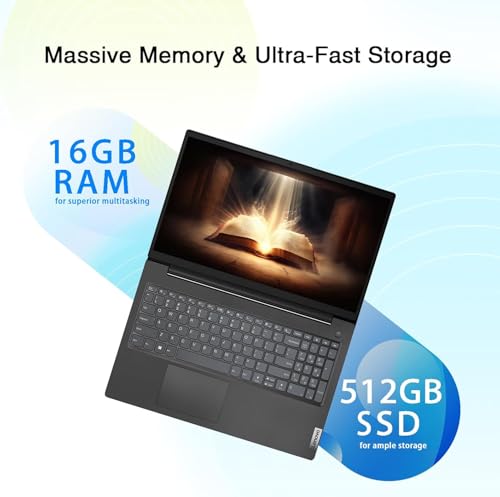
Lenovo V15 Business Laptop | 2025/2026 Edition | Intel Pentium 4-Core Series Processor | 15.6 FHD Screen (1920 x 1080) | 16GB R...
Display Size: 15.6"
Resolution: 1920 x 1080
Memory: 16GB RAM
Storage: 512GB SSD
Processor: Intel Pentium Silver N6000 4-core
Graphics Processor: Intel UHD Graphics
Touchscreen: No
Battery Life: Up to 8 hours
Operating System: Windows 11 Pro
Weight: 3.75 lbs
Compare

9.9

2
Lenovo V15 Business Laptop | 2025/2026 Edition | Intel Pentium 4-Core Series Processor | 15.6 FHD Screen (1920 x 1080) | 16GB R...
Display Size: 15.6"
Resolution: 1920 x 1080
Memory: 16GB RAM
Storage: 512GB SSD
Processor: Intel Pentium Silver N6000 4-core
Graphics Processor: Intel UHD Graphics
Touchscreen: No
Battery Life: Up to 8 hours
Operating System: Windows 11 Pro
Weight: 3.75 lbs
Compare
3

9.6

Lenovo IdeaPad 1 Laptop, 15.6” FHD Display, AMD Ryzen 5 5500U, 8GB RAM, 512GB SSD, Windows 11 Home, 720p Camera w/Privacy Shutt...
Display Size: 15.6"
Resolution: 1920 x 1080
Memory: 8GB RAM
Storage: 512GB SSD
Processor: AMD Ryzen 5 5500U 6-core
Graphics Processor: AMD Radeon 7
Touchscreen: No
Battery Life: Up to 12 hours
Operating System: Windows 11 Home
Weight: 3.52 lbs
Compare

9.6

3
Lenovo IdeaPad 1 Laptop, 15.6” FHD Display, AMD Ryzen 5 5500U, 8GB RAM, 512GB SSD, Windows 11 Home, 720p Camera w/Privacy Shutt...
Display Size: 15.6"
Resolution: 1920 x 1080
Memory: 8GB RAM
Storage: 512GB SSD
Processor: AMD Ryzen 5 5500U 6-core
Graphics Processor: AMD Radeon 7
Touchscreen: No
Battery Life: Up to 12 hours
Operating System: Windows 11 Home
Weight: 3.52 lbs
4

9.5

HP 15.6" Portable Laptop (Include 1 Year Microsoft 365), HD Display, Intel Quad-Core N200 Processor, 16GB RAM, 128GB Storage, W...
Display Size: 15.6"
Resolution: 1366 x 768
Memory: 16GB RAM
Storage: 128GB SSD
Processor: Intel Pentium N200 4-core
Graphics Processor: Intel UHD Graphics
Touchscreen: No
Battery Life: Up to 11.5 hours
Operating System: Windows 11 Home
Weight: 3.52 lbs
Compare

9.5

4
HP 15.6" Portable Laptop (Include 1 Year Microsoft 365), HD Display, Intel Quad-Core N200 Processor, 16GB RAM, 128GB Storage, W...
Display Size: 15.6"
Resolution: 1366 x 768
Memory: 16GB RAM
Storage: 128GB SSD
Processor: Intel Pentium N200 4-core
Graphics Processor: Intel UHD Graphics
Touchscreen: No
Battery Life: Up to 11.5 hours
Operating System: Windows 11 Home
Weight: 3.52 lbs
5

9.3

Lenovo Flagship Chromebook, 14'' FHD Touchscreen Slim Thin Light Laptop Computer, 8-Core MediaTek Kompanio 520 Processor, 4GB R...
Display Size: 14"
Resolution: ‎1920 x 1080
Memory: 4GB RAM
Storage: 64GB eMMC
Processor: MediaTek Kompanio 520 8-core
Graphics Processor: ARM Mali-G52 2EE MC2
Touchscreen: Yes
Battery Life: 13.5 hours
Operating System: Chrome OS
Weight: 2.86 lbs
Compare

9.3

5
Lenovo Flagship Chromebook, 14'' FHD Touchscreen Slim Thin Light Laptop Computer, 8-Core MediaTek Kompanio 520 Processor, 4GB R...
Display Size: 14"
Resolution: ‎1920 x 1080
Memory: 4GB RAM
Storage: 64GB eMMC
Processor: MediaTek Kompanio 520 8-core
Graphics Processor: ARM Mali-G52 2EE MC2
Touchscreen: Yes
Battery Life: 13.5 hours
Operating System: Chrome OS
Weight: 2.86 lbs
6

9.2

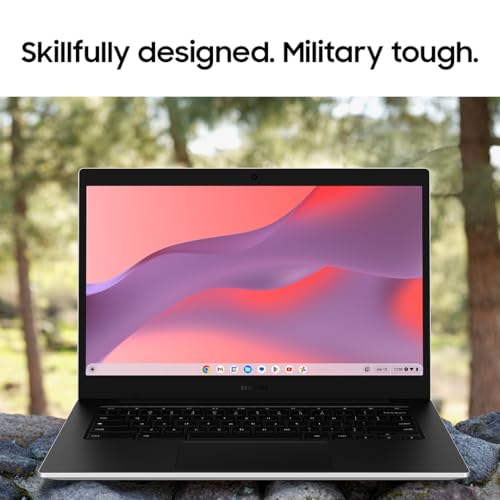
Samsung 14" Galaxy Chromebook Go Laptop PC Computer, Intel Celeron N4500 Processor, 4GB RAM, 64GB Storage, ChromeOS, XE340XDA-K...
Display Size: 14"
Resolution: 1366 x 768
Memory: 4GB RAM
Storage: 64GB SSD
Processor: Intel Celeron N4500 2-core
Graphics Processor: Intel UHD Graphics
Touchscreen: Yes
Battery Life: 12 hours
Operating System: Chrome OS
Weight: 3.2 lbs
Compare

9.2

6
Samsung 14" Galaxy Chromebook Go Laptop PC Computer, Intel Celeron N4500 Processor, 4GB RAM, 64GB Storage, ChromeOS, XE340XDA-K...
Display Size: 14"
Resolution: 1366 x 768
Memory: 4GB RAM
Storage: 64GB SSD
Processor: Intel Celeron N4500 2-core
Graphics Processor: Intel UHD Graphics
Touchscreen: Yes
Battery Life: 12 hours
Operating System: Chrome OS
Weight: 3.2 lbs
7

9.1

HP Home and Student Essential Laptop with Microsoft 365-8GB RAM - Intel Inside | Anti-Glare Display, 64GB SSD, Fast Charge and ...
Display Size: 15.6"
Resolution: 1366 x 768
Memory: 8GB RAM
Storage: 128GB SSD
Processor: Intel Celeron N100 4-core
Graphics Processor: Intel UHD Graphics 600
Touchscreen: No
Battery Life: 12 hours
Operating System: Windows 11 Home
Weight: 3.24 lbs
Compare

9.1

7
HP Home and Student Essential Laptop with Microsoft 365-8GB RAM - Intel Inside | Anti-Glare Display, 64GB SSD, Fast Charge and ...
Display Size: 15.6"
Resolution: 1366 x 768
Memory: 8GB RAM
Storage: 128GB SSD
Processor: Intel Celeron N100 4-core
Graphics Processor: Intel UHD Graphics 600
Touchscreen: No
Battery Life: 12 hours
Operating System: Windows 11 Home
Weight: 3.24 lbs
8

8.9

Auusda Business Laptop Computer for Work, Notebook PC for College Students, 15.6" FHD Display, 4-Core Processor, Backlit Keyboa...
Display Size: 15.6"
Resolution: 1920 x 1080
Memory: 16GB RAM
Storage: 1TB SSD
Processor: Intel Celeron N95 4-core
Graphics Processor: Intel UHD Graphics
Touchscreen: No
Battery Life: 4 hours
Operating System: Windows 11 Pro
Weight: 3.53 lbs
Compare

8.9

8
Auusda Business Laptop Computer for Work, Notebook PC for College Students, 15.6" FHD Display, 4-Core Processor, Backlit Keyboa...
Display Size: 15.6"
Resolution: 1920 x 1080
Memory: 16GB RAM
Storage: 1TB SSD
Processor: Intel Celeron N95 4-core
Graphics Processor: Intel UHD Graphics
Touchscreen: No
Battery Life: 4 hours
Operating System: Windows 11 Pro
Weight: 3.53 lbs
9

8.8

HP 14 Laptop, Intel Celeron N4020, 4 GB RAM, 64 GB Storage, 14-inch Micro-edge HD Display, Windows 11 Home, Thin & Portable, 4K...
Display Size: 14"
Resolution: 1366 x 768
Memory: 4GB RAM
Storage: 64GB eMMC
Processor: Intel Celeron N4020 2-core
Graphics Processor: Intel UHD Graphics 600
Touchscreen: No
Battery Life: Up to 11 hours
Operating System: Windows 11 S
Weight: 3.24 lbs
Compare

8.8

9
HP 14 Laptop, Intel Celeron N4020, 4 GB RAM, 64 GB Storage, 14-inch Micro-edge HD Display, Windows 11 Home, Thin & Portable, 4K...
Display Size: 14"
Resolution: 1366 x 768
Memory: 4GB RAM
Storage: 64GB eMMC
Processor: Intel Celeron N4020 2-core
Graphics Processor: Intel UHD Graphics 600
Touchscreen: No
Battery Life: Up to 11 hours
Operating System: Windows 11 S
Weight: 3.24 lbs
10

8.7

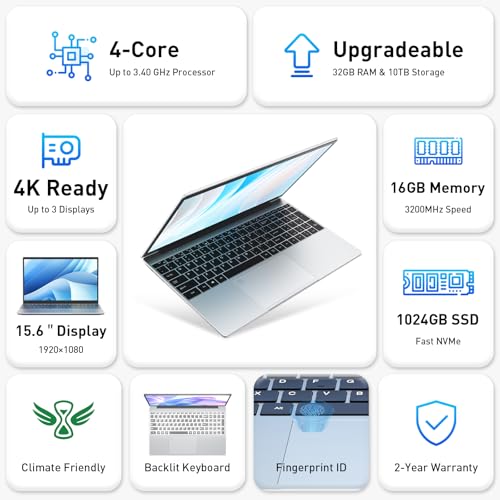
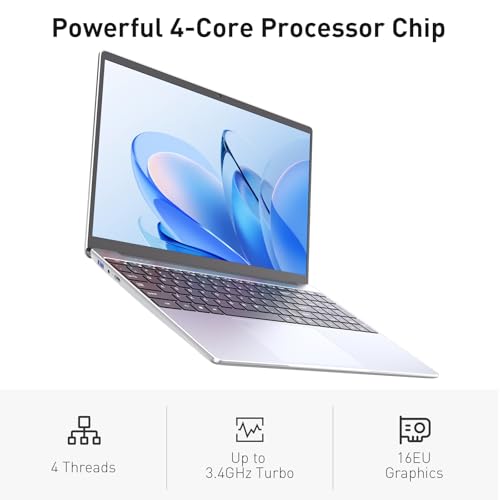
NIMO 15.6" IPS FHD-Student-Laptop, Intel Twin Lake N150 (4 Cores Up to 3.6GHz) with 2-Years-Warranty, 65W Type-C, Fingerprint, ...
Display Size: 15.6"
Resolution: 1920 x 1080
Memory: 8GB RAM
Storage: 256GB SSD
Processor: Intel Twin Lake N150 4-core
Graphics Processor: Integrated
Touchscreen: No
Battery Life: 10 hours
Operating System: Windows 11 Home
Weight: 3.75 lbs
Compare

8.7

10
NIMO 15.6" IPS FHD-Student-Laptop, Intel Twin Lake N150 (4 Cores Up to 3.6GHz) with 2-Years-Warranty, 65W Type-C, Fingerprint, ...
Display Size: 15.6"
Resolution: 1920 x 1080
Memory: 8GB RAM
Storage: 256GB SSD
Processor: Intel Twin Lake N150 4-core
Graphics Processor: Integrated
Touchscreen: No
Battery Life: 10 hours
Operating System: Windows 11 Home
Weight: 3.75 lbs
Compare

Our Top Choice

1

10.0

HP Stream 14" HD BrightView Laptop, Intel Celeron N150, 16GB RAM, 288GB Storage (128GB UFS + 160GB Docking Station Set), Intel ...
Display Size: 14"
Resolution: 1366 x 768
Memory: 16GB RAM
Storage: 128GB eMMC
Processor: Intel Celeron N4120 4-core
Graphics Processor: Intel UHD Graphics
Touchscreen: No
Battery Life: Up to 14 hours
Operating System: Windows 11 Home
Weight: 3.24 lbs

10.0

1
HP Stream 14" HD BrightView Laptop, Intel Celeron N150, 16GB RAM, 288GB Storage (128GB UFS + 160GB Docking Station Set), Intel ...
Display Size: 14"
Resolution: 1366 x 768
Memory: 16GB RAM
Storage: 128GB eMMC
Processor: Intel Celeron N4120 4-core
Graphics Processor: Intel UHD Graphics
Touchscreen: No
Battery Life: Up to 14 hours
Operating System: Windows 11 Home
Weight: 3.24 lbs

Compare Features

Graphics Processor
Best Laptop Under $300
1. HP Stream 14" BrightView Laptop
HP Preview HP Preview
HP
at Amazon
2. Lenovo V15 Business Laptop
LENOVO Preview LENOVO Preview
LENOVO
at Amazon
Premium Pick
3. Lenovo IdeaPad 1 Laptop
LENOVO Preview LENOVO Preview
LENOVO
at Amazon
4. HP 15.6" Portable Laptop
HP Preview HP Preview
HP
at Amazon
5. Lenovo Flagship 14" Chromebook
LENOVO Preview LENOVO Preview
LENOVO
at Amazon
Best Value
6. Samsung 14" Galaxy Chromebook Go Laptop
SAMSUNG Preview SAMSUNG Preview
SAMSUNG
at Amazon
7. HP 15.6" Laptop with Microsoft 365
HP Preview HP Preview
HP
at Amazon
8. Auusda T152A 15.6" Gaming Laptop
AUUSDA Preview AUUSDA Preview
AUUSDA
at Amazon
Popular
9. HP 14" Laptop (14-dq0040nr)
HP Preview HP Preview
HP
at Amazon
10. NIMO 15.6" IPS FHD Student Laptop
NIMO Preview NIMO Preview
NIMO
at Amazon
Deal
-39% -25% -9% -18% -65%
Deal -39% -25% -9% -18% -65%
Display Size
14" 15.6" 15.6" 15.6" 14" 14" 15.6" 15.6" 14" 15.6"
Display Size
14" 15.6" 15.6" 15.6" 14" 14" 15.6" 15.6" 14" 15.6"
Resolution
1366 x 768 1920 x 1080 1920 x 1080 1366 x 768 ‎1920 x 1080 1366 x 768 1366 x 768 1920 x 1080 1366 x 768 1920 x 1080
Resolution
1366 x 768 1920 x 1080 1920 x 1080 1366 x 768 ‎1920 x 1080 1366 x 768 1366 x 768 1920 x 1080 1366 x 768 1920 x 1080
Memory
16GB RAM 16GB RAM 8GB RAM 16GB RAM 4GB RAM 4GB RAM 8GB RAM 16GB RAM 4GB RAM 8GB RAM
Memory
16GB RAM 16GB RAM 8GB RAM 16GB RAM 4GB RAM 4GB RAM 8GB RAM 16GB RAM 4GB RAM 8GB RAM
Storage
128GB eMMC 512GB SSD 512GB SSD 128GB SSD 64GB eMMC 64GB SSD 128GB SSD 1TB SSD 64GB eMMC 256GB SSD
Storage
128GB eMMC 512GB SSD 512GB SSD 128GB SSD 64GB eMMC 64GB SSD 128GB SSD 1TB SSD 64GB eMMC 256GB SSD
Processor
Intel Celeron N4120 4-core Intel Pentium Silver N6000 4-core AMD Ryzen 5 5500U 6-core Intel Pentium N200 4-core MediaTek Kompanio 520 8-core Intel Celeron N4500 2-core Intel Celeron N100 4-core Intel Celeron N95 4-core Intel Celeron N4020 2-core Intel Twin Lake N150 4-core
Processor
Intel Celeron N4120 4-core Intel Pentium Silver N6000 4-core AMD Ryzen 5 5500U 6-core Intel Pentium N200 4-core MediaTek Kompanio 520 8-core Intel Celeron N4500 2-core Intel Celeron N100 4-core Intel Celeron N95 4-core Intel Celeron N4020 2-core Intel Twin Lake N150 4-core
Graphics Processor
Intel UHD Graphics Intel UHD Graphics AMD Radeon 7 Intel UHD Graphics ARM Mali-G52 2EE MC2 Intel UHD Graphics Intel UHD Graphics 600 Intel UHD Graphics Intel UHD Graphics 600 Integrated
Graphics Processor
Intel UHD Graphics Intel UHD Graphics AMD Radeon 7 Intel UHD Graphics ARM Mali-G52 2EE MC2 Intel UHD Graphics Intel UHD Graphics 600 Intel UHD Graphics Intel UHD Graphics 600 Integrated
Touchscreen
No No No No Yes Yes No No No No
Touchscreen
No No No No Yes Yes No No No No
Battery Life
Up to 14 hours Up to 8 hours Up to 12 hours Up to 11.5 hours 13.5 hours 12 hours 12 hours 4 hours Up to 11 hours 10 hours
Battery Life
Up to 14 hours Up to 8 hours Up to 12 hours Up to 11.5 hours 13.5 hours 12 hours 12 hours 4 hours Up to 11 hours 10 hours
Operating System
Windows 11 Home Windows 11 Pro Windows 11 Home Windows 11 Home Chrome OS Chrome OS Windows 11 Home Windows 11 Pro Windows 11 S Windows 11 Home
Operating System
Windows 11 Home Windows 11 Pro Windows 11 Home Windows 11 Home Chrome OS Chrome OS Windows 11 Home Windows 11 Pro Windows 11 S Windows 11 Home
Weight
3.24 lbs 3.75 lbs 3.52 lbs 3.52 lbs 2.86 lbs 3.2 lbs 3.24 lbs 3.53 lbs 3.24 lbs 3.75 lbs
Weight
3.24 lbs 3.75 lbs 3.52 lbs 3.52 lbs 2.86 lbs 3.2 lbs 3.24 lbs 3.53 lbs 3.24 lbs 3.75 lbs

Why These Features Matter:

Buying a laptop is less like buying a toaster and more like committing to a tiny roommate who follows you from the couch to the kitchen table to the airport floor. You don’t notice the little stuff on day one. You notice it on day 97, when the charger brick has turned your bag into a medieval weapon and your trackpad decides it hates you right before a deadline.

A good laptop disappears into your life in the best way: it wakes quickly, doesn’t hiss like it’s simmering, doesn’t make you perform cable gymnastics, and doesn’t demand you carry a dongle bouquet like a Victorian lady with allergies. The point isn’t owning “the most powerful” anything. It’s owning the machine that makes your actual day feel smoother.

Screen: The Part You Stare at for Eight Hours (So It Can’t Be Bad)

A laptop screen can be technically “fine” and still make you feel vaguely tired and annoyed. The two big real-life screen problems are glare (hello, window behind you) and brightness that collapses the moment you leave your desk. If you work in cafés, on trains, or in that one sunny corner of your apartment you keep pretending is your “reading nook,” you’ll want a display that stays legible without turning into a mirror.

  • Look for: Bright enough to handle daylight, good viewing angles so you’re not constantly tilting the screen, and text that looks crisp at normal distance.
  • Nice to have: A screen that doesn’t oversaturate skin tones into “vacation filter” territory on video calls.
  • Small annoyance people forget: Super glossy screens photograph your entire face. Including the panic.

Keyboard & Trackpad: The “Do I Hate My Job?” Factor

You can forgive a lot in a laptop if the keyboard feels good. You cannot forgive a keyboard that makes you typo like you’ve never met the alphabet. The best daily-life sign: you stop thinking about it after a day. The worst: you start bringing an external keyboard “just for long writing sessions,” which is editor-speak for “I hate this thing.”

  • Look for: Keys with a little travel (not mushy, not painfully shallow), consistent backlighting, and a trackpad that doesn’t misread your palm as an artistic gesture.
  • Nice to have: A trackpad that can actually replace a mouse without making you long for 2009.
  • Honest caveat: Some laptops feel great in a store and awful after two weeks because the layout is slightly “off.” If you’re picky, buy from somewhere with a sane return policy.


Weight & Balance: The “Can I Hold This With One Hand?” Test

People talk about weight like it’s a number; your shoulder experiences it like a moral judgment. Under about three pounds, a laptop starts to feel like something you can carry all day without resentful thoughts. But balance matters too: some machines are technically light and still feel awkward because the weight is distributed like a brick disguised as a notebook.

  • Look for: Something you can pick up from the couch with one hand without the screen flopping like a tired eyelid.
  • Nice to have: A hinge that opens easily but doesn’t wobble every time you breathe.
  • Things to know: Ultra-thin laptops can run hotter on your lap. Your thighs will not be impressed by your “minimalist” choice.

Battery Life: The Difference Between “Portable” and “Portable-ish”

Battery claims are a genre of fiction. Real battery life is what you get with 20 tabs open, Slack running, brightness somewhere above cave level, and at least one video call that makes your laptop sound like it’s working through personal issues.

  • Look for: Enough battery to get through a workday without hunting for outlets like a raccoon.
  • Nice to have: Fast charging that meaningfully saves you when you forgot to plug in overnight (everyone has done it; some of us do it weekly).
  • Honest caveat: If you do a lot of video meetings, expect battery life to drop more than you’d like. Cameras and constant connectivity are sneaky drains.

Fan Noise & Heat: The Apartment-Quiet Reality Check

Fan noise is one of those things you don’t clock until you’re in a quiet room and your laptop decides to cosplay a leaf blower. If you live with roommates, work in libraries, record audio, or simply enjoy not feeling like your desk is taking off, pay attention here.

  • Look for: A laptop that stays quiet under everyday load (browsing, docs, streaming) and only ramps up when you’re actually doing heavier work.
  • Nice to have: Heat management that doesn’t turn the underside into a space heater during a 40-minute email spiral.
  • Things to know: Thin laptops often trade silence for slimness. If silence matters, don’t buy the thinnest thing in the lineup and expect serenity.

Ports & Charging: Dongles Are a Lifestyle (But They Don’t Have to Be)

Ports are where laptop design gets ideological. Some machines are generous and practical. Some assume you live in a wireless utopia where every projector, SD card, and external monitor has been gently retired. If you’ve ever shown up to a meeting and realized you can’t plug in anything, you understand the specific humiliation of a port shortage.

  • Look for: Enough ports for your actual life: at least one that works for charging, one that handles an external display, and ideally something that lets you plug in a normal USB device without performing a conversion ritual.
  • Nice to have: Charging that works on either side so you’re not rearranging your whole setup because the outlet is inconveniently placed (which is most outlets).
  • Honest caveat: “Slim” often means “dongle-dependent.” If you’re the type to lose chapstick, you will lose your adapter.

Webcam & Mic: You Don’t Need Studio Quality, You Need “Not Embarrassing”

Most people aren’t trying to look cinematic on Zoom. They’re trying not to look like a witness in a documentary. A decent webcam and microphone matter more than ever, and it’s wild how many expensive laptops still treat them like an afterthought.

  • Look for: A camera that handles indoor light without turning you into a blurry watercolor, and a mic that doesn’t make you sound like you’re speaking from inside a shoebox.
  • Nice to have: A physical privacy shutter or a clear indicator light—because no one wants “Was my camera on?” dread.
  • Things to know: If you take calls in echo-y kitchens (tile! high ceilings!), consider earbuds with a good mic. Your laptop can’t fix your architecture.

Storage & Memory: The Quiet Reasons Your Laptop Feels Slow

You don’t need to memorize specs to avoid a sluggish laptop. You just need to know what makes machines feel bad: constantly running out of storage, struggling under multitasking, or taking forever to wake up when you’re trying to answer an email in line at the pharmacy.

  • Look for: Enough storage that you’re not playing “what can I delete?” every month, and enough memory that your browser doesn’t become a hostage situation with 14 tabs.
  • Nice to have: Easy cloud integration if you’re the type who hoards screenshots like evidence.
  • Honest caveat: Some laptops make upgrades impossible later. If you buy minimal now, you’re essentially promising your future self you’ll be tidy. Be honest about who you are.

Build Quality: The Bag Test, the Crumb Test, the Kid Test

In real life, laptops get shoved into tote bags next to metal water bottles. They get used on beds (terrible, yes), wiped down with whatever cloth is nearby (also yes), and occasionally closed with a pen still on the keyboard (we’ve all heard the crunch). Build quality isn’t about “premium feel.” It’s about how well the laptop tolerates your slightly chaotic humanity.

  • Look for: A sturdy chassis with minimal flex, a screen that doesn’t feel fragile, and a finish that doesn’t collect fingerprints like it’s trying to build a case against you.
  • Nice to have: A surface that cleans easily. Matte finishes tend to age better in households with food, pets, or both.
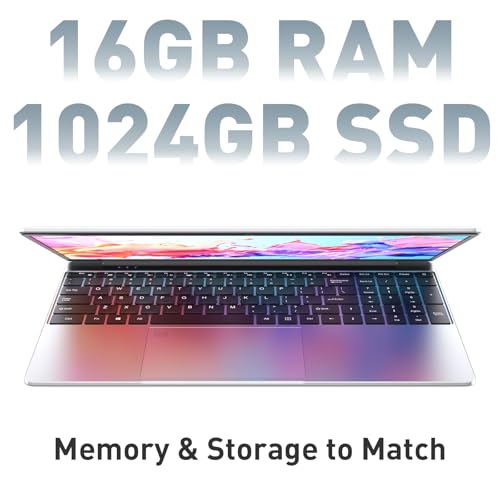
  • Things to know: Dark finishes can look chic but show every smudge. Lighter finishes hide the evidence better.

Operating System: Choose the One You Won’t Fight

This is where people get weirdly ideological. My take: pick the system that doesn’t make your daily tools feel like they’re constantly negotiating with your laptop. If all your work lives in one ecosystem (phone, tablet, messaging, cloud storage), staying consistent can make life calmer. If you rely on very specific programs, choose the OS that runs them without drama.

  • Guidance: If you’re already deep in an ecosystem and value seamlessness, lean into it. If you’re budget-conscious or need broader hardware variety, keep your options open.
  • Honest caveat: Switching systems is always more annoying than you think it will be, mostly because of tiny habits: keyboard shortcuts, file organization, and where screenshots go to hide.

So… What Should You Actually Buy?

Here’s the practical way to narrow it down without turning your living room into a testing lab:

  • If you mostly write, browse, email, and live in video calls: prioritize a great keyboard/trackpad, solid webcam/mic, and battery that survives a full workday. You’ll feel those upgrades every hour.
  • If you travel or commute: weight, charging convenience, and a screen that holds up outside your perfectly controlled home lighting matter more than raw power.
  • If you do creative work (photo/video/design) or heavy multitasking: prioritize sustained performance and heat management. A laptop that’s fast for five minutes but throttles for the next fifty is a specific kind of betrayal.
  • If you’re hard on your stuff (kids, pets, crowded bags, tiny tables): prioritize durability, easy-to-clean finishes, and port flexibility so you’re not constantly adapting your setup.

If you tell me your budget range, what you do all day (be honest about the 37 browser tabs), and what’s currently driving you nuts about your laptop—battery, fan noise, ports, weight—I can point you toward the right category of machine and the features that are actually worth paying for.