
Best Laser Printers Updated October 2026

Best Laser Printers
2026 Buyer's GuideUpdated October 2026
Sort by:
1

10.0

HP Color LaserJet Pro MFP 3301sdw Wireless All-in-One Color Laser Printer, Office Printer, Scanner, Copier, ADF, Duplex, Best-f...
Functionality: Print, scan, copy
Resolution: 1200 x 1200 dpi
Color Print Speed: 30 ppm
Monochrome Print Speed: 30 ppm
Two-Sided Printing: Yes
Max Paper Size: 8.5" x 11"

10.0

1
HP Color LaserJet Pro MFP 3301sdw Wireless All-in-One Color Laser Printer, Office Printer, Scanner, Copier, ADF, Duplex, Best-f...
Functionality: Print, scan, copy
Resolution: 1200 x 1200 dpi
Color Print Speed: 30 ppm
Monochrome Print Speed: 30 ppm
Two-Sided Printing: Yes
Max Paper Size: 8.5" x 11"
2

9.8

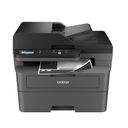
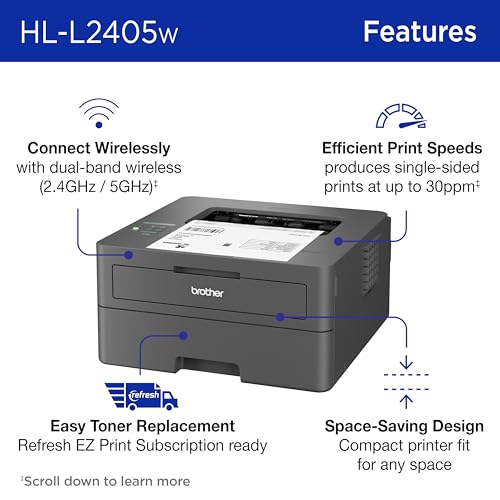
Brother HL-L2405W Wireless Compact Monochrome Laser Printer with Mobile Printing, Black & White Output | Includes Refresh Subsc...
Functionality: Print
Resolution: 1200 x 1200 dpi
Color Print Speed: N/A
Monochrome Print Speed: 30 ppm
Two-Sided Printing: Yes
Max Paper Size: 8.5" x 14"
Compare

9.8

2
Brother HL-L2405W Wireless Compact Monochrome Laser Printer with Mobile Printing, Black & White Output | Includes Refresh Subsc...
Functionality: Print
Resolution: 1200 x 1200 dpi
Color Print Speed: N/A
Monochrome Print Speed: 30 ppm
Two-Sided Printing: Yes
Max Paper Size: 8.5" x 14"
3

9.2

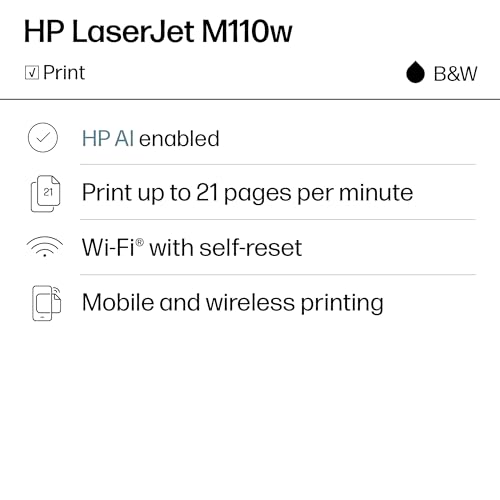
HP LaserJet M110w Wireless Black & White Printer, Print, Fast speeds, Easy Setup, Mobile Printing, Best-for-Small Teams
Functionality: Print
Resolution: 600 x 600 dpi
Color Print Speed: N/A
Monochrome Print Speed: 21 ppm
Two-Sided Printing: No
Max Paper Size: 8.5" x 14"
Compare

9.2

3
HP LaserJet M110w Wireless Black & White Printer, Print, Fast speeds, Easy Setup, Mobile Printing, Best-for-Small Teams
Functionality: Print
Resolution: 600 x 600 dpi
Color Print Speed: N/A
Monochrome Print Speed: 21 ppm
Two-Sided Printing: No
Max Paper Size: 8.5" x 14"
4

9.1

HP LaserJet Pro MFP 3101fdw Wireless Black & White All-in-One Laser Printer, Scanner, Copier, Fax, Best-for-Office (3G628F)
Functionality: Print, scan, copy, fax
Resolution: 1200 x 1200 dpi
Color Print Speed: N/A
Monochrome Print Speed: 35 ppm
Two-Sided Printing: Yes
Max Paper Size: 8.5" x 14"
Compare

9.1

4
HP LaserJet Pro MFP 3101fdw Wireless Black & White All-in-One Laser Printer, Scanner, Copier, Fax, Best-for-Office (3G628F)
Functionality: Print, scan, copy, fax
Resolution: 1200 x 1200 dpi
Color Print Speed: N/A
Monochrome Print Speed: 35 ppm
Two-Sided Printing: Yes
Max Paper Size: 8.5" x 14"
5

9.0

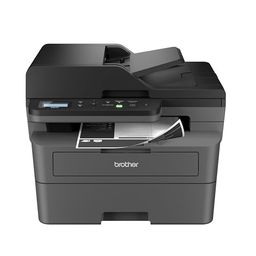
Brother DCP-L2640DW Wireless Compact Monochrome Multi-Function Printer, Copy, Scan, Duplex, Mobile Printing
Functionality: Print, scan, copy
Resolution: 600 x 600 dpi
Color Print Speed: N/A
Monochrome Print Speed: 36 ppm
Two-Sided Printing: Yes
Max Paper Size: 8.5" x 14"
Compare

9.0

5
Brother DCP-L2640DW Wireless Compact Monochrome Multi-Function Printer, Copy, Scan, Duplex, Mobile Printing
Functionality: Print, scan, copy
Resolution: 600 x 600 dpi
Color Print Speed: N/A
Monochrome Print Speed: 36 ppm
Two-Sided Printing: Yes
Max Paper Size: 8.5" x 14"
6

8.9

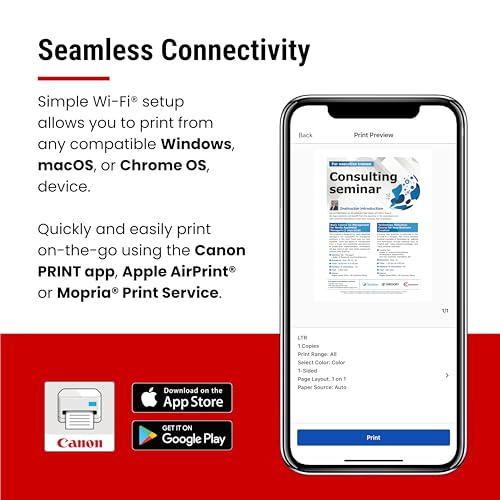
Canon imageCLASS LBP6030w - Monochrome Single-Function Wireless Compact Wireless Laser Printer, 1 Year Limited Warranty, 19 PPM...
Functionality: Print
Resolution: 600 x 600 dpi
Color Print Speed: 19 ppm
Monochrome Print Speed: 19 ppm
Two-Sided Printing: No
Max Paper Size: 8.5" x 14"
Compare

8.9

6
Canon imageCLASS LBP6030w - Monochrome Single-Function Wireless Compact Wireless Laser Printer, 1 Year Limited Warranty, 19 PPM...
Functionality: Print
Resolution: 600 x 600 dpi
Color Print Speed: 19 ppm
Monochrome Print Speed: 19 ppm
Two-Sided Printing: No
Max Paper Size: 8.5" x 14"
Compare
7

8.7

Brother HL-L2460DW Wireless Compact Monochrome Laser Printer with Duplex, Mobile Printing, Black & White Output | Includes Refr...
Functionality: Print
Resolution: 2400 x 600 dpi
Color Print Speed: N/A
Monochrome Print Speed: 36 ppm
Two-Sided Printing: Yes
Max Paper Size: 8.5" x 14"
Compare

8.7

7
Brother HL-L2460DW Wireless Compact Monochrome Laser Printer with Duplex, Mobile Printing, Black & White Output | Includes Refr...
Functionality: Print
Resolution: 2400 x 600 dpi
Color Print Speed: N/A
Monochrome Print Speed: 36 ppm
Two-Sided Printing: Yes
Max Paper Size: 8.5" x 14"
8

8.6

NDYIN Portable Printers Wireless for Travel, N80 Bluetooth Thermal Printer
Functionality: Thermal print
Resolution: 230 dpi
Color Print Speed: N/A
Monochrome Print Speed: 4 ppm
Two-Sided Printing: No
Max Paper Size: 8.5" x 11"
Compare

8.6

8
NDYIN Portable Printers Wireless for Travel, N80 Bluetooth Thermal Printer
Functionality: Thermal print
Resolution: 230 dpi
Color Print Speed: N/A
Monochrome Print Speed: 4 ppm
Two-Sided Printing: No
Max Paper Size: 8.5" x 11"
Compare
9

8.5

Canon Color imageCLASS MF665Cdw - Wireless, All-in-One Duplex Laser Printer
Functionality: Print, scan, copy, fax
Resolution: 600 x 600 dpi
Color Print Speed: 26 ppm
Monochrome Print Speed: 26 ppm
Two-Sided Printing: Yes
Max Paper Size: 8.5" x 14"
Compare

8.5

9
Canon Color imageCLASS MF665Cdw - Wireless, All-in-One Duplex Laser Printer
Functionality: Print, scan, copy, fax
Resolution: 600 x 600 dpi
Color Print Speed: 26 ppm
Monochrome Print Speed: 26 ppm
Two-Sided Printing: Yes
Max Paper Size: 8.5" x 14"
Compare
10

8.3

Brother HL-L2405W Wireless Compact Monochrome Laser Printer with Mobile Printing, Black & White Output | Includes Refresh Subsc...
Functionality: Print
Resolution: 1200 x 1200 dpi
Color Print Speed: N/A
Monochrome Print Speed: 30 ppm
Two-Sided Printing: No
Max Paper Size: 8.5" x 14"
Compare

8.3

10
Brother HL-L2405W Wireless Compact Monochrome Laser Printer with Mobile Printing, Black & White Output | Includes Refresh Subsc...
Functionality: Print
Resolution: 1200 x 1200 dpi
Color Print Speed: N/A
Monochrome Print Speed: 30 ppm
Two-Sided Printing: No
Max Paper Size: 8.5" x 14"
Compare

Our Top Choice

1

10.0

HP Color LaserJet Pro MFP 3301sdw Wireless All-in-One Color Laser Printer, Office Printer, Scanner, Copier, ADF, Duplex, Best-f...
Functionality: Print, scan, copy
Resolution: 1200 x 1200 dpi
Color Print Speed: 30 ppm
Monochrome Print Speed: 30 ppm
Two-Sided Printing: Yes
Max Paper Size: 8.5" x 11"

10.0

1
HP Color LaserJet Pro MFP 3301sdw Wireless All-in-One Color Laser Printer, Office Printer, Scanner, Copier, ADF, Duplex, Best-f...
Functionality: Print, scan, copy
Resolution: 1200 x 1200 dpi
Color Print Speed: 30 ppm
Monochrome Print Speed: 30 ppm
Two-Sided Printing: Yes
Max Paper Size: 8.5" x 11"

Compare Features

Monochrome Print Speed
Best Printer
1. HP Color Laserjet Pro MFP 3301sdw Printer
HP Preview HP Preview
HP
at Amazon
2. Brother HL-L2405W Wireless Printer
BROTHER Preview BROTHER Preview
BROTHER
at Amazon
Premium Pick
3. HP LaserJet M110w Wireless Printer
HP Preview HP Preview
HP
at Amazon
4. HP LaserJet Pro MFP 3101fdw All-in-One Printer
HP Preview HP Preview
HP
at Amazon
Popular
5. Brother DCP-L2640DW Multi-Function Laser Printer
BROTHER Preview BROTHER Preview
BROTHER
at Amazon
6. Canon ImageClass Monochrome Laser Printer
CANON Preview CANON Preview
CANON
at Amazon
7. Brother HL-L2460DW Wireless Printer
BROTHER Preview BROTHER Preview
BROTHER
at Amazon
Best Value
8. NDYIN N80 Portable Printer
NDYIN Preview NDYIN Preview
NDYIN
at Amazon
9. Canon Color imageCLASS MF665Cdw Wireless Laser Printer
CANON Preview CANON Preview
CANON
at Amazon
10. Brother HL-L2405W Laser Printer (Renewed)
BROTHER Preview BROTHER Preview
BROTHER
at Amazon
Deal
— — — — — -38% — — -25% —
Deal — — — — — -38% — — -25% —
Functionality
Print, scan, copy Print Print Print, scan, copy, fax Print, scan, copy Print Print Thermal print Print, scan, copy, fax Print
Functionality
Print, scan, copy Print Print Print, scan, copy, fax Print, scan, copy Print Print Thermal print Print, scan, copy, fax Print
Resolution
1200 x 1200 dpi 1200 x 1200 dpi 600 x 600 dpi 1200 x 1200 dpi 600 x 600 dpi 600 x 600 dpi 2400 x 600 dpi 230 dpi 600 x 600 dpi 1200 x 1200 dpi
Resolution
1200 x 1200 dpi 1200 x 1200 dpi 600 x 600 dpi 1200 x 1200 dpi 600 x 600 dpi 600 x 600 dpi 2400 x 600 dpi 230 dpi 600 x 600 dpi 1200 x 1200 dpi
Color Print Speed
30 ppm N/A N/A N/A N/A 19 ppm N/A N/A 26 ppm N/A
Color Print Speed
30 ppm N/A N/A N/A N/A 19 ppm N/A N/A 26 ppm N/A
Monochrome Print Speed
30 ppm 30 ppm 21 ppm 35 ppm 36 ppm 19 ppm 36 ppm 4 ppm 26 ppm 30 ppm
Monochrome Print Speed
30 ppm 30 ppm 21 ppm 35 ppm 36 ppm 19 ppm 36 ppm 4 ppm 26 ppm 30 ppm
Two-Sided Printing
Yes Yes No Yes Yes No Yes No Yes No
Two-Sided Printing
Yes Yes No Yes Yes No Yes No Yes No
Max Paper Size
8.5" x 11" 8.5" x 14" 8.5" x 14" 8.5" x 14" 8.5" x 14" 8.5" x 14" 8.5" x 14" 8.5" x 11" 8.5" x 14" 8.5" x 14"
Max Paper Size
8.5" x 11" 8.5" x 14" 8.5" x 14" 8.5" x 14" 8.5" x 14" 8.5" x 14" 8.5" x 14" 8.5" x 11" 8.5" x 14" 8.5" x 14"
How we rank

The order above is not editorial opinion, and it is not paid placement. It comes from what shoppers across our network actually do - which printers they compare, and which they ultimately buy. We re-rank as new data comes in, so the long-term favorites have to keep earning their spot against new entrants. The full method, including how we make money.

Printers Buyer's Guide

Printers are a tradeoff between the kind of output you need—crisp black-and-white documents, color graphics, photos, labels, or stickers—and the ongoing burden of ink, toner, connectivity, and maintenance. The biggest mistakes are buying the wrong print technology for your workload or assuming wireless printing will “just work” across phones, laptops, routers, and sleep modes.

Quality

Print quality determines how sharp your text looks, how clear fine details appear, and how accurately colors reproduce in photos, graphics, and presentations. You’ll want to look for crisp lettering, smooth gradients, consistent color, and minimal banding or smudging, while remembering that results can vary by paper type, ink or toner, and print settings.

Match print technology to the job first: choose laser for sharp text, clean copies, and high-volume document work; choose a photo-capable inkjet or tank model only if color accuracy, borderless photos, or mixed media matter; use compact thermal/mini printers only for casual labels, stickers, notes, and novelty prints, not archival documents or true photos. Check maximum resolution, supported paper sizes and weights, borderless printing, duplex scan/copy needs, and whether replacement consumables are known to affect color consistency. Owner feedback supports this split: buyers often praise laser models for crisp black-and-white output and inkjet/tank models for strong photo color and everyday documents, while mini printers are liked for quick stickers and notes rather than serious print fidelity.

Speed

Print speed matters if you often produce long documents, multiple copies, or last-minute pages, because a slow printer can turn small tasks into bottlenecks. Look beyond the headline pages-per-minute rating and consider how quickly the first page comes out, whether speed drops for color or duplex printing, and how well the printer handles larger files without long processing delays.

For this category, speed should be judged by first-page-out time, warm-up behavior, duplex speed, and multi-page throughput—not just the advertised pages-per-minute number. If you print school packets, invoices, shipping forms, or small-business batches, prioritize a printer that wakes quickly, stays responsive on the network, and handles multi-page jobs without long pauses; for occasional photos, slower speed may be acceptable if quality is higher. Owners commonly praise compact laser and home-office models for quick setup, fast first pages, and responsive everyday printing, especially for routine document jobs.

Reliability

A reliable printer saves you time and frustration by completing jobs without frequent paper jams, error messages, dropped connections, or half-printed pages. Look for signs that it handles your typical workload and paper types consistently, and watch out for models with complaints about misfeeds, stalled print queues, or needing frequent resets.

Reliability depends heavily on your usage pattern: inkjets can clog or waste ink if they sit unused, lasers avoid dried cartridges but need toner/drum maintenance, and tank printers are economical only if you print enough to keep ink moving. Look for automatic duplexing that does not jam easily, accessible paper paths, replaceable maintenance parts, firmware that does not interrupt printing, and a duty cycle comfortably above your real monthly volume. Owner sentiment is encouraging for many day-to-day home-office and small-business uses, especially where machines keep producing with little fuss, but there are also enough reports of failures, software stoppages, color inconsistency, and uncertain longevity to make reliability a key pre-purchase check.

Connectivity

Connectivity determines how easily you can print from the devices you actually use, whether that’s a computer, phone, tablet, or shared office network. Look for reliable Wi-Fi, useful wired options if you need stability, and straightforward mobile or app setup; watch out for printers that are finicky to pair, drop off the network, or require awkward workarounds for everyday printing.

Do not treat wireless as a minor feature: confirm support for your exact devices and network setup, including 2.4 GHz versus 5 GHz Wi‑Fi, guest networks, mesh routers, VPNs, mobile printing, Chromebook or macOS/Windows drivers, and whether USB or Ethernet is available as a fallback. If multiple people print from phones and laptops, avoid models that are finicky about sleep mode, IP address changes, or devices being on different Wi‑Fi bands; a printer with stable network settings and wired backup is safer for daily use. Owner feedback strongly reinforces this warning: while phone setup can be easy on some models, wireless dropouts, reconnecting, driver issues, reboots, and Bluetooth/Wi‑Fi retries are among the most common frustrations.

Setup

Setup matters because a printer that is hard to install can turn a simple purchase into driver conflicts, connectivity issues, or repeated troubleshooting before you ever print a page. Look for clear first-time instructions, reliable Wi-Fi or wired connection options, and driver support for the devices you use. Watch out for printers that require complicated account creation, unclear app-based setup, or limited compatibility with your computer or mobile devices.

Before buying, check whether setup can be completed without a subscription account, whether the printer has a usable onboard screen, and whether initial ink/toner installation, printhead alignment, scanner setup, and network pairing are clearly guided. For shared homes or offices, make sure setup instructions cover every device type you use—phones, tablets, laptops, and desktops—and confirm whether a cable is included or needed for fallback installation. Owner sentiment is mostly positive here: many buyers describe guided app setup, clear instructions, quick Wi‑Fi installation, and fast phone pairing as bright spots across printer types.

Value

Value matters because the cheapest printer can become expensive if ink, toner, maintenance, or paper handling costs add up quickly. Look for a printer whose performance matches what you actually print—documents, photos, or high-volume jobs—and watch for models that seem affordable upfront but have costly consumables or features you will not use.

Value is mostly cost-per-page plus convenience, not the shelf cost of the machine: compare ink, toner, drum, photo paper, label roll, and maintenance-box costs against your expected monthly volume and color needs. Heavy color/photo users should look closely at tank systems or high-yield supplies; mostly black-and-white users often get better long-term value from monochrome laser; casual label or sticker users may value inkless thermal printing, but should verify paper durability and print permanence. Owner feedback aligns with this: buyers often see toner-based printers as economical because cartridges do not dry out, tank systems as strong for frequent photo or small-business printing, thermal models as valuable for avoiding ink entirely, and basic all-in-ones as worthwhile when scanning, copying, and regular household printing are all needed.