















We also considered 10 others:


Our Top Choice
Compare Features


The order above is not editorial opinion, and it is not paid placement. It comes from what shoppers across our network actually do - which dreo cooling fans they compare, and which they ultimately buy. We re-rank as new data comes in, so the long-term favorites have to keep earning their spot against new entrants. The full method, including how we make money.
Dreo Cooling Fans Buyer's Guide
In this category, the real tradeoff is not just “more air” versus “less noise”; it is whether a tall, often smart, oscillating fan can put a smooth breeze exactly where you sleep or sit without rattles, bright lights, app friction, or a wobbly base. The sharpest checks are room-size airflow reach, sleep-friendly controls/noise, and whether any evaporative or heat-assist features actually fit your climate and safety needs.
Airflow
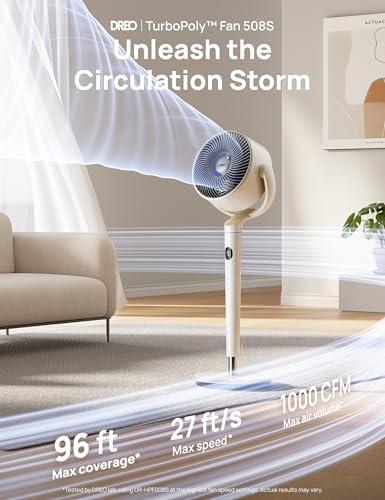
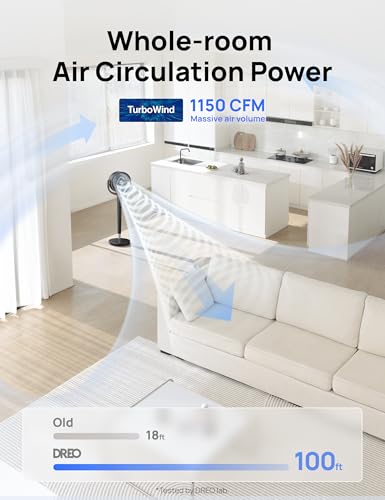
You’ll notice airflow most in how quickly a fan makes the room feel more comfortable and how far that cooling or heating effect actually reaches. Look for enough power and coverage for your space, plus useful features like multiple speeds, oscillation, or misting or heating modes if you need them, and watch out for fans that sound powerful but only move air well at close range.
For this niche, prioritize directed air throw and coverage over vague cooling claims: check whether the outlet height lines up with your bed, desk, or couch; whether oscillation spreads air without weakening the breeze; and whether the fan can reach your typical seating or sleeping distance. If you are considering an evaporative-style unit, remember it works best in dry air and can make humid rooms feel clammy rather than cooler. Owner feedback supports this focus: users repeatedly report strong, smooth airflow that reaches across bedrooms and living spaces, often feeling a steady breeze from roughly 10 to 12 feet away and not needing the highest setting. The strongest praise centers on hot bedrooms and overnight comfort, where enough air movement matters more than raw maximum speed.
Controls
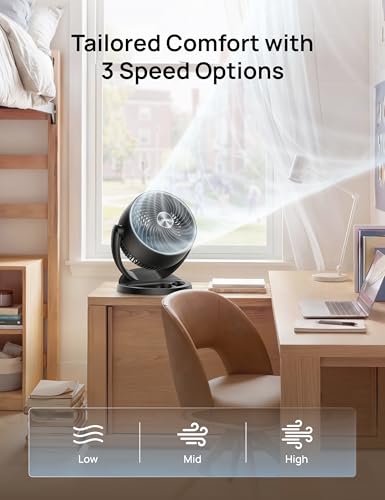
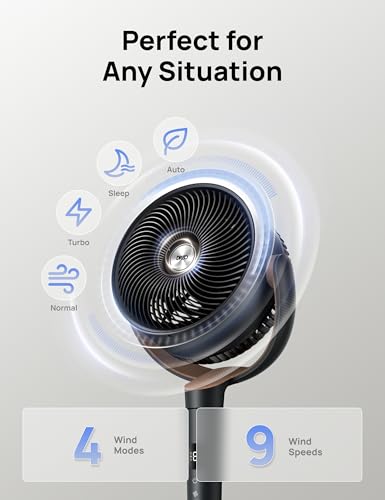
The controls determine how easily you can fine-tune airflow for comfort, noise, and convenience throughout the day or night. Look for clearly labeled buttons or a responsive remote, multiple speed settings, useful modes like sleep or timer functions, and smooth oscillation; watch out for confusing menus, tiny displays, or limited adjustments that make the fan harder to live with.
Look for controls that match how you will actually use the fan at night or across the room: a physical control panel for backup, a remote that adjusts speed and oscillation, timers with useful increments, and app or voice control only if you are comfortable depending on connectivity. For bedroom use, prioritize sleep mode, display dimming, muteable beeps, memory settings, and independent control of horizontal and vertical oscillation so the airflow is not locked to one fixed path. For combination fan/heater models, check for thermostat-style temperature control, eco modes, and clear mode separation so you do not accidentally run heat when you only want circulation. Owners tend to validate the benefit of richer controls, praising multiple speeds, modes, timers, remote/app/voice options, and wide oscillation as making it easy to move from a gentle breeze to a forceful blast without getting out of bed.
Noise
How a fan sounds can matter as much as how well it moves air, especially if you plan to use it in a bedroom, nursery, or office. Look for a fan that stays quiet at the speeds you actually use, has a smooth, consistent sound instead of rattling or clicking, and offers enough low-speed control for sleep; a fan that is only quiet on its weakest setting may still be disruptive at night.
For this niche, do not judge noise only by the highest-speed rating; check low and mid settings, because those are the speeds most people use for sleep. Listen or look for complaints about tonal whine, motor pulsing, oscillation clicking, rattling from the column, button beeps, and bright display behavior, since these are more disruptive in a bedroom than simple airflow hum. A good choice should move useful air quietly enough that you can leave it running overnight without needing to choose between cooling and sleep. Owner sentiment is especially strong here: buyers repeatedly describe these fans as very quiet while still pushing a meaningful amount of air, with lower and mid settings often singled out as bedroom-friendly and comfortable overnight.
Build
You want a fan that feels solid, stays stable at its highest speed, and keeps working without new rattles, wobble, or motor odor after regular use. Look for sturdy housing, well-balanced blades, a secure base or mount, and parts that are easy to remove and clean, since flimsy materials and hard-to-maintain grills tend to show wear, collect dust, and shorten the fan’s useful life.
In this category, build quality should be judged by stability, cleanability, and long-run motor behavior, not just how sleek the tower looks. Check for a heavy, wide base that resists tipping during oscillation, tight grille spacing if children or pets are nearby, a cord length that does not force unsafe placement, and a housing that does not flex or buzz at higher speeds. For evaporative units, inspect the water tank, filter or pad access, leak resistance, and mold/mineral-cleaning routine; for fan/heater combinations, confirm tip-over protection, overheat protection, and safe clearance requirements. Owner feedback generally supports confidence in sturdiness, with many describing a premium, heavy-duty feel, stable bases, sturdy materials, and consistent performance over time, while compact cooling units are often seen as easy to move between rooms.
Value
You want a fan that feels worth what you pay, not just one that looks good on the shelf. Look for strong airflow, reliable performance, useful speed or control options, and a noise level you can live with, because a low upfront cost is not a bargain if the fan disappoints, wears out quickly, or costs more to run than expected.
Value in this niche comes from replacing discomfort, not replacing air conditioning outright: pay for quiet usable airflow, stable oscillation, sleep-friendly controls, and reliable build before paying for extra smart features you may not use. If you are choosing between a simple fan, a smart oscillating model, an evaporative cooler, or a fan/heater combination, factor in climate suitability, electricity use, filter or pad maintenance, storage space, and whether one device can genuinely serve multiple seasons. Owners commonly feel the spend is justified when the fan makes a hot room more comfortable without turning up air conditioning, and they often describe the stronger, quieter performance, sturdy base, remote convenience, and feature set as worth paying more for than a basic fan.
Design
Design affects how well a fan fits your space and how easy it is to live with day to day, from its size and physical layout to whether any built-in light is actually useful or too harsh at night. Look for a fan with a stable base or secure wall mount, clear instructions, straightforward assembly, and lighting that matches your needs for brightness and placement without adding glare or awkward controls.
For this niche, design should be evaluated around placement: measure the footprint beside a bed or sofa, the height of the air outlet, the sweep of oscillation, and the clearance needed behind or around the unit. A slim tower can fit small rooms well, but a base that is too wide may interfere with walking paths, while a low outlet may miss a mattress or desk chair. Also check assembly style, handle placement, remote storage, display visibility, and whether the shape is easy to dust, because these fans often live in visible bedroom or living-room spots. Owner feedback aligns with these priorities: buyers like the modern, high-tech appearance, straightforward setup, compact footprint, sturdy base, and flexible oscillation that helps the fan fit into bedrooms, apartments, dorms, and small living spaces without feeling like a project.
1,000,000+ shoppers use Buyer's Guide every week to find the best products and services online.

Helping millions of users make smarter purchases online.


