










We also considered 10 others:





Our Top Choice
Compare Features


The order above is not editorial opinion, and it is not paid placement. It comes from what shoppers across our network actually do - which desktop computers under $500 they compare, and which they ultimately buy. We re-rank as new data comes in, so the long-term favorites have to keep earning their spot against new entrants. The full method, including how we make money.
Desktop Computers Under $500 Buyer's Guide
Desktops under this budget usually get affordable by using refurbished business hardware, compact low-power parts, or older gaming components, so the real tradeoff is not just speed for the money but how much age, upgrade limitation, and setup friction you are accepting. The sharpest checks are Windows 11 support, SSD/RAM configuration, wireless and monitor compatibility, and the condition of wear-prone parts like drives, power supplies, ports, and fans.
Reliability
A reliable desktop PC should run consistently under your everyday workload without frequent crashes, overheating, or premature part failures. Look for solid build quality, good cooling, dependable power delivery, and components that are easy to service or upgrade, and be wary of systems that cut corners on case construction, airflow, or generic internal parts.
For reliability in this category, prioritize machines with a solid-state drive, enough memory for modern multitasking, a valid modern operating-system license, and clear refurbishing/return terms; avoid listings that are vague about drive type, Wi‑Fi hardware, power-supply condition, or whether the system officially supports current updates. Older business desktops can be dependable, but their common failure points are aging storage, worn USB/display ports, weak Wi‑Fi dongles, proprietary power supplies, and random shutdowns after months of use, so inspect the unit immediately and stress-test updates, sleep/wake, networking, and all ports during the return window. Owner feedback supports this split: many buyers find these budget desktops solid for everyday use and good for the money, while others report update problems, lag, port failures, freezing, restarts, shutdowns, connectivity dropouts, cosmetic wear, and occasional early component failures involving drives, graphics hardware, power supplies, or wireless connections.
Performance
Performance determines how quickly your desktop feels in daily use and whether it has enough power for gaming, streaming, creative work, and multitasking without stutter or long waits. Look for a balanced CPU, graphics card, memory, and fast storage that match what you actually do, and watch for systems that emphasize one impressive part while cutting corners on cooling, RAM, or upgrade room.
For performance, match the hardware to the actual workload instead of buying on desktop form factor alone: for school, office, browsing, streaming, and video calls, look for an SSD and at least a practical amount of RAM; for gaming, verify the exact graphics card, video memory, power supply, and case airflow because many budget gaming towers use older GPUs that are fine for esports or older titles but not high settings in new AAA games. Mini PCs and refurbished office desktops can feel fast for everyday tasks but may have limited graphics performance, limited upgrade space, or mobile-class processors, so they are not interchangeable with full towers. Owner sentiment lines up with that: buyers often describe smooth browsing, streaming, office work, multitasking, business use, and light gaming, and some report playable results in popular mainstream games, but the praise is strongest when expectations stay realistic for older or entry-level hardware.
Value
You want a desktop that feels worth what you pay, not just one with impressive specs on paper. Look for a balanced mix of processor performance, memory, storage, upgrade options, build quality, and included essentials, and watch out for systems that cut corners in areas like cooling, expandability, or bundled peripherals to hit an attractive price.
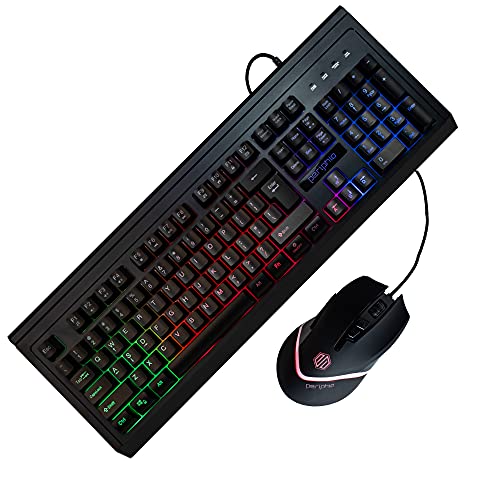
For value, judge the whole usable package, not just the tower: confirm whether it includes activated Windows, Wi‑Fi/Bluetooth, the right display output for your monitor, enough storage, keyboard/mouse if needed, and an upgrade path that will not require immediate adapters, RAM, SSD, or PSU replacement. Refurbished office PCs can be excellent values for home and office use, while budget gaming systems can be good starter machines only if the graphics card, power supply, and cooling are clearly specified and appropriate for the games you actually play. Owner feedback is broadly positive on value, with many buyers seeing these systems as strong bargains, fast for the money, good replacements for older slow computers, and capable enough for everyday use or light/mainstream gaming.
Setup
A desktop PC that’s easy to set up lets you get from the box to a usable workspace with less frustration, especially if you’re buying for a beginner or someone who doesn’t want to troubleshoot hardware and software right away. Look for clear instructions, well-labeled ports, included essentials when needed, and a simple first-run setup process; watch out for systems that require extra adapters, manual driver installs, or confusing account and security prompts before you can start using them comfortably.
For setup, choose a configuration that is truly ready for your space: check the included operating system, activation status, power cord, Wi‑Fi method, Bluetooth support, monitor cable type, and whether the display outputs match your monitor without needing an active adapter. This matters more in low-cost desktops because refurbished units and budget bundles may arrive with mismatched cables, external wireless dongles, or minimal instructions, and first-time buyers can be stalled by something as simple as DisplayPort-only output on the PC and HDMI-only input on the monitor. Owner reports are encouraging overall, with many saying setup is quick, simple, plug-in ready, and easy even for replacement-PC buyers, families, teenagers, or first-time users.
Connectivity
Connectivity determines how easily your desktop fits with the monitor, keyboard, storage drives, speakers, network, and other peripherals you already use or may add later. Look for enough easily accessible USB ports, the right display outputs for your monitor setup, reliable Ethernet and Wi‑Fi options, and Bluetooth if you use wireless accessories. Watch out for compact systems with limited ports or hard-to-reach connections, since adapters and hubs can add clutter and inconvenience.
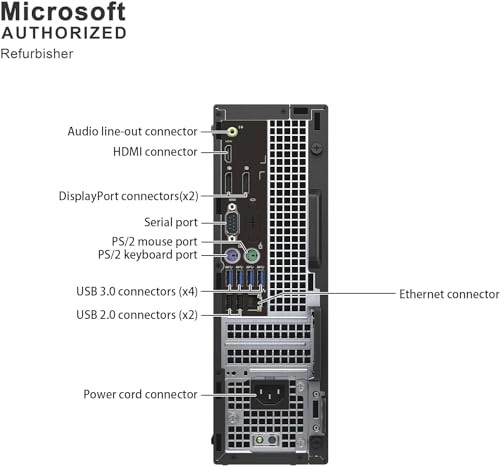
For connectivity, verify the exact ports before buying: count USB-A/USB-C ports for keyboard, mouse, webcam, printer, headset, and external drives; confirm HDMI, DisplayPort, VGA, or DVI compatibility with your monitor; and do not assume Wi‑Fi or Bluetooth are built in unless the listing says so. Many refurbished business desktops rely on DisplayPort rather than HDMI, and many budget systems use small USB Wi‑Fi adapters that can be weaker than internal wireless cards, so a wired Ethernet option or planned adapter may be important. Owner sentiment repeatedly flags this as a weak spot: buyers report missing or troublesome wireless features, Bluetooth issues, monitor-cable mismatches, too few ports, loose or nonworking display connections, networks not appearing, Wi‑Fi wake problems, and adapters that detect Wi‑Fi but fail to provide internet, even when the computer otherwise works well.
Design
Because a desktop PC often sits in plain view, its appearance can affect how well it fits into your workspace, gaming setup, or home office. Look for a design that matches your taste and room layout while still supporting practical needs like good airflow, easy access to ports, and enough space for future upgrades. Be careful not to choose looks alone, since flashy lighting, unusual shapes, or compact cases can sometimes make the system louder, hotter, or harder to service.
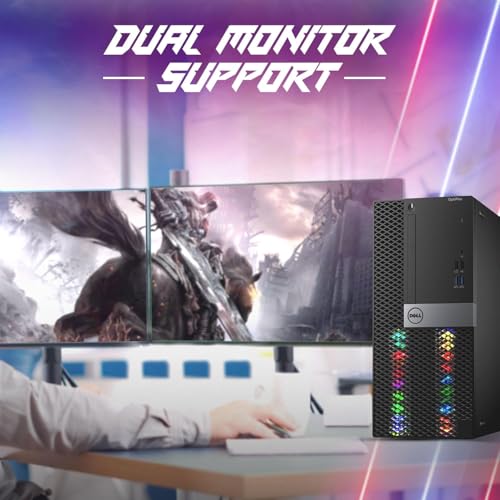
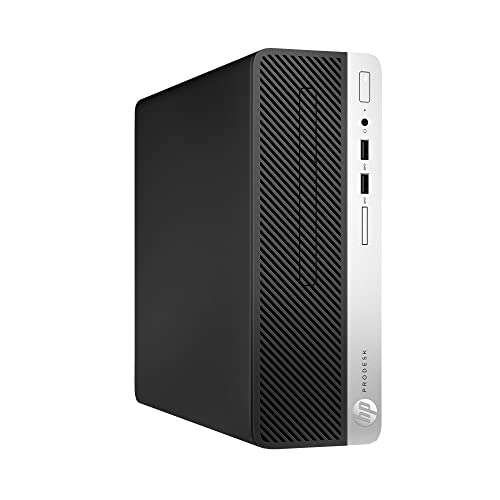
For design, look beyond appearance and check case size, airflow, noise, internal access, and upgrade compatibility; a compact mini PC saves desk space but may limit RAM/storage upgrades, while a refurbished small-form-factor office desktop may use proprietary parts, and a flashy budget gaming case still needs adequate cooling and a safe power supply. If the PC will sit in a bedroom, classroom, or shared office, also consider fan noise, front-panel port placement, and whether the tower can physically fit near the monitor without blocking ventilation. Owner feedback on design is limited but positive where mentioned: buyers like easy first impressions, manageable sizing, clean refurbished appearance, smooth startup, included Windows, and in some gaming-style systems, a visually appealing lighted case.
1,000,000+ shoppers use Buyer's Guide every week to find the best products and services online.

Helping millions of users make smarter purchases online.


