















We also considered 10 others:


Our Top Choice
Compare Features


The order above is not editorial opinion, and it is not paid placement. It comes from what shoppers across our network actually do - which cell trail cameras they compare, and which they ultimately buy. We re-rank as new data comes in, so the long-term favorites have to keep earning their spot against new entrants. The full method, including how we make money.
Cell Trail Cameras Buyer's Guide
Cell trail cameras trade remote access for new failure points: cellular coverage, data-plan limits, and power draw matter as much as the camera sensor. A careful shopper should think first about where the camera will sit, how often it will transmit, and whether it must capture wildlife, trespassers, or both without frequent visits.
Image
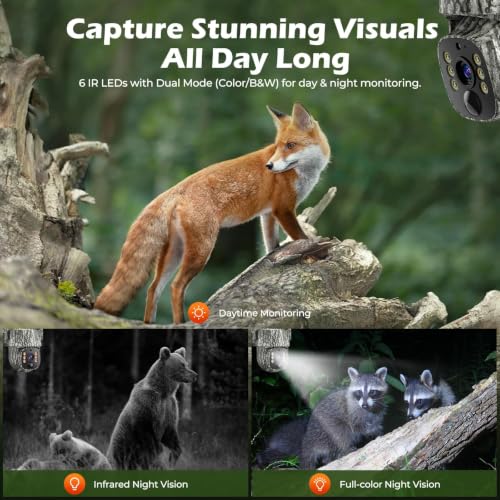
You want a trail camera with clear photos and video because the whole point is to see what passed by, when it happened, and enough detail to identify animals, people, or patterns. Look for sharp daytime color, usable video detail, and strong night vision that illuminates the scene evenly without washing out close subjects or leaving distant movement invisible. Be wary of big megapixel claims alone, since real image quality also depends on the lens, sensor, motion blur control, and how well the camera handles low light.
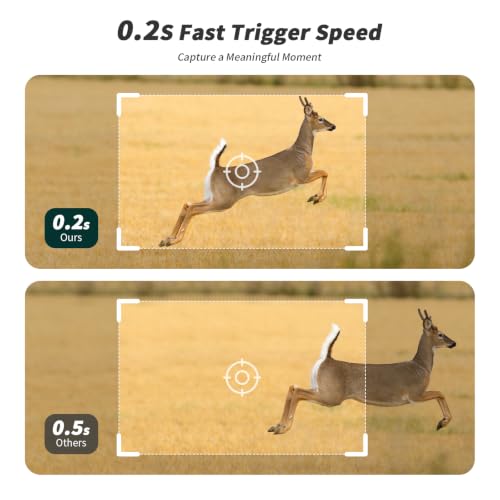
For cell trail cameras, do not judge image quality by megapixels alone: check whether the camera sends compressed thumbnails or full-resolution files, whether video can be transmitted or only saved to card, and how well the PIR detection zone matches the lens field of view. For wildlife and security use, prioritize sharp night detail, controlled infrared illumination that does not wash out close subjects, fast trigger/recovery speed, readable time/date stamps, and enough resolution to identify antlers, license plates at realistic distance, or human activity. Owner feedback supports making image a top priority: buyers repeatedly praise clear daytime color, sharp photos, usable night vision, crisp app-delivered images, and video quality that feels like a meaningful improvement over older trail cameras.
Reliability
You need a trail camera you can trust to work consistently, because missed triggers, corrupted files, or random shutdowns can mean losing the only useful record of wildlife activity or property events. Look for signs of dependable quality and functionality, such as consistent detection, clear day-and-night captures, stable battery performance, and a weather-resistant build that holds up over repeated use.
For unattended cellular deployment, reliability means more than surviving rain: look for a sealed battery compartment, sturdy latches, a protected antenna connection, dependable SD-card handling, stable firmware, and an operating-temperature range suited to your climate. Before leaving one deep in the field, test it for several days at home with the same batteries, card, plan, and transmission settings you will use, because a camera that misses triggers or locks up can waste an entire scouting window. Owner sentiment is encouraging here, with many buyers describing current cell trail cameras as well-built, dependable, high-quality, and trustworthy for outdoor monitoring, though careful pre-deployment testing is still the safest approach.
Value
You want a trail camera that fits your budget without forcing you to sacrifice the features that matter most, like reliable detection, clear images, battery life, and durable weather protection. Good value for money means the camera performs consistently for your use case, while a cheap option can cost more in missed shots, frequent battery changes, poor night images, or early failure.
For this category, value is the total deployed cost, not just the camera: include the cellular plan, photo allotments, video-request costs, batteries or solar accessories, SD card, mount, lock box, cable lock, and any external antenna you may need. Match the feature set to the job—basic still-photo alerts may be enough for a feeder or driveway, while remote property security may justify stronger app control, higher-resolution uploads, live view, or solar support. Owners often see these cameras as strong value when they deliver useful off-grid monitoring, solid image quality, and cellular features without needing Wi-Fi or nearby power.
Battery
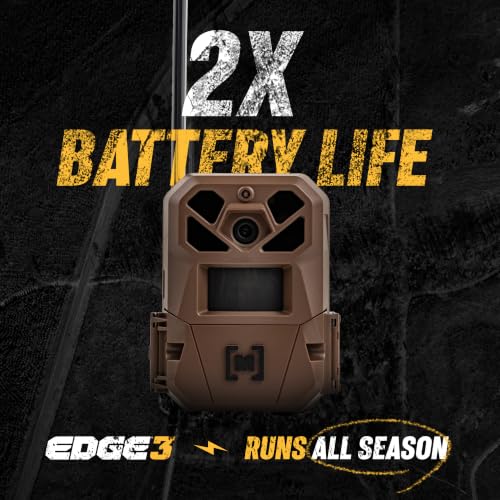
Battery life matters because a trail camera that drains quickly can miss activity and force you to visit the site more often, which may disturb wildlife or compromise your setup. Look for efficient standby performance, support for reliable battery types, and clear low-power indicators; if you want a solar-powered setup, make sure the panel can keep up in shaded, cloudy, or winter conditions rather than assuming it will run indefinitely.
Battery life in a cell trail camera depends heavily on transmission behavior, so check settings for upload frequency, video length, burst mode, trigger sensitivity, scheduled operation, and low-signal performance before assuming a long runtime. For cold weather, high-traffic trails, or security placements, favor lithium batteries, rechargeable packs, or a properly oriented solar panel; standard AAs can drain quickly when the camera is constantly waking, flashing, and transmitting. Owner reports strongly favor solar-assisted setups for long outdoor placements, including cloudy or snowy conditions, while also confirming that heavy activity, cold weather, weak signal, and battery quality can make runtime vary widely.
Ease
Ease of use matters because a trail camera often needs to be set up quickly in the field, sometimes in low light, bad weather, or with gloves on. Look for clear menus, simple controls, straightforward mounting and aiming, and an easy way to review or adjust settings; watch out for confusing apps, tiny screens, or buried options that make basic tasks harder than they should be.
For cell models, easy setup should mean you can activate service, scan the camera, format storage, aim the lens, confirm signal strength, and receive a test image before you leave the site. Look for an app that lets you name cameras, change sensitivity and upload settings remotely, check battery and signal status, request photos or video when needed, and update firmware without pulling the unit down; local Bluetooth or short-range Wi-Fi aiming can also save a lot of ladder and tree-strap frustration. Owner sentiment backs this as a real strength in many models, with buyers praising QR-code activation, intuitive menus, simple SD-card handling, quick app setup, and straightforward field use.
Connectivity
If you want images sent to your phone instead of pulled from an SD card, connectivity determines how reliably a trail camera can transmit from the places you actually use it. Look for support that matches your setup, whether that is cellular, Wi-Fi, or Bluetooth, and pay attention to signal needs, data or subscription requirements, battery impact, and how easy the app is to use for alerts, settings changes, and image management.
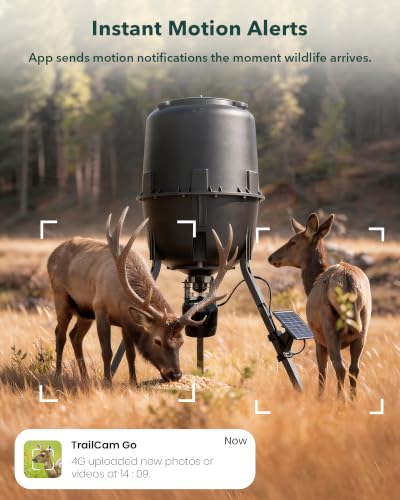
Connectivity is the category’s make-or-break feature: verify carrier coverage at the exact mounting spot, not just the property address, and check whether the camera chooses among networks automatically or is tied to one carrier. Also examine plan rules, upload limits, app reliability, remote setting control, antenna placement, and whether the camera stores images locally when signal drops; weak signal can cause missed alerts and faster battery drain. Owners value cellular access because it lets them monitor remote yards, driveways, hunting land, and off-grid areas without Wi-Fi, and many like receiving shots and changing settings from the app, but feedback also shows that service plans, limited short-range Wi-Fi transfer, defective units, and intermittent connection loss can be real pain points.
1,000,000+ shoppers use Buyer's Guide every week to find the best products and services online.

Helping millions of users make smarter purchases online.


