











We also considered 10 others:


Our Top Choice
Compare Features


The order above is not editorial opinion, and it is not paid placement. It comes from what shoppers across our network actually do - which car gps for seniors they compare, and which they ultimately buy. We re-rank as new data comes in, so the long-term favorites have to keep earning their spot against new entrants. The full method, including how we make money.
Car GPS for Seniors Buyer's Guide
Buying a car GPS for seniors is really a tradeoff between guidance inside the car and reassurance outside it: some devices make maps and parking easier, while others let a caregiver confirm where the vehicle is. The sharpest concerns are readability, predictable setup, reliable location updates, and power or mounting choices that do not create another daily chore.
Location Trust
For a senior driver or caregiver, the best GPS choice depends first on whether the device is meant to guide the driver, help family locate the car, or both. Navigation needs a readable screen and simple prompts, while tracking needs reliable location updates and alerts even when no one is touching the device.
Start by deciding whether you need turn-by-turn guidance in the cabin, vehicle tracking for caregiver peace of mind, or a hybrid setup. For senior use, prioritize accurate live location, quick refreshes, movement notifications, and clear map behavior over extra tech features; delayed updates, vague location pings, or alert failures can matter more here than in casual use. If the unit includes driving aids, a backup camera can be especially useful for parking confidence, but it should be treated as a safety aid rather than a replacement for mirrors and attention. Owner sentiment strongly supports this dimension: buyers repeatedly valued accurate real-time tracking, quick updates, useful movement notifications, and dependable core location performance, with backup camera quality also called out as a standout help for parking.
Readable Screen
A senior-friendly GPS should reduce distraction, not add another confusing device to the dashboard. Large text, bright maps, responsive touch, and a clean menu structure make it easier to use while parked and less tempting to fuss with while driving.
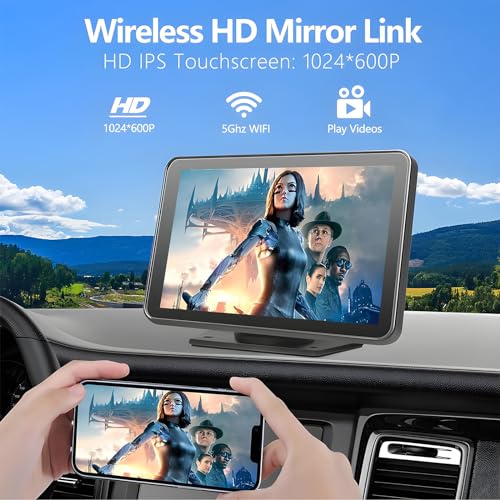
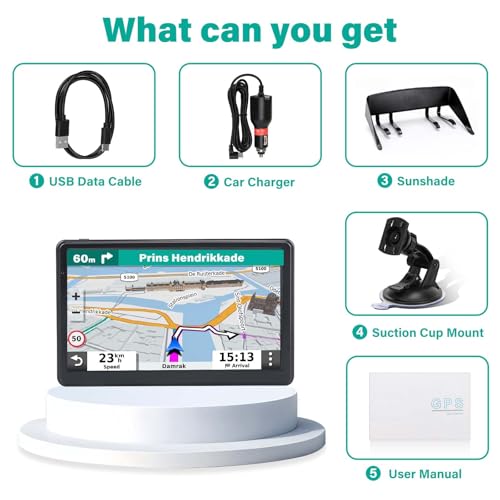
Look for a display large enough to read at normal driving distance, with high brightness for daylight, minimal glare, clear map contrast, and touch targets that are forgiving for older hands. Avoid cramped screens, tiny icons, laggy touch response, and menus that bury basic actions like home, recent destinations, volume, or route cancel. Voice prompts should be understandable, but the screen still matters because many seniors confirm turns visually. Owners praised a 7-inch display as clear, bright, and responsive enough for maps and menus, and also described everyday use and locating functions as straightforward, which are exactly the traits that keep the device from becoming a distraction.
Car Fit
Many senior shoppers are upgrading an older car, so compatibility can matter more than raw feature count. A device that plugs in cleanly and works with the existing phone and audio setup is less likely to be abandoned after the first frustrating drive.
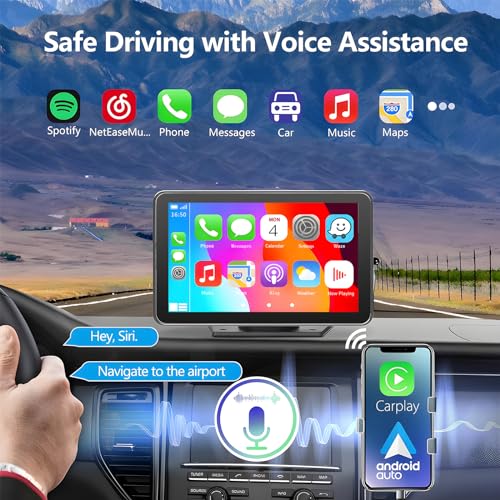
For older vehicles, favor plug-in screens or trackers that do not require replacing the stereo, cutting wiring, or learning a complicated pairing routine. Check phone compatibility, wireless versus wired connection options, Bluetooth behavior, audio routing through the car speakers or built-in speaker, power cable placement, and whether the mount leaves the windshield and controls unobstructed. For seniors, the best setup is one that reconnects predictably after the car starts; inconsistent pairing, confusing audio paths, or signal dropouts can turn a useful GPS into a support burden. Owner reports support this tradeoff: simple plug-in upgrades were appreciated because they avoided full in-dash installation, while wireless CarPlay, Android Auto, Bluetooth, and audio routing generally worked but could vary by car and location.
Power Reliability
A car GPS or tracker is only useful if it has power when it is needed. Seniors and caregivers often benefit from devices that either run from the vehicle reliably or stretch battery life through sensible update settings.
Choose the power style around the actual use case: dashboard navigation should have stable vehicle power and tidy cable routing, while hidden or portable trackers need long battery life, low-battery alerts, and adjustable update intervals. For caregiver tracking, look for battery-saver, sleep, or hibernation modes when the vehicle is parked, but understand the tradeoff: less frequent updates can extend runtime while reducing immediacy. Avoid devices that require frequent recharging if the senior driver is unlikely to maintain that routine. Owner sentiment repeatedly identifies battery life as a major strength when battery-saver or hibernation settings are used, especially for long-term vehicle tracking without frequent recharging.
Secure Mount
Mounting is a safety issue in this niche because loose screens, dangling wires, or weak tracker magnets can create hazards or unreliable tracking. A good device stays where it is placed through bumps, heat, vibration, and ordinary use.
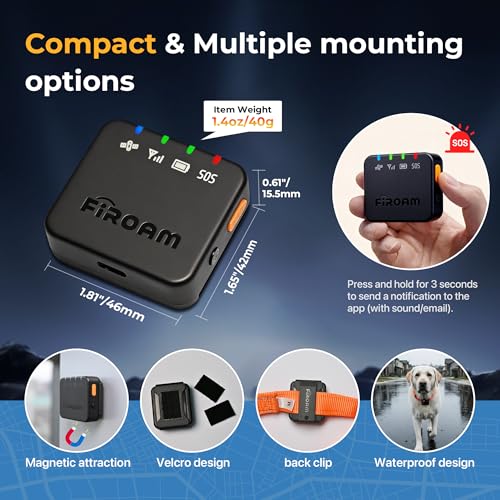
For an in-cabin GPS screen, look for a stable mount that does not block the driver’s view, airbags, vents needed for defogging, or dashboard controls. For a vehicle tracker, a strong magnetic mount or secure attachment point matters because road vibration, rough pavement, car washes, and weather exposure can dislodge poorly mounted units. Also check casing durability, cable strain relief, and whether the device feels built for repeated car use rather than occasional desk use. Owners repeatedly praised strong magnetic mounts for secure vehicle placement, including on rougher roads, and described some devices as dependable, sturdy, and well built, though longer-term reliability was more mixed when notifications or signal performance became inconsistent.
Total Value
The right value in this category is not simply the lowest upfront cost. Shoppers should account for subscriptions, installation needs, accessories, and the amount of caregiver reassurance or driving help the device actually provides.
Compare the whole ownership cost: device, subscription if tracking is required, data service, mounts, backup camera accessories, installation help, and replacement cables. For seniors, value improves when setup is simple enough for the driver or caregiver to manage without repeated troubleshooting, and when the device solves a real problem such as finding the car, confirming safe travel, or modernizing an older dashboard. Avoid paying for advanced connected features if the user mainly needs clear guidance and reliable location. Owner sentiment consistently frames easy setup, clean apps, affordable subscription-based tracking, and plug-in modernization as worth the cost when they deliver peace of mind and avoid expensive in-dash work.
1,000,000+ shoppers use Buyer's Guide every week to find the best products and services online.

Helping millions of users make smarter purchases online.


