







We also considered 10 others:


Our Top Choice
Compare Features


The order above is not editorial opinion, and it is not paid placement. It comes from what shoppers across our network actually do - which gps navigation systems they compare, and which they ultimately buy. We re-rank as new data comes in, so the long-term favorites have to keep earning their spot against new entrants. The full method, including how we make money.
GPS Navigation Systems Buyer's Guide
GPS navigation systems now split between true standalone navigators and portable phone-projection screens that add maps, calls, music, cameras, and hands-free features to older vehicles. The key tradeoff is feature convenience versus route trust: a big screen and wireless connection are only helpful if directions are timely, maps are current, and the unit fits your vehicle without creating wiring, audio, or visibility problems.
Route Accuracy
Navigation quality is the core reason to buy a dedicated system, so accuracy matters more than the longest feature list. A system that gives late prompts or uses stale maps can create stressful lane changes, missed exits, and unsafe rerouting, especially in larger vehicles.
Prioritize map freshness, GPS lock stability, lane guidance, and prompt timing before extra entertainment features. If you drive an RV, truck, trailer, or tall van, look for a unit that lets you enter height, weight, length, and road restrictions, but still verify whether those vehicle profiles depend on up-to-date map data. The main failure modes in this category are late turn alerts, stale points of interest, incorrect detours, and position drift that briefly places the vehicle off the actual road. Owner feedback makes this the clearest watch-out: navigation complaints include incorrect directions, late prompts, outdated maps, and temporary off-road positioning, while vehicle-specific routing is appreciated for RVs and trucks when it works but is not consistently accurate for everyone.
Vehicle Fit
A navigation system that does not physically fit the vehicle becomes annoying even if the software is good. Mounting stability, power routing, and audio compatibility determine whether the upgrade feels integrated or like clutter on the dash.
For an older car, check how the unit mounts, powers, and connects before judging the screen size. Look for a stable dash or windshield mount, a power cable that reaches cleanly without crossing controls, and compatibility with the existing stereo through Bluetooth, aux, FM transmission, or built-in speaker. Avoid units that block sightlines, interfere with airbags, or require more permanent wiring than you are comfortable installing. Owners strongly favor plug-and-play systems for older vehicles, especially when they add modern navigation, calls, music apps, hands-free texting, CarPlay-style features, backup camera support, or a larger screen without replacing the factory stereo.
Phone Integration
Many modern GPS screens are really navigation hubs for your phone, so compatibility is not just a bonus feature. The best choice depends on whether you need reliable wireless reconnection, hands-free communication, media control, or a true standalone map system when your phone is unavailable.
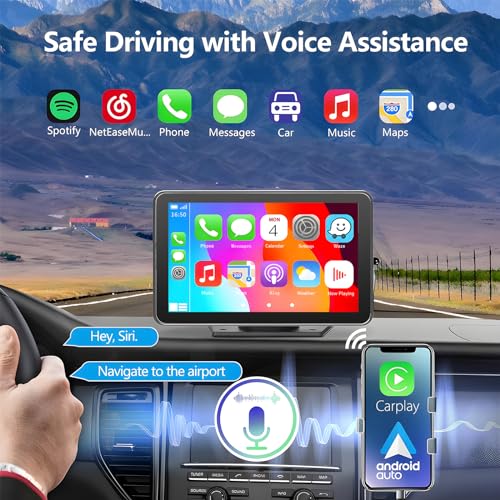
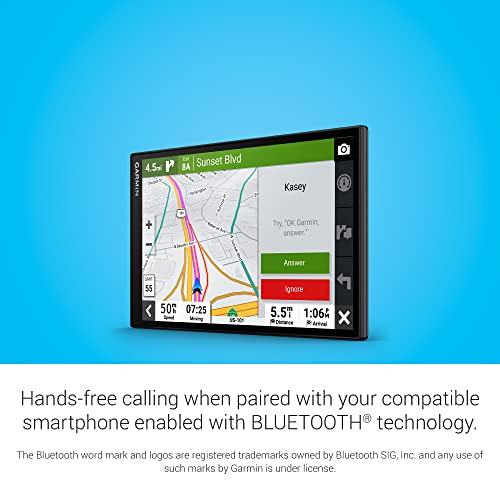
If you want phone-based maps, calls, texts, and music, confirm the exact connection path: wireless CarPlay, wired CarPlay, Android Auto, Bluetooth calling, screen mirroring, or a mix of these. Wireless convenience is valuable, but buyers should check whether the unit reconnects automatically, keeps audio in sync, and supports the phone ecosystem they actually use. Be cautious if Android Auto, mirroring, or Bluetooth audio is central to your use, because those modes can be more setup-dependent than basic CarPlay navigation. Owner sentiment supports this split: wireless CarPlay is often described as quick and reliable for everyday access to maps, music, and phone features, while Bluetooth, Android Auto use cases, and screen mirroring receive more inconsistent feedback depending on setup.
Screen Clarity
A navigation display has to be readable in motion, in sunlight, and at night without demanding long glances away from the road. Touch response and visual clarity affect both convenience and safety because every confusing tap or dim instruction adds driver workload.
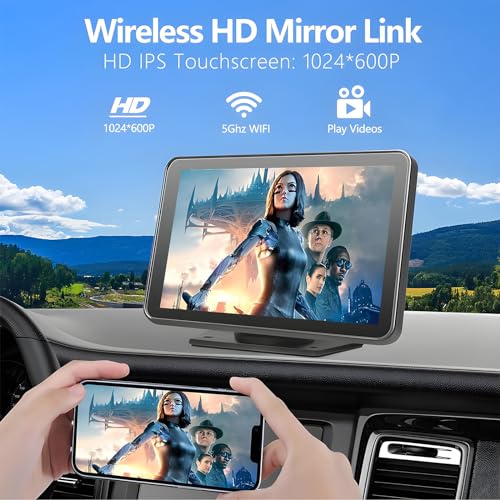
Choose a screen that is large and bright enough to read at a glance, but not so large that it blocks the windshield or distracts from driving. Look for responsive touch controls, clear day/night visibility, adjustable brightness, and a layout that keeps next turns, lanes, speed, and alerts legible without digging through menus. If camera features are included, check resolution, viewing angle, night performance, and whether backup-camera guidelines or dash-cam recording are handled clearly. Owners consistently like larger bright touchscreens and high-resolution camera footage, and screen size is a repeated reason people choose these systems; however, feedback is more mixed on screen quality details and related media/audio behavior.
Daily Usability
Navigation systems are used while the driver is busy, so simple operation is more important than complex customization. A unit that is easy to install but confusing to operate can still become frustrating during real driving.
Test how many steps it takes to start navigation, change volume, answer a call, switch inputs, and return to the map. Favor simple home screens, physical or persistent on-screen shortcuts, clear pairing steps, and settings that stay saved after the car powers off. Avoid systems with impressive feature lists but buried menus, inconsistent startup behavior, or confusing mode switching between GPS, phone projection, camera, and audio. Owner reports show why this matters: many buyers describe setup and everyday operation as straightforward or plug-and-play, but others find menus and functions difficult to figure out, with reliability and usability varying by setup.
Feature Value
In this category, value depends on how many real problems the unit solves in your specific vehicle. A cheaper or more feature-packed system is not automatically better if the core navigation, connection, or installation experience is compromised.
Compare the system as a bundle, not just as a navigator: phone projection, backup camera input, dash cam recording, Bluetooth, hands-free texting, and standalone maps may replace several separate upgrades. The best value comes when the included features match your vehicle’s gaps and work reliably together; avoid paying attention to bundled extras you will not wire, mount, or use. Camera and media features should not compensate for weak routing if navigation is your priority, but they can make a portable system a strong modernization upgrade for an older car. Owners often see strong value when one unit combines CarPlay-style access, dash cam, backup camera, Bluetooth, and navigation, and many describe these systems as worthwhile alternatives to buying separate upgrades or replacing the factory stereo.
1,000,000+ shoppers use Buyer's Guide every week to find the best products and services online.

Helping millions of users make smarter purchases online.


