Best Cable Modems Updated November 2026

Best Cable Modems
2026 Buyer's GuideUpdated November 2026
Sort by:
1

10.0

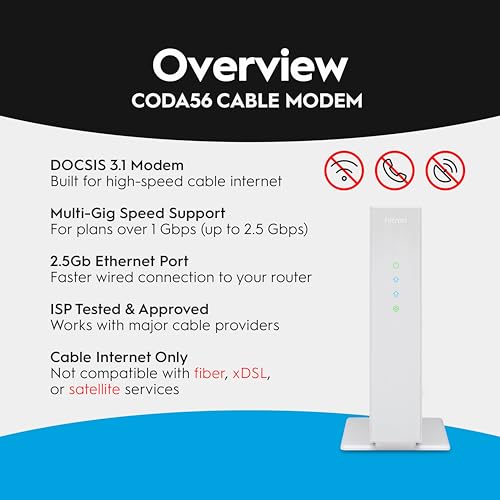
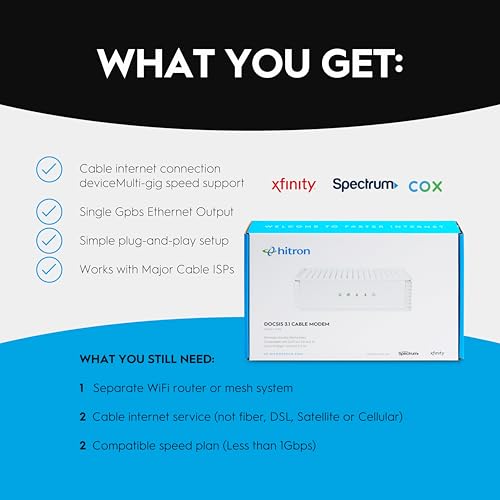
Hitron CODA56 Cable Internet Modem ONLY - DOCSIS 3.1 | 2.5 Gbps | NO WiFi - Requires Router | Xfinity/Spectrum/Cox Compatible |...
Speed: Up to 2.5Gbps
Ports: 1x 2.5 gigabit ethernet
Technology: DOCSIS 3.1
Voice: Not compatible with cable bundled voice services
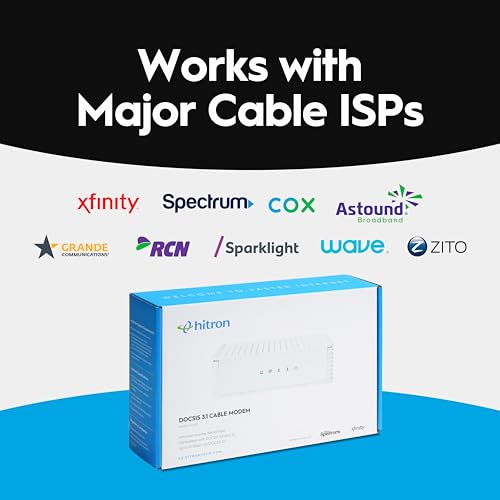
Compatibility: Xfinity, Spectrum, Cox, Astound, and other major providers

10.0

1
Hitron CODA56 Cable Internet Modem ONLY - DOCSIS 3.1 | 2.5 Gbps | NO WiFi - Requires Router | Xfinity/Spectrum/Cox Compatible |...
Speed: Up to 2.5Gbps
Ports: 1x 2.5 gigabit ethernet
Technology: DOCSIS 3.1
Voice: Not compatible with cable bundled voice services
Compatibility: Xfinity, Spectrum, Cox, Astound, and other major providers
2

9.8

NETGEAR Nighthawk DOCSIS 3.1 Modem Router Combo CAX30, WiFi 6, 2.7 Gbps | Multi-Gig, Reliable Performance, Guided Set Up, 4× Gi...
Speed: Up to 2 Gbps
Ports: 4 gigabit ethernet, 1 USB
Technology: DOCSIS 3.1 and 32x8 channel bonding
Voice: Not compatible with cable bundled voice services
Compatibility: Xfinity Comcast, Charter Spectrum, Cox, and other major providers
Compare

9.8

2
NETGEAR Nighthawk DOCSIS 3.1 Modem Router Combo CAX30, WiFi 6, 2.7 Gbps | Multi-Gig, Reliable Performance, Guided Set Up, 4× Gi...
Speed: Up to 2 Gbps
Ports: 4 gigabit ethernet, 1 USB
Technology: DOCSIS 3.1 and 32x8 channel bonding
Voice: Not compatible with cable bundled voice services
Compatibility: Xfinity Comcast, Charter Spectrum, Cox, and other major providers
3

9.6

Hitron CODA56 DOCSIS 3.1 Cable Modem ONLY (NOT Fiber) | 2.5 Gbps | NO WiFi/Voice/Router | Single Ethernet Port | Xfinity/Spectr...
Speed: Up to 2.5Gbps
Ports: 1 gigabit ethernet
Technology: DOCSIS 3.1
Voice: Not compatible with cable bundled voice services
Compatibility: Xfinity Comcast, Charter Spectrum, Cox, and other major providers
Compare

9.6

3
Hitron CODA56 DOCSIS 3.1 Cable Modem ONLY (NOT Fiber) | 2.5 Gbps | NO WiFi/Voice/Router | Single Ethernet Port | Xfinity/Spectr...
Speed: Up to 2.5Gbps
Ports: 1 gigabit ethernet
Technology: DOCSIS 3.1
Voice: Not compatible with cable bundled voice services
Compatibility: Xfinity Comcast, Charter Spectrum, Cox, and other major providers
4

9.2

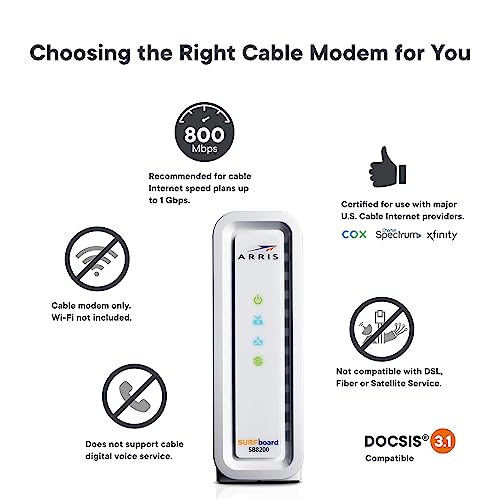
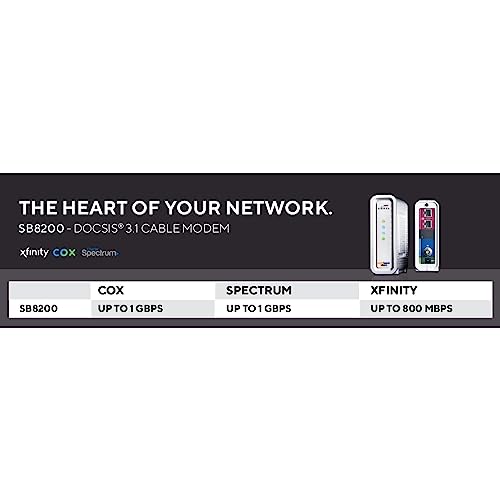
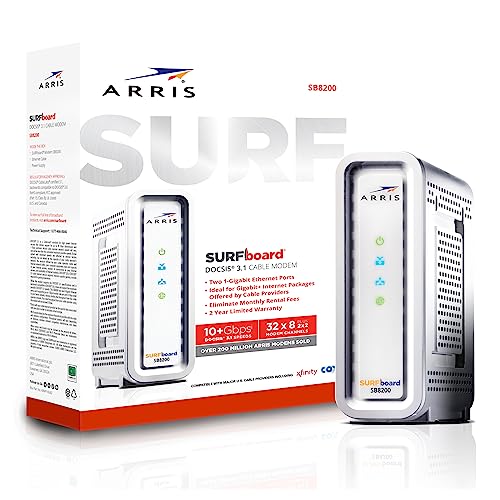
ARRIS SURFboard SB8200 DOCSIS 3.1 Cable Modem | Up to 1 Gbps Plans | Two 1 GbE ports deliver up to 2 Gbps wired aggregate; work...
Speed: Up to 6.8Gbps
Ports: 2 gigabit ethernet
Technology: DOCSIS 3.1 and 32x8 channel bonding
Voice: Not compatible with cable bundled voice services
Compatibility: Xfinity Comcast, Charter Spectrum, Cox and other major providers
Compare

9.2

4
ARRIS SURFboard SB8200 DOCSIS 3.1 Cable Modem | Up to 1 Gbps Plans | Two 1 GbE ports deliver up to 2 Gbps wired aggregate; work...
Speed: Up to 6.8Gbps
Ports: 2 gigabit ethernet
Technology: DOCSIS 3.1 and 32x8 channel bonding
Voice: Not compatible with cable bundled voice services
Compatibility: Xfinity Comcast, Charter Spectrum, Cox and other major providers
5

9.0

ARRIS (SB8200-RB) - Cable Modem - Fast DOCSIS 3.1 32x8 Gigabit Cable Modem , Approved for Comcast Xfinity, Cox, Charter Spectru...
Speed: Up to 1 Gbps
Ports: 2 gigabit ethernet
Technology: DOCSIS 3.1 and 32x8 channel bonding
Voice: Not compatible with cable bundled voice services
Compatibility: Xfinity Comcast, Charter Spectrum, Cox, and other major providers
Compare

9.0

5
ARRIS (SB8200-RB) - Cable Modem - Fast DOCSIS 3.1 32x8 Gigabit Cable Modem , Approved for Comcast Xfinity, Cox, Charter Spectru...
Speed: Up to 1 Gbps
Ports: 2 gigabit ethernet
Technology: DOCSIS 3.1 and 32x8 channel bonding
Voice: Not compatible with cable bundled voice services
Compatibility: Xfinity Comcast, Charter Spectrum, Cox, and other major providers
6

8.8

NETGEAR Nighthawk Cable Modem CM1200 - Compatible with All Cable Providers Including Xfinity by Comcast, Spectrum, Cox | for Pl...
Speed: Up to 2000 Mbps
Ports: 1 gigabit ethernet
Technology: DOCSIS 3.1 with 32x8 channel bonding
Voice: Not compatible with cable bundled voice services
Compatibility: Xfinity Comcast, Charter Spectrum, Cox, and other major providers
Compare

8.8

6
NETGEAR Nighthawk Cable Modem CM1200 - Compatible with All Cable Providers Including Xfinity by Comcast, Spectrum, Cox | for Pl...
Speed: Up to 2000 Mbps
Ports: 1 gigabit ethernet
Technology: DOCSIS 3.1 with 32x8 channel bonding
Voice: Not compatible with cable bundled voice services
Compatibility: Xfinity Comcast, Charter Spectrum, Cox, and other major providers
7

8.7

NETGEAR Nighthawk DOCSIS 3.1 Cable Modem CM2500, 2 Gbps, Modem Only | Multi-Gig, Reliable Performance, Guided Set Up, 2× Gigabi...
Speed: Up to 2Gbps
Ports: 2 gigabit ethernet
Technology: DOCSIS 3.1
Voice: Not compatible with cable bundled voice services
Compatibility: Xfinity, Spectrum, Cox, and other major providers
Compare

8.7

7
NETGEAR Nighthawk DOCSIS 3.1 Cable Modem CM2500, 2 Gbps, Modem Only | Multi-Gig, Reliable Performance, Guided Set Up, 2× Gigabi...
Speed: Up to 2Gbps
Ports: 2 gigabit ethernet
Technology: DOCSIS 3.1
Voice: Not compatible with cable bundled voice services
Compatibility: Xfinity, Spectrum, Cox, and other major providers
Compare
8

8.6

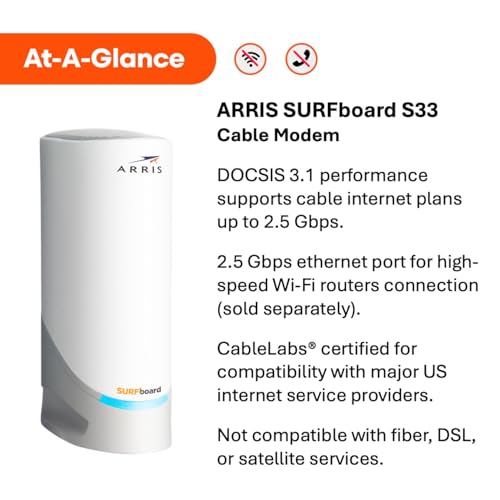
ARRIS Surfboard S33 DOCSIS 3.1 Multi-Gig Cable Modem | Up to 2.5 Gbps | One 2.5 GbE + one 1 GbE port; ideal for Xfinity, Cox, S...
Speed: Up to 2.5Gbps
Ports: 1 2.5 gigabit ethernet, 1 gigabit ethernet
Technology: DOCSIS 3.1
Voice: No
Compatibility: Xfinity Comcast, Charter Spectrum, Cox
Compare

8.6

8
ARRIS Surfboard S33 DOCSIS 3.1 Multi-Gig Cable Modem | Up to 2.5 Gbps | One 2.5 GbE + one 1 GbE port; ideal for Xfinity, Cox, S...
Speed: Up to 2.5Gbps
Ports: 1 2.5 gigabit ethernet, 1 gigabit ethernet
Technology: DOCSIS 3.1
Voice: No
Compatibility: Xfinity Comcast, Charter Spectrum, Cox
Compare
9

8.4

Hitron CODA DOCSIS 3.1 - Cable Internet ONLY (NOT Compatible with Fiber/DSL) | Up to 1 Gbps Cable Modem | Requires WiFi Router ...
Speed: Up to 1Gbps
Ports: 2 gigabit ethernet
Technology: DOCSIS 3.1 and 32x8 channel bonding
Voice: Not compatible with cable bundled voice services
Compatibility: Xfinity Comcast, Charter Spectrum, Cox, and other major providers
Compare

8.4

9
Hitron CODA DOCSIS 3.1 - Cable Internet ONLY (NOT Compatible with Fiber/DSL) | Up to 1 Gbps Cable Modem | Requires WiFi Router ...
Speed: Up to 1Gbps
Ports: 2 gigabit ethernet
Technology: DOCSIS 3.1 and 32x8 channel bonding
Voice: Not compatible with cable bundled voice services
Compatibility: Xfinity Comcast, Charter Spectrum, Cox, and other major providers
10

8.3

NETGEAR Cable Modem DOCSIS 3.0 (CM500) Compatible with Major Cable Providers Including Xfinity, Cox, for Plans Up to 400 Mbps
Speed: Up to 400 Mbps
Ports: 1 gigabit ethernet
Technology: DOCSIS 3.0 with 16 x 4 channel bonding
Voice: Not compatible with cable bundled voice services
Compatibility: Xfinity Comcast, Charter Spectrum, Cox, and other major providers
Compare

8.3

10
NETGEAR Cable Modem DOCSIS 3.0 (CM500) Compatible with Major Cable Providers Including Xfinity, Cox, for Plans Up to 400 Mbps
Speed: Up to 400 Mbps
Ports: 1 gigabit ethernet
Technology: DOCSIS 3.0 with 16 x 4 channel bonding
Voice: Not compatible with cable bundled voice services
Compatibility: Xfinity Comcast, Charter Spectrum, Cox, and other major providers
Compare
We also considered 10 others:

Our Top Choice

1

10.0

Hitron CODA56 Cable Internet Modem ONLY - DOCSIS 3.1 | 2.5 Gbps | NO WiFi - Requires Router | Xfinity/Spectrum/Cox Compatible |...
Speed: Up to 2.5Gbps
Ports: 1x 2.5 gigabit ethernet
Technology: DOCSIS 3.1
Voice: Not compatible with cable bundled voice services
Compatibility: Xfinity, Spectrum, Cox, Astound, and other major providers

10.0

1
Hitron CODA56 Cable Internet Modem ONLY - DOCSIS 3.1 | 2.5 Gbps | NO WiFi - Requires Router | Xfinity/Spectrum/Cox Compatible |...
Speed: Up to 2.5Gbps
Ports: 1x 2.5 gigabit ethernet
Technology: DOCSIS 3.1
Voice: Not compatible with cable bundled voice services
Compatibility: Xfinity, Spectrum, Cox, Astound, and other major providers

Compare Features

Compatibility
Best Cable Modem
1. Hitron CODA56 Cable Internet Modem
HITRON Preview HITRON Preview
HITRON
at Amazon
Premium Pick
2. Netgear Nighthawk Modem Router Combo (CAX30)
NETGEAR Preview NETGEAR Preview
NETGEAR
at Amazon
Cyber Monday Deal
3. Hitron CODA56 DOCSIS 3.1 Modem
HITRON Preview HITRON Preview
HITRON
at Amazon
4. Arris SURFboard SB8200 Cable Modem
ARRIS Preview ARRIS Preview
ARRIS
at Amazon
5. Arris SURFboard SB8200-RB Cable Modem (Renewed)
ARRIS Preview ARRIS Preview
ARRIS
at Amazon
6. Netgear CM1200 Nighthawk Cable Modem
NETGEAR Preview NETGEAR Preview
NETGEAR
at Amazon
7. NETGEAR Nighthawk DOCSIS 3.1 Cable Modem CM2500, 2 Gbps, Modem Only | Multi-Gig, Reliable Performance, Guided Set Up, 2× Gigabi...
NETGEAR Preview NETGEAR Preview
NETGEAR
at Amazon
8. ARRIS Surfboard S33 DOCSIS 3.1 Multi-Gig Cable Modem | Up to 2.5 Gbps | One 2.5 GbE + one 1 GbE port; ideal for Xfinity, Cox, S...
ARRIS Preview ARRIS Preview
ARRIS
at Amazon
9. Hitron CODA DOCSIS 3.1 Modem
HITRON Preview HITRON Preview
HITRON
at Amazon
Best Value
10. Netgear CM500 Cable Modem
NETGEAR Preview NETGEAR Preview
NETGEAR
at Amazon
Deal
— -23% -15% — -47% — — — -15% —
Deal — -23% -15% — -47% — — — -15% —
Speed
Up to 2.5Gbps Up to 2 Gbps Up to 2.5Gbps Up to 6.8Gbps Up to 1 Gbps Up to 2000 Mbps Up to 2Gbps Up to 2.5Gbps Up to 1Gbps Up to 400 Mbps
Speed
Up to 2.5Gbps Up to 2 Gbps Up to 2.5Gbps Up to 6.8Gbps Up to 1 Gbps Up to 2000 Mbps Up to 2Gbps Up to 2.5Gbps Up to 1Gbps Up to 400 Mbps
Ports
1x 2.5 gigabit ethernet 4 gigabit ethernet, 1 USB 1 gigabit ethernet 2 gigabit ethernet 2 gigabit ethernet 1 gigabit ethernet 2 gigabit ethernet 1 2.5 gigabit ethernet, 1 gigabit ethernet 2 gigabit ethernet 1 gigabit ethernet
Ports
1x 2.5 gigabit ethernet 4 gigabit ethernet, 1 USB 1 gigabit ethernet 2 gigabit ethernet 2 gigabit ethernet 1 gigabit ethernet 2 gigabit ethernet 1 2.5 gigabit ethernet, 1 gigabit ethernet 2 gigabit ethernet 1 gigabit ethernet
Technology
DOCSIS 3.1 DOCSIS 3.1 and 32x8 channel bonding DOCSIS 3.1 DOCSIS 3.1 and 32x8 channel bonding DOCSIS 3.1 and 32x8 channel bonding DOCSIS 3.1 with 32x8 channel bonding DOCSIS 3.1 DOCSIS 3.1 DOCSIS 3.1 and 32x8 channel bonding DOCSIS 3.0 with 16 x 4 channel bonding
Technology
DOCSIS 3.1 DOCSIS 3.1 and 32x8 channel bonding DOCSIS 3.1 DOCSIS 3.1 and 32x8 channel bonding DOCSIS 3.1 and 32x8 channel bonding DOCSIS 3.1 with 32x8 channel bonding DOCSIS 3.1 DOCSIS 3.1 DOCSIS 3.1 and 32x8 channel bonding DOCSIS 3.0 with 16 x 4 channel bonding
Voice
Not compatible with cable bundled voice services Not compatible with cable bundled voice services Not compatible with cable bundled voice services Not compatible with cable bundled voice services Not compatible with cable bundled voice services Not compatible with cable bundled voice services Not compatible with cable bundled voice services No Not compatible with cable bundled voice services Not compatible with cable bundled voice services
Compatibility
Xfinity, Spectrum, Cox, Astound, and other major providers Xfinity Comcast, Charter Spectrum, Cox, and other major providers Xfinity Comcast, Charter Spectrum, Cox, and other major providers Xfinity Comcast, Charter Spectrum, Cox and other major providers Xfinity Comcast, Charter Spectrum, Cox, and other major providers Xfinity Comcast, Charter Spectrum, Cox, and other major providers Xfinity, Spectrum, Cox, and other major providers Xfinity Comcast, Charter Spectrum, Cox Xfinity Comcast, Charter Spectrum, Cox, and other major providers Xfinity Comcast, Charter Spectrum, Cox, and other major providers
How we rank

The order above is not editorial opinion, and it is not paid placement. It comes from what shoppers across our network actually do - which cable modems they compare, and which they ultimately buy. We re-rank as new data comes in, so the long-term favorites have to keep earning their spot against new entrants. The full method, including how we make money.

Cable Modems Buyer's Guide

Buying your own cable modem is a tradeoff: you can stop renting cable-company gear and unlock the speeds your plan already includes, but you also take on compatibility, activation, and signal troubleshooting. The two checks that matter most are whether the exact model is approved for your provider and speed tier, and whether its DOCSIS generation, Ethernet port, and channel support match the service you expect to use.

Speed

Speed matters because your modem has to support the download and upload rates in your internet plan, or it can become the bottleneck even when the rest of your network is capable. Look for a modem rated comfortably above your plan’s advertised speeds and pay attention to both downstream and upstream capability, since video calls, cloud backups, gaming, and multiple users can expose weak upload or real-world throughput limits.

Match the modem to the plan, not just the headline speed: gigabit and multi-gig cable service generally calls for DOCSIS 3.1 and at least a 2.5 Gb Ethernet port if you want to see more than roughly 940 Mbps on a wired device, while many mid-tier plans can still be served well by a capable DOCSIS 3.0 model. Also remember that a modem alone will not improve Wi-Fi; whole-home throughput depends on the separate router or mesh system connected to it. Owner feedback supports this: shoppers often report major speed gains after replacing older DOCSIS 3.0 or rented units, with many finally reaching the download rates their plans advertise, especially when paired with a capable router.

Reliability

You want a cable modem that can stay online for long stretches without random drops, overheating, or needing frequent reboots, because reliability directly affects everything from video calls to streaming and smart-home devices. Look for signs of solid durability such as consistent owner feedback over long-term use, good ventilation, stable performance under heavy traffic, and a low pattern of failure or defect complaints.

For reliability, prioritize a modem known to stay cool, recover cleanly after outages, and maintain stable signal levels on your provider’s network; avoid units with a reputation for repeated reboots, unexplained resets, or early failure. Cable modems are sensitive to coax conditions, splitters, and downstream/upstream power levels, so a “bad modem” experience can sometimes be a line-quality issue that still requires provider support. Owner sentiment is mostly positive for long-term steady service under streaming, gaming, and upload-heavy use, but there are meaningful cautions about some units needing intervention, failing sooner than expected, or suffering signal-related interruptions.

Connectivity

Reliable connectivity matters because your cable modem is the link between your home network and your internet provider, so poor signal quality can show up as dropouts, slowdowns, or devices that won’t stay online. Look for a modem that matches your provider’s service requirements and supports the speeds you pay for, and watch for signs of weak signal strength such as frequent resets or inconsistent performance. If you need Wi-Fi coverage, remember that range and Wi-Fi signal strength depend on the router or gateway, not a standalone modem alone.

Check the physical and service connectivity details before buying: you need a cable modem for coax internet, not fiber or DSL; a modem-only unit needs a separate router for Wi-Fi; a combo unit should have enough LAN ports and Wi-Fi capacity for the household; and voice service requires a model with phone support if your provider uses the modem for landline calling. If you use VPNs, video meetings, cloud backups, or online gaming, treat intermittent dropouts as a serious failure mode, not a minor annoyance. Owner reports back this up: many households run multiple devices smoothly, but connectivity complaints often involve drops long enough to interrupt VPNs, video calls, basic service, or repeated power-cycling during activation and use.

Setup

A cable modem that’s easy to set up can save you time and reduce the need for support calls, especially during activation with your internet provider. Look for clear instructions, simple status lights, and compatibility with your service plan, and watch out for modems that require complicated provisioning or extra steps to get online.

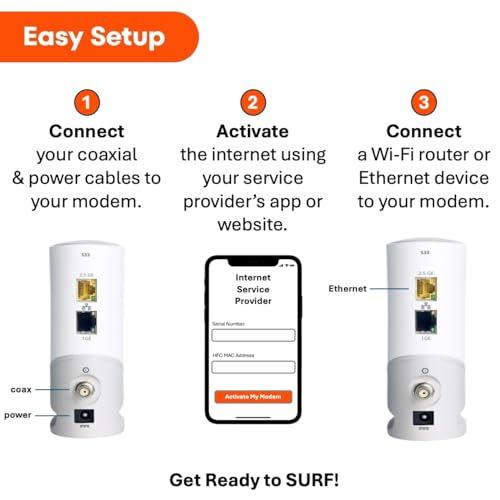
Before setup, confirm the model appears on your provider’s approved-device list for your exact speed tier, then be ready with the modem’s serial number and cable MAC address for activation. Plan for a direct coax connection during provisioning, remove unnecessary splitters if signal is weak, and reboot the modem and router in the right order after activation; if replacing a rented gateway, make sure the old device is removed from the account. Owner feedback suggests setup is often straightforward once the provider registers the device, with many installations handled through an app or brief activation process, but provider provisioning remains the step that determines whether “plug-and-play” actually works.

Value

A cable modem’s value comes down to how quickly it can offset rental fees while still meeting your speed, reliability, and service-compatibility needs. Look for a cost-effective model that supports your internet plan without overpaying for capabilities you can’t use, and watch out for older or unsupported modems that may cost less upfront but limit performance or require replacement sooner.

The value calculation should include more than avoiding rental fees: buy only enough modem for your current plan and likely upgrade path, because overspending on multi-gig features is wasted if your provider will not provision those speeds or your router only has gigabit ports. Conversely, buying too low can force another replacement when moving to gigabit service or when the provider phases out older DOCSIS support. Owners commonly describe strong value when a purchased modem replaces rental equipment and delivers the speed already being paid for, especially when it avoids an unnecessary jump to a more advanced setup.

Quality

You want a cable modem that reliably delivers the speeds and features your internet plan requires without frequent dropouts, overheating, or setup headaches. Look for solid build quality, dependable day-to-day functionality, compatibility with your provider, and enough performance headroom for your home use, especially if multiple people stream, game, or work online. Watch out for modems that meet only the bare minimum specs, since they may struggle as your household’s needs grow.

Judge quality by cable-modem-specific traits: stable firmware approved by the provider, good thermal design, durable coax and Ethernet ports, clear status lights for troubleshooting, and consistent performance during peak neighborhood usage. For combo modem-router units, also evaluate the router side separately—Wi-Fi coverage, device capacity, security updates, and whether bridge mode is available if you later add a better router. Owner sentiment is broadly favorable on overall quality, with many describing stronger signal performance, advertised speeds, and a clear improvement over older provider-supplied or DOCSIS 3.0 equipment, though those positives depend on correct provisioning and a healthy coax line.