

Best Modems Updated November 2026

Best Modems
2026 Buyer's GuideUpdated November 2026
Sort by:
1

10.0

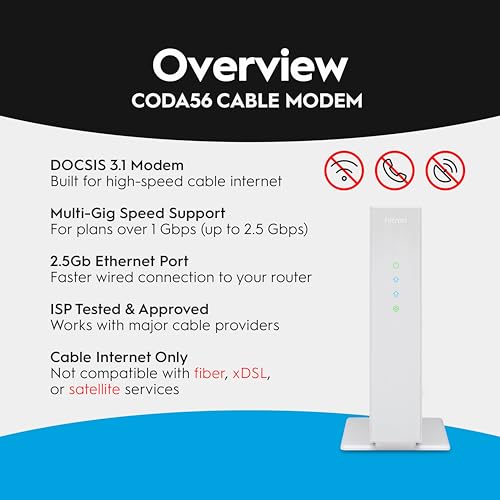
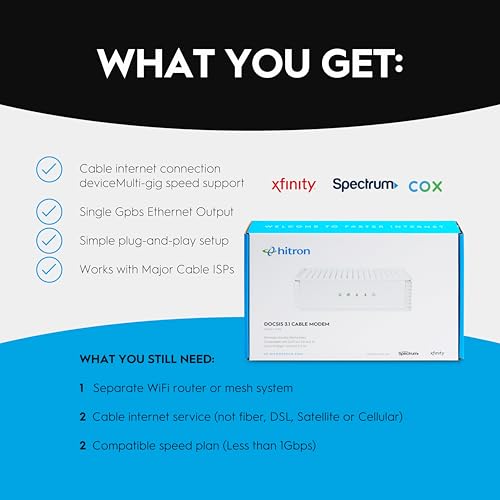
Hitron CODA56 Cable Internet Modem ONLY - DOCSIS 3.1 | 2.5 Gbps | NO WiFi - Requires Router | Xfinity/Spectrum/Cox Compatible |...
Speed: Up to 2.5Gbps
Ports: 1x 2.5 gigabit ethernet
Technology: DOCSIS 3.1
Voice: Not compatible with cable bundled voice services
Compatibility: Xfinity, Spectrum, Cox, Astound, and other major providers

10.0

1
Hitron CODA56 Cable Internet Modem ONLY - DOCSIS 3.1 | 2.5 Gbps | NO WiFi - Requires Router | Xfinity/Spectrum/Cox Compatible |...
Speed: Up to 2.5Gbps
Ports: 1x 2.5 gigabit ethernet
Technology: DOCSIS 3.1
Voice: Not compatible with cable bundled voice services
Compatibility: Xfinity, Spectrum, Cox, Astound, and other major providers
2

9.8

NETGEAR Nighthawk DOCSIS 3.1 Modem Router Combo CAX30, WiFi 6, 2.7 Gbps | Multi-Gig, Reliable Performance, Guided Set Up, 4× Gi...
Speed: Up to 2 Gbps
Ports: 4 gigabit ethernet, 1 USB
Technology: DOCSIS 3.1 and 32x8 channel bonding
Voice: Not compatible with cable bundled voice services
Compatibility: Xfinity Comcast, Charter Spectrum, Cox, and other major providers
Compare

9.8

2
NETGEAR Nighthawk DOCSIS 3.1 Modem Router Combo CAX30, WiFi 6, 2.7 Gbps | Multi-Gig, Reliable Performance, Guided Set Up, 4× Gi...
Speed: Up to 2 Gbps
Ports: 4 gigabit ethernet, 1 USB
Technology: DOCSIS 3.1 and 32x8 channel bonding
Voice: Not compatible with cable bundled voice services
Compatibility: Xfinity Comcast, Charter Spectrum, Cox, and other major providers
3

9.5

TP-Link BE6500 Dual-Band WiFi 7 Router (BE400) | Dual 2.5Gbps Ports, USB 3.0, Covers up to 2,400 sq. ft., 90 Devices, Quad-Core...
Ports: 2x 2.5G Ports + 3x Gigabit Ports
Technology: Wi‑Fi 7 dual-band, up to 5764 Mbps + 688 Mbps
Voice: Voice not supported
Compatibility: Gaming consoles, PCs, security cameras, smart TVs, smartphones
Compare

9.5

3
TP-Link BE6500 Dual-Band WiFi 7 Router (BE400) | Dual 2.5Gbps Ports, USB 3.0, Covers up to 2,400 sq. ft., 90 Devices, Quad-Core...
Ports: 2x 2.5G Ports + 3x Gigabit Ports
Technology: Wi‑Fi 7 dual-band, up to 5764 Mbps + 688 Mbps
Voice: Voice not supported
Compatibility: Gaming consoles, PCs, security cameras, smart TVs, smartphones
4

9.4

NETGEAR Nighthawk WiFi 6 Router R6700AX, Up to 1,500 sq ft, 1.8 Gbps | Reliable Performance, Easy Set Up, 20 devices, 4× Gigabi...
Speed: Up to 1.8 Gbps
Ports: 4 gigabit ethernet
Technology: WiFi 6 AX1800 dual-band
Voice: No
Compatibility: Cable, fiber, DSL, and satellite ISPs
Compare

9.4

4
NETGEAR Nighthawk WiFi 6 Router R6700AX, Up to 1,500 sq ft, 1.8 Gbps | Reliable Performance, Easy Set Up, 20 devices, 4× Gigabi...
Speed: Up to 1.8 Gbps
Ports: 4 gigabit ethernet
Technology: WiFi 6 AX1800 dual-band
Voice: No
Compatibility: Cable, fiber, DSL, and satellite ISPs
Compare
5

9.3

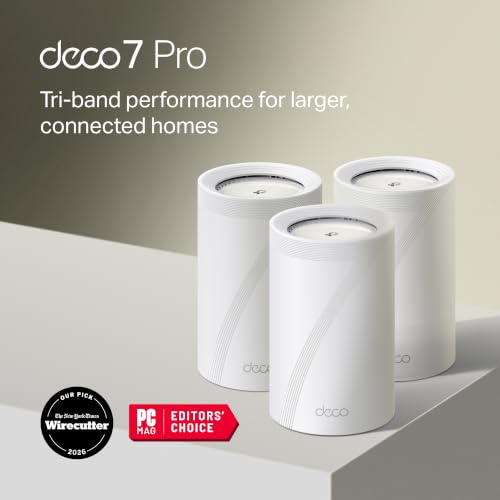
Deco 7 Pro Tri-Band WiFi 7 BE10000 Whole Home Mesh System 6-Stream 10 Gbps | 4 x 2.5G Ports Wired Backhaul, 4 x Smart Internal ...
Speed: Up to 10Gbps
Ports: 4 2.5G ethernet, 1 USB 3.0
Technology: Wi‑Fi 7 tri-band mesh
Voice: Voice control
Compatibility: All Wi‑Fi generations, any ISP with modem
Compare

9.3

5
Deco 7 Pro Tri-Band WiFi 7 BE10000 Whole Home Mesh System 6-Stream 10 Gbps | 4 x 2.5G Ports Wired Backhaul, 4 x Smart Internal ...
Speed: Up to 10Gbps
Ports: 4 2.5G ethernet, 1 USB 3.0
Technology: Wi‑Fi 7 tri-band mesh
Voice: Voice control
Compatibility: All Wi‑Fi generations, any ISP with modem
6

9.1

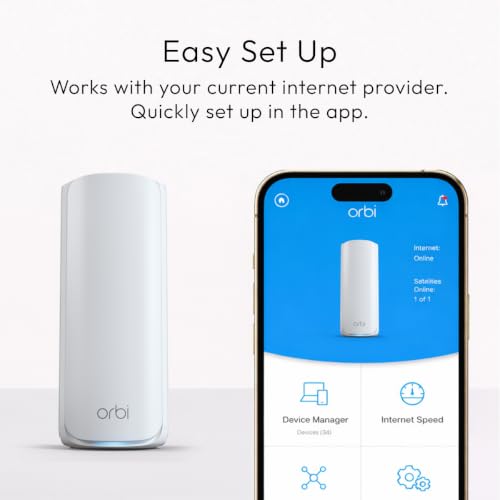
NETGEAR Orbi 770 Series WiFi 7 Mesh System, Up to 8,000 sq ft., 3 Pack | Up to 11 Gbps, 100 Devices, Easy Set Up, Tri-Band, Sec...
Speed: Up to 11 Gbps
Ports: 7 ports, 2.5 gigabit ethernet
Technology: Wi‑Fi 7, tri-band, 802.11be mesh
Voice: No
Compatibility: Cable or fiber internet providers via existing modem
Compare

9.1

6
NETGEAR Orbi 770 Series WiFi 7 Mesh System, Up to 8,000 sq ft., 3 Pack | Up to 11 Gbps, 100 Devices, Easy Set Up, Tri-Band, Sec...
Speed: Up to 11 Gbps
Ports: 7 ports, 2.5 gigabit ethernet
Technology: Wi‑Fi 7, tri-band, 802.11be mesh
Voice: No
Compatibility: Cable or fiber internet providers via existing modem
7

9.0

Hitron CODA56 DOCSIS 3.1 Cable Modem ONLY (NOT Fiber) | 2.5 Gbps | NO WiFi/Voice/Router | Single Ethernet Port | Xfinity/Spectr...
Speed: Up to 2.5Gbps
Ports: 1 gigabit ethernet
Technology: DOCSIS 3.1
Voice: Not compatible with cable bundled voice services
Compatibility: Xfinity Comcast, Charter Spectrum, Cox, and other major providers
Compare

9.0

7
Hitron CODA56 DOCSIS 3.1 Cable Modem ONLY (NOT Fiber) | 2.5 Gbps | NO WiFi/Voice/Router | Single Ethernet Port | Xfinity/Spectr...
Speed: Up to 2.5Gbps
Ports: 1 gigabit ethernet
Technology: DOCSIS 3.1
Voice: Not compatible with cable bundled voice services
Compatibility: Xfinity Comcast, Charter Spectrum, Cox, and other major providers
8

8.6

ARRIS SURFboard SB8200 DOCSIS 3.1 Cable Modem | Up to 1 Gbps Plans | Two 1 GbE ports deliver up to 2 Gbps wired aggregate; work...
Speed: Up to 6.8Gbps
Ports: 2 gigabit ethernet
Technology: DOCSIS 3.1 and 32x8 channel bonding
Voice: Not compatible with cable bundled voice services
Compatibility: Xfinity Comcast, Charter Spectrum, Cox and other major providers
Compare

8.6

8
ARRIS SURFboard SB8200 DOCSIS 3.1 Cable Modem | Up to 1 Gbps Plans | Two 1 GbE ports deliver up to 2 Gbps wired aggregate; work...
Speed: Up to 6.8Gbps
Ports: 2 gigabit ethernet
Technology: DOCSIS 3.1 and 32x8 channel bonding
Voice: Not compatible with cable bundled voice services
Compatibility: Xfinity Comcast, Charter Spectrum, Cox and other major providers
9

8.4

NETGEAR Nighthawk DOCSIS 3.1 Cable Modem CM2500, 2 Gbps, Modem Only | Multi-Gig, Reliable Performance, Guided Set Up, 2× Gigabi...
Speed: Up to 2Gbps
Ports: 2 gigabit ethernet
Technology: DOCSIS 3.1
Voice: Not compatible with cable bundled voice services
Compatibility: Xfinity, Spectrum, Cox, and other major providers
Compare

8.4

9
NETGEAR Nighthawk DOCSIS 3.1 Cable Modem CM2500, 2 Gbps, Modem Only | Multi-Gig, Reliable Performance, Guided Set Up, 2× Gigabi...
Speed: Up to 2Gbps
Ports: 2 gigabit ethernet
Technology: DOCSIS 3.1
Voice: Not compatible with cable bundled voice services
Compatibility: Xfinity, Spectrum, Cox, and other major providers
Compare
10

8.2

Hitron CODA DOCSIS 3.1 - Cable Internet ONLY (NOT Compatible with Fiber/DSL) | Up to 1 Gbps Cable Modem | Requires WiFi Router ...
Speed: Up to 1Gbps
Ports: 2 gigabit ethernet
Technology: DOCSIS 3.1 and 32x8 channel bonding
Voice: Not compatible with cable bundled voice services
Compatibility: Xfinity Comcast, Charter Spectrum, Cox, and other major providers
Compare

8.2

10
Hitron CODA DOCSIS 3.1 - Cable Internet ONLY (NOT Compatible with Fiber/DSL) | Up to 1 Gbps Cable Modem | Requires WiFi Router ...
Speed: Up to 1Gbps
Ports: 2 gigabit ethernet
Technology: DOCSIS 3.1 and 32x8 channel bonding
Voice: Not compatible with cable bundled voice services
Compatibility: Xfinity Comcast, Charter Spectrum, Cox, and other major providers

Our Top Choice

1

10.0

Hitron CODA56 Cable Internet Modem ONLY - DOCSIS 3.1 | 2.5 Gbps | NO WiFi - Requires Router | Xfinity/Spectrum/Cox Compatible |...
Speed: Up to 2.5Gbps
Ports: 1x 2.5 gigabit ethernet
Technology: DOCSIS 3.1
Voice: Not compatible with cable bundled voice services
Compatibility: Xfinity, Spectrum, Cox, Astound, and other major providers

10.0

1
Hitron CODA56 Cable Internet Modem ONLY - DOCSIS 3.1 | 2.5 Gbps | NO WiFi - Requires Router | Xfinity/Spectrum/Cox Compatible |...
Speed: Up to 2.5Gbps
Ports: 1x 2.5 gigabit ethernet
Technology: DOCSIS 3.1
Voice: Not compatible with cable bundled voice services
Compatibility: Xfinity, Spectrum, Cox, Astound, and other major providers

Compare Features

Compatibility
Best Modem
1. Hitron CODA56 Cable Internet Modem
HITRON Preview HITRON Preview
HITRON
at Amazon
Popular
2. Netgear Nighthawk Modem Router Combo (CAX30)
NETGEAR Preview NETGEAR Preview
NETGEAR
at Amazon
Cyber Monday Deal
3. TP-Link Archer BE6500 Dual-Band Wi-Fi 7 Router
TP-LINK Preview TP-LINK Preview
TP-LINK
at Amazon
Best Value
4. NETGEAR WiFi 6 Router (R6700AX)
NETGEAR Preview NETGEAR Preview
NETGEAR
at Amazon
5. TP-Link Whole Home Mesh System (Deco BE63)
TP-LINK Preview TP-LINK Preview
TP-LINK
at Amazon
Premium Pick
6. Netgear Orbi 770 Series Wi-Fi 7 Mesh System
NETGEAR Preview NETGEAR Preview
NETGEAR
at Amazon
7. Hitron CODA56 DOCSIS 3.1 Modem
HITRON Preview HITRON Preview
HITRON
at Amazon
8. Arris SURFboard SB8200 Cable Modem
ARRIS Preview ARRIS Preview
ARRIS
at Amazon
9. NETGEAR Nighthawk DOCSIS 3.1 Cable Modem CM2500, 2 Gbps, Modem Only | Multi-Gig, Reliable Performance, Guided Set Up, 2× Gigabi...
NETGEAR Preview NETGEAR Preview
NETGEAR
at Amazon
10. Hitron CODA DOCSIS 3.1 Modem
HITRON Preview HITRON Preview
HITRON
at Amazon
Deal
— -23% -32% -25% -21% -19% -15% — — -15%
Deal — -23% -32% -25% -21% -19% -15% — — -15%
Speed
Up to 2.5Gbps Up to 2 Gbps Up to 1.8 Gbps Up to 10Gbps Up to 11 Gbps Up to 2.5Gbps Up to 6.8Gbps Up to 2Gbps Up to 1Gbps
Speed
Up to 2.5Gbps Up to 2 Gbps Up to 1.8 Gbps Up to 10Gbps Up to 11 Gbps Up to 2.5Gbps Up to 6.8Gbps Up to 2Gbps Up to 1Gbps
Ports
1x 2.5 gigabit ethernet 4 gigabit ethernet, 1 USB 2x 2.5G Ports + 3x Gigabit Ports 4 gigabit ethernet 4 2.5G ethernet, 1 USB 3.0 7 ports, 2.5 gigabit ethernet 1 gigabit ethernet 2 gigabit ethernet 2 gigabit ethernet 2 gigabit ethernet
Ports
1x 2.5 gigabit ethernet 4 gigabit ethernet, 1 USB 2x 2.5G Ports + 3x Gigabit Ports 4 gigabit ethernet 4 2.5G ethernet, 1 USB 3.0 7 ports, 2.5 gigabit ethernet 1 gigabit ethernet 2 gigabit ethernet 2 gigabit ethernet 2 gigabit ethernet
Technology
DOCSIS 3.1 DOCSIS 3.1 and 32x8 channel bonding Wi‑Fi 7 dual-band, up to 5764 Mbps + 688 Mbps WiFi 6 AX1800 dual-band Wi‑Fi 7 tri-band mesh Wi‑Fi 7, tri-band, 802.11be mesh DOCSIS 3.1 DOCSIS 3.1 and 32x8 channel bonding DOCSIS 3.1 DOCSIS 3.1 and 32x8 channel bonding
Technology
DOCSIS 3.1 DOCSIS 3.1 and 32x8 channel bonding Wi‑Fi 7 dual-band, up to 5764 Mbps + 688 Mbps WiFi 6 AX1800 dual-band Wi‑Fi 7 tri-band mesh Wi‑Fi 7, tri-band, 802.11be mesh DOCSIS 3.1 DOCSIS 3.1 and 32x8 channel bonding DOCSIS 3.1 DOCSIS 3.1 and 32x8 channel bonding
Voice
Not compatible with cable bundled voice services Not compatible with cable bundled voice services Voice not supported No Voice control No Not compatible with cable bundled voice services Not compatible with cable bundled voice services Not compatible with cable bundled voice services Not compatible with cable bundled voice services
Compatibility
Xfinity, Spectrum, Cox, Astound, and other major providers Xfinity Comcast, Charter Spectrum, Cox, and other major providers Gaming consoles, PCs, security cameras, smart TVs, smartphones Cable, fiber, DSL, and satellite ISPs All Wi‑Fi generations, any ISP with modem Cable or fiber internet providers via existing modem Xfinity Comcast, Charter Spectrum, Cox, and other major providers Xfinity Comcast, Charter Spectrum, Cox and other major providers Xfinity, Spectrum, Cox, and other major providers Xfinity Comcast, Charter Spectrum, Cox, and other major providers
How we rank

The order above is not editorial opinion, and it is not paid placement. It comes from what shoppers across our network actually do - which modems they compare, and which they ultimately buy. We re-rank as new data comes in, so the long-term favorites have to keep earning their spot against new entrants. The full method, including how we make money.

Modems Buyer's Guide

Buying a modem is mostly a compatibility-and-provisioning decision, not just a speed decision: the right unit must be approved by your internet provider, match your plan tier, and work cleanly with your router or mesh system. The sharpest risks are buying hardware your provider will not activate, choosing ports/DOCSIS specs that cap the speed you pay for, or ending up with intermittent drops that break VPN, video calls, gaming, and streaming.

Speed

Speed matters because your modem has to support the download and upload rates in your internet plan, or it can become the bottleneck even when the rest of your network is capable. Look for a modem rated comfortably above your plan’s advertised speeds and pay attention to both downstream and upstream capability, since video calls, cloud backups, gaming, and multiple users can expose weak upload or real-world throughput limits.

Match the modem to the actual cable plan and the fastest port in the chain: for gigabit service, look for DOCSIS 3.1 and ideally a 2.5GbE Ethernet port if your plan can exceed roughly 940 Mbps after overhead; for mid-tier plans, a well-supported DOCSIS 3.0 model may be enough if your provider still approves it. Do not judge by the modem’s theoretical maximum alone—check your ISP’s approved-device list for the exact speed tier, then make sure your router, Ethernet cables, and devices can also handle that throughput. Owner feedback supports this: shoppers often report major speed gains when replacing older DOCSIS 3.0 or rented equipment, with many saying they finally receive their advertised rates, especially on mid-tier and gigabit plans.

Connectivity

Reliable connectivity matters because your cable modem is the link between your home network and your internet provider, so poor signal quality can show up as dropouts, slowdowns, or devices that won’t stay online. Look for a modem that matches your provider’s service requirements and supports the speeds you pay for, and watch for signs of weak signal strength such as frequent resets or inconsistent performance. If you need Wi-Fi coverage, remember that range and Wi-Fi signal strength depend on the router or gateway, not a standalone modem alone.

Prioritize stable signal and provider compatibility over advertised peak speed, especially if your household depends on VPNs, video calls, gaming, or work meetings. Before blaming the modem, confirm the coax run is clean, avoid unnecessary splitters, verify downstream/upstream power and SNR are in range, and make sure the modem supports your provider’s activation and bridge-mode requirements if you use a separate router or mesh system. Owner sentiment is notably mixed here: many setups run steadily and support busy homes with many devices, but repeated complaints mention dropouts, signal-level issues, service interruptions, and compatibility problems with certain provider or bridge-mode setups.

Reliability

You want a cable modem that can stay online for long stretches without random drops, overheating, or needing frequent reboots, because reliability directly affects everything from video calls to streaming and smart-home devices. Look for signs of solid durability such as consistent owner feedback over long-term use, good ventilation, stable performance under heavy traffic, and a low pattern of failure or defect complaints.

Look for a modem with good heat management, a stable power supply, current ISP firmware support, and a reputation for low reboot frequency; avoid cramped cabinets, poor ventilation, questionable refurbished units, or models known for latency/drop issues if gaming or real-time work matters. A reliable modem should recover cleanly after outages, hold provisioning, and avoid recurring T3/T4 timeout patterns that force power-cycles. Owner reports back this concern: many buyers describe years of dependable service and stable heavy streaming or upload use, but the main failure modes are early hardware failure, repeated reboots, reset problems, and units that need ongoing troubleshooting.

Quality

You want a cable modem that reliably delivers the speeds and features your internet plan requires without frequent dropouts, overheating, or setup headaches. Look for solid build quality, dependable day-to-day functionality, compatibility with your provider, and enough performance headroom for your home use, especially if multiple people stream, game, or work online. Watch out for modems that meet only the bare minimum specs, since they may struggle as your household’s needs grow.

For this category, quality means more than a solid plastic shell: check whether the unit has clear status lights, adequate venting, a reputable power adapter, clean coax and Ethernet ports, and firmware that your ISP will actually maintain. If buying renewed or used, inspect for missing labels, damaged ports, provider locks, overheating signs, or an activation history that could block service. Owner feedback generally describes better overall performance than older ISP-supplied or DOCSIS 3.0 equipment, with many buyers seeing strong signal performance, advertised speeds, and a more dependable feel—though renewed condition can vary.

Setup

A cable modem that’s easy to set up can save you time and reduce the need for support calls, especially during activation with your internet provider. Look for clear instructions, simple status lights, and compatibility with your service plan, and watch out for modems that require complicated provisioning or extra steps to get online.

Before purchase, confirm the modem’s exact model number is on your provider’s approved list and gather the CM MAC address, serial number, and account credentials for activation. If you need home phone service, make sure the modem supports voice/eMTA; if you use your own router or mesh system, verify whether you need a modem-only unit or a gateway that can be placed into bridge mode. Owner sentiment says setup is often straightforward once the provider provisions the device, with many installations requiring only a cable swap plus app activation or a quick provider call, but activation is still the make-or-break step.

Value

A cable modem’s value comes down to how quickly it can offset rental fees while still meeting your speed, reliability, and service-compatibility needs. Look for a cost-effective model that supports your internet plan without overpaying for capabilities you can’t use, and watch out for older or unsupported modems that may cost less upfront but limit performance or require replacement sooner.

Calculate value by comparing rental-fee savings against the full system you need: modem-only buyers may still need a separate router or mesh system, and multi-gig plans may require a 2.5GbE modem, capable router WAN port, and faster LAN hardware. Do not overpay for DOCSIS 3.1 or multi-gig capability if your plan and provider will not use it, but avoid underbuying if you plan to upgrade speeds soon. Owner feedback strongly supports the savings angle: buyers often feel the upgrade pays off by replacing rented cable-company equipment, delivering the speeds they already pay for, and sometimes providing strong renewed/refurbished value when the unit activates and performs like new.