A Practical Guide to Wi-Fi Extenders
Posted on Tuesday, March 17, 2026
To keep this site free for consumers, we receive compensation for customer referrals.
Wi-Fi Extenders Explained for Home Networks
Wi-Fi extenders are devices designed to expand the coverage area of an existing wireless network. In homes where signal strength drops in certain rooms or floors, a Wi-Fi extender can help rebroadcast the signal to improve connectivity in those weaker areas. Understanding how Wi-Fi extenders function—and where they fit within a broader home network setup—can make evaluating your options more straightforward.
As connected devices continue to multiply in modern households, maintaining consistent wireless coverage has become increasingly important. Dead zones, buffering, and unstable connections often stem from physical obstructions, distance from the router, or interference. Wi-Fi extenders aim to address these challenges by redistributing the existing signal further into the home.
How Wi-Fi Extenders Work Within a Network
A Wi-Fi extender connects to your primary router and retransmits its signal to areas where coverage is weak. Most models do this wirelessly, though some offer wired connection options for more stable backhaul communication. Once connected, the extender creates an additional access point that devices can use to access the network.
Placement plays a significant role in performance. The extender must be positioned close enough to the router to receive a strong signal, yet far enough to meaningfully expand coverage. Improper placement can result in limited improvement or inconsistent speeds.
Different Types of Wi-Fi Extenders
Wi-Fi extenders come in several formats, each suited to different home layouts and networking needs.
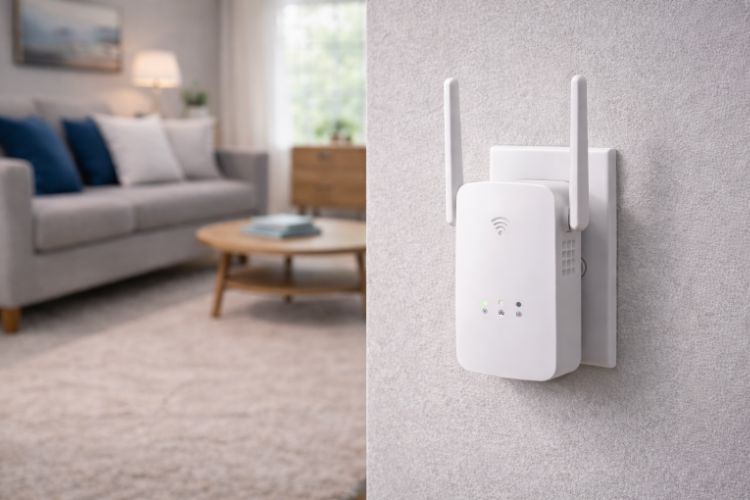
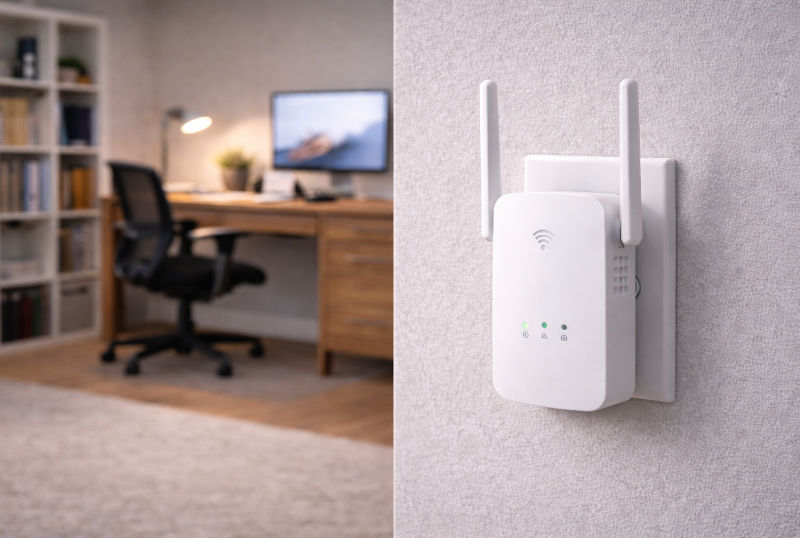
- Plug-in wall extenders: Compact units that connect directly to a power outlet. These are commonly used in smaller homes or apartments where moderate coverage expansion is needed.
- Desktop extenders: Larger devices with external antennas that may provide broader coverage. They often include additional ports for wired connections.
- Dual-band extenders: Devices that operate on both 2.4 GHz and 5 GHz frequencies, allowing flexibility in balancing range and speed.
- Tri-band extenders: Configurations that dedicate one band to communication with the router, which can help reduce bandwidth loss during retransmission.
Each type addresses different coverage challenges, so understanding your home’s layout and network demands is essential before narrowing down configurations.
Key Features to Evaluate
When reviewing Wi-Fi extenders, certain features can significantly influence real-world usability and compatibility.
- Wireless standards support: Compatibility with current Wi-Fi protocols ensures alignment with modern routers and devices.
- Speed ratings: While advertised speeds reflect theoretical maximums, they help indicate the class of device and its intended usage level.
- Ethernet ports: Wired ports allow connection to stationary devices such as desktop computers or smart TVs.
- Security protocols: Support for up-to-date encryption standards helps maintain network integrity.
- Setup process: Some models offer app-based configuration, while others rely on browser-based setup.
- Signal indicators: LED placement guides can assist in positioning the extender effectively.
These features do not determine universal suitability but can help clarify which models align with your network’s complexity and performance expectations.
Performance and Usability Considerations
Wi-Fi extenders typically reduce overall bandwidth because they receive and retransmit data over the same channel. This means that while coverage improves, maximum speeds may decrease compared to a direct router connection. For activities such as video streaming or web browsing, this trade-off may be manageable. For high-bandwidth applications like competitive gaming or large file transfers, performance variability may be more noticeable.
Network congestion and interference also affect results. Walls, appliances, and neighboring wireless networks can disrupt signal transmission. In multi-story homes, vertical signal penetration can vary depending on construction materials.
Trade-Offs and Practical Limitations
While Wi-Fi extenders can address coverage gaps, they are not a complete solution for every networking issue. If the primary router’s signal is already weak throughout most of the home, simply extending it may not resolve underlying capacity limitations.
In some cases, multiple extenders may create overlapping networks that require devices to switch between access points. This handoff is not always seamless and can result in temporary interruptions. Understanding these operational constraints helps set realistic expectations before installation.
Where Wi-Fi Extenders Make Sense
Wi-Fi extenders are often suitable for households with isolated dead zones rather than widespread connectivity issues. For example, a single distant bedroom, garage workspace, or basement office may benefit from targeted coverage expansion. Renters or individuals seeking a non-invasive networking adjustment may also find extenders practical due to their plug-and-play design.
Larger homes with multiple signal barriers may require more comprehensive network planning. Evaluating square footage, device count, and typical internet usage patterns can help determine whether an extender fits your situation.
Evaluating Your Network Before Choosing
Before selecting a Wi-Fi extender, consider mapping out areas where signal strength drops and identifying how those spaces are used. Measuring approximate distance from the router and noting physical obstacles can clarify whether signal extension is feasible.
It is also important to confirm compatibility with your existing router’s wireless standard and security settings. Aligning specifications ensures smoother integration and reduces setup complications.
Making an Informed Decision
Wi-Fi extenders serve a specific role within home networks: expanding coverage into areas where connectivity weakens. They offer a relatively straightforward way to address localized signal issues, provided expectations are aligned with their design limitations.
Understanding how Wi-Fi extenders function, what features influence performance, and where trade-offs may arise can make comparing options much easier. With a clear assessment of your home layout and connectivity needs, narrowing down suitable configurations becomes more manageable. For more research-driven category guidance, visit our site for additional information.

Related Blog Posts