











We also considered 10 others:


Our Top Choice
The order above is not editorial opinion, and it is not paid placement. It comes from what shoppers across our network actually do - which backlit keyboards they compare, and which they ultimately buy. We re-rank as new data comes in, so the long-term favorites have to keep earning their spot against new entrants. The full method, including how we make money.
Backlit Keyboards Buyer's Guide
Backlit keyboards are bought for low-light readability, but the lighting that makes them useful can also expose the biggest tradeoffs: battery drain, uneven controls, and compatibility quirks. A careful shopper should look past “lights up” and check the layout, connection type, key feel, and whether the keyboard stays reliable through long daily work sessions.
Backlight Control
Backlighting is only helpful if the legends are easy to read at the brightness you actually use. Good control lets you balance visibility, glare, and power use instead of being stuck with a setting that is too dim, too bright, or too wasteful.
Look for clearly illuminated legends, not just light leaking around the keys, and prioritize multiple brightness levels plus an easy way to turn the backlight down or off. For desk work, the best backlit keyboards make function-row shortcuts and modifier keys readable without forcing glare into your eyes; avoid models where the lighting control is buried, all-or-nothing, or likely to time out too aggressively. Owner feedback strongly supports backlighting as a real differentiator: buyers praised keys being easier to see in low light and valued useful brightness control. The same feedback also shows why brightness matters as a system, not an isolated feature, because heavy daily use with the backlight turned up can make battery life feel only so-so for some users.
Typing Feel
A backlit keyboard can be visually excellent and still be tiring if the keys feel shallow, unstable, or inconsistent. Typing feel affects speed, accuracy, noise, and hand fatigue, especially for people who use the keyboard through full workdays.
Choose the switch and key profile for the way you type: low-profile scissor-style boards feel familiar and compact, while deeper-travel keys can feel more cushioned and deliberate during long writing or spreadsheet sessions. Check for stable large keys, responsive actuation, quiet key action, and enough travel that you do not bottom out harshly; common failure modes are mushy keys, rattly stabilizers, missed presses, or key chatter after extended use. Owner sentiment makes typing feel one of the strongest separators in this category, with buyers calling out solid key travel, comfortable action, and responsive keys. Owners also praised quiet key action and a full-size keyboard feel that seemed thoughtfully designed and more premium than expected.
Connection Fit
The right connection type depends on whether you value a clean multi-device setup or a fixed, always-ready desk keyboard. Compatibility details such as operating-system legends, modifier placement, and connector type can matter as much as the wireless technology itself.
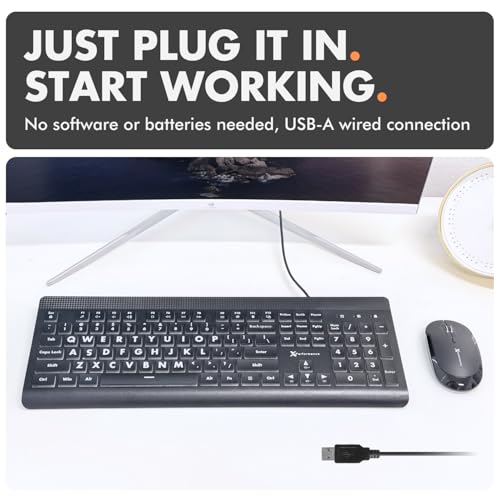
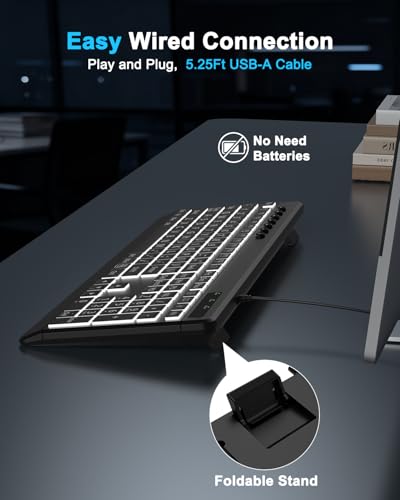
Match the connection to your workspace: Bluetooth is best if you switch among a desktop, laptop, tablet, or mixed operating systems, while wired is better if you want no pairing, no charging, and no wireless dropouts. For Mac-focused setups, verify the exact modifier-key layout, function shortcuts, and whether the connector suits your ports; a wired USB-A keyboard may require an adapter on newer USB-C-only machines. Owners highlighted multi-device Bluetooth pairing as a standout strength when setup was easy and switching across Macs and Windows laptops was quick. Sentiment also shows the wired tradeoff clearly: it can avoid Bluetooth dropouts, batteries, and charging, but may add adapter friction for newer computers.
Power Tradeoff
Backlighting is one of the main drains on a wireless keyboard, so battery claims are less meaningful unless you know how bright you will run it. A good power setup should let the keyboard stay useful during heavy work instead of turning the lighting into a feature you avoid.
If you want a wireless backlit keyboard, treat battery life as conditional: runtime depends heavily on brightness level, idle timeout behavior, battery size, and how many hours per day the backlight is active. Look for visible battery status, sensible sleep/wake behavior, usable typing while charging, and a charging port that does not block normal desk use; avoid designs where the keyboard becomes unpredictable when the battery is low. Owner reports describe battery life as more variable than the rest of the experience, lasting weeks for some but feeling only so-so for heavy daily use with the backlight turned up. This makes power management especially important for shoppers who plan to keep illumination on during long workdays.
Build Reliability
A keyboard is a high-contact tool, so small build weaknesses can become daily annoyances. Backlit keyboards add another layer of durability concern because both the keys and the illumination need to keep working consistently over time.
Inspect construction details that affect long-term use: keycap legends should resist wear, the frame should not flex excessively, and the feet or angle supports should feel secure on the desk. For backlit models, durability also includes the lighting system staying consistent and keys continuing to register cleanly after months of repetitive use; worn legends, dimming zones, loose keys, or intermittent input are the failure modes to watch for. Owner sentiment is positive on first impressions, with buyers describing solid construction, dependable everyday desk use, and a well-built feel. However, long-term reliability is more mixed, with some owners happy initially while others report wear or key-related issues after extended use.
Practical Value
The best value in this category is not the most feature-packed keyboard; it is the one that gets the basics right for the computer and lighting conditions you use every day. Layout familiarity, typing comfort, and dependable illumination usually matter more than decorative effects.
Judge value by whether the keyboard solves the specific backlit-desk problem without sacrificing layout, feel, or reliability. A familiar full-size layout, readable illuminated legends, quiet responsive keys, and the right connection type matter more than extras you will not use; avoid buying only for appearance if the layout or connection creates daily friction. Owner feedback supports value as a real strength when a keyboard delivers a Mac-style layout, sleek look, solid build, and comfortable typing at a lower outlay than first-party options. Buyers also described some sets as strong value because they combined a well-built keyboard and mouse experience with dependable everyday use.
1,000,000+ shoppers use Buyer's Guide every week to find the best products and services online.

Helping millions of users make smarter purchases online.


