













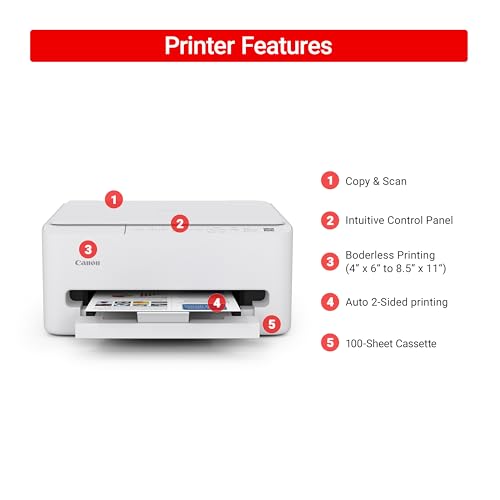


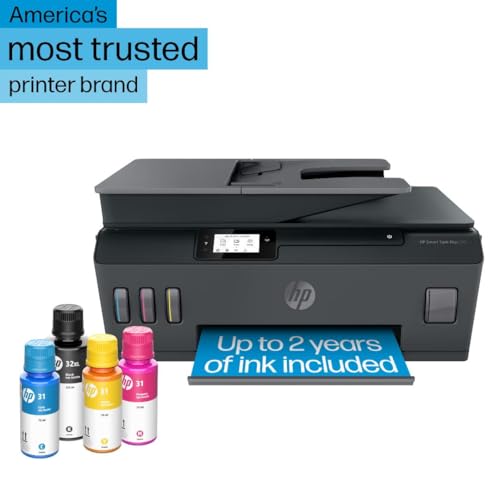


We also considered 10 others:







Our Top Choice
Compare Features


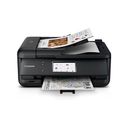
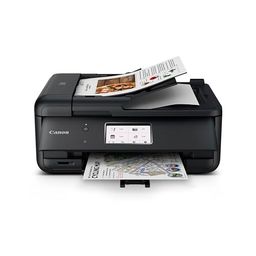


The order above is not editorial opinion, and it is not paid placement. It comes from what shoppers across our network actually do - which air printers they compare, and which they ultimately buy. We re-rank as new data comes in, so the long-term favorites have to keep earning their spot against new entrants. The full method, including how we make money.
Air Printers Buyer's Guide
Air printers are really a tradeoff between driverless convenience and network dependence: the best ones print cleanly from an iPhone, iPad, or Mac without a vendor app, while weaker ones turn every reboot or Wi-Fi change into troubleshooting. Check true AirPrint support, sleep/wake behavior, and whether the printer’s engine matches your real output needs—crisp documents, photos, labels, or travel printing—before worrying about extras.
Quality
Print quality determines how sharp your text looks, how clear fine details appear, and how accurately colors reproduce in photos, graphics, and presentations. You’ll want to look for crisp lettering, smooth gradients, consistent color, and minimal banding or smudging, while remembering that results can vary by paper type, ink or toner, and print settings.
For AirPrint use, quality starts with matching the print engine to what you send from Apple devices: choose laser if you mostly print black-and-white documents and want crisp text, ink tank or photo-capable inkjet if you print color documents or photos, and compact/mobile models only if you accept smaller paper handling and lighter-duty construction. Also check whether borderless/photo sizes are supported through native mobile printing, because phone photo jobs can crop or scale differently than expected. Owner feedback supports this split: buyers often praise sharp monochrome laser output, clean everyday text and color documents, strong photo color from photo-oriented inkjets, and surprisingly good compact-printer output, while compact all-in-ones are viewed as better for light use than heavy-duty durability.
Speed
Print speed matters if you often produce long documents, multiple copies, or last-minute pages, because a slow printer can turn small tasks into bottlenecks. Look beyond the headline pages-per-minute rating and consider how quickly the first page comes out, whether speed drops for color or duplex printing, and how well the printer handles larger files without long processing delays.
For this niche, speed is not just pages per minute—it is time from tapping Print on an iPhone or Mac to the first page actually feeding after the printer wakes from sleep. If you print school packets, shipping paperwork, or office documents, prioritize laser models or business-oriented inkjets with fast first-page-out times; if you mainly print occasional photos or mobile snapshots, expect slower output and verify that photo processing from a phone is not painfully delayed. Owner sentiment lines up with that: laser models are repeatedly praised for fast routine document printing, and some home-office inkjets are seen as quick, but photo/mobile jobs and occasional-use printers draw complaints about slow output and edge-cropping frustrations.
Reliability
A reliable printer saves you time and frustration by completing jobs without frequent paper jams, error messages, dropped connections, or half-printed pages. Look for signs that it handles your typical workload and paper types consistently, and watch out for models with complaints about misfeeds, stalled print queues, or needing frequent resets.
Reliability is the critical AirPrint concern: look for models known to stay visible on the network after sleep, router restarts, and device updates, and avoid printers that require frequent app relaunches, power cycling, or re-adding the printer before each job. For homes with multiple Apple devices, favor printers with stable Wi-Fi, automatic firmware updates you can control, and a simple local-control panel so you are not dependent on a flaky app just to clear errors. Owner reports are mixed here: some printers feel quick and low-friction once connected, but many buyers describe uneven reliability, failed or slow-starting jobs, color consistency issues, early problems, and frustration when printing depends too heavily on software behaving correctly.
Setup
Setup matters because a printer that is hard to install can turn a simple purchase into driver conflicts, connectivity issues, or repeated troubleshooting before you ever print a page. Look for clear first-time instructions, reliable Wi-Fi or wired connection options, and driver support for the devices you use. Watch out for printers that require complicated account creation, unclear app-based setup, or limited compatibility with your computer or mobile devices.
For setup, confirm the printer offers true AirPrint on the box or spec sheet—not merely Bluetooth, app-only printing, or generic wireless printing—and make sure it can join your home Wi-Fi band and security type. A good AirPrint setup should let you connect the printer to Wi-Fi once, then print from iOS, iPadOS, or macOS without installing drivers; if you need scanning, check the vendor app or Mac scanning support separately because AirPrint itself is mainly about printing. Owners often praise models with step-by-step app guidance, clear instructions, quick phone pairing, and smooth first prints, but that ease matters most when it results in native device printing rather than locking basic use behind a proprietary app.
Value
Value matters because the cheapest printer can become expensive if ink, toner, maintenance, or paper handling costs add up quickly. Look for a printer whose performance matches what you actually print—documents, photos, or high-volume jobs—and watch for models that seem affordable upfront but have costly consumables or features you will not use.
Value in an AirPrint printer depends on total ownership cost and usage pattern, not just the upfront deal: toner is usually better for infrequent black-and-white printing because it will not dry out, refillable ink tanks make sense for frequent color printing, and thermal/inkless options only fit narrow label or portable-print needs. Avoid overbuying a color inkjet if you mostly print tax forms and shipping labels, and avoid underbuying a tiny portable model if you need regular full-page jobs or scanning. Owner feedback reinforces this: buyers see laser models as economical for routine monochrome work, refillable tanks as valuable because ink lasts longer, and inkless thermal printing as attractive for avoiding consumables, while all-in-one value becomes mixed when reliability or software problems undermine the savings.
Connectivity
Connectivity determines how easily you can print from the devices you actually use, whether that’s a computer, phone, tablet, or shared office network. Look for reliable Wi-Fi, useful wired options if you need stability, and straightforward mobile or app setup; watch out for printers that are finicky to pair, drop off the network, or require awkward workarounds for everyday printing.
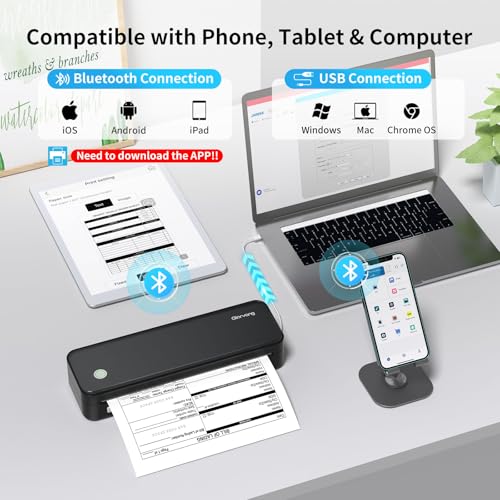
Connectivity is the make-or-break dimension for Air printers: prioritize dual-band Wi-Fi, strong AirPrint/Bonjour support, easy reconnection after router changes, and the ability to use USB or Ethernet as a fallback if your network is crowded. Be cautious with printers marketed around Bluetooth alone, app-only phone printing, or cloud accounts, because those may not behave like true local AirPrint; also check that your phone and printer can stay on the same network/VLAN if you use mesh Wi-Fi or guest networks. Owner sentiment is especially cautionary here: many complaints center on dropped Wi-Fi, printers disappearing after sleep, repeated reconnects, reboots, driver trouble, and needing resets or support, even though some models do connect quickly by phone or Bluetooth when conditions are simple.
1,000,000+ shoppers use Buyer's Guide every week to find the best products and services online.

Helping millions of users make smarter purchases online.


