





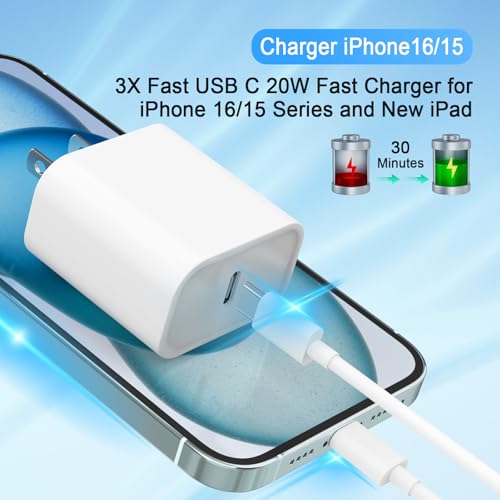


We also considered 10 others:


Our Top Choice
The order above is not editorial opinion, and it is not paid placement. It comes from what shoppers across our network actually do - which usb c chargers they compare, and which they ultimately buy. We re-rank as new data comes in, so the long-term favorites have to keep earning their spot against new entrants. The full method, including how we make money.
USB C Chargers Buyer's Guide
USB-C chargers look interchangeable, but the real tradeoff is between enough negotiated power for your biggest device and a compact, safe brick that does not slow down or overheat when everyday devices share it. Careful shoppers should focus on wattage, USB-C Power Delivery behavior, port power-splitting, cable rating, and whether the charger is meant to be a primary laptop charger, a travel charger, or a backup kept at a desk.
Power Output
The wattage printed on a USB-C charger only matters if it can deliver the right power profile for the device you use most. Laptops, tablets, and phones negotiate different voltage and current levels, so a charger that is fast for a phone may still be underpowered for a laptop. Good choices maintain stable output under normal use instead of only performing well in ideal conditions.
Start by matching the charger’s single-port USB-C Power Delivery output to your highest-draw device: small phones can use far less, tablets and handhelds need more headroom, and many USB-C laptops need a high-wattage PD charger to charge while in use. If you want phone fast charging, look for support for the fast-charge standard your phone uses, such as PPS where relevant, not just a large wattage number. Avoid assuming that a multi-port charger’s total wattage is available to one device unless the specifications clearly show single-port output. Owner feedback strongly supports making speed a top filter: buyers repeatedly praised fast charging across phones, tablets, and USB-C laptops, including high-wattage laptop charging described as quick and stable. Some feedback also notes that performance remains strong overall but can change when output is shared, which reinforces checking real port behavior rather than only headline wattage.
Port Sharing
A multi-port charger is only convenient if its power budget is divided in a way that matches your routine. Some ports may drop to lower output when several devices are connected, and the laptop may no longer receive enough power to charge quickly. Port layout also matters because bulky cable ends can block neighboring ports.
For charging a laptop, phone, and earbuds or watch from one brick, read the port-allocation table before buying: confirm what each USB-C port delivers alone, with two devices, and with all ports occupied. Prefer a layout where the laptop-designated USB-C port still gets enough wattage when another device is plugged in, and treat USB-A ports as useful for accessories rather than as a sign of high-power capability. If you frequently connect several high-draw devices, a higher total wattage charger or separate laptop charger may be safer than a compact brick that heavily throttles shared output. Owner sentiment backs this distinction: shoppers liked three-port setups because they reduced the need to juggle separate chargers, but there was also mixed feedback that shared 65W-class output can reduce speeds when multiple devices are connected at once.
Device Match
USB-C is a connector shape, not a guarantee that every charger, cable, and device will work at the same speed. The charger, cable, and device must all support compatible charging protocols and current limits. Compatibility is especially important when replacing an original laptop charger or using one brick across mixed devices.
Check that the charger supports USB-C Power Delivery profiles appropriate for your devices, and pair it with a properly rated USB-C cable: higher-wattage charging may require a 5A e-marked cable, while many basic cables are limited to lower power. For phone-first use, confirm the charger supports the phone’s preferred fast-charge protocol; for laptop-first use, confirm the laptop can accept the charger’s voltage and wattage. Do not judge a charger by data-transfer claims unless you actually need data; many charging setups work well even when cable or port data behavior is less impressive. The owner feedback aligns with this: compatibility was praised across USB-C laptops, tablets, phones, and Chromebooks, and chargers were often appreciated as dependable replacement or backup units. At the same time, connectivity feedback was more mixed for data connections than for charging, so buyers should separate charging compatibility from data performance.
Build Safety
High-wattage USB-C chargers handle meaningful electrical load in a small enclosure, so construction and protection features matter. A well-built charger should resist looseness, excessive heat, and prong wear while maintaining stable output. Cable durability also matters because a weak cable can make a good charger seem unreliable.
Look for recognized electrical safety certifications, over-current and over-temperature protection, solid prongs, and a casing that does not flex or rattle. For cables, choose the correct wattage rating, reinforced strain relief at both ends, and abrasion-resistant jackets if the cable will live in a bag, bedside setup, or desk edge. Avoid mystery chargers with vague specs, unusually light construction for their claimed wattage, or bundled cables that do not state their power rating. Sentiment strongly supports prioritizing build: owners described some chargers as premium, solid, heavy-duty, and compact despite high wattage, while braided USB-C cables were praised for thick construction that felt resistant to fraying and daily wear. Reliability was also a major positive theme, though longer-term cable durability was more mixed, making cable construction and rating worth checking separately from the charging brick.
Travel Fit
Portability is not just about small size; it is about how the charger fits into outlets, bags, and daily charging spots. Foldable prongs, cable length, and body shape affect whether it works well beside a bed, behind furniture, or in crowded power strips. A compact charger that blocks adjacent outlets can be less practical than a slightly larger one with a better shape.
For travel or commuting, prioritize a compact charger with foldable prongs and enough output to replace multiple bricks. For home or desk use, consider whether the included or chosen cable length reaches comfortably without creating a trip hazard or voltage-drop concern from poor-quality long cables. Check the plug orientation if you use tight wall outlets, power strips, or airplane-style outlets, because heavier high-wattage bricks can sag or block neighboring sockets. Owner sentiment reflects these practical fit issues: shoppers valued small bodies and foldable prongs for packing in a backpack, and they liked 6.6-foot-class cables because they worked well for bedside or desk use without feeling excessive. Feedback also notes that long cables are convenient and often sturdy, though long-term durability can be more variable.
Backup Value
A good value USB-C charger is one that safely replaces several weaker chargers or serves reliably in a second location. The cheapest option is not a bargain if it lacks the right wattage, certification, or cable quality. Value improves when the charger prevents duplicate purchases without compromising compatibility or safety.
Decide whether you need a primary charger, a travel charger, or a backup for home and work, then buy the lowest-risk setup that meets the same wattage and protocol needs as your main device. Bundles can be worthwhile when both the charger and cable are correctly rated, but avoid treating an extra cable as valuable if it cannot support the charger’s full output. For a backup laptop charger, prioritize dependable charging and compatibility over decorative extras. Owner feedback supports this value lens: shoppers saw two-packs and replacement-style chargers as strong value, especially when the cable length was useful and build quality still felt solid. Buyers also appreciated having a dependable spare at home or work instead of carrying one charger everywhere.
1,000,000+ shoppers use Buyer's Guide every week to find the best products and services online.

Helping millions of users make smarter purchases online.


