

















We also considered 10 others:







Our Top Choice
Compare Features


The order above is not editorial opinion, and it is not paid placement. It comes from what shoppers across our network actually do - which tens machines for neuropathy they compare, and which they ultimately buy. We re-rank as new data comes in, so the long-term favorites have to keep earning their spot against new entrants. The full method, including how we make money.
TENS Machines for Neuropathy Buyer's Guide
Neuropathy shoppers have to balance pain relief against reduced sensation: the same numbness that makes treatment appealing can also make overstimulation, pad irritation, or skin injury harder to notice. The sharpest checks are fine intensity control, safe electrode placement, skin-friendly pads, and usability for feet, hands, or legs that may be numb, painful, or hard to handle.
Relief
Relief matters because a TENS unit is only useful if it noticeably reduces your pain, eases muscle tension, or helps you relax during and after a session. Look for adjustable intensity levels, multiple modes, and settings that let you fine-tune the sensation to your body, and be cautious of units that feel too weak, too harsh, or inconsistent across treatment areas.
For neuropathy, shop for a TENS unit that can be tuned gently and precisely, because burning, tingling, or numb-foot pain often needs a different feel than ordinary muscle soreness. Look for multiple stimulation patterns, adjustable pulse settings or modes, and enough intensity range to reach a clear but comfortable tingling without forcing you to jump from “too weak” to “too sharp”; avoid units that only offer vague massage presets or very coarse intensity steps. Also remember that TENS may help manage symptoms but does not reverse nerve damage, so persistent worsening numbness, wounds, or new weakness should not be treated as a settings problem. Owner feedback supports this priority: users often report noticeable drug-free relief for nerve, leg, foot, back, sciatica, joint, and muscle pain, and they especially value devices with varied modes, strength levels, and dual-channel placement options.
Usability
A TENS unit should be easy to set up and adjust, especially if you’ll use it during a pain flare or on hard-to-reach areas. Look for clear instructions, intuitive controls, readable labels, and straightforward pad placement guidance so you can change modes and intensity safely without guesswork. Watch out for units with confusing menus, vague manuals, or controls that are easy to bump accidentally.
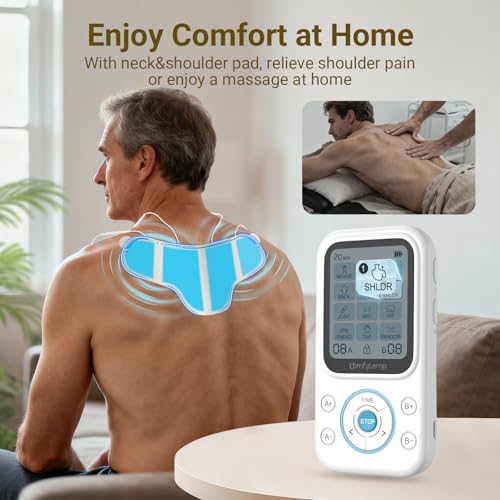
For neuropathy, usability starts with safe, repeatable placement and easy daily sessions, not just a gadget that turns on quickly. Choose a unit with clear electrode-placement guidance for feet, legs, hands, or lower back; a readable screen; simple session timers; and controls that can be operated despite numb fingers, reduced dexterity, or low vision. Avoid app-only or overly menu-heavy designs if the main user may struggle to see small icons, feel tiny buttons, or troubleshoot Bluetooth before each treatment. Owners generally reinforce that straightforward setup matters: many describe these units as easy to work into a routine, with clear displays, simple controls, and enough mode and timer adjustment to personalize sessions without constant frustration.
Controls
The controls determine how well you can tailor a TENS unit to different pain areas, sensitivities, and treatment goals, so look for clear settings, multiple modes, a useful intensity range, and easy step-by-step adjustability. If you’ll use it on your back or other hard-to-reach spots, remote operation or simple lockable controls can make sessions easier, while overly complicated menus or big intensity jumps can make the device frustrating or uncomfortable.
For neuropathy, the most important control feature is fine, predictable intensity adjustment with safety guardrails. Look for small step changes, separate left/right or dual-channel control for uneven symptoms, an intensity reset when the unit powers on, an auto-off timer, and preferably a lock function so settings are not bumped while pads are on feet or legs. Avoid units that start at the previous high setting, have touchy dials, or make it hard to tell which channel you are increasing, since reduced sensation can delay noticing overstimulation or skin irritation. Owner sentiment backs up the value of adjustable controls: buyers praise easy mode and intensity changes, strong but controllable output, dual-channel flexibility, and displays that make program selection less frustrating.
Quality
A well-built TENS unit matters because you’re relying on it for consistent relief, often through repeated sessions, travel, and daily handling. Look for sturdy controls, secure lead-wire connections, reliable battery performance, and pads or accessories that don’t feel flimsy; watch out for devices with loose ports, inconsistent intensity output, or reviews that point to early failures.
For neuropathy, quality should be judged by safe skin contact and consistent output, not just how sturdy the controller feels. Prioritize durable lead wires or stable wireless modules, reliable snap connections, replaceable electrode pads, hypoallergenic or skin-friendly gel options, and clear warnings for people with diabetes, implanted cardiac devices, poor circulation, wounds, or reduced sensation. Avoid flimsy pads that peel up, harsh adhesive that can damage fragile skin, or devices that feel inconsistent from one session to the next. Owners often describe well-liked units as solid, powerful, and better made than expected, and they appreciate compact or wireless builds that reduce cord hassles; for neuropathy shoppers, that durability matters most when it prevents pad movement, wire tugging, and unpredictable stimulation.
Battery
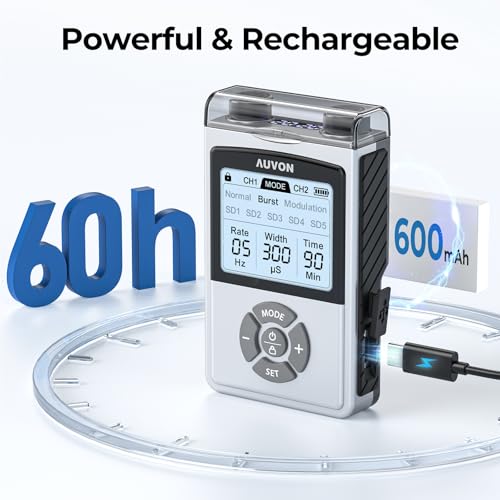
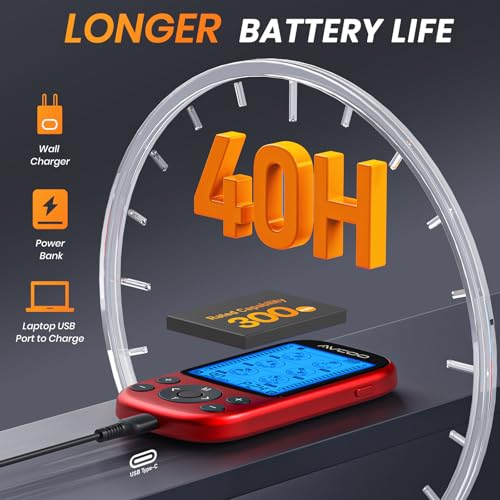
Battery life matters because a TENS unit needs to last through your typical session without fading or shutting off, especially if you use it away from an outlet. Look for enough runtime for your treatment routine, easy recharging or battery replacement, and a clear low-battery indicator; be wary of units that require frequent charging or use hard-to-find batteries.
For neuropathy, battery life matters because treatment often works best as a consistent routine, and the device should not fade mid-session or deliver uneven power as it drains. Look for a rechargeable unit with enough runtime for multiple timed sessions, a clear battery indicator, quick charging, and ideally no need to use it while plugged in. Avoid models with vague charge status or short runtime if you plan to treat both feet, both legs, or multiple areas in one day. Owner feedback strongly supports battery as a practical strength: many users report long runtime, many sessions between charges, quick recharging, and reliable portability for regular use or travel.
Portability
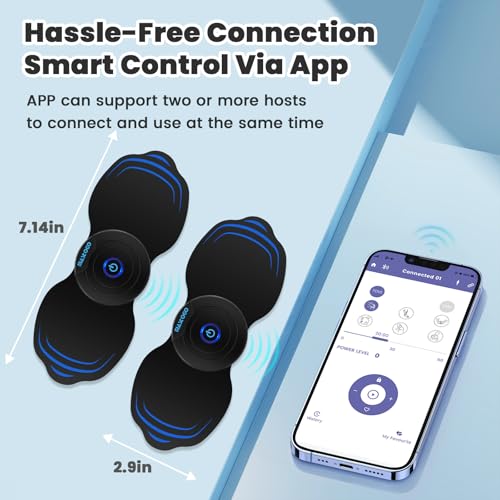
Portability matters if you want pain relief at work, while traveling, or as you move around the house, so look for a compact unit that’s easy to pack, clip on, or wear discreetly under clothing. Wireless designs can reduce cord tangles and make movement easier, but check that the controls are still simple to use, the pads stay secure, and the battery life fits your typical session length.
For neuropathy, portability is useful only if the unit stays safely positioned and does not make you trip, snag wires, or dislodge pads from sensitive skin. Compact wireless designs can be helpful for foot, calf, or travel use, while wired units may be easier to see, hold, and adjust; choose based on whether you need freedom of movement or simpler physical controls. Look for a secure carrying case, tidy lead management, low-profile pads or modules, and controls that can be checked without bending awkwardly. Owners often like compact, wireless, and rechargeable units because they are easier to wear, carry, and use without cord clutter, while larger-screen units can still be valuable when simple viewing and control matter more than pocket-size convenience.
1,000,000+ shoppers use Buyer's Guide every week to find the best products and services online.

Helping millions of users make smarter purchases online.


