













We also considered 10 others:


Our Top Choice
Compare Features


The order above is not editorial opinion, and it is not paid placement. It comes from what shoppers across our network actually do - which nook ereaders they compare, and which they ultimately buy. We re-rank as new data comes in, so the long-term favorites have to keep earning their spot against new entrants. The full method, including how we make money.
Nook eReaders Buyer's Guide
In this niche, the tradeoff is a focused bookstore-style reading appliance versus the flexibility of a tablet or open app device. The sharpest checks are whether your existing ebooks and library loans will actually work on the device, and whether the screen lighting, size, and responsiveness suit long reading sessions rather than just looking good in a spec sheet.
Display
The display determines how comfortable and natural your reading feels, especially over long sessions or in changing light. Look for crisp text, low glare, adjustable front lighting, and a screen size that suits how you read; if you read comics, magazines, or illustrated books, consider whether color quality and image detail are strong enough for that content. Watch out for screens that look washed out, refresh slowly, or offer limited lighting controls, since those can make reading feel more tiring.
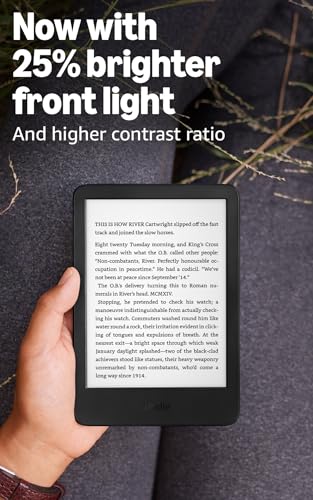
Prioritize a front-lit E-Ink display with adjustable brightness and warm light if you read in bed, and do not assume every basic e-reader has built-in lighting; an unlit screen will need a lamp in dim rooms. For this category, screen size is also a real buying decision: a 6-inch model is easier to carry and hold, while a larger screen is better for large fonts, PDFs, comics, cookbooks, and readers who dislike frequent page turns. Check text sharpness, lighting uniformity, glare, ghosting, and whether your preferred font size still leaves comfortable margins. Owners generally praise glare-free, eye-comfortable E-Ink screens, sharp readability, warm lighting for night reading, and the comfort of compact devices, but some report text that feels less crisp than competing recent readers, and missing lighting is a clear dealbreaker for night use.
Battery
Battery life matters because an e-reader should let you read for long stretches without planning around an outlet, especially if you travel or read daily. Look for realistic estimates based on your habits, since brightness level, wireless use, audiobook playback, and frequent syncing can shorten the time between charges. Also consider the charging port and recharge speed, so topping up the device fits easily into your routine.
Treat battery claims as dependent on front-light level, wireless syncing, audiobook or Bluetooth use, large downloads, and indexing after loading many books; for a dedicated e-reader, you want reliable sleep/wake behavior more than just a long advertised runtime. If buying renewed or older stock, confirm it charges from a low battery, wakes after sitting idle, and does not require repeated hard resets, because failure to revive is a common serious failure mode. Owners often report days or weeks between charges, especially with brightness and wireless settings managed, and heavy readers get better results using airplane mode. The caution is that troubled units can show charge or power issues even after being plugged in.
Performance
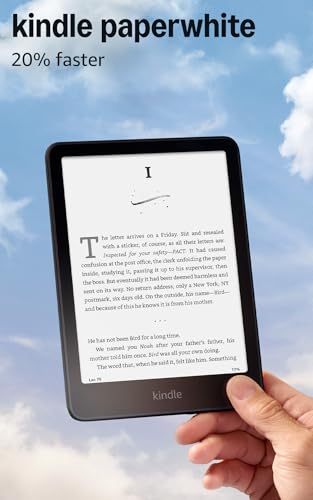
Performance matters because a slow e-reader can make simple actions like turning pages, opening books, searching text, or moving through menus feel frustrating. Look for an e-reader that responds promptly to taps and swipes, wakes quickly, and handles your library smoothly; be cautious if reviews mention frequent lag, delayed page turns, or sluggish navigation.
For this niche, “fast” should mean smooth page turns, quick wake from sleep, responsive highlighting, stable library browsing, and no freezing when opening sideloaded EPUBs or PDFs—not tablet-like gaming or video performance. If you use large illustrated files, many annotations, or a big library, check reports on indexing delays, search speed, and whether physical page buttons require too much pressure. Owners support the idea that current e-readers can feel quick for page turns, menus, downloads, settings changes, and simple navigation, and many appreciate responsive touch plus physical buttons. Still, performance is inconsistent in some units, with freezes requiring rebooting, average responsiveness, heavier-app slowdowns on more open devices, or buttons that feel less effortless than expected.
Usability
A good e-reader should let you get to your books, adjust settings, and move around the interface without friction. Look for simple setup, clear menus, responsive page turns, easy font and lighting controls, and reliable syncing if you use multiple devices. Watch out for cluttered stores, buried settings, sluggish software, or file-management quirks that make everyday reading feel more complicated than it should.
Before choosing, map your actual reading sources: bookstore purchases in this ecosystem, sideloaded EPUB or PDF files, DRM-protected library loans, and any subscription or app-based content you expect to use. Do not assume compatibility with purchases from other major ebook stores, and do not assume you can install any reading app unless the device explicitly supports it; a focused e-reader may be simpler but less flexible. Look for easy account sign-in, USB transfer or cloud download options, font and margin controls, dictionary support, accessible menus, and page-turn buttons if you read one-handed or in bed. Owner sentiment backs up the value of simple interfaces, easy library management, quick downloads, distraction-free reading, and physical page-turn controls, while buyers who need broader app access tend to value devices that explicitly support app installation.
Handling
You’ll hold an e-reader for long stretches, so its size, weight, and ergonomics can matter as much as the screen. Look for a compact, lightweight design that fits your bag and feels secure in one hand, with a shape or grip that stays comfortable during extended reading. Watch out for devices that are too bulky, slippery, or awkwardly balanced, especially if you read while commuting, traveling, or lying down.
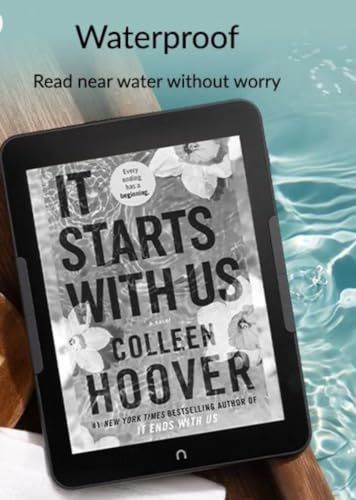
Choose the body size around how you actually hold the reader: small models suit commuting, purses, pockets, and one-handed sessions, while larger screens reduce page turns but can become tiring in bed or when held above your face. For this category, side bezels and button placement matter because they prevent accidental touches and make long reading sessions more comfortable; also check whether a case will add too much weight or block buttons. If you read outdoors, in the bath, or at night, combine handling checks with waterproofing, grip texture, and front-light comfort. Owners consistently like small, lightweight readers for travel and quick sessions, praise compact bodies that fit in a hand or bag, and note that roomier bezels can make a small device easier to grip for regular reading in bed, outdoors, or on the go.
Build
You’ll handle an e-reader often, carry it in bags, and expect it to work reliably for years, so build quality affects both daily comfort and long-term value. Look for a solid-feeling body, stable buttons or ports, a screen that doesn’t flex easily, and dependable construction that can tolerate regular travel and reading sessions. Watch out for creaky shells, loose parts, inconsistent responsiveness, or anything that suggests the device may not hold up over time.
Inspect build quality with e-reader-specific failure points in mind: screen substrate damage, uneven front lighting, mushy page buttons, loose charging ports, weak waterproof seals, battery degradation, and whether renewed units arrive properly reset and able to sign in. A protective case is especially worthwhile for larger screens, because flex or pressure in a bag can damage the display even if the shell looks fine. Also check the return window and firmware/update status, since some hardware defects only appear after charging cycles, sleep/wake use, or library syncing. Owners often describe renewed or basic units as dependable, solid, and working well on arrival, and some find them good enough for family use or backup reading, but reliability can be mixed with early hardware flaws or defects that require a return.
1,000,000+ shoppers use Buyer's Guide every week to find the best products and services online.

Helping millions of users make smarter purchases online.


