


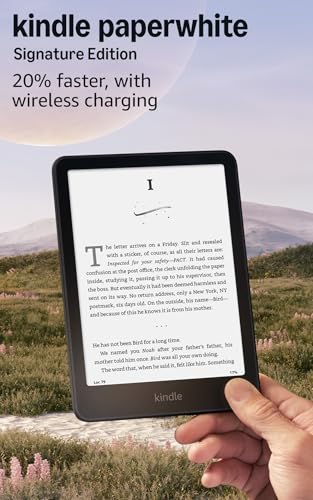

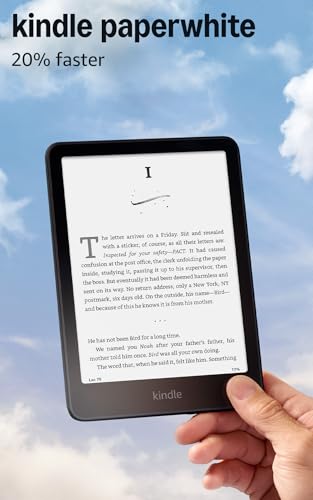


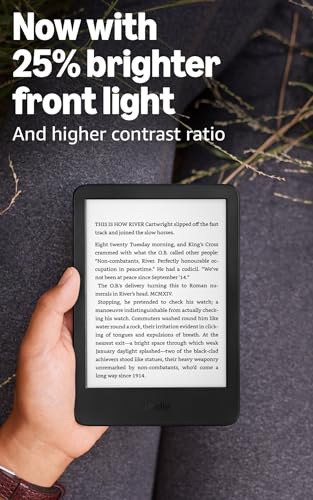


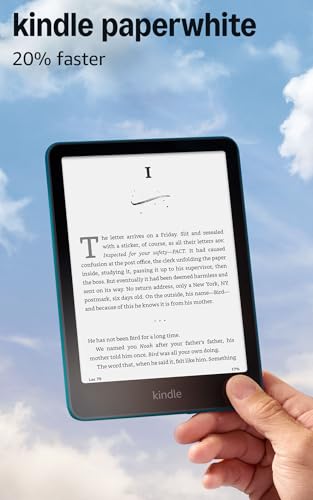





We also considered 9 others:


Our Top Choice
Compare Features


The order above is not editorial opinion, and it is not paid placement. It comes from what shoppers across our network actually do - which kindle readers they compare, and which they ultimately buy. We re-rank as new data comes in, so the long-term favorites have to keep earning their spot against new entrants. The full method, including how we make money.
Kindle Readers Buyer's Guide
A Kindle-style reader is best when it stays focused on long-form reading, but the tradeoff is that e-ink, store ecosystems, library access, PDFs, comics, and kids’ controls all behave very differently from a tablet. Before choosing, decide whether you mainly need crisp black-and-white books, color covers/comics, a large note-taking screen, or a child-safe reading device, because those use cases push you toward different compromises.
Build
You’ll handle an e-reader often, carry it in bags, and expect it to work reliably for years, so build quality affects both daily comfort and long-term value. Look for a solid-feeling body, stable buttons or ports, a screen that doesn’t flex easily, and dependable construction that can tolerate regular travel and reading sessions. Watch out for creaky shells, loose parts, inconsistent responsiveness, or anything that suggests the device may not hold up over time.
For build, prioritize the physical protections that match where the reader will actually be used: a kid’s device should have a shock-absorbing case and simple grip, a travel or poolside reader should have a real water-resistance rating, and any e-ink reader should have a cover that protects the screen from pressure in a bag. Check charging port type, bezel grip, and whether the device feels purpose-built for books rather than like a general tablet; also be cautious with first-generation designs if you do not want quirks. Owner feedback supports this: families like bundled cases, long battery life, and kid-friendly construction, while regular readers often describe good models as polished, durable-feeling, and more comfortable for books than a phone or tablet. Some early adopters still report that newer or more experimental devices can feel flawed despite being enjoyable.
Display
The display determines how comfortable and natural your reading feels, especially over long sessions or in changing light. Look for crisp text, low glare, adjustable front lighting, and a screen size that suits how you read; if you read comics, magazines, or illustrated books, consider whether color quality and image detail are strong enough for that content. Watch out for screens that look washed out, refresh slowly, or offer limited lighting controls, since those can make reading feel more tiring.
For display, choose based on content type first: sharp monochrome text is still the safest pick for novels, while color e-ink is better for covers, comics, children’s books, visual notes, and highlights but should not be expected to look as vivid as a tablet. For nighttime reading, look for an adjustable warm front light, not just basic illumination; for PDFs, textbooks, manga, or handwritten markup, a larger screen prevents constant zooming but adds size. Also check text crispness, glare, and whether the screen looks paper-like in sunlight. Owner sentiment lines up with these concerns: readers praise larger screens for visibility, warm light for long sessions, sunlight readability, and low-light versatility, but some notice less-crisp text on certain screens and find color presentation more muted than expected.
Usability
A good e-reader should let you get to your books, adjust settings, and move around the interface without friction. Look for simple setup, clear menus, responsive page turns, easy font and lighting controls, and reliable syncing if you use multiple devices. Watch out for cluttered stores, buried settings, sluggish software, or file-management quirks that make everyday reading feel more complicated than it should.
For usability, verify the reading ecosystem before buying: confirm that your library service, purchased books, sideloaded files, EPUB/PDF workflow, audiobooks, and annotation export all work the way you expect. If the reader is for school, teaching, meetings, or study, look closely at PDF markup, note organization, handwriting tools, and file transfer; if it is for a child, test parental controls, book discovery, and whether menus are simple enough for that child. Physical page-turn buttons, responsive touch, adjustable fonts, and quick access to current books matter more in daily use than a long feature list. Owner feedback backs this up: note-taking, PDF markup, planning, and class/work organization are standout uses on larger writing-focused devices; app support is valued where available; and simple software, page buttons, and responsive touch make reading feel easy. At the same time, families and broader users report that ease of use can vary, with some devices feeling inconsistent or frustrating.
Battery
Battery life matters because an e-reader should let you read for long stretches without planning around an outlet, especially if you travel or read daily. Look for realistic estimates based on your habits, since brightness level, wireless use, audiobook playback, and frequent syncing can shorten the time between charges. Also consider the charging port and recharge speed, so topping up the device fits easily into your routine.
For battery, judge claims by your actual reading habits: front light brightness, wireless syncing, Bluetooth audio, color content, note-taking, and frequent downloads all shorten runtime, while airplane mode and moderate lighting can stretch it dramatically. A travel reader should comfortably last through a trip without nightly charging, but a large-screen writing or color model may need more frequent top-ups than a basic text reader. Check standby drain as well as active reading time, because many e-readers are left unused for days between sessions. Owner sentiment is strongly positive here: many readers report days or even weeks per charge, especially with brightness and wireless settings managed, and heavy readers still often get several days when using airplane mode.
Performance
Performance matters because a slow e-reader can make simple actions like turning pages, opening books, searching text, or moving through menus feel frustrating. Look for an e-reader that responds promptly to taps and swipes, wakes quickly, and handles your library smoothly; be cautious if reviews mention frequent lag, delayed page turns, or sluggish navigation.
For performance, remember that e-ink will never feel like a tablet, so focus on the delays that interrupt reading: wake speed, page turns, library browsing, search, dictionary lookup, downloads, and large PDF or comic handling. If buying for a child or less technical reader, avoid devices known for freezes or confusing setup, because a slow menu can stop reading momentum. For big libraries, audiobooks, comics, or study files, look for enough storage and a processor/software combination that handles indexing and navigation smoothly. Owner feedback generally favors newer, faster-feeling readers, with many praising smoother page turns, quicker menus, faster downloads, and responsive touch. The main caution is that setup, parental controls, browsing, and occasional freezing can still be pain points on some devices.
Handling
You’ll hold an e-reader for long stretches, so its size, weight, and ergonomics can matter as much as the screen. Look for a compact, lightweight design that fits your bag and feels secure in one hand, with a shape or grip that stays comfortable during extended reading. Watch out for devices that are too bulky, slippery, or awkwardly balanced, especially if you read while commuting, traveling, or lying down.
For handling, match size to posture and hand strength: a compact reader is best for one-handed bed reading, commuting, children, and pockets or small bags, while a large display is better for PDFs and notes but can become tiring without a stand or case grip. Check weight with the case attached, button placement, bezel width, and whether the device can be held without accidental screen touches. For kids, smaller and lighter usually matters more than premium materials; for adults reading in bed, balance and grip can matter more than screen size. Owner sentiment supports this: compact, lightweight readers are praised for children’s hands, travel, bedside reading, purses, pockets, and comfortable handheld use on the go.
Don't miss the latest sales on Kindle Readers and more. Get the best Black Friday deals today!

1,000,000+ shoppers use Buyer's Guide every week to find the best products and services online.

Helping millions of users make smarter purchases online.