

Best HP Computers Updated November 2026

Best HP Computers
2026 Buyer's GuideUpdated November 2026
Sort by:
1

10.0

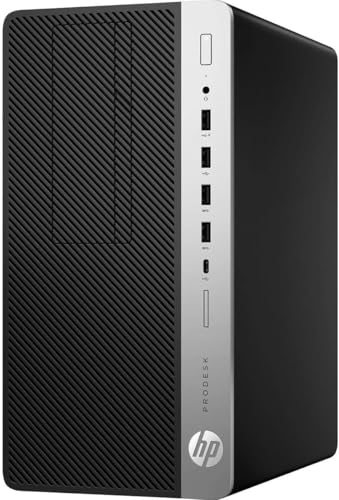
HP ProDesk 600G4 Tower Desktop Computer | Intel i7-8700 (3.4) | 32GB DDR4 RAM | 1TB SSD Solid State | Wi-Fi 5G + Bluetooth | Wi...
Display Size: N/A
Resolution: N/A
Memory: 32GB RAM
Storage: 1TB SSD
Processor: Intel Core i7-8700 6-core
Graphics Processor: Intel HD Graphics 630
Touchscreen: N/A
Operating System: Windows 11 Pro

10.0

1
HP ProDesk 600G4 Tower Desktop Computer | Intel i7-8700 (3.4) | 32GB DDR4 RAM | 1TB SSD Solid State | Wi-Fi 5G + Bluetooth | Wi...
Display Size: N/A
Resolution: N/A
Memory: 32GB RAM
Storage: 1TB SSD
Processor: Intel Core i7-8700 6-core
Graphics Processor: Intel HD Graphics 630
Touchscreen: N/A
Operating System: Windows 11 Pro
2

9.9

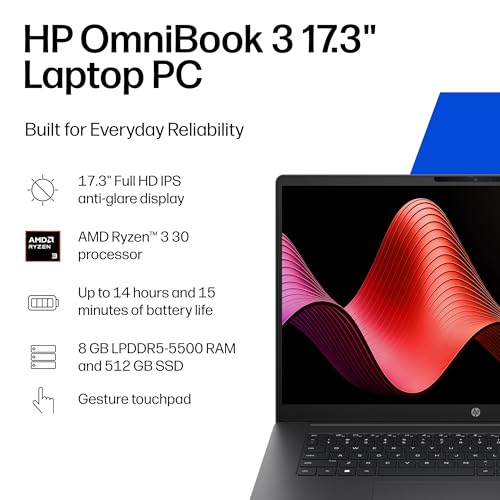
HP OmniBook 3 17.3 inch Laptop PC, FHD Display, AMD Ryzen 3 30, 8 GB RAM, 512 GB SSD, AMD Radeon 610M Graphics, Windows 11 Home...
Quality
Value for money
Screen size
Screen quality
Ease of use

9.9

2
HP OmniBook 3 17.3 inch Laptop PC, FHD Display, AMD Ryzen 3 30, 8 GB RAM, 512 GB SSD, AMD Radeon 610M Graphics, Windows 11 Home...
Quality
Value for money
Screen size
Screen quality
Ease of use
3

9.7

HP 14" Laptop 2026 Edition, Intel Processor, 128GB Storage, Office 365 | 1TB Cloud Storage, Copilot AI, Long Battery Life, Ligh...
Display Size: 15.6"
Resolution: 1920 x 1080
Memory: 16GB RAM
Storage: 512GB SSD
Processor: Intel N100 4-core
Graphics Processor: Intel UHD Graphics
Touchscreen: No
Operating System: Windows 11 Home
Compare

9.7

3
HP 14" Laptop 2026 Edition, Intel Processor, 128GB Storage, Office 365 | 1TB Cloud Storage, Copilot AI, Long Battery Life, Ligh...
Display Size: 15.6"
Resolution: 1920 x 1080
Memory: 16GB RAM
Storage: 512GB SSD
Processor: Intel N100 4-core
Graphics Processor: Intel UHD Graphics
Touchscreen: No
Operating System: Windows 11 Home
Compare
4

9.6

HP 2025 22" FHD All-in-One Desktop Computer • The New Version for Everyday Use • Latest 13th Gen Intel Quad-Core CPU • 8GB DDR5...
Display Size: 22"
Resolution: 1920 x 1080
Memory: 8GB RAM
Storage: 128GB SSD
Processor: Intel N100 4-core
Graphics Processor: Intel UHD Graphics
Touchscreen: No
Operating System: Windows 11 Pro
Compare

9.6

4
HP 2025 22" FHD All-in-One Desktop Computer • The New Version for Everyday Use • Latest 13th Gen Intel Quad-Core CPU • 8GB DDR5...
Display Size: 22"
Resolution: 1920 x 1080
Memory: 8GB RAM
Storage: 128GB SSD
Processor: Intel N100 4-core
Graphics Processor: Intel UHD Graphics
Touchscreen: No
Operating System: Windows 11 Pro
Compare
5

9.4

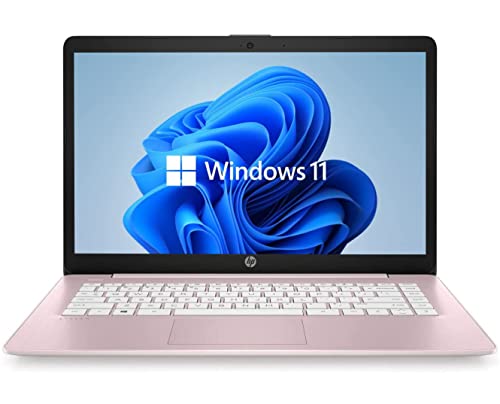
HP 14" HD Laptop, Windows 11, Intel Celeron Dual-Core Processor Up to 2.60GHz, 4GB RAM, 64GB SSD, Webcam, Dale Pink (Renewed)
Display Size: 14"
Resolution: 1366 x 768
Memory: 4GB RAM
Storage: 64GB SSD
Processor: Intel Celeron 2-core
Graphics Processor: Intel UHD Graphics 600
Touchscreen: No
Operating System: Windows 11 S
Compare

9.4

5
HP 14" HD Laptop, Windows 11, Intel Celeron Dual-Core Processor Up to 2.60GHz, 4GB RAM, 64GB SSD, Webcam, Dale Pink (Renewed)
Display Size: 14"
Resolution: 1366 x 768
Memory: 4GB RAM
Storage: 64GB SSD
Processor: Intel Celeron 2-core
Graphics Processor: Intel UHD Graphics 600
Touchscreen: No
Operating System: Windows 11 S
6

9.1

HP 27 inch All-in-One Desktop PC, FHD Touchscreen, AMD Ryzen 5 7520U, 16 GB RAM, 1 TB SSD, AMD Radeon Graphics, Built-in-Speake...
Display Size: 27"
Resolution: 1920 x 1080
Memory: 16GB RAM
Storage: 1TB SSD
Processor: AMD Ryzen 5 7520U
Graphics Processor: AMD Radeon Graphics
Touchscreen: Yes
Operating System: Windows 11 Pro
Compare

9.1

6
HP 27 inch All-in-One Desktop PC, FHD Touchscreen, AMD Ryzen 5 7520U, 16 GB RAM, 1 TB SSD, AMD Radeon Graphics, Built-in-Speake...
Display Size: 27"
Resolution: 1920 x 1080
Memory: 16GB RAM
Storage: 1TB SSD
Processor: AMD Ryzen 5 7520U
Graphics Processor: AMD Radeon Graphics
Touchscreen: Yes
Operating System: Windows 11 Pro
Compare
7

9.0

HP 14" HD Laptop, Windows 11, Intel Celeron Dual-Core Processor Up to 2.60GHz, 4GB RAM, 64GB SSD, Webcam, Dale Blue (Renewed)
Display Size: 14"
Resolution: 1366 x 768
Memory: 4GB RAM
Storage: 64GB SSD
Processor: Intel Celeron 2-core
Graphics Processor: Intel
Touchscreen: No
Operating System: Windows 11
Compare

9.0

7
HP 14" HD Laptop, Windows 11, Intel Celeron Dual-Core Processor Up to 2.60GHz, 4GB RAM, 64GB SSD, Webcam, Dale Blue (Renewed)
Display Size: 14"
Resolution: 1366 x 768
Memory: 4GB RAM
Storage: 64GB SSD
Processor: Intel Celeron 2-core
Graphics Processor: Intel
Touchscreen: No
Operating System: Windows 11
Compare
8

8.8

HP Latest Stream 14" HD Laptop, Intel Celeron Processor, 4GB Memory, 64GB eMMC Storage, Fast Charge, HDMI, Up to 11 Hours Long ...
Ease of use

8.8

8
HP Latest Stream 14" HD Laptop, Intel Celeron Processor, 4GB Memory, 64GB eMMC Storage, Fast Charge, HDMI, Up to 11 Hours Long ...
Ease of use
9

8.6

HP Elite Desktop Computer PC, 3.1 GHz, Intel Core i5, 16GB, RAM, 1TB HDD, New 22 inch LED Monitor, RGB Speaker and Keyboard Mou...
Display Size: 22"
Resolution: 1920 x 1080
Memory: 16GB RAM
Storage: 1TB HDD
Processor: Intel Core i5
Graphics Processor: Intel HD Graphics 620
Touchscreen: No
Operating System: Windows 11 Pro
Compare

8.6

9
HP Elite Desktop Computer PC, 3.1 GHz, Intel Core i5, 16GB, RAM, 1TB HDD, New 22 inch LED Monitor, RGB Speaker and Keyboard Mou...
Display Size: 22"
Resolution: 1920 x 1080
Memory: 16GB RAM
Storage: 1TB HDD
Processor: Intel Core i5
Graphics Processor: Intel HD Graphics 620
Touchscreen: No
Operating System: Windows 11 Pro
Compare
10

8.4

HP 14" Laptop Computer for 2026 Student Business Productivity, MS Office & Win 11 Pro, Copilot AI, Intel 4-Core CPU, 4GB DDR5 R...
Performance
Value for money
Size
Color
Suitability for students

8.4

10
HP 14" Laptop Computer for 2026 Student Business Productivity, MS Office & Win 11 Pro, Copilot AI, Intel 4-Core CPU, 4GB DDR5 R...
Performance
Value for money
Size
Color
Suitability for students
We also considered 10 others:

Our Top Choice

1

10.0

HP ProDesk 600G4 Tower Desktop Computer | Intel i7-8700 (3.4) | 32GB DDR4 RAM | 1TB SSD Solid State | Wi-Fi 5G + Bluetooth | Wi...
Display Size: N/A
Resolution: N/A
Memory: 32GB RAM
Storage: 1TB SSD
Processor: Intel Core i7-8700 6-core
Graphics Processor: Intel HD Graphics 630
Touchscreen: N/A
Operating System: Windows 11 Pro

10.0

1
HP ProDesk 600G4 Tower Desktop Computer | Intel i7-8700 (3.4) | 32GB DDR4 RAM | 1TB SSD Solid State | Wi-Fi 5G + Bluetooth | Wi...
Display Size: N/A
Resolution: N/A
Memory: 32GB RAM
Storage: 1TB SSD
Processor: Intel Core i7-8700 6-core
Graphics Processor: Intel HD Graphics 630
Touchscreen: N/A
Operating System: Windows 11 Pro

Compare Features

Graphics Processor
Best HP Computer
1. HP ProDesk 600G4 Desktop Computer (Renewed)
HP Preview HP Preview
HP
at Amazon
2. HP 15.6" FHD Laptop (2026)
HP Preview HP Preview
HP
at Amazon
3. HP 22" All-in-One Desktop Computer (2025)
HP Preview HP Preview
HP
at Amazon
Best Value
4. HP Newest 14" Laptop (Renewed)
HP Preview HP Preview
HP
at Amazon
Premium Pick
5. HP 27 inch All-in-One Desktop PC, FHD Touchscreen, AMD Ryzen 5 7520U, 16 GB RAM, 1 TB SSD, AMD Radeon Graphics, Built-in-Speake...
HP Preview HP Preview
HP
at Amazon
Popular
6. HP 14" Laptop (Renewed)
HP Preview HP Preview
HP
at Amazon
7. HP Elite Desktop Computer PC, 3.1 GHz, Intel Core i5, 16GB, RAM, 1TB HDD, New 22 inch LED Monitor, RGB Speaker and Keyboard Mou...
HP Preview HP Preview
HP
at Amazon
Deal
— — -8% -15% — — -11%
Deal — — -8% -15% — — -11%
Display Size
N/A 15.6" 22" 14" 27" 14" 22"
Display Size
N/A 15.6" 22" 14" 27" 14" 22"
Resolution
N/A 1920 x 1080 1920 x 1080 1366 x 768 1920 x 1080 1366 x 768 1920 x 1080
Resolution
N/A 1920 x 1080 1920 x 1080 1366 x 768 1920 x 1080 1366 x 768 1920 x 1080
Memory
32GB RAM 16GB RAM 8GB RAM 4GB RAM 16GB RAM 4GB RAM 16GB RAM
Memory
32GB RAM 16GB RAM 8GB RAM 4GB RAM 16GB RAM 4GB RAM 16GB RAM
Storage
1TB SSD 512GB SSD 128GB SSD 64GB SSD 1TB SSD 64GB SSD 1TB HDD
Storage
1TB SSD 512GB SSD 128GB SSD 64GB SSD 1TB SSD 64GB SSD 1TB HDD
Processor
Intel Core i7-8700 6-core Intel N100 4-core Intel N100 4-core Intel Celeron 2-core AMD Ryzen 5 7520U Intel Celeron 2-core Intel Core i5
Processor
Intel Core i7-8700 6-core Intel N100 4-core Intel N100 4-core Intel Celeron 2-core AMD Ryzen 5 7520U Intel Celeron 2-core Intel Core i5
Graphics Processor
Intel HD Graphics 630 Intel UHD Graphics Intel UHD Graphics Intel UHD Graphics 600 AMD Radeon Graphics Intel Intel HD Graphics 620
Graphics Processor
Intel HD Graphics 630 Intel UHD Graphics Intel UHD Graphics Intel UHD Graphics 600 AMD Radeon Graphics Intel Intel HD Graphics 620
Touchscreen
N/A No No No Yes No No
Touchscreen
N/A No No No Yes No No
Operating System
Windows 11 Pro Windows 11 Home Windows 11 Pro Windows 11 S Windows 11 Pro Windows 11 Windows 11 Pro
Operating System
Windows 11 Pro Windows 11 Home Windows 11 Pro Windows 11 S Windows 11 Pro Windows 11 Windows 11 Pro
How we rank

The order above is not editorial opinion, and it is not paid placement. It comes from what shoppers across our network actually do - which hp computers they compare, and which they ultimately buy. We re-rank as new data comes in, so the long-term favorites have to keep earning their spot against new entrants. The full method, including how we make money.

HP Computers Buyer's Guide

The main tradeoff in this computer category is that similar-looking listings can hide very different internals, condition levels, and upgrade options. A careful shopper should verify the exact configuration and support terms, then watch for the sharpest risks: slow low-end builds, early reliability failures, missing accessories, and limited upgrade paths.

Quality

Quality matters in an all-in-one because the display, computer components, speakers, camera, and stand are built into one unit, so a weak point can affect the whole experience. Look for sturdy construction, a stable hinge or stand, consistent performance under everyday use, and good signs of long-term reliability; be cautious of units with flimsy materials, visible defects, noisy operation, or reports of early hardware issues.

For quality, verify the exact configuration and condition before buying: processor generation, solid-state storage type, memory amount, battery health for notebooks, included charger/cables, and whether any refurbishment includes a real warranty and return window. Be especially cautious with listings that emphasize a high processor tier but omit generation, storage type, screen resolution, or accessory completeness, because the most common quality failure modes in this niche are early hardware faults, missing parts, random shutdowns, and units that need service soon after arrival. Owner feedback supports this split: many buyers describe these computers as solid upgrades with sharp displays and fast, reliable everyday use, but others report blue screens, shutdowns requiring unplugging or restarting, units quitting after a few days, or missing-part problems.

Performance

Performance determines how quickly your all-in-one opens apps, handles multitasking, and stays responsive during everyday work like browsing, video calls, document editing, and streaming. Look for enough processing power and memory for how you actually use it, and watch out for systems that feel fine for light tasks but slow down when you have many tabs, apps, or background processes running.

For performance, buy for the workload rather than the label: everyday school, office, browsing, streaming, and video calls generally need a modern multi-core processor, at least moderate memory, and true solid-state storage, while light gaming or heavy multitasking benefits from more memory, better cooling, and a stronger graphics setup. Avoid under-specified entry configurations, slow storage, or machines with minimal memory that cannot be upgraded, since these can feel sluggish after updates, security software, and background apps are installed. Owner sentiment matches that pattern: many buyers find these computers fast for booting, browsing, multitasking, virtual meetings, school, work, and home use, but some report slow startup or sluggish performance right out of the box until updates and setup are complete.

Value

You want an all-in-one computer that feels fairly priced for the screen quality, performance, storage, memory, webcam, speakers, and included peripherals you actually get. Look closely at whether you’re paying for useful capabilities or just a sleek design, because many all-in-ones are harder or more expensive to upgrade later. Good value for money means the system fits your daily needs now while leaving enough performance headroom to stay useful over time.

For value, compare the full usable package, not just the low entry cost: check whether the computer includes enough memory and storage for several years, a display you can tolerate daily, the ports you need, a current operating system, warranty coverage, and any required keyboard, mouse, monitor, dock, or adapter. A cheaper configuration can become poor value if it needs immediate memory or storage upgrades, lacks needed ports, has a weak battery, or is refurbished without clear support terms. Owner feedback is broadly positive on value, with many buyers feeling they received a capable everyday computer for school, work, browsing, email, videos, shopping, research, and basic coursework, especially when their expectations stayed within light-to-moderate use.

Usability

An all-in-one should make everyday home tasks feel simple, from web browsing and video calls to managing photos, homework, and streaming. Look for a clean, intuitive interface, comfortable keyboard and mouse, easy access to ports, and enough performance to avoid lag during routine use. Watch out for designs that look sleek but make upgrades, repairs, or basic setup harder than they need to be.

For usability, match the physical design to how the computer will actually be used: a 14-inch notebook is easier to carry, a larger screen is better for reading and video, an all-in-one reduces cable clutter, and a desktop may be easier to upgrade but needs desk space and peripherals. Check keyboard comfort, trackpad feel, screen brightness, webcam and microphone quality for video calls, number and placement of ports, wireless connectivity, and whether the interface is locked into a restricted mode that may block needed apps. Owners generally support the usability case for simple tasks, saying setup and daily use feel approachable for schoolwork, documents, email, music, browsing, and virtual learning, including for less technical buyers and people replacing older computers.

Setup

A smooth setup means you can get your all-in-one computer unboxed, connected, updated, and ready to use without hunting for extra cables or troubleshooting basic steps. Look for clear instructions, simple stand or base assembly, straightforward keyboard and mouse pairing, and easy Wi-Fi/account setup; watch out for systems that require awkward lifting, proprietary accessories, or lengthy updates before first use.

For setup, plan around the exact form factor: notebooks should include the correct charger and activate cleanly; desktops and all-in-ones may require the right display cable, keyboard, mouse, network connection, and space for ventilation. On first boot, run system updates, firmware updates, security updates, and a restart cycle before judging speed, then confirm Wi-Fi, camera, sound, ports, battery charging, sleep/wake behavior, and file transfer from the old machine while the return window is still open. Owner reports are strongly favorable here, with many buyers saying setup is quick, simple, low-stress, easy to hook up, easy to connect, and smooth when transferring from an older computer.