


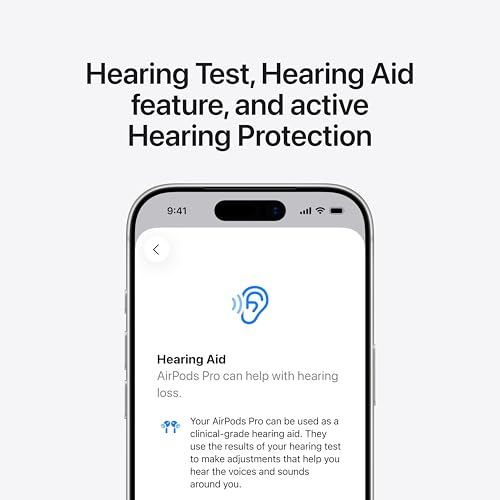







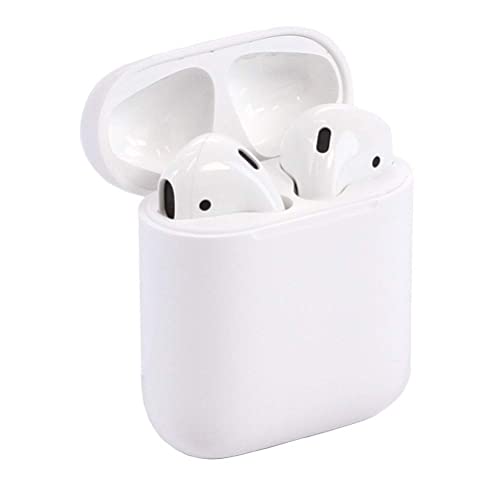


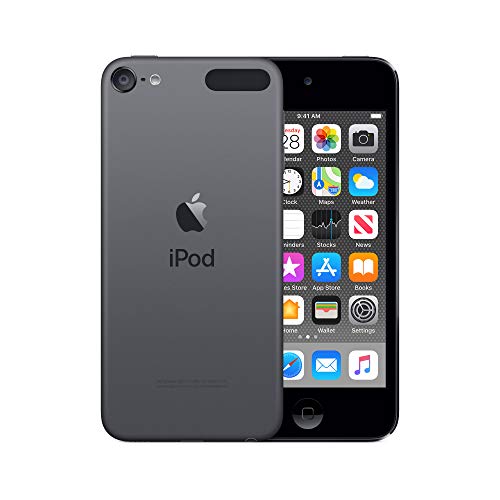


We also considered 10 others:


Our Top Choice
The order above is not editorial opinion, and it is not paid placement. It comes from what shoppers across our network actually do - which apple ipods they compare, and which they ultimately buy. We re-rank as new data comes in, so the long-term favorites have to keep earning their spot against new entrants. The full method, including how we make money.
Apple iPods Buyer's Guide
Buying an iPod today is mostly a tradeoff between getting a distraction-light dedicated listener and accepting the risks of an aging, often renewed device. The sharpest concerns are battery health, refurbished quality control, and whether the model still fits your music library, audiobook setup, and app expectations.
Battery Health
Battery condition varies widely in aging portable media players, even when the rest of the device looks clean. Runtime affects not only music playback but also audiobook sessions, standby use, travel, and whether the device can truly stay separate from a phone.
Prioritize listings that state battery testing, expected playback runtime, charge-hold checks, and whether the battery has been replaced; avoid units with vague condition claims but no battery details. For an older pocket music player, a weak battery can turn a dedicated listening device into something that must stay near an outlet, and standby drain matters almost as much as active playback if you plan to keep it in a bag or car. Owner feedback makes this the clearest watch-out: battery life is repeatedly described as the main drawback, with some units draining quickly during audio use or needing to be plugged in again after very little use.
Renewed Condition
For discontinued media players, condition is not standardized just because a device is labeled renewed or refurbished. A unit can look excellent while still having worn ports, tired buttons, degraded battery cells, or setup problems that only appear after syncing and playback.
Look for a renewed unit with clear grading, photos of the actual device when possible, tested buttons, tested ports, working wireless, clean screen glass, and a return path if setup reveals problems. Cosmetic condition is less important than whether the headphone jack or wireless audio, charging port, home/power buttons, touchscreen, speakers, and storage pass real use checks. Owners report many units arriving impressively clean, nearly new-looking, and working properly right away, but they also describe mixed renewed-condition experiences, including quality-control issues during setup.
Sync & Apps
Compatibility is a category-specific issue because these devices sit between old-style local libraries and modern app-based listening. The right pick depends on whether the shopper wants a simple offline player or a small app-capable device that still has to work with current accounts, computers, and services.
Decide before buying whether you need simple local music syncing, audiobook playback, wireless streaming apps, or older app support, because model generation and software version can sharply limit what still works. If you mainly want owned music and audiobooks, confirm the device can sync with your current computer and media library; if you expect apps, check operating-system limits and whether the services you use still support that version. Owner sentiment supports this split: many buyers like the device as a dedicated music and audiobook player, while others report uneven syncing, glitches, overheating, or app limits tied to older software.
Listening Experience
A good iPod purchase is not just about owning a small device; it is about making listening easier and less distracting. Audio output, control layout, connection type, and audiobook handling can matter more than general device specs for this category.
Match the model to how you actually listen: wired headphones, wireless earbuds, car input, dock, speakers, long audiobook sessions, or offline playlists. Check for the audio connection you need, enough volume for your headphones, reliable Bluetooth if applicable, and easy playback controls if you plan to use it while walking, commuting, or keeping your phone away. Owners point to listening as a real strength, noting solid dedicated music and audiobook use and, in some cases, audio quality that sounds better than older models.
Capacity Fit
Storage determines whether the device can function as a complete offline library or only a rotating playlist holder. Since many shoppers buy this category specifically to replace a discontinued player, underestimating capacity can make the replacement feel limiting from the start.
Choose storage based on your real offline library, not just the cheapest available unit, because storage is generally fixed and cannot be expanded later. Compressed music, lossless files, podcasts, audiobooks, photos, apps, and system software all compete for space, so buyers with large local libraries should leave headroom rather than filling the device on day one. The owner feedback frames these devices as useful dedicated players, which makes capacity especially important: a separate listener only feels convenient if it can hold the content you actually want away from your phone.
Replacement Value
Because these players are no longer bought like ordinary new electronics, value depends heavily on condition, battery health, and support after purchase. A cheap unit with poor runtime or compatibility problems can be worse value than a better-tested one that keeps working.
Treat value as a risk-adjusted purchase: the best pick is not simply the lowest-cost unit, but the one with credible testing, battery disclosure, clean return terms, and the right generation and storage for your use. This category is often bought to replace a discontinued device, so paying more only makes sense when the condition and compatibility reduce the odds of needing a replacement. Owner sentiment is mixed here: some shoppers see a renewed unit as a worthwhile replacement, while others feel value depends heavily on the specific unit received and whether it works reliably out of the box.
1,000,000+ shoppers use Buyer's Guide every week to find the best products and services online.

Helping millions of users make smarter purchases online.


