
















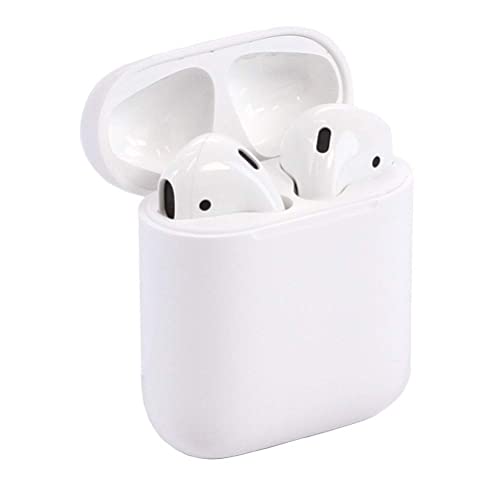


We also considered 10 others:


Our Top Choice
Compare Features


The order above is not editorial opinion, and it is not paid placement. It comes from what shoppers across our network actually do - which airpods they compare, and which they ultimately buy. We re-rank as new data comes in, so the long-term favorites have to keep earning their spot against new entrants. The full method, including how we make money.
AirPods Buyer's Guide
For this niche, the real tradeoff is not just sound quality: it is whether you want tight phone-ecosystem features, noise control, hearing-assistance tools, and automatic pairing enough to accept sealed batteries, model-specific case compatibility, and higher risk when buying renewed or lookalike units. The sharpest checks are battery health, left/right earbud consistency, fit-dependent seal, and whether the exact features you care about actually work with your phone and software version.
Build
You want earbuds that can handle daily use without loose seams, rattling housings, fraying cables, unreliable charging contacts, or tips that stop fitting securely. Pay attention to the sturdiness of the shells, hinges or case, cable strain relief on wired pairs, water or sweat resistance for workouts, and owner reports of early failures, connection issues, or one earbud dying before the other.
Start by verifying the exact generation, case type, charging port, water-resistance rating, and whether the earbuds, case, and firmware are compatible as a set; this category is especially prone to confusion between similar-looking models, renewed units, and lookalikes with missing sensors or weaker app support. Inspect renewed or open-box pairs for clean speaker mesh, even left/right output, working microphones, reliable case magnets/hinge, and no mismatch between earbuds and case, because a single faulty bud can ruin the whole purchase. If you want hearing-assistance features, confirm that the specific model and phone software support them rather than assuming all versions do. Owner feedback supports this caution: many buyers describe strong overall quality, useful charge visibility, and long listening sessions, while renewed units can arrive nearly new but sometimes have silent earbuds, inconsistent sound, or setup trouble.
Sound
Sound quality matters because earbuds should make music, podcasts, and calls clear and balanced without forcing you to raise the volume. Look for enough bass to feel full without muddying vocals, clean detail at normal listening levels, and performance that stays consistent across different genres. Be wary of earbuds that sound overly boomy, harsh, or thin, since that can become tiring during longer listening sessions.
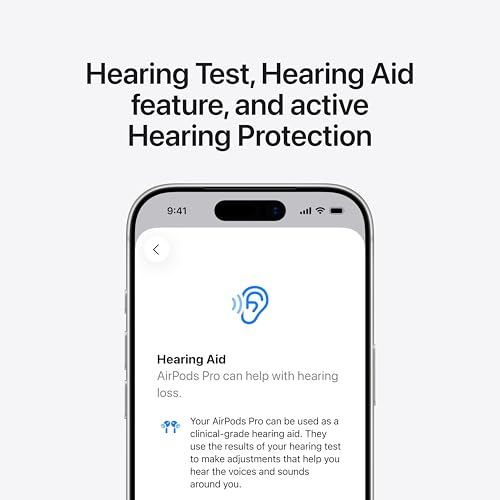
Choose sound features based on your actual use: for commuting and flights, prioritize strong active noise cancellation and wind-resistant microphones; for street use or office awareness, look for a natural transparency or ambient mode; for hearing assistance, check that voice enhancement and hearing-profile tools are supported by your device. Do not judge this niche by bass claims alone, because the seal, ear-tip fit, mic processing, and noise-control mode often matter more than raw loudness. If buying renewed, test both earbuds immediately for equal volume, clean treble, bass response, crackling, and microphone clarity, since one weak driver or clogged mesh can make an otherwise premium-style set feel defective. Owners often praise clear audio, full bass, crisp highs, natural call sound, and impressive noise cancellation or ambient listening, but reports of faulty or silent earbuds show why early testing is essential.
Battery
Battery life matters because it determines whether your earbuds can get through your commute, workouts, calls, or travel without constant recharging. Look at both the earbuds’ per-charge runtime and the extra charges provided by the case, and watch for features that reduce runtime such as noise cancellation or high-quality audio modes. Consistent charging behavior also matters, so consider how quickly the case and earbuds recharge and whether the case supports the charging method you prefer.
Treat battery health as one of the biggest buying risks because these earbuds use tiny sealed cells that wear out and are not practical for most shoppers to replace. Check rated listening time with noise cancellation on and off, call-time ratings, case recharge capacity, fast-charge claims, and whether both earbuds drain evenly; left/right imbalance, a case that loses charge overnight, or buds that fail to top off are common failure modes in this category. Renewed units need an especially strong return window because cosmetic condition does not prove battery health. Owner sentiment lines up with this: many buyers get several hours of continuous use, days of case-assisted charging, and convenient charge readouts, but others warn that refurbished or renewed pairs may drain quickly, arrive with charging faults, or fail sooner than expected.
Fit
Fit matters because earbuds that don’t sit comfortably or seal well can sound thin, feel irritating, or work loose while you move. Look for multiple ear tip sizes or stabilizing features if you need them, and watch for pressure points, slipping, or a seal that breaks when you talk, chew, or exercise.
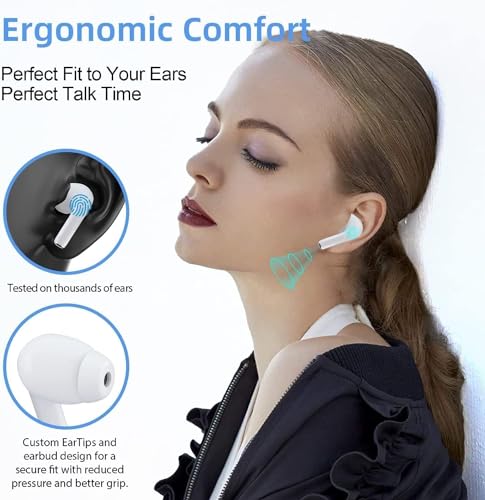
Decide first between an open, lightweight fit and a sealed silicone-tip fit, because that choice affects comfort, bass, noise cancellation, hearing-assistance performance, and workout stability. If you need noise cancellation, strong bass, or hearing support, look for multiple tip sizes and a fit-test feature; if you dislike ear pressure or canal sealing, an open design may be more comfortable but will leak in more outside sound and usually deliver weaker low bass. For workouts, check sweat resistance and whether the shape stays secure during jaw movement, running, and bending rather than just while sitting still. Owners frequently describe these earbuds as comfortable for long wear, chores, calls, walking, and workouts, especially when silicone tips create a good seal, but fit remains highly ear-shape-dependent and some buyers find the shape unstable or uncomfortable.
Value
Value matters because the best earbuds for you are not just the cheapest pair, but the ones that justify their cost through sound quality, comfort, battery life, durability, and useful features. Look for a balance between the features you will actually use and the compromises you can live with, and be cautious of paying extra for flashy specs or design touches that do not improve your everyday listening experience.
Judge value by which ecosystem features you will actually use: automatic device switching, strong location tracking, spatial audio, adaptive noise control, call quality, hearing-assistance tools, and reliable firmware support can justify paying more, while casual listeners may be satisfied with simpler AirPods-style alternatives. Be careful with very cheap lookalikes if you need dependable microphones, low-latency video, real noise cancellation, ear detection, or app-based settings, because the outside shape may imitate the experience without the same integration. Renewed units can be worthwhile only when the return policy protects you from weak batteries, mismatched parts, or unreliable pairing. Owner feedback supports both sides: shoppers often feel they get impressive sound, comfort, and everyday performance for the money, and some value hearing-assistance features as a lower-cost substitute for dedicated devices, but the savings are less attractive when charging, battery, or reliability problems appear.
Connectivity
Strong connectivity keeps your earbuds paired reliably, with fewer dropouts when you move around, put your phone in a pocket, or use them in busy wireless environments. Look for easy Bluetooth pairing, stable range, and multipoint or smooth device switching if you regularly move between a phone, laptop, or tablet. Watch out for earbuds that reconnect slowly, favor one device too aggressively, or lose sync in crowded areas.
Confirm device and software compatibility before buying, because the best features in this niche depend on more than basic Bluetooth: one-tap pairing, automatic switching, location tracking, ear detection, firmware updates, audio sharing, and low-friction call handoff may require a compatible phone, tablet, or computer. If you use multiple platforms, check whether controls, battery readouts, codec behavior, and settings remain available outside the main ecosystem. For renewed pairs, test reset, pairing animation, left/right synchronization, range, reconnection after closing the case, and handoff between devices immediately, since mismatched or previously paired components can cause persistent problems. Owners often report quick setup, stable range, and easy daily use across phones and tablets, but enough buyers mention slow pairing, manual reconnection, dropouts, and unit-to-unit inconsistency that connectivity should be verified early.
1,000,000+ shoppers use Buyer's Guide every week to find the best products and services online.

Helping millions of users make smarter purchases online.


